

పరిచయం
Thank you for choosing the Defy 1750W Steam Iron SI8059. This manual provides important information for the safe and efficient use of your appliance. Please read these instructions carefully before first use and keep them for future reference.
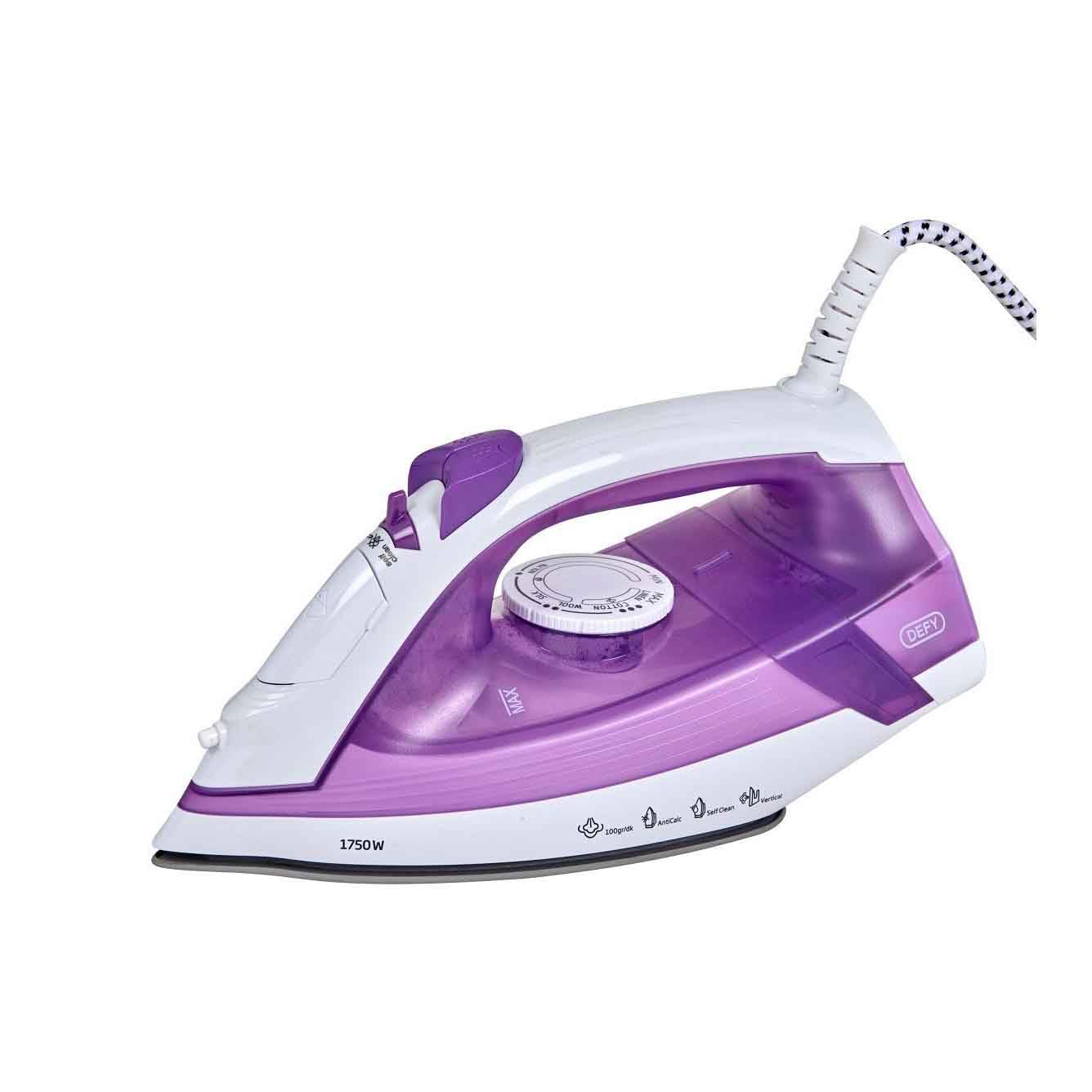
Image: The Defy 1750W Steam Iron SI8059, featuring a purple and white design with a ceramic soleplate.
ముఖ్యమైన భద్రతా సూచనలు
ఎలక్ట్రికల్ ఉపకరణాలను ఉపయోగిస్తున్నప్పుడు, అగ్ని ప్రమాదాలు, విద్యుత్ షాక్ మరియు వ్యక్తులకు గాయాలయ్యే ప్రమాదాన్ని తగ్గించడానికి ప్రాథమిక భద్రతా జాగ్రత్తలు ఎల్లప్పుడూ అనుసరించాలి.
- ఇనుమును ఉపయోగించే ముందు అన్ని సూచనలను చదవండి.
- ఇస్త్రీ బోర్డుకు లేదా విద్యుత్ సరఫరాకు అనుసంధానించబడినప్పుడు ఇనుమును గమనించకుండా ఉంచవద్దు.
- విద్యుత్ షాక్ ప్రమాదం నుండి రక్షించడానికి, ఇనుమును నీటిలో లేదా ఇతర ద్రవాలలో ముంచవద్దు.
- The iron must always be turned to the "OFF" position before plugging or unplugging from the outlet.
- పాడైపోయిన త్రాడు లేదా ప్లగ్తో లేదా ఉపకరణం పనిచేయకపోవడం లేదా పడిపోయిన తర్వాత లేదా ఏ పద్ధతిలో పాడైపోయిన తర్వాత ఏ పరికరాన్ని ఆపరేట్ చేయవద్దు.
- విశ్రాంతి తీసుకునేటప్పుడు ఎల్లప్పుడూ ఇనుమును స్థిరమైన, వేడి-నిరోధక ఉపరితలంపై ఉంచండి.
- ఇనుము మరియు దాని త్రాడు పిల్లలకు అందుబాటులో లేకుండా ఉంచండి.
- ఇనుమును దాని ఉద్దేశించిన ఉపయోగం కాకుండా ఇతర ప్రయోజనాల కోసం ఉపయోగించవద్దు.
ఉత్పత్తి లక్షణాలు
- సిరామిక్ సోల్ప్లేట్: Ensures smooth gliding and even heat distribution.
- 1750W పవర్: For rapid heating and efficient wrinkle removal.
- యాంటీ-కాల్క్ సిస్టమ్: Helps prevent mineral build-up for prolonged performance.
- స్వీయ-శుభ్రమైన ఫంక్షన్: For easy maintenance and extended iron life.
- యాంటీ డ్రిప్ సిస్టమ్: Prevents water spots on garments, even at low temperatures.
- వర్టికల్ స్టీమింగ్: వేలాడుతున్న దుస్తులు మరియు కర్టెన్లను ఆవిరి పట్టడానికి అనుమతిస్తుంది.
- సూచిక లైట్లు: Provide clear status updates during operation.
సెటప్
- అన్ప్యాకింగ్: ఐరన్ను దాని ప్యాకేజింగ్ నుండి జాగ్రత్తగా తొలగించండి. నిల్వ చేయడానికి లేదా భవిష్యత్తులో రవాణా చేయడానికి ప్యాకేజింగ్ను అలాగే ఉంచండి.
- మొదటి ఉపయోగం: Before first use, iron an old piece of fabric to ensure any manufacturing residues are removed.
- వాటర్ ట్యాంక్ నింపడం:
- పవర్ అవుట్లెట్ నుండి ఇనుమును అన్ప్లగ్ చేశారని నిర్ధారించుకోండి.
- వాటర్ ఫిల్లర్ క్యాప్ తెరవండి.
- Fill the water tank with clean tap water up to the MAX mark. Do not overfill.
- వాటర్ ఫిల్లర్ మూతను సురక్షితంగా మూసివేయండి.
- పవర్ కనెక్షన్: Plug the iron into a suitable 220V AC power outlet.
ఆపరేటింగ్ సూచనలు
ఉష్ణోగ్రత సెట్టింగ్
- సిఫార్సు చేయబడిన ఇస్త్రీ ఉష్ణోగ్రత కోసం వస్త్ర సంరక్షణ లేబుల్ను తనిఖీ చేయండి.
- Turn the temperature dial to the desired setting (e.g., synthetic, silk, wool, cotton, linen).
- ఇండికేటర్ లైట్ వెలుగుతుంది, ఇది ఇనుము వేడెక్కుతున్నట్లు సూచిస్తుంది. సెట్ ఉష్ణోగ్రత చేరుకున్నప్పుడు అది ఆపివేయబడుతుంది.
ఆవిరి ఇస్త్రీ
Steam ironing is suitable for most fabrics except those marked "do not steam".
- నీటి ట్యాంక్ నిండినట్లు నిర్ధారించుకోండి.
- Set the temperature dial to a steam-appropriate setting (usually cotton or linen). Steam function will not activate at low temperatures.
- Once the indicator light turns off, indicating the iron is hot enough, adjust the steam selector to the desired steam level.
- ఇస్త్రీ చేయడం ప్రారంభించండి.
నిలువు స్టీమింగ్
This feature is ideal for removing creases from hanging clothes, curtains, or drapes.
- Ensure the water tank is filled and the iron is heated to its maximum temperature setting.
- ఫాబ్రిక్ నుండి కొన్ని సెంటీమీటర్ల దూరంలో ఇనుమును నిలువుగా పట్టుకోండి.
- Press the steam burst button repeatedly to release bursts of steam.
డ్రై ఇస్త్రీ
For dry ironing, ensure the water tank is empty or the steam selector is set to the "no steam" position.
- ఫాబ్రిక్ రకాన్ని బట్టి ఉష్ణోగ్రత డయల్ను సెట్ చేయండి.
- సూచిక లైట్ ఆఫ్ అయ్యే వరకు వేచి ఉండండి.
- Begin ironing without steam.
నిర్వహణ
సోల్ప్లేట్ను శుభ్రపరచడం
- ఇనుము అన్ప్లగ్ చేయబడి పూర్తిగా చల్లబడిందని నిర్ధారించుకోండి.
- ప్రకటనతో సోలేప్లేట్ను తుడవండిamp అవసరమైతే గుడ్డ మరియు రాపిడి లేని క్లీనర్.
- Do not use abrasive scourers or chemical cleaners as they can damage the soleplate.
స్వీయ-క్లీన్ ఫంక్షన్
Use the self-clean function regularly (e.g., once a month) to remove mineral deposits and impurities from the steam vents.
- నీటి ట్యాంక్ను MAX స్థాయికి నింపండి.
- ఇనుమును ప్లగ్ చేసి ఉష్ణోగ్రతను గరిష్టంగా సెట్ చేయండి.
- ఇండికేటర్ లైట్ ఆపివేయబడిన తర్వాత, ఐరన్ను అన్ప్లగ్ చేయండి.
- సింక్పై ఇనుమును అడ్డంగా పట్టుకోండి.
- సెల్ఫ్-క్లీన్ బటన్ను నొక్కి పట్టుకోండి. వేడి నీరు మరియు ఆవిరి సోల్ప్లేట్ నుండి బయటకు పంపబడతాయి, మలినాలను మోసుకెళతాయి.
- వాటర్ ట్యాంక్ ఖాళీ అయ్యే వరకు ఇనుమును ముందుకు వెనుకకు సున్నితంగా కదిలించండి.
- Plug the iron back in and heat it to dry the soleplate.
నిల్వ
- ఇనుము అన్ప్లగ్ చేయబడి పూర్తిగా చల్లబడిందని నిర్ధారించుకోండి.
- ట్యాంక్ నుండి మిగిలిన నీటిని ఖాళీ చేయండి.
- ఇనుమును దాని మడమ మీద నిటారుగా ఉంచి సురక్షితమైన, పొడి ప్రదేశంలో నిల్వ చేయండి.
ట్రబుల్షూటింగ్
| సమస్య | సాధ్యమైన కారణం | పరిష్కారం |
|---|---|---|
| ఇనుము వేడెక్కదు. | Not plugged in; power outlet faulty; temperature dial set to OFF. | Check power connection; try another outlet; turn temperature dial to a setting. |
| ఆవిరి లేదు లేదా తగినంత ఆవిరి లేదు. | Water tank empty; temperature too low; steam vents blocked; steam selector set to OFF. | Fill water tank; set temperature to steam-appropriate level; perform self-clean; adjust steam selector. |
| సోల్ప్లేట్ నుండి నీరు కారుతోంది. | ఉష్ణోగ్రత చాలా తక్కువగా ఉండటం వల్ల ఆవిరి రాదు; నీటి ట్యాంక్ నిండిపోయింది; డ్రిప్ నిరోధక వ్యవస్థ పనిచేయకపోవడం. | Increase temperature; do not overfill; if problem persists, contact customer service. |
| White flakes on garments. | Mineral deposits in water tank/steam vents. | Perform self-clean function. Use distilled water if tap water is very hard. |
స్పెసిఫికేషన్లు
| మోడల్ సంఖ్య | SI 8059 A1 |
| శక్తి | 1750 వాట్స్ |
| వాల్యూమ్tage | 220 వోల్ట్లు |
| సోల్ప్లేట్ మెటీరియల్ | సిరామిక్ |
| కొలతలు (L x W) | 12.6 సెం.మీ x 28.4 సెం.మీ |
| బరువు | 1.3 కిలోలు |
| ప్రత్యేక లక్షణాలు | Vertical Steaming, Anti-Calc, Self-Clean, Anti-Drip System |
వారంటీ మరియు మద్దతు
For detailed warranty information, please refer to the warranty card included with your product or visit the official Defy website. If you encounter any issues not covered in the troubleshooting section, or require further assistance, please contact Defy customer support.
Defy Official Webసైట్: www.defy.co.za