పరిచయం
ధన్యవాదాలు, ధన్యవాదాలు.asing the Generic LED Lamp Soccer Club Barcelona. This lamp features a vibrant 7-color display, USB power, and a convenient touch switch for easy operation. This manual provides essential information for safe and proper use, setup, and maintenance of your new LED lamp.
ముఖ్యమైన భద్రతా సమాచారం
- ఉపయోగం ముందు అన్ని సూచనలను చదవండి మరియు భవిష్యత్తు సూచన కోసం ఉంచండి.
- l ను బహిర్గతం చేయవద్దుamp to water or excessive moisture. This product is for indoor use only.
- విద్యుత్ సరఫరా కోసం అందించిన USB కేబుల్ను మాత్రమే ఉపయోగించండి.
- Avoid touching the acrylic panel with fingers to prevent smudges. Handle by the edges.
- చిన్న పిల్లలకు దూరంగా ఉంచండి.
- lని విడదీయడానికి లేదా సవరించడానికి ప్రయత్నించవద్దుamp. This will void the warranty.
- l ని నిర్ధారించుకోండిamp స్థిరమైన, చదునైన ఉపరితలంపై ఉంచబడుతుంది.
ప్యాకేజీ విషయాలు
క్రింద జాబితా చేయబడిన అన్ని వస్తువులు మీ ప్యాకేజీలో చేర్చబడ్డాయని ధృవీకరించండి:
- 1 x LED Lamp బేస్
- 1 x Acrylic Design Panel (Soccer Club Barcelona)
- 1 x USB పవర్ కేబుల్
- 1 x Remote Control (requires 3 AA batteries, not included)
సెటప్ సూచనలు
- భాగాలను అన్ప్యాక్ చేయండి: ప్యాకేజింగ్ నుండి అన్ని భాగాలను జాగ్రత్తగా తొలగించండి.
- యాక్రిలిక్ ప్యానెల్ చొప్పించండి: Gently insert the acrylic design panel into the slot on the LED lamp base. Ensure it is fully seated and stable.
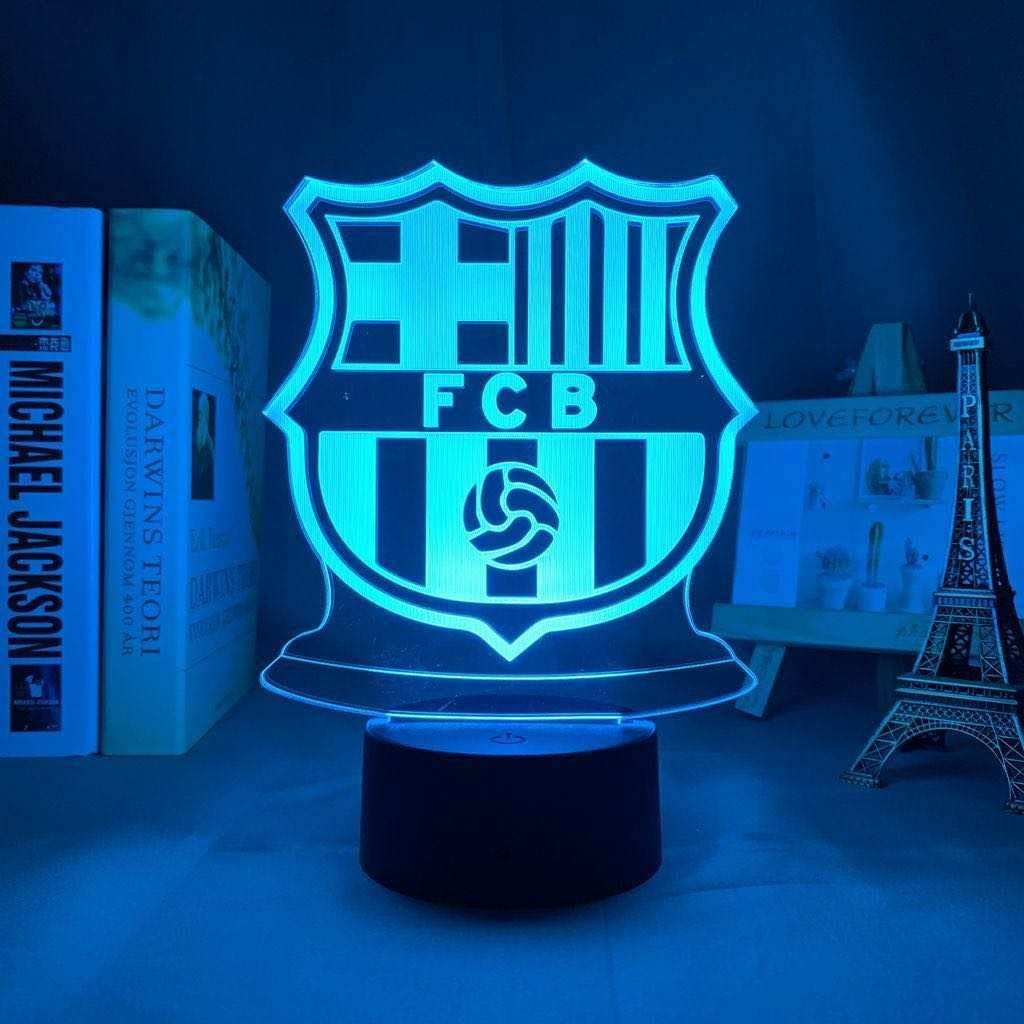
Image: The acrylic panel, featuring the Soccer Club Barcelona crest, is shown being inserted into the black circular lamp బేస్.
- పవర్ కనెక్ట్ చేయండి: Connect the small end of the USB power cable to the port on the lamp base. Connect the other end to a USB power adapter (not included) or a powered USB port.
- రిమోట్ కంట్రోల్ బ్యాటరీలు: If using the remote control, open the battery compartment and insert 3 AA batteries, observing correct polarity.
- ప్లేస్మెంట్: అమర్చిన l ని ఉంచండిamp on a flat, stable surface in your desired location.
ఆపరేటింగ్ సూచనలు
Using the Touch Switch:
- పవర్ ఆన్: Touch the power button on the lamp base once to turn on the lamp. It will illuminate in the first color.
- రంగు మార్చండి: Each subsequent touch of the power button will cycle through the 7 available colors (e.g., Red, Green, Blue, Yellow, Cyan, Purple, White).
- ఆటోమేటిక్ కలర్ సైకిల్: After cycling through all individual colors, the next touch will activate an automatic color-changing mode, where the lamp smoothly transitions between colors.
- పవర్ ఆఫ్: Touch and hold the power button for approximately 2-3 seconds to turn off the lamp.
Video: This video demonstrates the touch switch functionality, showing how to cycle through the different colors of the Barcelona LED lamp.
రిమోట్ కంట్రోల్ ఉపయోగించడం:
If your model includes a remote control, point it directly at the lamp base. The remote typically allows for direct color selection, brightness adjustment, and various lighting modes. Refer to the remote's specific buttons for their functions.
నిర్వహణ
- శుభ్రపరచడం: To clean the acrylic panel, gently wipe it with a soft, lint-free cloth. For smudges, use a slightly damp గుడ్డను ఒత్తి బాగా ఆరబెట్టండి. రాపిడి క్లీనర్లు లేదా ద్రావకాలను ఉపయోగించవద్దు.
- బేస్ క్లీనింగ్: l తుడవడంamp base with a dry, soft cloth.
- నిల్వ: ఉపయోగంలో లేనప్పుడు, l నిల్వ చేయండిamp in a dry, cool place, away from direct sunlight and extreme temperatures.
ట్రబుల్షూటింగ్
| సమస్య | సాధ్యమైన కారణం | పరిష్కారం |
|---|---|---|
| Lamp ఆన్ చేయదు. | విద్యుత్ లేదు లేదా కనెక్షన్ కోల్పోయింది. | USB కేబుల్ రెండు l లకు సురక్షితంగా కనెక్ట్ చేయబడిందని నిర్ధారించుకోండిamp base and a powered USB port/adapter. Try a different USB port or adapter. |
| రంగులు మారడం లేదు. | Touch switch not responding or remote control issue. | Ensure you are touching the correct area of the touch switch. If using a remote, check battery and line of sight. Replace remote batteries if necessary. |
| Acrylic panel does not fit into the base. | Incorrect orientation or manufacturing variance. | Ensure the panel is inserted in the correct orientation. Gently try to insert it without forcing. If it still does not fit, contact customer support. |
| Lamp flickers or turns off unexpectedly. | అస్థిర విద్యుత్ సరఫరా. | Use a stable power source. Avoid connecting to USB ports that may have fluctuating power output. |
స్పెసిఫికేషన్లు
| ఫీచర్ | వివరాలు |
|---|---|
| బ్రాండ్ | సాధారణమైనది |
| మోడల్ సంఖ్య | AK3-A214 |
| Lamp టైప్ చేయండి | LED |
| కాంతి మూలం రకం | LED |
| కాంతి వనరుల సంఖ్య | 7 (colors) |
| నియంత్రణ పద్ధతి | టచ్, రిమోట్ |
| శక్తి మూలం | Corded Electric (USB Cable) |
| మెటీరియల్ | ప్లాస్టిక్ |
| ఉత్పత్తి కొలతలు | 2"డి x 3"వా x 6"హ |
| వస్తువు బరువు | 0.035 ఔన్సులు (సుమారు 1 గ్రాము) |
| వాల్యూమ్tage | 127 Volts (Input for adapter, lamp likely 5V USB) |
| వాట్tage | గరిష్టంగా 2.5 వాట్స్ |
| ఇండోర్/అవుట్డోర్ వినియోగం | ఇండోర్ |
| అసెంబ్లీ అవసరం | No (minimal insertion) |
| బ్యాటరీలు అవసరం | Yes (3 AA for remote) |

Image: The Generic LED Lamp Soccer Club Barcelona, featuring the FC Barcelona crest, illuminated in a bright blue color.
వారంటీ మరియు మద్దతు
For information regarding warranty coverage or technical support, please refer to the product packaging or contact the retailer where the product was purchased. Keep your proof of purchase for any warranty claims.
For further assistance, you may also visit the manufacturer's website or contact their customer service department if contact details are provided on the packaging.


