
పరిచయం
This manual provides detailed instructions for the setup, operation, maintenance, and troubleshooting of your Tera P161 Android 11 Barcode Scanner PDA. The P161 is a robust portable data terminal designed for various industrial and retail environments, featuring a Qualcomm processor, Android 11 operating system, and a high-performance Zebra SE4710 scan engine.
ముఖ్య లక్షణాలు ఉన్నాయి:
- ఆపరేటింగ్ సిస్టమ్: Android 11 for enhanced data protection and application compatibility.
- ప్రాసెసర్: Qualcomm Octa-Core 2.0GHz for robust performance and stable connectivity.
- స్కానర్: Integrated Zebra SE4710 1D/2D/QR scan engine for fast and accurate barcode capture.
- బ్యాటరీ: 6700mAh hot-swappable battery with a 100mAh backup for continuous operation.
- కీప్యాడ్: 37-key numeric keypad for easy operation, even with gloves.
- మన్నిక: IP65 rated for water, dust, and drop resistance (up to 1.5 meters).
- కనెక్టివిటీ: Dual-band Wi-Fi (2.4G/5G), Bluetooth 5.0, GPS, and NFC.
ప్యాకేజీ విషయాలు
అన్ప్యాక్ చేసిన తర్వాత, క్రింద జాబితా చేయబడిన అన్ని వస్తువులు ఉన్నాయని మరియు మంచి స్థితిలో ఉన్నాయని దయచేసి ధృవీకరించండి:
- 1 x Tera P161 Android 11 Barcode Scanner PDA
- 1 x Pistol Grip
- 1 x ఛార్జింగ్ rad యల
- 1 x హ్యాండ్ స్ట్రాప్
- 1 x ఛార్జింగ్ అడాప్టర్
- 1 x QC Adapter
- 1 x స్క్రీన్ ప్రొటెక్టర్
- 1 x SIM కార్డ్ ఎజెక్టర్ సాధనం
- 1 x USB కేబుల్
- 1 x యూజర్ మాన్యువల్ (ఈ పత్రం)
- 1 x SDK (Software Development Kit)

Image: The Tera P161 PDA shown with its included pistol grip and charging cradle, illustrating the main components of the package.
సెటప్
1. బ్యాటరీ సంస్థాపన మరియు ఛార్జింగ్
The Tera P161 is equipped with a 6700mAh removable battery and a 100mAh backup battery for hot-swapping. Before first use, fully charge the device.
- Locate the battery compartment on the back of the PDA.
- Insert the 6700mAh battery, ensuring proper alignment of the contacts.
- Place the PDA into the charging cradle or connect the USB cable directly to the device using the provided charging adapter.
- ఛార్జింగ్ ఇండికేటర్ లైట్ వెలుగుతుంది. పూర్తిగా ఛార్జ్ కావడానికి సాధారణంగా దాదాపు 3.5 గంటలు పడుతుంది.

Image: The Tera P161 PDA securely placed in its charging cradle, indicating the charging process.
2. SIM Card and MicroSD Card Installation (Optional)
If you plan to use cellular data or expand storage, install a SIM card or MicroSD card.
- పరికరాన్ని పవర్ ఆఫ్ చేయండి.
- Use the SIM ejector tool to open the SIM/MicroSD card tray.
- Insert the SIM card and/or MicroSD card into the tray with the contacts facing down.
- పరికరంలోకి ట్రేని జాగ్రత్తగా మళ్లీ చొప్పించండి.
3. Attaching the Pistol Grip and Hand Strap (Optional)
The pistol grip provides ergonomic handling for extended scanning tasks, and the hand strap offers additional security.
- To attach the pistol grip: Align the connectors on the grip with the corresponding ports on the bottom of the PDA and secure it firmly.
- To attach the hand strap: Thread the strap through the designated loops on the PDA.
ఆపరేటింగ్ సూచనలు
1. పవర్ ఆన్/ఆఫ్
- పవర్ ఆన్: Press and hold the Power button on the side of the device until the screen illuminates.
- పవర్ ఆఫ్: పవర్ బటన్ను నొక్కి పట్టుకోండి, ఆపై స్క్రీన్పై కనిపించే ఎంపికల నుండి "పవర్ ఆఫ్" ఎంచుకోండి.
- పునఃప్రారంభించు: పవర్ బటన్ను నొక్కి పట్టుకోండి, ఆపై ఎంపికల నుండి "పునఃప్రారంభించు" ఎంచుకోండి.
2. బార్కోడ్ స్కానింగ్
The Tera P161 features a Zebra SE4710 2D scan engine for efficient barcode reading.
- Open a scanning application or a field that requires barcode input.
- Point the scanner window at the barcode.
- Press the scan button (typically located on the side or the pistol grip) to activate the scanner.
- Ensure the red aiming beam covers the entire barcode for optimal reading.
- A successful scan will usually be indicated by an audible beep and/or a visual confirmation on the screen.
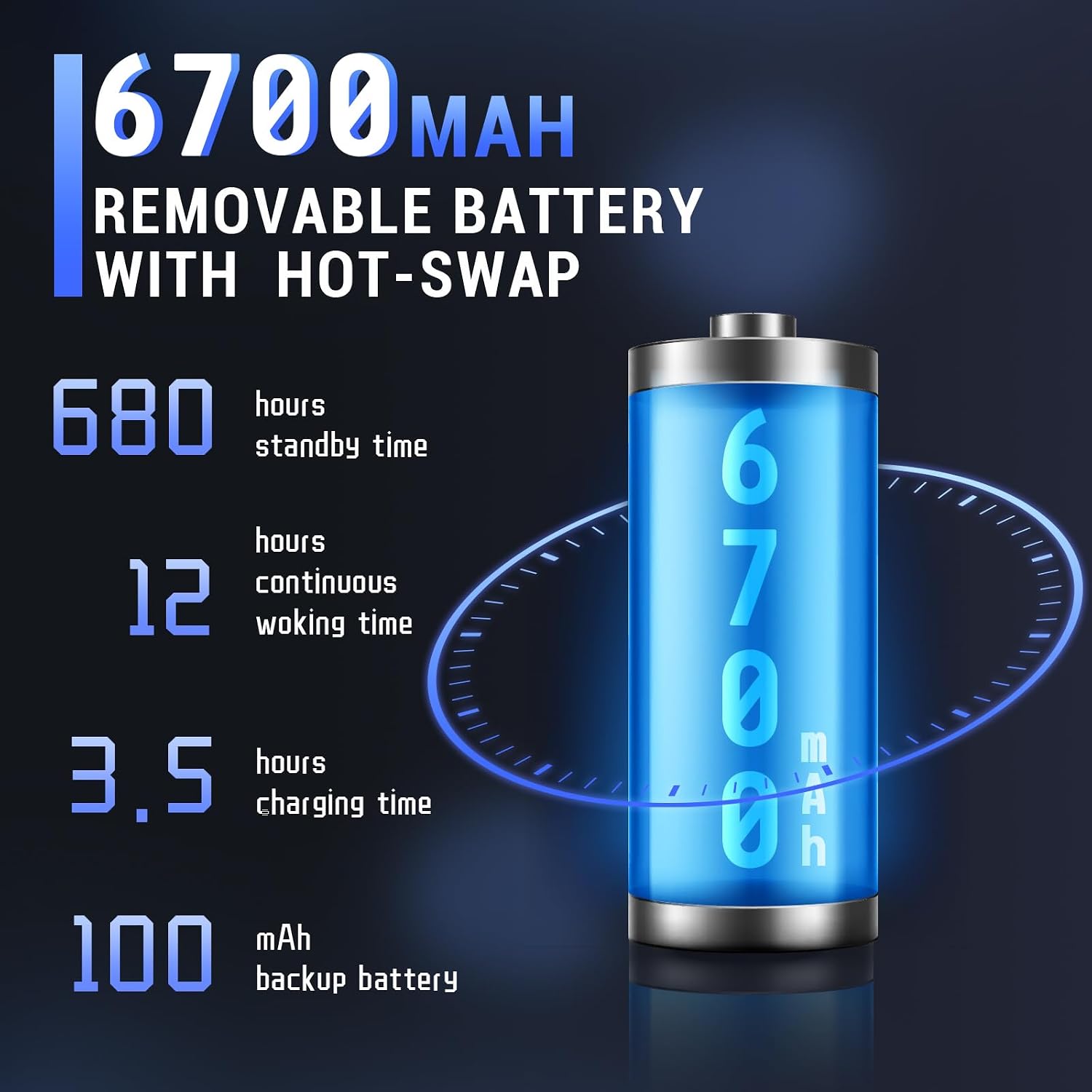
Image: The Tera P161 PDA actively scanning a barcode, demonstrating its primary function.
3. Keypad and Touchscreen Usage
The device combines a 4-inch touchscreen with a physical 37-key numeric keypad.
- టచ్స్క్రీన్: Navigate the Android interface by tapping, swiping, and pinching.
- కీప్యాడ్: Use the physical keys for data entry, navigation, and quick access functions. The keypad is designed for use even with gloves.

చిత్రం: వివరణాత్మక view of the Tera P161 PDA's 37-key physical keypad, highlighting its layout and design.
4 కనెక్టివిటీ
- Wi-Fi: Connect to available Wi-Fi networks via the Android settings menu. Supports 2.4G and 5G bands.
- బ్లూటూత్: Pair with Bluetooth devices (e.g., headphones, printers) through the Bluetooth settings. The device uses Bluetooth 5.0 for faster data transfer.
- GPS: The integrated GPS module allows for location-based services and tracking.
- NFC: For Near Field Communication, ensure the pistol grip is removed for optimal performance. Access NFC settings in the Android menu.
నిర్వహణ
1. పరికరాన్ని శుభ్రపరచడం
సరైన పనితీరు మరియు పరిశుభ్రతను నిర్వహించడానికి:
- స్క్రీన్ మరియు బాడీని మృదువైన, మెత్తటి బట్టతో తుడవండి.
- మొండి ధూళికి, కొద్దిగా dampనీరు లేదా తేలికపాటి, నాన్-బ్రాసివ్ క్లీనర్తో వస్త్రాన్ని en.
- కఠినమైన రసాయనాలు, ద్రావకాలు లేదా రాపిడి పదార్థాలను ఉపయోగించవద్దు.
- పోర్ట్లు లేదా ఓపెనింగ్లలోకి ఎటువంటి ద్రవం ప్రవేశించకుండా చూసుకోండి.
2. బ్యాటరీ సంరక్షణ
The 6700mAh battery is designed for long operational periods. The 100mAh backup battery allows for hot-swapping the main battery without losing data.
- బ్యాటరీని తరచుగా పూర్తిగా డిశ్చార్జ్ చేయడాన్ని నివారించండి.
- ఎక్కువ కాలం ఉపయోగంలో లేనప్పుడు పరికరాన్ని చల్లని, పొడి ప్రదేశంలో నిల్వ చేయండి.
- If replacing the main battery, ensure the device is powered on and the backup battery is charged to facilitate a hot-swap.
3. పర్యావరణ పరిగణనలు
The Tera P161 has an IP65 rating, indicating resistance to dust and water jets, and can withstand drops up to 1.5 meters.
- While robust, avoid intentional exposure to extreme conditions.
- నీరు మరియు ధూళి నిరోధకతను నిర్వహించడానికి అన్ని పోర్ట్ కవర్లు సురక్షితంగా మూసివేయబడ్డాయని నిర్ధారించుకోండి.
- పరికరాన్ని నీటిలో ముంచవద్దు.

Image: The Tera P161 PDA being shown to withstand drops and splashes, illustrating its IP65 durability rating.
ట్రబుల్షూటింగ్
If you encounter issues with your Tera P161, refer to the following common problems and solutions:
| సమస్య | సాధ్యమైన కారణం | పరిష్కారం |
|---|---|---|
| పరికరం పవర్ ఆన్ చేయదు. | తక్కువ లేదా క్షీణించిన బ్యాటరీ. | Connect the device to the charger and allow it to charge for at least 30 minutes before attempting to power on. |
| Barcode scanner not reading. | Barcode damaged, scanner window dirty, incorrect symbology settings, or scanner application not active. | Clean the scanner window. Ensure the barcode is clear and undamaged. Check scanner settings in the application. Verify the scanning application is open and active. |
| Wi-Fi లేదా బ్లూటూత్ కనెక్టివిటీ సమస్యలు. | Out of range, incorrect password, or interference. | Move closer to the Wi-Fi router or Bluetooth device. Re-enter the password. Restart the device and try again. |
| పరికరం నెమ్మదిగా ఉంది లేదా స్పందించడం లేదు. | Too many applications running, low memory, or software glitch. | Close unnecessary applications. Restart the device. Clear cache if possible. |
| Forgotten PIN or password. | Security lock activated. | If you have forgotten your device PIN or password, you may need to perform a factory reset. Warning: A factory reset will erase all data on the device. Consult the online support resources or contact customer service for guidance before proceeding. |
If the problem persists after trying these solutions, please contact Tera customer support.
స్పెసిఫికేషన్లు
| ఫీచర్ | వివరాలు |
|---|---|
| మోడల్ సంఖ్య | FUN-PDA-P161-EU |
| ఆపరేటింగ్ సిస్టమ్ | ఆండ్రాయిడ్ 11 |
| ప్రాసెసర్ | Qualcomm Octa-Core 2.0GHz |
| Scanner Engine | Zebra SE4710 (1D/2D/QR) |
| ప్రదర్శించు | 4-అంగుళాల టచ్స్క్రీన్ |
| జ్ఞాపకశక్తి | 3 జీబీ ర్యామ్, 32 జీబీ రామ్ |
| ప్రధాన బ్యాటరీ | 6700mAh (Removable, Hot-swappable) |
| బ్యాకప్ బ్యాటరీ | 100mAh |
| ఛార్జింగ్ సమయం | సుమారు 3.5 గంటలు |
| కీప్యాడ్ | 37-key Numeric Keypad |
| కనెక్టివిటీ | Wi-Fi (2.4G/5G), Bluetooth 5.0, GPS, NFC |
| మన్నిక రేటింగ్ | IP65 (Water, Dust, 1.5m Drop Resistance) |
| శక్తి మూలం | ఎలక్ట్రిక్ కేబుల్ |
వారంటీ మరియు మద్దతు
Tera is committed to providing high-quality products and excellent customer service.
- కస్టమర్ మద్దతు: 24/7 customer support is available for any inquiries or assistance.
- సాంకేతిక సహాయం: Comprehensive technical support is provided to help with setup, operation, and troubleshooting.
- SDK and Customization: SDKs are provided, and customization services are available to meet specific business needs.
- సంప్రదింపు సమాచారం: For support, please refer to the contact details provided with your product documentation or visit the official Tera webసైట్.
For more information about Tera products and services, you can visit the Tera Brand Store.