
1. పరిచయం
This manual provides detailed instructions for the installation, operation, and maintenance of your Hikvision 2-Wire Video Intercom Kit, Model 38084. This system is designed for single-family homes, offering enhanced security and convenience through its 7-inch touchscreen monitor, FullHD outdoor camera, and seamless integration with the Hik-Connect mobile application. Please read this manual thoroughly before installation and use to ensure proper functioning and safety.
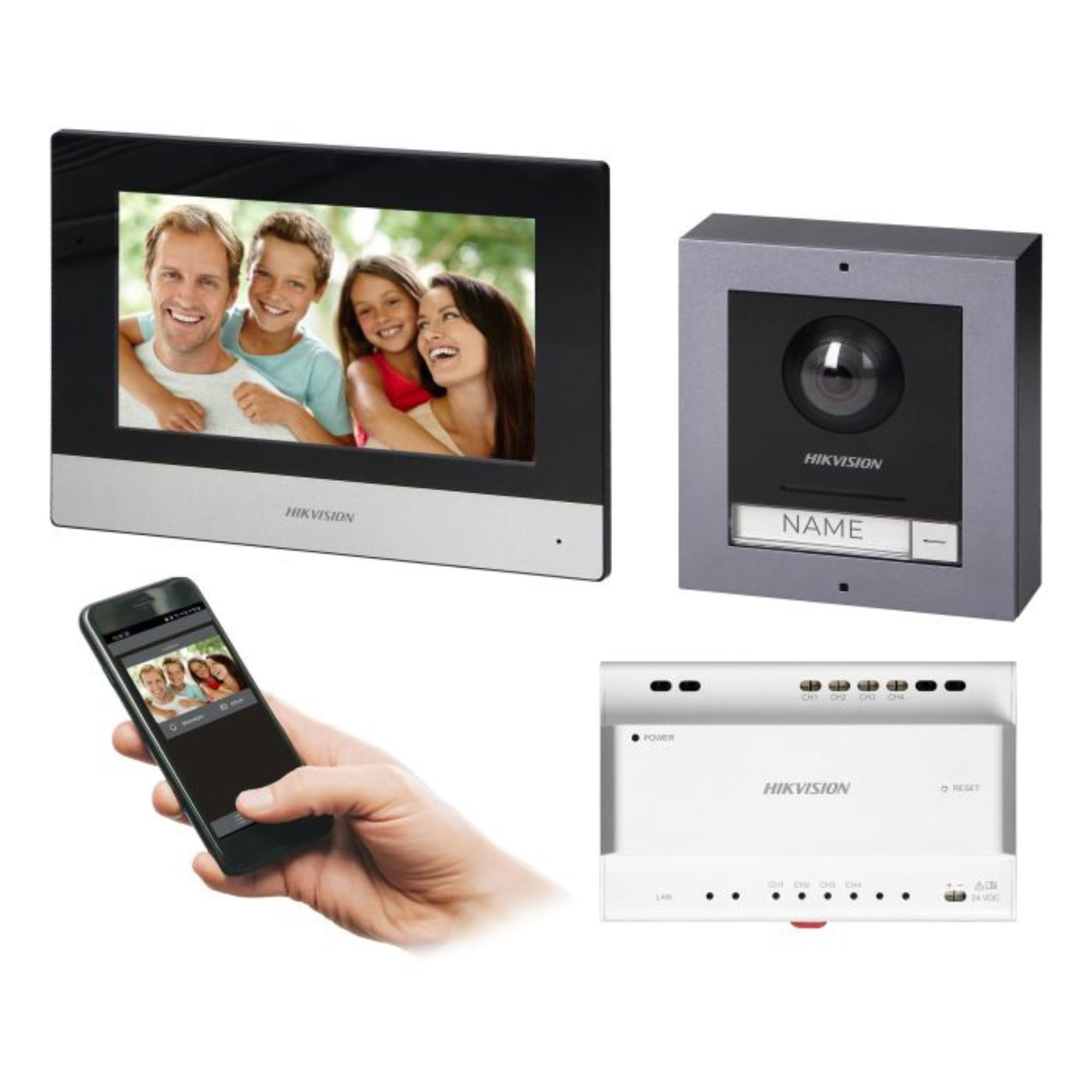
Figure 1: Hikvision 7-inch Video Intercom Monitor (Front View)
The image displays the front view of the Hikvision 7-inch video intercom monitor, featuring a large screen and the Hikvision logo at the bottom.
2. భద్రతా సమాచారం
అగ్ని ప్రమాదాలు, విద్యుత్ షాక్ మరియు వ్యక్తులకు గాయాలయ్యే ప్రమాదాన్ని తగ్గించడానికి ఎల్లప్పుడూ ప్రాథమిక భద్రతా జాగ్రత్తలను అనుసరించండి.
- విద్యుత్ భద్రత: Installation must be performed by qualified personnel in accordance with all local electrical codes. Disconnect power before installation or servicing.
- నీరు మరియు తేమ: Do not expose the indoor monitor to rain or moisture. The outdoor panel is IP65 rated for weather resistance but should not be submerged.
- ఉష్ణోగ్రత: పేర్కొన్న ఉష్ణోగ్రత పరిధిలో పరికరాన్ని ఆపరేట్ చేయండి.
- శుభ్రపరచడం: శుభ్రం చేయడానికి మృదువైన, పొడి వస్త్రాన్ని ఉపయోగించండి. ద్రవ లేదా ఏరోసోల్ క్లీనర్లను ఉపయోగించవద్దు.
- జోక్యం: Avoid installing near sources of strong electromagnetic interference.
3. ప్యాకేజీ విషయాలు
ప్యాకేజీలో అన్ని భాగాలు ఉన్నాయని నిర్ధారించుకోండి:
- 7-inch Indoor Monitor (with WiFi)
- FullHD Outdoor Panel (with Camera and Night Vision)
- 4-Channel Distributor
- మౌంటు ఉపకరణాలు (స్క్రూలు, వాల్ ప్లగ్లు)
- వినియోగదారు మాన్యువల్ (ఈ పత్రం)
- 16 GB MicroSD Card (pre-installed or included for video storage)

Figure 2: Hikvision Outdoor Panel and Mounting Accessories
This image shows the Hikvision outdoor panel alongside its rain shield and a flush-mount box, illustrating the various mounting options available.
4. సెటప్ మరియు ఇన్స్టాలేషన్
The Hikvision video intercom system utilizes a 2-wire installation method, simplifying wiring. Both the indoor monitor and outdoor panel are designed for surface mounting.
4.1 Outdoor Panel Installation
- స్థానాన్ని ఎంచుకోండి: Select a suitable location near the entrance, ensuring the camera has a clear view of visitors. The panel is IP65 rated for outdoor use.
- మౌంటు: Use the provided mounting bracket to mark drill holes on the wall. Drill holes, insert wall plugs, and secure the bracket.
- వైరింగ్: Connect the 2-wire cable from the distributor to the outdoor panel terminals. Ensure correct polarity.
- సురక్షిత ప్యానెల్: Attach the outdoor panel to the mounting bracket.

Figure 3: Hikvision Outdoor Panel (Front View)
This image shows the front of the Hikvision outdoor panel, featuring the FullHD camera, speaker grille, call button, and nameplate area.
4.2 ఇండోర్ మానిటర్ ఇన్స్టాలేషన్
- స్థానాన్ని ఎంచుకోండి: Select an indoor location where the monitor is easily accessible and visible.
- మౌంటు: Use the provided mounting plate to mark and drill holes. Secure the mounting plate to the wall.
- వైరింగ్: Connect the 2-wire cable from the distributor to the indoor monitor terminals.
- పవర్ కనెక్షన్: Connect the monitor to a power source (mains electricity).
- సురక్షిత మానిటర్: Attach the indoor monitor to the mounting plate.

Figure 4: Hikvision Indoor Monitor (Back View) and Mounting Plate
The image displays the rear of the Hikvision indoor monitor, showing its connection ports and the separate mounting plate used for installation.
4.3 System Wiring Diagram (General)
The 2-wire system connects the outdoor panel, indoor monitor, and the 4-channel distributor. The distributor manages power and data communication between the devices.
- Connect the outdoor panel to the distributor using a 2-wire cable.
- Connect the indoor monitor to the distributor using a 2-wire cable.
- Ensure the distributor is powered.
- For electric lock control, additional power may be required for the lock itself, connected via the outdoor panel.
4.4 WiFi కనెక్షన్
After physical installation, power on the monitor. Navigate to the network settings on the 7-inch touchscreen to connect to your 2.4 GHz Wi-Fi network (802.11 b/g/n standard). This enables smartphone communication via the Hik-Connect app.
5. ఆపరేటింగ్ సూచనలు
5.1 Indoor Monitor Functions
- టచ్ స్క్రీన్: Navigate menus and control functions using the 7-inch touch screen.
- ఇంటర్కామ్ ఫంక్షన్: Communicate with visitors at the outdoor panel or other indoor monitors (if expanded).
- మెమరీ ఫంక్షన్: The monitor supports a memory function, likely for capturing images or short video clips of visitors.
- SD కార్డ్ రీడర్: A 16GB MicroSD card is included for storing recorded video streams.
- Ringtone Management: Choose from 3 available ringtones. Adjust volume or mute the ringtone as needed.
- డోర్ కంట్రోల్: Use the monitor to remotely open an electric lock connected to the system.
- CCTV Camera Integration: The system can be expanded to integrate up to 16 CCTV cameras.
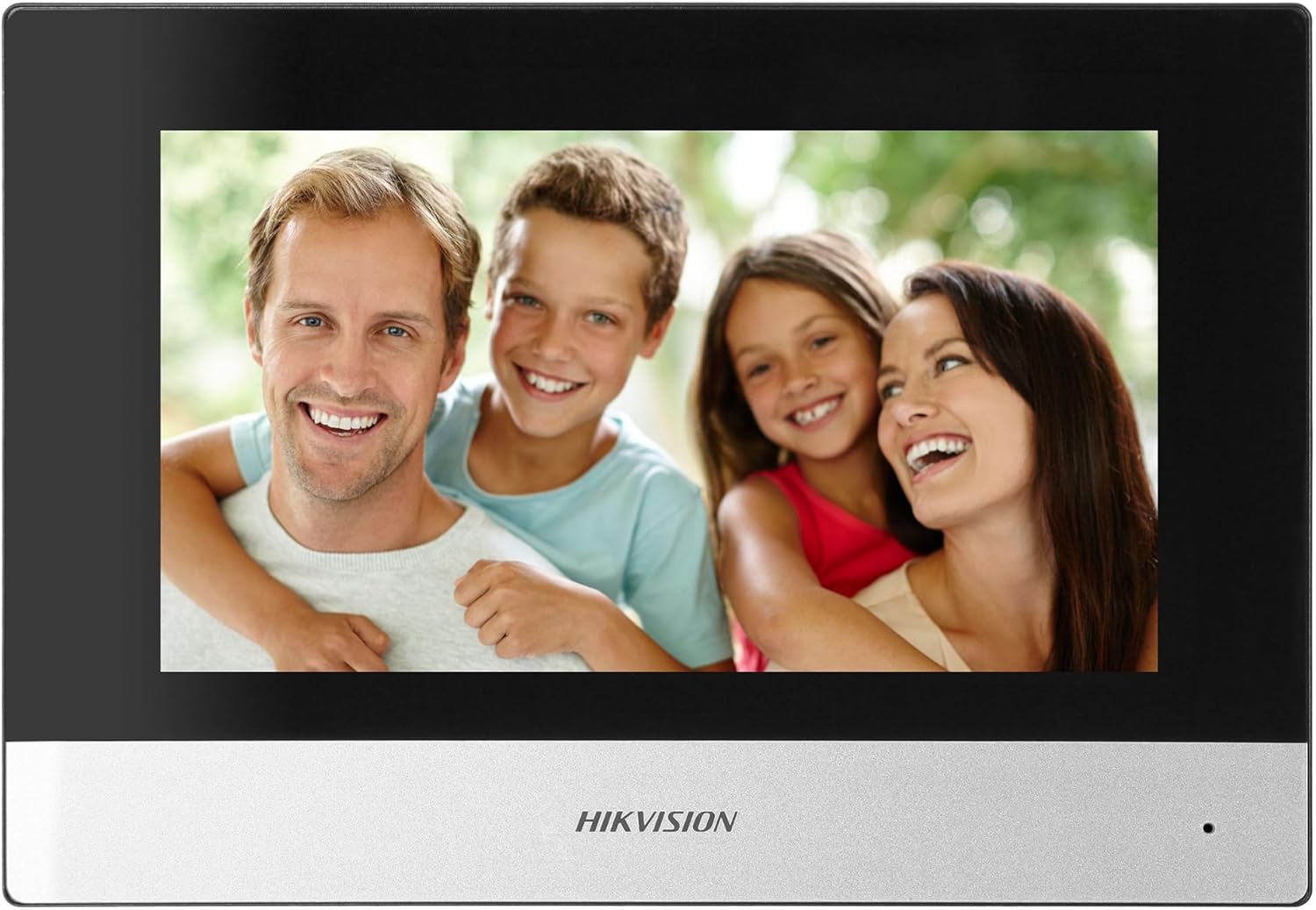
Figure 5: Hikvision Indoor Monitor (Front View)
This image shows the Hikvision 7-inch indoor monitor from the front, highlighting its sleek design and large display area.
5.2 Outdoor Panel Operation
- కాల్ బటన్: Visitors press the single call button to initiate a call to the indoor monitor.
- FullHD Camera: Provides a 2MP (1920x1080p) video feed with a wide viewing angle (96°/180°).
- రాత్రి దృష్టి: Integrated IR illumination ensures clear visibility even in low-light conditions.
- నామఫలకం: A space is provided for a nameplate or label.

Figure 6: Hikvision Outdoor Panel (Angled View)
కోణీయ view of the Hikvision outdoor panel, showcasing its robust construction and integrated camera and call button.
5.3 Hik-Connect Mobile Application
Download the Hik-Connect app from your smartphone's app store. Once installed and configured with your system, you can:
- Receive calls from the outdoor panel on your smartphone.
- View live video from the outdoor camera.
- Remotely open the door.
- రికార్డ్ చేయబడిన వీడియో foo ని యాక్సెస్ చేయండిtage.
6. నిర్వహణ
Regular maintenance ensures the longevity and optimal performance of your intercom system.
- శుభ్రపరచడం: Wipe the monitor screen and outdoor panel with a soft, damp గుడ్డ. రాపిడి క్లీనర్లను నివారించండి.
- ఫర్మ్వేర్ నవీకరణలు: Periodically check for firmware updates via the Hik-Connect app or Hikvision's official website to ensure your system has the latest features and security patches.
- కేబుల్ తనిఖీ: Periodically inspect all wiring for any signs of wear or damage.
- Outdoor Panel Lens: Keep the camera lens on the outdoor panel clean for clear video quality.
7. ట్రబుల్షూటింగ్
మీరు సమస్యలను ఎదుర్కొంటే, ఈ క్రింది సాధారణ ట్రబుల్షూటింగ్ దశలను చూడండి:
- శక్తి లేదు: Check all power connections and ensure the distributor is receiving power.
- వీడియో/ఆడియో లేదు: Verify the 2-wire connections between the outdoor panel, monitor, and distributor. Ensure correct polarity.
- WiFi కనెక్షన్ సమస్యలు: Ensure your router is operating on 2.4 GHz. Re-enter WiFi credentials on the monitor. Check signal strength.
- Door Lock Not Opening: Confirm the electric lock has its own power supply if required. Check wiring from the outdoor panel to the lock.
- పేలవమైన రాత్రి దృష్టి: Ensure the outdoor camera lens is clean and free from obstructions.
8. స్పెసిఫికేషన్లు
| టైప్ చేయండి | Single-family |
| వీడియో ఫంక్షన్ | అవును |
| విద్యుత్ సరఫరా | మెయిన్స్ విద్యుత్ |
| ట్రాన్స్మిషన్ రకం | Wired (2-wire) |
| Smartphone Communication | Yes (via Hik-Connect app) |
| Wi-Fi ఫ్రీక్వెన్సీ | 2.4 GHz |
| Wi-Fi ప్రమాణం | 802.11 b/g/n |
| సంస్థాపన విధానం | 2-wire, Surface Mount |
| Max. Monitors | 3కి విస్తరించవచ్చు |
| Max. Outdoor Panels | 1కి విస్తరించవచ్చు |
| Max. CCTV Cameras | 16కి విస్తరించవచ్చు |
| ఎలక్ట్రిక్ లాక్ నియంత్రణ | Yes (requires additional power for lock) |
| డే / నైట్ ఫంక్షన్ | అవును |
| మౌంటు పద్ధతి | ఉపరితల మౌంట్ |
| Hands-free System | అవును |
| స్క్రీన్ వికర్ణం | 7 అంగుళాలు |
| రిజల్యూషన్ | 1024 x 600 |
| టచ్ స్క్రీన్ | అవును |
| వీడియో సిస్టమ్ | PAL, Color |
| మెమరీ ఫంక్షన్ | అవును |
| SD కార్డ్ రీడర్ | Yes (16GB card included) |
| ఇంటర్కామ్ ఫంక్షన్ | అవును |
| రింగ్టోన్లు | 3 |
| మెటీరియల్ | ప్లాస్టిక్ |
| రంగు | నలుపు |
| కొలతలు (W x H x D) | 140 mm x 200 mm x 15 mm |
| కాల్ బటన్లు | 1 |
| మౌంటు పద్ధతి | ఉపరితల మౌంట్ |
| కెమెరా రిజల్యూషన్ | 2MP, 1920x1080 (FullHD) |
| కెమెరా Viewing యాంగిల్ | 96°/180° |
| రాత్రి ప్రకాశం | IR (ఇన్ఫ్రారెడ్) |
| PTZ ఫంక్షన్ | నం |
| సామీప్య కార్డ్ రీడర్ | నం |
| Nameplate Space | అవును |
| విధ్వంసక నిరోధకం | నం |
| రక్షణ రేటింగ్ | IP65 |
| మెటీరియల్ | ఉక్కు |
| రంగు | వెండి |
| కొలతలు (W x H x D) | 98 mm x 99.8 mm x 43.9 mm |
| ఉత్పత్తి కొలతలు | 20 x 15 x 10 సెం.మీ |
| వస్తువు బరువు | 1 కిలోలు |
| మోడల్ సంఖ్య | 38084 |
9. వారంటీ మరియు మద్దతు
వారంటీ సమాచారం మరియు సాంకేతిక మద్దతు కోసం, దయచేసి అధికారిక Hikvision ని చూడండి. webసైట్ లేదా మీ స్థానిక పంపిణీదారుని సంప్రదించండి. వారంటీ క్లెయిమ్ల కోసం మీ కొనుగోలు రసీదును ఉంచండి.
- ఆన్లైన్ మద్దతు: సందర్శించండి www.hikvision.com for product documentation, FAQs, and support resources.
- కస్టమర్ సేవ: Contact your retailer or authorized Hikvision service center for assistance.