
1. పరిచయం
The Universal Audio SC-1 Standard Condenser Microphone is designed to capture vocals and instruments with exceptional sound quality. When paired with the Hemisphere Microphone Modeling Plug-In, it can emulate the sound and character of popular studio microphones, offering versatile recording options.

Figure 1.1: Universal Audio SC-1 Condenser Microphone (Front View)
2. పెట్టెలో ఏముంది
Your Universal Audio SC-1 package includes the following components:
- Universal Audio SC-1 Condenser Microphone
- క్యారీయింగ్ కేసు
- మైక్రోఫోన్ స్టాండ్ మౌంట్
- 5/8" to 3/8" Thread Adapter

Figure 2.1: SC-1 Microphone with Included Stand Mount
3. సెటప్
Follow these steps to set up your SC-1 microphone:
- మైక్రోఫోన్ను మౌంట్ చేయడం: Attach the SC-1 microphone to the included microphone stand mount. If your stand requires it, use the 5/8" to 3/8" thread adapter.
- Connecting to Audio Interface: Connect the SC-1 to your audio interface or mixer using a standard XLR cable. The SC-1 requires 48V phantom power, which must be enabled on your audio interface or mixer for the microphone to function.
- సాఫ్ట్వేర్ ఇన్స్టాలేషన్: Install the Universal Audio Hemisphere Microphone Modeling Plug-In on your computer. Refer to the software's documentation for detailed installation instructions and system requirements.
- డ్రైవర్ ఇన్స్టాలేషన్: Ensure all necessary drivers for your audio interface and the SC-1 are installed and up to date.
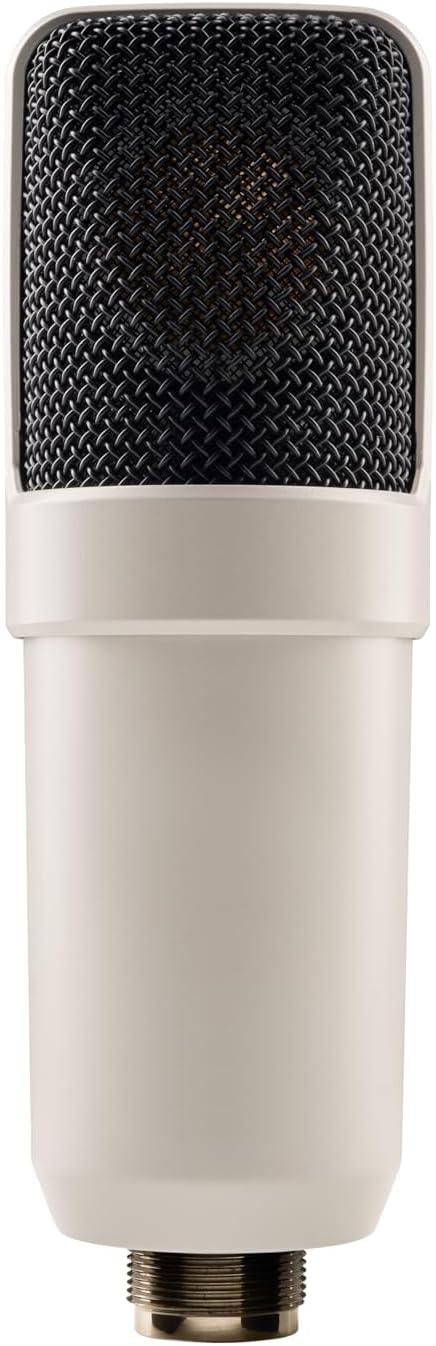
Figure 3.1: SC-1 Microphone XLR Connector
Note: Official product videos from the seller are not available for this product.
4. Operating the SC-1
The SC-1 can be used as a standard condenser microphone or enhanced with the Hemisphere modeling software.
ప్రామాణిక ఆపరేషన్:
- Position the microphone appropriately for your sound source (e.g., vocals, acoustic instruments).
- Adjust the gain on your audio interface to achieve an optimal recording level, avoiding clipping.
- The SC-1 features a Unidirectional polar pattern, making it ideal for capturing sound directly in front of the microphone while minimizing off-axis noise.
Using Hemisphere Mic Modeling:
The Hemisphere Plug-In allows you to apply various microphone models and adjust parameters digitally:
- మోడల్ను ఎంచుకోండి: Choose from a range of classic condenser microphone emulations within the Hemisphere software.
- ఫిల్టర్: Apply high-pass or low-pass filters to shape the microphone's frequency response.
- సామీప్యత: Adjust the simulated proximity effect, which alters the low-frequency response based on distance to the sound source.
- అక్షం: Control the simulated off-axis response, allowing for fine-tuning of the microphone's directional characteristics.
5. నిర్వహణ
Proper care will ensure the longevity and performance of your SC-1 microphone:
- శుభ్రపరచడం: Use a soft, dry cloth to wipe down the microphone body. Avoid using liquid cleaners or solvents, as they may damage the finish or internal components.
- నిల్వ: When not in use, store the microphone in its included carrying case to protect it from dust, moisture, and physical damage.
- నిర్వహణ: మైక్రోఫోన్ను జాగ్రత్తగా నిర్వహించండి. దాన్ని పడవేయడం లేదా బలమైన ప్రభావాలకు గురిచేయడం మానుకోండి.
6. ట్రబుల్షూటింగ్
If you encounter issues with your SC-1 microphone, consider the following:
- సౌండ్ అవుట్పుట్ లేదు:
- మీ ఆడియో ఇంటర్ఫేస్/మిక్సర్లో 48V ఫాంటమ్ పవర్ ప్రారంభించబడిందని నిర్ధారించుకోండి.
- Check all XLR cable connections for proper seating and integrity.
- Verify input gain levels on your audio interface are set correctly.
- వక్రీకరించిన ధ్వని:
- Reduce the input gain on your audio interface to prevent clipping.
- Ensure the microphone is not placed too close to the sound source, especially for loud signals.
- Hemisphere Software Issues:
- Verify that the Hemisphere Plug-In is correctly installed and updated.
- Check your Digital Audio Workstation (DAW) settings to ensure the plug-in is properly loaded on the microphone track.
7. స్పెసిఫికేషన్లు
| ఫీచర్ | వివరాలు |
|---|---|
| బ్రాండ్ | యూనివర్సల్ ఆడియో |
| మోడల్ | SC-1 |
| మైక్రోఫోన్ ఫారమ్ ఫ్యాక్టర్ | పెద్ద డయాఫ్రాగమ్ |
| ధ్రువ నమూనా | ఏకదిశాత్మక |
| కనెక్టివిటీ టెక్నాలజీ | XLR |
| కనెక్టర్ రకం | XLR |
| శక్తి మూలం | Corded Electric (48V Phantom Power Required) |
| సిగ్నల్-టు-శబ్ద నిష్పత్తి | 78 డిబి |
| ఛానెల్ల సంఖ్య | 1 |
| వస్తువు బరువు | 2.75 పౌండ్లు (1.25 కిలోగ్రాములు) |
| రంగు | తెలుపు |
| ప్రత్యేక ఫీచర్ | Hemisphere Mic Modeling |
| సిఫార్సు చేసిన ఉపయోగాలు | Singing, Video Recording, Voice Recording |
8. వారంటీ మరియు మద్దతు
For detailed warranty information and technical support, please refer to the official Universal Audio webసైట్ లేదా వారి కస్టమర్ సర్వీస్ను నేరుగా సంప్రదించండి. ఏవైనా వారంటీ క్లెయిమ్ల కోసం మీ కొనుగోలు రుజువును ఉంచండి.
Additional protection plans may be available from your retailer. Please consult your retailer for details on extended coverage options.