
FIFINE K688W
FIFINE AmpliTank K688W Dynamic USB/XLR Microphone User Manual
Model: K688W | Brand: FIFINE
1. పరిచయం
ధన్యవాదాలు, ధన్యవాదాలు.asing the FIFINE AmpliTank K688W Dynamic USB/XLR Microphone. This microphone is designed for high-quality audio capture in various applications, including gaming, streaming, podcasting, and professional recording. Please read this manual carefully to ensure proper setup and operation.

Image: The FIFINE AmpliTank K688W microphone demonstrating its sound capture capabilities with a visual representation of sound waves.
2. ప్యాకేజీ విషయాలు
క్రింద జాబితా చేయబడిన అన్ని వస్తువులు మీ ప్యాకేజీలో చేర్చబడ్డాయని ధృవీకరించండి:
- FIFINE AmpliTank K688W Microphone Body
- USB-C to USB-A Cable (2.5m)
- 3/8" to 5/8" Screw Adapter
- యూజర్ మాన్యువల్ (జపనీస్)
Note: A microphone stand and XLR cable are not included and must be purchased separately.

Image: The FIFINE AmpliTank K688W microphone and its included accessories: USB cable and screw adapter, alongside the user guide.
3. ఉత్పత్తి ముగిసిందిview (Components and Controls)
Familiarize yourself with the microphone's components and controls:

చిత్రం: వెనుక view ఫిఫైన్ యొక్క AmpliTank K688W microphone, highlighting the XLR output terminal and USB connection port.
- XLR Output Terminal: For connecting to audio interfaces, mixers, or other professional audio equipment.
- USB Connection Port (USB Type-C): For direct connection to computers or game consoles.
- 3.5mm హెడ్ఫోన్ జాక్: రియల్-టైమ్ ఆడియో పర్యవేక్షణ కోసం.
- Microphone Volume Control (Gain Knob): Adjusts the microphone's input sensitivity. (USB mode only)
- Headphone Jack Volume Control: Adjusts the monitoring volume through the 3.5mm headphone jack. (USB mode only)
- LED సూచికతో మ్యూట్ బటన్: Toggles microphone mute. LED indicates mute status. (USB mode only)
4. సెటప్
4.1 USB కనెక్షన్
For direct connection to a computer (Windows/Mac OS) or game console (PS4/PS5):
- Connect the USB-C end of the provided USB cable to the microphone's USB port.
- Connect the USB-A end of the cable to an available USB port on your computer or game console.
- The device will automatically recognize the microphone.
- Select "FIFINE K688W" as your input and output device in your system's sound settings or application settings.

Image: The FIFINE AmpliTank K688W microphone connected to a laptop via its USB-C port, illustrating plug-and-play functionality.
4.2 XLR Connection
For connecting to professional audio equipment (audio interfaces, mixers):
- Connect a standard XLR cable (not included) to the XLR output terminal on the microphone.
- Connect the other end of the XLR cable to an XLR input on your audio interface or mixer.
- Ensure your audio interface or mixer is properly configured to receive input from the connected XLR channel.
- Adjust gain levels on your audio interface/mixer as needed.

చిత్రం: వివరణాత్మక view ఫిఫైన్ యొక్క AmpliTank K688W's connectivity panel, showing both USB and XLR ports for versatile audio setups.
5. ఆపరేటింగ్ సూచనలు
5.1 Gain Control (USB Mode Only)
The gain knob on the microphone allows you to adjust the input sensitivity. Rotate the knob clockwise to increase gain and counter-clockwise to decrease it. Adjust this to achieve an optimal recording level without clipping or distortion.
5.2 Mute Function (USB Mode Only)
Press the touch-sensitive mute button on top of the microphone to instantly mute or unmute the audio input. The LED indicator will change color to show the microphone's status (e.g., green for active, red for muted).
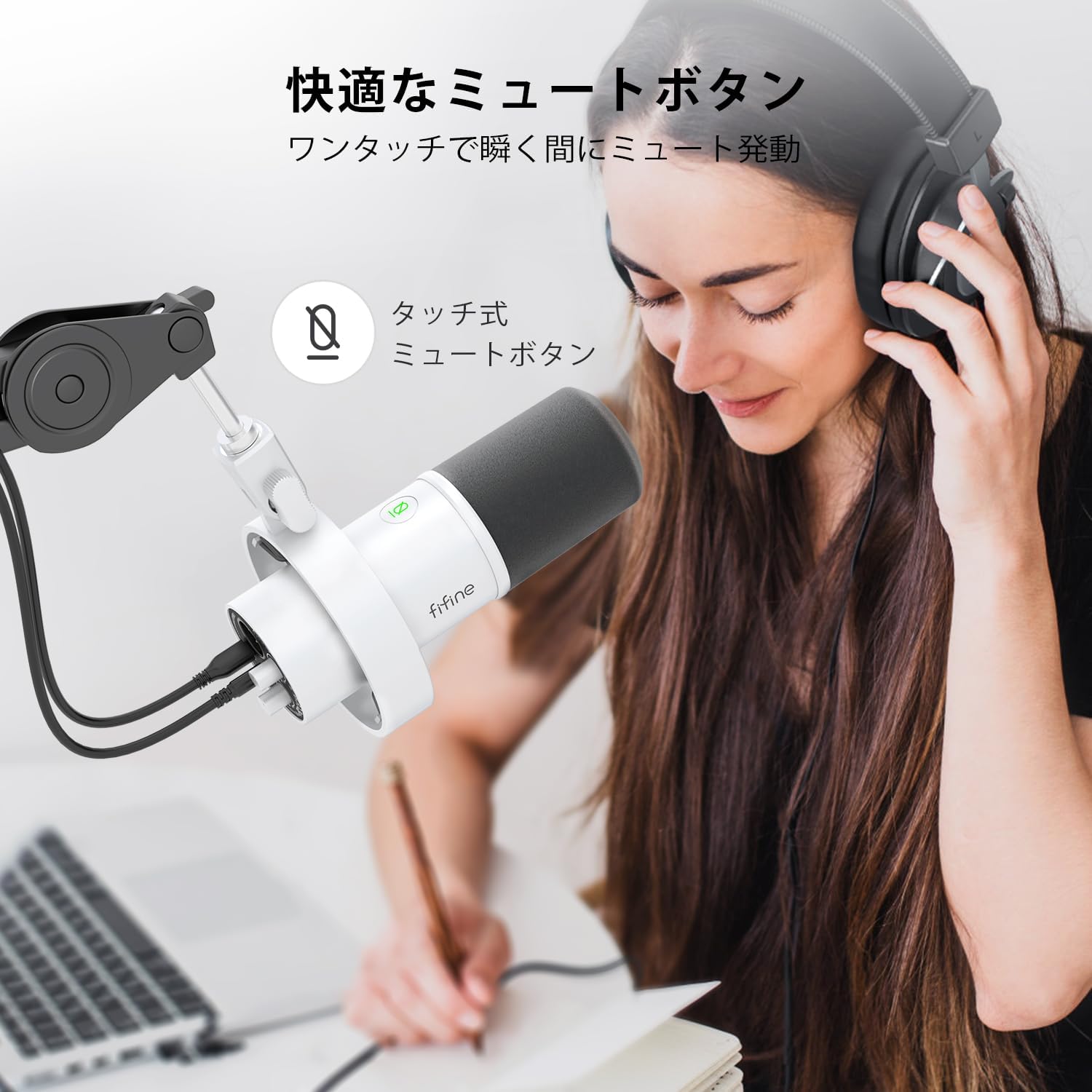
Image: A user interacting with the touch-sensitive mute button on the FIFINE AmpliTank K688W microphone, demonstrating its ease of use.
5.3 Headphone Monitoring (USB Mode Only)
Connect your headphones to the 3.5mm headphone jack on the microphone to monitor your audio in real-time with zero latency. Use the dedicated headphone volume knob to adjust the monitoring level to your preference.
6. నిర్వహణ
- మైక్రోఫోన్ను మృదువైన, పొడి గుడ్డతో తుడిచి శుభ్రంగా ఉంచండి.
- మైక్రోఫోన్ను తీవ్రమైన ఉష్ణోగ్రతలు, తేమ లేదా ప్రత్యక్ష సూర్యకాంతికి గురిచేయకుండా ఉండండి.
- మైక్రోఫోన్ను దుమ్ము మరియు నష్టాన్ని నివారించడానికి ఉపయోగంలో లేనప్పుడు రక్షిత కేసులో నిల్వ చేయండి.
- Do not attempt to disassemble the microphone, as this will void the warranty.

Image: The FIFINE AmpliTank K688W microphone mounted on a boom arm, showcasing its integrated metal body design suitable for various recording environments.
7. ట్రబుల్షూటింగ్
| సమస్య | సాధ్యమైన కారణం | పరిష్కారం |
|---|---|---|
| No sound output (USB) |
|
|
| No sound output (XLR) |
|
|
| వక్రీకృత ఆడియో |
|
|
| విపరీతమైన నేపథ్య శబ్దం |
|
|
8. స్పెసిఫికేషన్లు
| ఫీచర్ | వివరాలు |
|---|---|
| మోడల్ | K688W |
| బ్రాండ్ | FIFINE |
| మైక్రోఫోన్ రకం | డైనమిక్ |
| ధ్రువ నమూనా | ఏకదిశాత్మక (కార్డియోయిడ్) |
| కనెక్టివిటీ | USB (Type-C), XLR |
| ఫ్రీక్వెన్సీ రెస్పాన్స్ | 70 హెర్ట్జ్ - 15 కిలోహెర్ట్జ్ |
| సిగ్నల్-టు-నాయిస్ రేషియో (S/N) | 75 డిబి |
| శక్తి రకం | కార్డెడ్ ఎలక్ట్రిక్ (USB ఆధారితం) |
| అనుకూల పరికరాలు | PC (Windows/Mac OS), Game Consoles (PS4/PS5), Audio Mixers, Audio Interfaces, Smartphones (with adapter, not included) |
| ప్రత్యేక లక్షణాలు | Volume Control, Mute Function, Headphone Monitoring |
| రంగు | తెలుపు |
| మెటీరియల్స్ | ప్లాస్టిక్, మెటల్ |
| UPC | 850052511821 |
9. వారంటీ మరియు మద్దతు
9.1 వారంటీ సమాచారం
ఈ ఉత్పత్తి a తో వస్తుంది 1-సంవత్సరం తయారీదారు వారంటీ from the date of purchase. The warranty covers defects in materials and workmanship under normal use.
వారంటీ కవర్ చేయదు:
- దుర్వినియోగం, దుర్వినియోగం, ప్రమాదం లేదా నిర్లక్ష్యం వల్ల కలిగే నష్టం.
- అనధికార మరమ్మతులు లేదా మార్పుల వల్ల కలిగే నష్టం.
- సాధారణ దుస్తులు మరియు కన్నీటి.
9.2 కస్టమర్ మద్దతు
If you encounter any issues with your FIFINE AmpliTank K688W microphone, such as packaging damage, color discrepancies, or product defects, please contact FIFINE Japan customer support immediately. Provide your purchase details and a description of the issue for prompt assistance.
For further support, please visit the official FIFINE webసైట్.

Image: Information regarding FIFINE's customer support process, including steps to contact them via Amazon and their operating hours.
Ask a question about this manual
Ask about setup, troubleshooting, compatibility, parts, safety, or missing instructions. Manuals+ will review the question and use this page’s manual context to help answer it.