
1. పరిచయం మరియు ఉత్పత్తి ముగిసిందిview
Thank you for choosing the BE COOL BC50LEF2301 50L Dehumidifier. This appliance is designed to efficiently remove excess moisture from the air in your home or commercial space, improving air quality and preventing issues like mold and mildew. This manual provides essential information for the safe and effective operation, maintenance, and troubleshooting of your dehumidifier.
Key features of your BE COOL BC50LEF2301 dehumidifier include:
- Powerful dehumidification: Removes up to 50 liters of moisture per day.
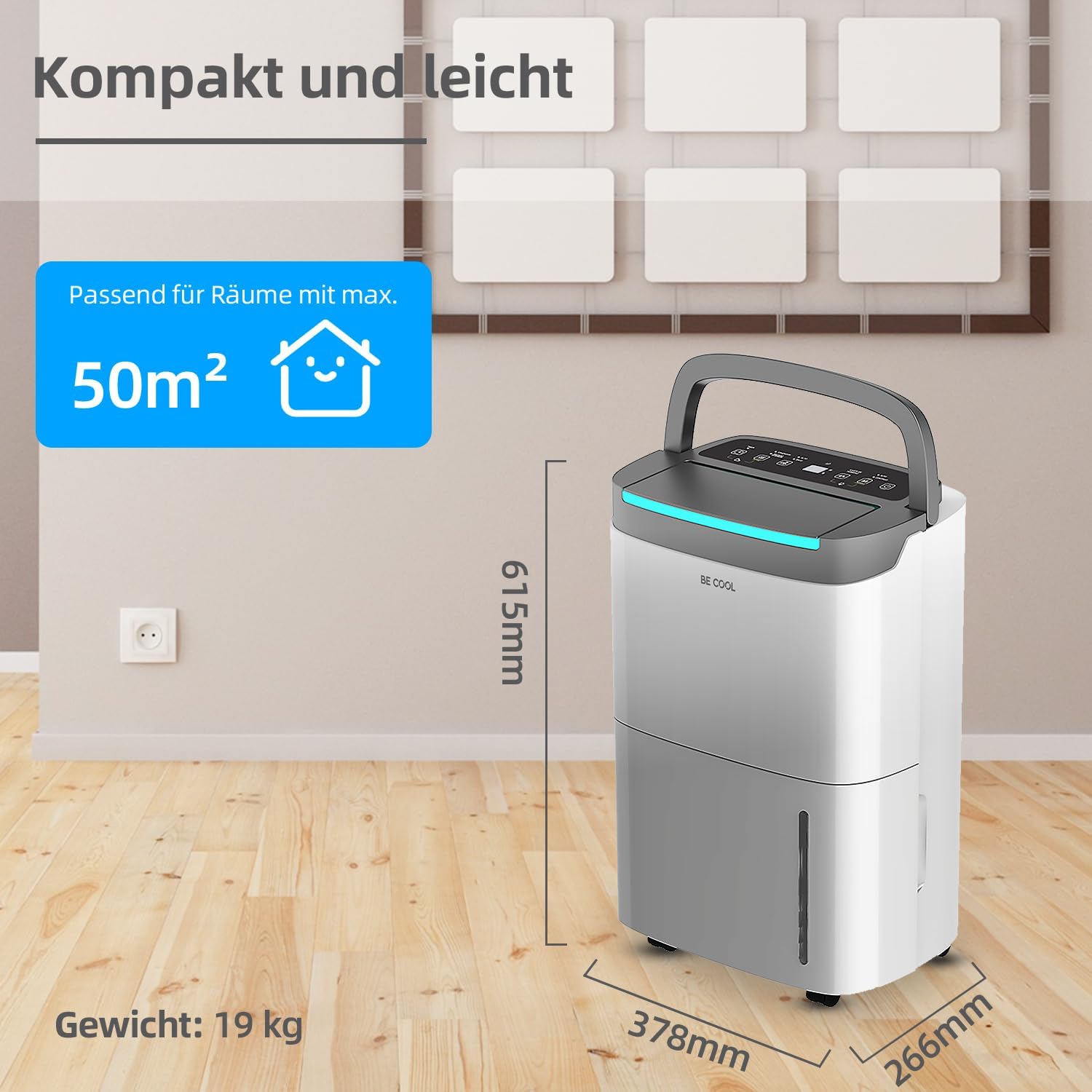
- Suitable for large areas: Effective in rooms up to 125 m³ (50 m²).
- User-friendly touch panel with LED display.
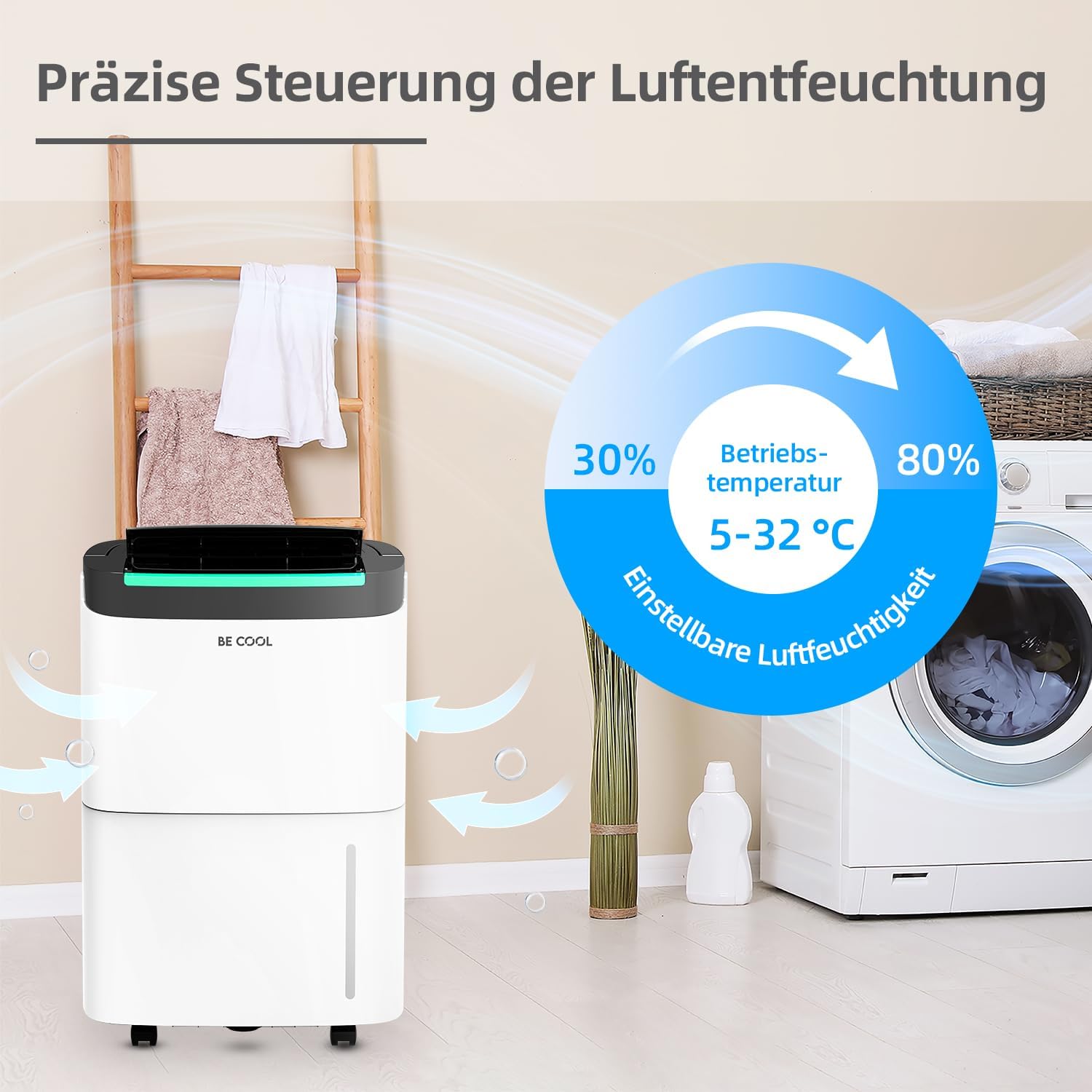
- Adjustable humidity levels from 30% to 80%.
- పర్యావరణ అనుకూలమైన R290 రిఫ్రిజెరాంట్.
- 24-గంటల టైమర్ ఫంక్షన్.
- ఆటోమేటిక్ డీఫ్రాస్ట్ ఫంక్షన్.
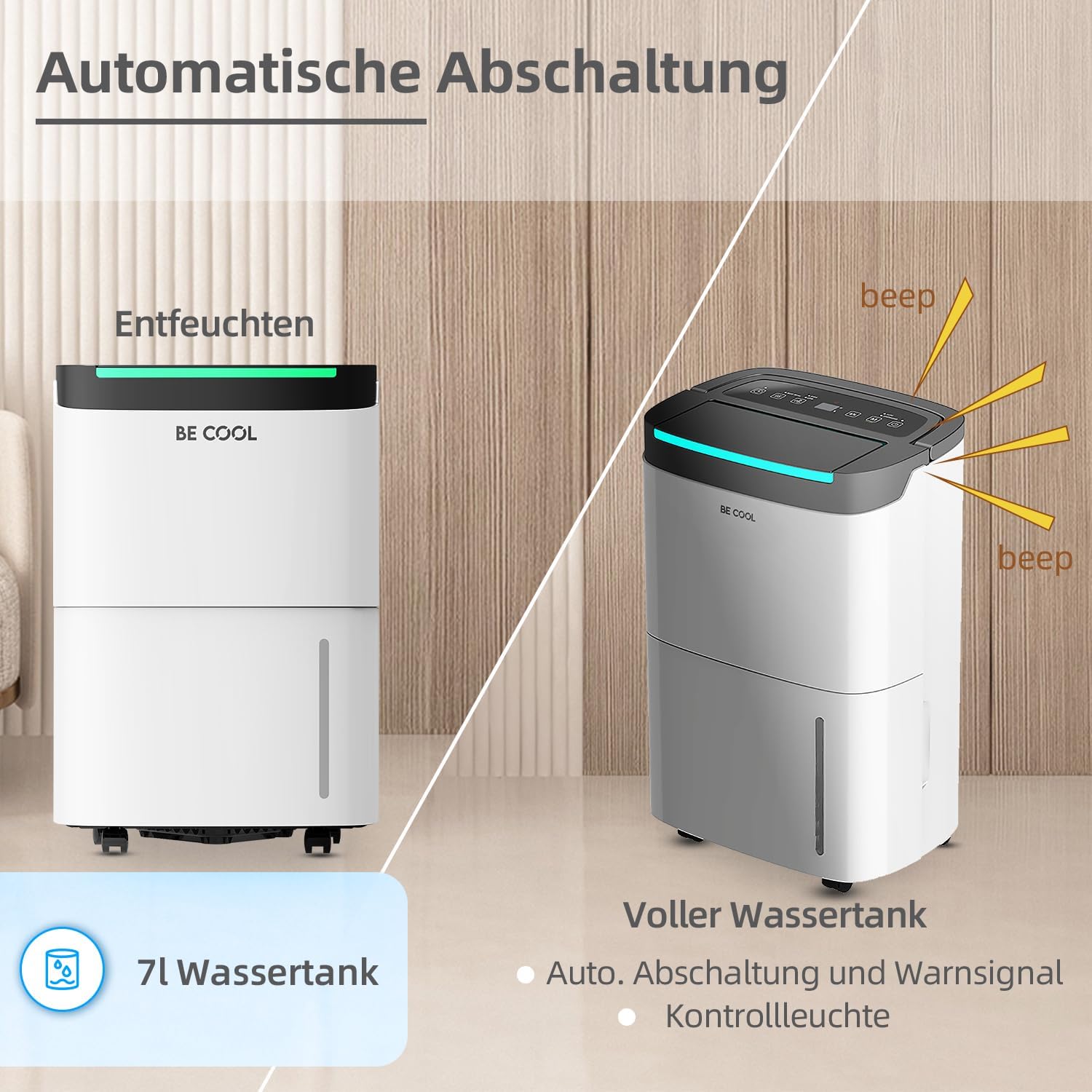
- Full water tank alarm and automatic shut-off.
- 7-లీటర్ తొలగించగల నీటి ట్యాంక్.
- Integrated dust filter.
- పవర్ outage memory function.
- Equipped with wheels for easy mobility.

2. భద్రతా సూచనలు
గాయం లేదా నష్టాన్ని నివారించడానికి ఉపకరణాన్ని ఉపయోగించే ముందు దయచేసి అన్ని భద్రతా సూచనలను జాగ్రత్తగా చదవండి. భవిష్యత్తు సూచన కోసం ఈ మాన్యువల్ని ఉంచండి.
- విద్యుత్ భద్రత: విద్యుత్ సరఫరా వాల్యూమ్తో సరిపోలుతుందని నిర్ధారించుకోండిtage specified on the rating label. Do not operate the unit with a damaged power cord or plug. Do not share the power outlet with other appliances.
- ప్లేస్మెంట్: Place the dehumidifier on a flat, stable surface. Maintain at least 20 cm (8 inches) clearance around the unit for proper airflow. Do not block air inlets or outlets.
- రిఫ్రిజెరాంట్: This appliance uses R290 refrigerant. Do not puncture the refrigerant circuit. Servicing should only be performed by qualified personnel.
- నీటి ట్యాంక్: Always empty the water tank before moving the unit. Do not drink the collected water.
- పిల్లలు మరియు పెంపుడు జంతువులు: ఆపరేషన్ సమయంలో పిల్లలు మరియు పెంపుడు జంతువులను ఉపకరణానికి దూరంగా ఉంచండి.
- శుభ్రపరచడం: ఏదైనా నిర్వహణ లేదా శుభ్రపరిచే ముందు ఎల్లప్పుడూ యూనిట్ను అన్ప్లగ్ చేయండి.
- ఆపరేటింగ్ షరతులు: Do not operate the unit in extremely high temperatures or in direct sunlight. The recommended operating temperature range is 5-32°C.
3. ఉత్పత్తి భాగాలు
మీ డీహ్యూమిడిఫైయర్ యొక్క ప్రధాన భాగాలతో మిమ్మల్ని మీరు పరిచయం చేసుకోండి:
- నియంత్రణ ప్యానెల్: Located on the top, with touch buttons and an LED display.
- ఎయిర్ అవుట్లెట్: పైభాగం ముందు భాగం, ఇక్కడ పొడి గాలి బయటకు పంపబడుతుంది.
- గాలి ప్రవేశద్వారం: వెనుక, తేమతో కూడిన గాలి లోపలికి తీసుకునే ప్రదేశం.
- డస్ట్ ఫిల్టర్: Located behind the air inlet, removable for cleaning.
- నీటి ట్యాంక్: Removable tank at the bottom front for collecting condensed water.
- నిరంతర మురుగునీటి అవుట్లెట్: (If applicable) Located at the rear for connecting a drain hose.
- చక్రాలు: యూనిట్ సులభంగా కదలడానికి.
- హ్యాండిల్: Integrated handle for portability.


4. సెటప్
- అన్ప్యాకింగ్: దాని ప్యాకేజింగ్ నుండి డీహ్యూమిడిఫైయర్ను జాగ్రత్తగా తొలగించండి. భవిష్యత్తులో నిల్వ లేదా రవాణా కోసం ప్యాకేజింగ్ సామగ్రిని ఉంచుకోండి.
- ప్లేస్మెంట్:
- దృఢమైన, స్థాయి ఉపరితలంపై యూనిట్ నిటారుగా ఉంచండి.
- Ensure there is at least 20 cm (8 inches) of free space around the unit to allow for adequate air circulation.
- Avoid placing the unit near heat sources, in direct sunlight, or in areas prone to splashing water.
- For optimal performance, operate the unit within the recommended temperature range of 5-32°C.
- పవర్ కనెక్షన్: పవర్ కార్డ్ను గ్రౌండ్ చేయబడిన ఎలక్ట్రికల్ అవుట్లెట్లోకి ప్లగ్ చేయండి. అవుట్లెట్ యూనిట్ యొక్క విద్యుత్ అవసరాలకు అనుగుణంగా ఉందని నిర్ధారించుకోండి.
- ప్రారంభ ఉపయోగం: After transport, allow the unit to stand upright for at least 2 hours before plugging it in and turning it on. This allows the refrigerant to settle.
5. ఆపరేటింగ్ సూచనలు
The BE COOL BC50LEF2301 features an intuitive touch control panel and LED display for easy operation.

5.1 నియంత్రణ ప్యానెల్ విధులు
- పవర్ బటన్ (⏻ ⏻ తెలుగు): యూనిట్ని ఆన్ లేదా ఆఫ్ చేయడానికి నొక్కండి.
- మోడ్ బటన్ (M): Cycles through different operating modes (e.g., Auto, Continuous, Drying).
- Humidity Setting (%): Adjusts the desired humidity level from 30% to 80% in 5% increments.
- ఫ్యాన్ స్పీడ్ బటన్ (☰ ☰ ఐడిల్): Selects between two fan speeds (High/Low).
- టైమర్ బటన్ (⏱ ⏱ తెలుగు): Sets the 24-hour timer for automatic power ON or OFF.
- LED డిస్ప్లే: ప్రస్తుత తేమ, సెట్ తేమ లేదా టైమర్ సెట్టింగ్లను చూపుతుంది.
5.2 కావలసిన తేమను సెట్ చేయడం
Press the Humidity Setting button (%) repeatedly to cycle through desired humidity levels. The display will show the selected percentage. The unit will operate until the room humidity reaches the set level, then pause. It will resume operation if the humidity rises above the set level.
5.3 టైమర్ ఫంక్షన్
The 24-hour timer allows you to set a specific time for the unit to turn ON or OFF automatically.
- ఆటో-ఆఫ్ సెట్ చేయడానికి: While the unit is ON, press the Timer button. Use the humidity setting buttons (or dedicated timer adjustment buttons if present) to set the desired number of hours (1-24) after which the unit will turn off.
- ఆటో-ఆన్ సెట్ చేయడానికి: While the unit is OFF, press the Timer button. Set the desired number of hours (1-24) after which the unit will turn on.
5.4 Water Tank Full Alarm and Auto Shut-off
When the 7-liter water tank is full, the unit will automatically stop operating, and an alarm will sound (beep). The LED display may also indicate a full tank. Empty the water tank and reinsert it correctly to resume operation.
5.5 నిరంతర పారుదల
For extended operation without needing to empty the water tank, you can connect a drain hose to the continuous drainage outlet at the rear of the unit. Ensure the hose is sloped downwards to allow gravity drainage into a suitable receptacle or floor drain.
5.6 డీఫ్రాస్ట్ ఫంక్షన్
The unit is equipped with an automatic defrost function. If frost builds up on the evaporator coils, the unit will temporarily stop dehumidifying and run the fan to melt the frost. Dehumidification will resume automatically once the defrost cycle is complete.

6. నిర్వహణ
క్రమం తప్పకుండా నిర్వహణ సరైన పనితీరును నిర్ధారిస్తుంది మరియు మీ డీహ్యూమిడిఫైయర్ యొక్క జీవితకాలం పొడిగిస్తుంది.
6.1 డస్ట్ ఫిల్టర్ శుభ్రపరచడం
- యూనిట్ను ఆపివేసి, పవర్ అవుట్లెట్ నుండి దాన్ని అన్ప్లగ్ చేయండి.
- Locate the air inlet grille at the rear of the unit.
- డస్ట్ ఫిల్టర్ తొలగించండి.
- ఫిల్టర్ను వాక్యూమ్ క్లీనర్తో శుభ్రం చేయండి లేదా గోరువెచ్చని, సబ్బు నీటితో కడగాలి. బాగా కడిగి, తిరిగి చొప్పించే ముందు పూర్తిగా గాలికి ఆరనివ్వండి.
- డ్రై ఫిల్టర్ను తిరిగి చొప్పించి గ్రిల్ను మూసివేయండి.
Recommendation: Clean the dust filter every two weeks or more frequently depending on usage and air quality.
6.2 వాటర్ ట్యాంక్ను ఖాళీ చేయడం
- When the water tank is full, the unit will stop operating and alert you.
- యూనిట్ ముందు నుండి వాటర్ ట్యాంక్ను జాగ్రత్తగా బయటకు తీయండి.
- సేకరించిన నీటిని ఖాళీ చేయండి.
- Clean the tank periodically with mild detergent and water to prevent mold growth. Rinse thoroughly.
- Reinsert the empty tank firmly into the unit. Ensure it is correctly seated to allow the unit to resume operation.
6.3 యూనిట్ బాహ్య భాగాన్ని శుభ్రపరచడం
యూనిట్ యొక్క బాహ్య భాగాన్ని మృదువైన, డితో తుడవండిamp కఠినమైన రసాయనాలు, రాపిడి క్లీనర్లు లేదా ద్రావకాలను ఉపయోగించవద్దు, ఎందుకంటే ఇవి ఉపరితలాన్ని దెబ్బతీస్తాయి.
6.4 నిల్వ
యూనిట్ను ఎక్కువ కాలం నిల్వ చేస్తే:
- యూనిట్ను అన్ప్లగ్ చేసి, వాటర్ ట్యాంక్ను ఖాళీ చేయండి.
- Clean the dust filter and the exterior.
- Allow the unit to dry completely for at least 24 hours in a well-ventilated area.
- యూనిట్ను చల్లని, పొడి ప్రదేశంలో నిటారుగా నిల్వ చేయండి, ప్రాధాన్యంగా దాని అసలు ప్యాకేజింగ్లో.
7. ట్రబుల్షూటింగ్
కస్టమర్ సపోర్ట్ను సంప్రదించే ముందు, సాధారణ సమస్యల కోసం దయచేసి కింది ట్రబుల్షూటింగ్ గైడ్ను చూడండి:
| సమస్య | సాధ్యమైన కారణం | పరిష్కారం |
|---|---|---|
| యూనిట్ ఆన్ చేయబడలేదు. | విద్యుత్ సరఫరా లేదు. పవర్ కార్డ్ సరిగ్గా కనెక్ట్ కాలేదు. Water tank full or not correctly inserted. | పవర్ అవుట్లెట్ మరియు సర్క్యూట్ బ్రేకర్ను తనిఖీ చేయండి. పవర్ కార్డ్ సురక్షితంగా ప్లగిన్ చేయబడిందని నిర్ధారించుకోండి. Empty water tank and reinsert it correctly. |
| యూనిట్ నడుస్తోంది కానీ తేమను తగ్గించడం లేదు. | Room temperature too low (below 5°C). ఎయిర్ ఫిల్టర్ అడ్డుపడింది. Humidity setting is higher than current room humidity. తలుపులు/కిటికీలు తెరిచి ఉన్నాయి. | Operate unit within recommended temperature range. ఎయిర్ ఫిల్టర్ను శుభ్రం చేయండి. Set desired humidity lower than current room humidity. Close doors and windows to isolate the room. |
| వాటర్ ట్యాంక్ ఫుల్ ఇండికేటర్ ఆన్లో ఉంది, కానీ ట్యాంక్ నిండలేదు. | Water tank not correctly inserted. ఫ్లోట్ స్విచ్ పనిచేయకపోవడం. | Remove and reinsert the water tank firmly. సమస్య కొనసాగితే కస్టమర్ సపోర్ట్ను సంప్రదించండి. |
| యూనిట్ ధ్వనించే ఉంది. | యూనిట్ సమతల ఉపరితలంపై లేదు. ఎయిర్ ఫిల్టర్ అడ్డుపడింది. అంతర్గత భాగాల సమస్య. | ఫ్లాట్, స్థిరమైన ఉపరితలంపై యూనిట్ ఉంచండి. ఎయిర్ ఫిల్టర్ను శుభ్రం చేయండి. కస్టమర్ సపోర్ట్ని సంప్రదించండి. |
| చుట్టలపై మంచు. | గది ఉష్ణోగ్రత చాలా తక్కువ. | The unit's automatic defrost function should activate. If not, turn off the unit and allow it to defrost naturally. Ensure operating temperature is above 5°C. |
If the problem persists after trying these solutions, please contact BE COOL customer support.
8. స్పెసిఫికేషన్లు
| ఫీచర్ | స్పెసిఫికేషన్ |
|---|---|
| బ్రాండ్ | కూల్ గా ఉండండి |
| మోడల్ సంఖ్య | BC50LEF2301 |
| డీహ్యూమిడిఫికేషన్ సామర్థ్యం | Approx. 50 Liters/24h |
| నీటి ట్యాంక్ సామర్థ్యం | 7 లీటర్లు |
| శక్తి | 680 వాట్స్ |
| సిఫార్సు చేయబడిన గది పరిమాణం | Up to 125 m³ (50 m²) |
| ఉత్పత్తి కొలతలు (L x W x H) | 26.6 x 37.8 x 61.5 సెం.మీ |
| వస్తువు బరువు | 19 కిలోలు |
| మెటీరియల్ | ప్లాస్టిక్ |
| శీతలకరణి | R290 (పర్యావరణ అనుకూలమైనది) |
| ఫ్యాన్ వేగం | 2 |
| ప్రత్యేక లక్షణాలు | Two fan levels, Dust filter, Full water tank alarm, Defrost function, Power outage memory, 24-hour timer, Touch panel, Removable tank, Wheels. |
9. వారంటీ మరియు మద్దతు
This BE COOL dehumidifier comes with a standard manufacturer's warranty. Please refer to the warranty card included with your purchase for specific terms and conditions, including warranty period and coverage details.
For technical assistance, troubleshooting beyond this manual, or warranty claims, please contact BE COOL customer support. Contact information can typically be found on the product packaging, the official BE COOL webసైట్ లేదా మీ కొనుగోలు రసీదు.
When contacting support, please have your model number (BC50LEF2301) and purchase date ready.