
1. పరిచయం
The LEAUDIO XDUOO XD05 Plus 2 is a high-performance portable Digital-to-Analog Converter (DAC) and headphone amplifier designed to deliver exceptional audio quality. It features advanced decoding capabilities, powerful output, and versatile connectivity options for various audio sources and headphones.
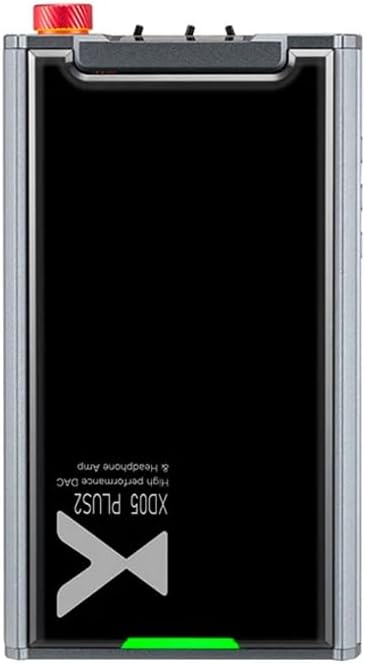
మూర్తి 1: టాప్ view of the XDUOO XD05 Plus 2, highlighting its compact design and model branding.
2. ప్యాకేజీ విషయాలు
దయచేసి ఈ క్రింది అంశాల కోసం ప్యాకేజీని తనిఖీ చేయండి:
- XDUOO XD05 Plus 2 Portable DAC Headphone Ampజీవితకాలం
- USB కేబుల్
- వినియోగదారు మాన్యువల్ (ఈ పత్రం)
3 పరికర లేఅవుట్
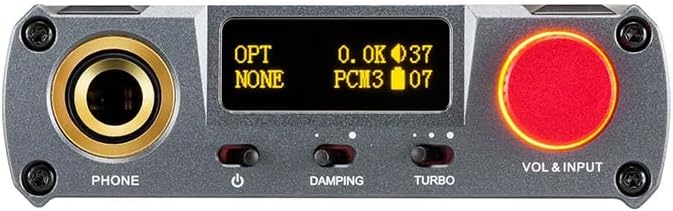
Figure 2: Front panel controls including the headphone output, OLED display, Damping switch, Turbo switch, and Volume/Input knob.

Figure 3: Rear panel connections featuring AUX In/Out, USB In, UAC 1.0/2.0 switch, Charge port, and Digital In (Optical/Coaxial).
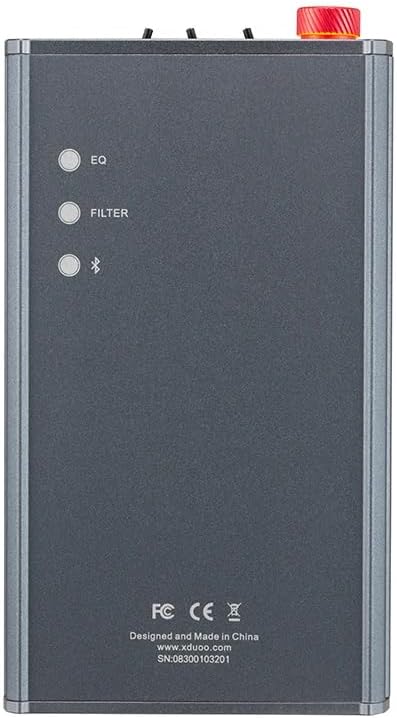
Figure 4: Side panel buttons for EQ, Filter, and Bluetooth functions.
4. సెటప్ మరియు కనెక్షన్లు
4.1 పరికరాన్ని ఛార్జ్ చేస్తోంది
Connect the provided USB cable to the 'CHARGE' port on the rear panel (Figure 3) and plug the other end into a USB power adapter (not included) or a computer's USB port. The charging time is approximately 3 hours for fast charging and 5 hours for slow charging.
4.2 ఆడియో సోర్సెస్కు కనెక్ట్ చేస్తోంది
The XD05 Plus 2 offers multiple input options:
- USB ఇన్పుట్: Connect to computers (Windows/Linux/Mac OSX), smartphones (iOS/Android), or other USB audio sources using the 'USB IN' port (Figure 3). Ensure the UAC switch is set to the appropriate mode (UAC 1.0 or UAC 2.0) for your device.
- Digital Input (Optical/Coaxial): Connect to desktop CDs, Hi-Fi players, or digital turntables via the 'DIGITAL IN' port (Figure 3).
- బ్లూటూత్ ఇన్పుట్: For wireless audio streaming, refer to Section 5.4 for Bluetooth pairing instructions.
- AUX In/Out: Use the 'AUX IN/OUT' port (Figure 3) for analog input or output connections.
4.3 హెడ్ఫోన్లను కనెక్ట్ చేస్తోంది
Plug your headphones into the 'PHONE' output jack on the front panel (Figure 2).
5. ఆపరేటింగ్ సూచనలు
5.1 పవర్ ఆన్/ఆఫ్ మరియు ఇన్పుట్ ఎంపిక
Press and hold the power button (located near the 'PHONE' jack, Figure 2) to turn the device on or off. Rotate the 'VOL & INPUT' knob (Figure 2) to adjust the volume. Press the 'VOL & INPUT' knob to cycle through available input sources (USB, Optical, Coaxial, Bluetooth, AUX).
5.2 వాల్యూమ్ నియంత్రణ
The device features a 99-level digital volume adjustment, ensuring balanced left and right channels at any volume setting. Rotate the 'VOL & INPUT' knob to precisely set your desired listening level.
5.3 Sound Adjustments (EQ, Filter, Damping, Turbo)
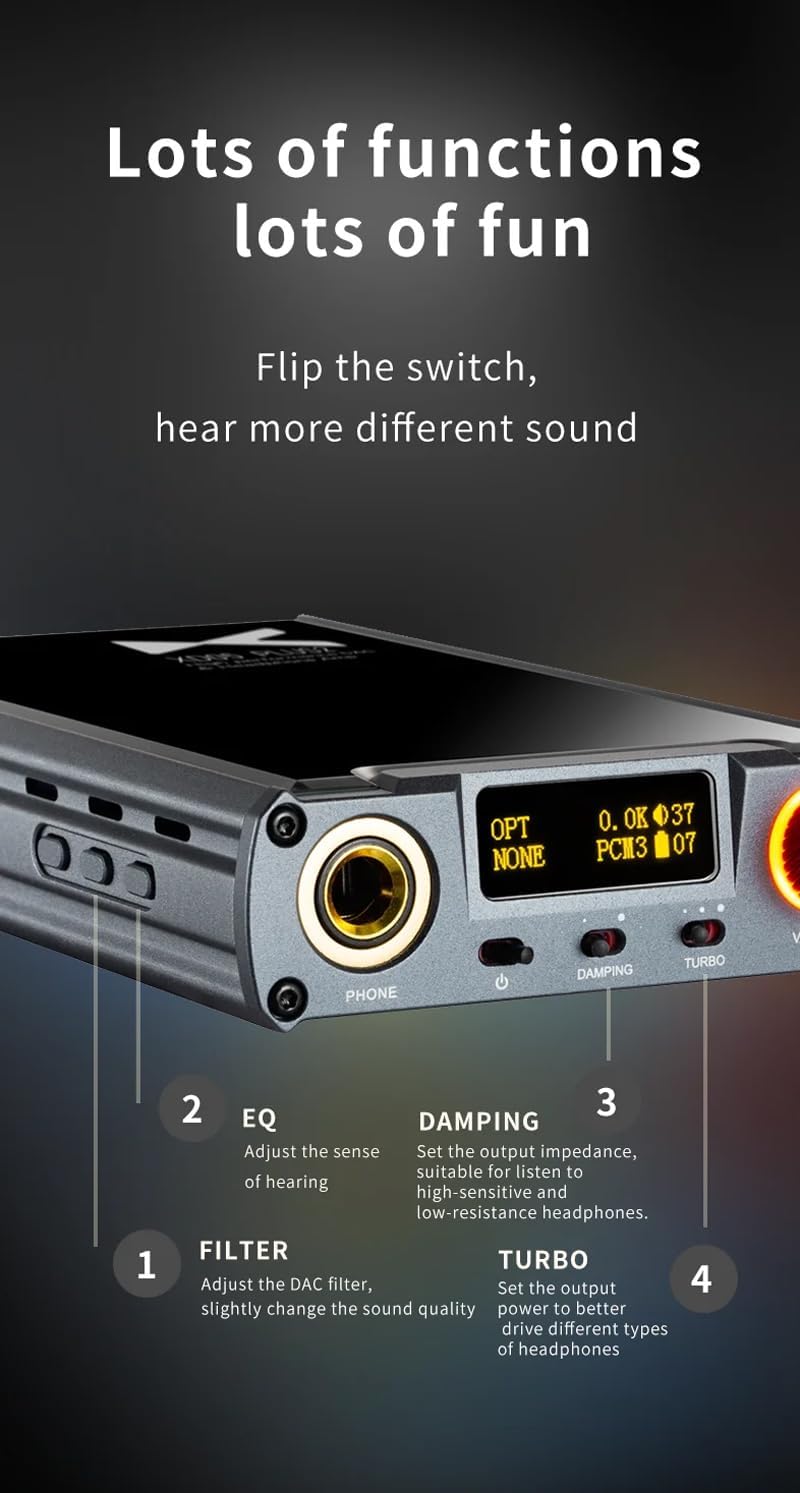
మూర్తి 5: వివరంగా view of sound adjustment controls and their functions.
- EQ (ఈక్వలైజర్): Press the 'EQ' button (Figure 4) to adjust the sense of hearing and tailor the sound to your preference.
- ఫిల్టర్: Press the 'FILTER' button (Figure 4) to slightly change the sound quality by adjusting the DAC filter settings.
- Damping: Use the 'DAMPING' switch (Figure 2) to set the output impedance, suitable for high-sensitivity and low-resistance headphones.
- టర్బో: Use the 'TURBO' switch (Figure 2) to set the output power, allowing the device to better drive different types of headphones.
5.4 బ్లూటూత్ జత చేయడం
To pair your device via Bluetooth 5.1:
- Ensure the XD05 Plus 2 is powered on and Bluetooth input is selected.
- Press the 'Bluetooth' button (Figure 4) to enter pairing mode. The Bluetooth indicator on the OLED screen will flash.
- On your source device (e.g., smartphone, tablet), search for available Bluetooth devices and select "XDUOO XD05 Plus 2".
- Once connected, the Bluetooth indicator will stop flashing.
Supported Bluetooth formats include AAC, SBC, aptX, aptX LL, aptX HD, and LDAC.
5.5 భర్తీ చేయడం Ampలిఫైయర్ చిప్
ది amplifier chip is user-replaceable, allowing for customization of your audio experience. Refer to the manufacturer's guidelines or a qualified technician for instructions on safely replacing the op-amp చిప్స్.
6. స్పెసిఫికేషన్లు
| ఫీచర్ | స్పెసిఫికేషన్ |
|---|---|
| బ్యాటరీ | 3.8V/5000mAh |
| స్క్రీన్ | 0.91 అంగుళాల OLED |
| అనుకూల OS | Windows/Linux/Mac OSX/iOS/Android |
| Frequency Response (USB/SPDIF) | 20Hz~20kHz (±0.5dB) |
| ఫ్రీక్వెన్సీ రెస్పాన్స్ (AMP) | 10Hz~80kHz (±0.5dB) |
| USB Sampling Rate (PCM) | 16-32BIT/44.1-384KHZ |
| USB Sampling Rate (DSD) | DOP/NATIVE DSD64-256 |
| USB Sampling Rate (MQA) | OFS rendering layer decoding |
| OPT/COA Sampling Rate (PCM) | 16-24BIT/44.1-192KHZ |
| OPT/COA Sampling Rate (DSD) | DSD64 (DOP) |
| Bluetooth Formats | AAC/SBC/aptX/aptX LL/aptX HD/LDAC |
| లాభం | +0dB/3dB/6dB |
| హెడ్ఫోన్ అవుట్పుట్ పవర్ | 1200mW (32Ω లోడ్) |
| Headphone THD+N | 0.0015%@1kHz |
| Headphone S/N | 121dB |
| Headphone Crosstalk | >76dB |
| AUX OUT Output Level | 2.0 వర్మ్స్ |
| AUX OUT THD+N | 0.0009%@1kHz |
| AUX OUT S/N | 122dB |
| AUX OUT Crosstalk | ≥109dB |
| Battery Life (USB IN) | ≥9H |
| Battery Life (SPDIF IN) | ≥15H |
| Battery Life (BT IN) | ≥18H |
| ఛార్జింగ్ సమయం (వేగంగా) | ≤3 గంటలు |
| Charging Time (Slow) | ≤5 గంటలు |
| పరిమాణం | 13.0 x 7.5 x 2.2 సెం.మీ |
| బరువు | 0.29 కిలోలు |
7. నిర్వహణ
To ensure the longevity and optimal performance of your XDUOO XD05 Plus 2, follow these maintenance guidelines:
- మెత్తటి, పొడి గుడ్డతో తుడవడం ద్వారా పరికరాన్ని శుభ్రంగా ఉంచండి. కఠినమైన రసాయనాలు లేదా రాపిడి పదార్థాలను ఉపయోగించకుండా ఉండండి.
- Protect the device from extreme temperatures, direct sunlight, and moisture.
- పరికరాన్ని వదలడం లేదా బలమైన ప్రభావాలకు గురి చేయడం మానుకోండి.
- ఎక్కువసేపు ఉపయోగంలో లేనప్పుడు, పరికరాన్ని చల్లని, పొడి ప్రదేశంలో నిల్వ చేయండి.
8. ట్రబుల్షూటింగ్
If you encounter issues with your XDUOO XD05 Plus 2, please refer to the following common troubleshooting steps:
- ధ్వని లేదు:
- పరికరం ఆన్ చేయబడిందో లేదో తనిఖీ చేయండి.
- Ensure headphones are properly connected.
- సరైన ఇన్పుట్ సోర్స్ ఎంచుకోబడిందని ధృవీకరించండి.
- వాల్యూమ్ స్థాయిని సర్దుబాటు చేయండి.
- Check the audio source device for proper playback and volume settings.
- పేలవమైన ధ్వని నాణ్యత:
- అన్ని కేబుల్స్ సురక్షితంగా కనెక్ట్ అయ్యాయని నిర్ధారించుకోండి.
- Try a different audio cable or source.
- Check EQ and Filter settings; reset them to default if necessary.
- Ensure the UAC switch is set correctly for your USB connection.
- బ్లూటూత్ కనెక్షన్ సమస్యలు:
- Ensure the device is in Bluetooth pairing mode.
- Move the source device closer to the ampజీవితకాలం.
- Clear previous Bluetooth pairings on both devices and try pairing again.
- పరికరం ఛార్జ్ చేయబడదు:
- Verify the USB cable is connected to the 'CHARGE' port.
- వేరే USB కేబుల్ లేదా పవర్ అడాప్టర్ని ప్రయత్నించండి.
- విద్యుత్ వనరు పనిచేస్తుందని నిర్ధారించుకోండి.
9. అధికారిక ఉత్పత్తి వీడియో
వీడియో 1: ఒక ఓవర్view of the LEAUDIO XDUOO XD05 Plus 2 DAC Amp, చూపించుasing its features and design. This video provides a visual guide to the product's capabilities and physical aspects.
10. వారంటీ మరియు మద్దతు
For warranty information and technical support, please refer to the documentation included with your product or contact LEAUDIO customer service directly. You may also visit the official LEAUDIO webఅత్యంత తాజా మద్దతు వనరుల కోసం సైట్.