
1. పరిచయం
This manual provides detailed instructions for the assembly, operation, and maintenance of your ErGear EGESD63B electric standing desk. Please read this manual thoroughly before assembly and use to ensure proper function and safety. Keep this manual for future reference.

Image 1.1: The ErGear EGESD63B electric standing desk in a typical office setup.
2. భద్రతా సమాచారం
సురక్షితమైన ఆపరేషన్ను నిర్ధారించడానికి మరియు గాయం లేదా నష్టాన్ని నివారించడానికి, దయచేసి ఈ క్రింది భద్రతా మార్గదర్శకాలను గమనించండి:
- Do not exceed the weight limit of 250 pounds (113 kg) on the desktop.
- Ensure the desk is properly anchored to the floor to prevent tipping, especially when at maximum height.
- Avoid use near water or in humid conditions to prevent electrical hazards.
- ఆపరేషన్ సమయంలో పిల్లలు మరియు పెంపుడు జంతువులను డెస్క్ నుండి దూరంగా ఉంచండి.
- ఎత్తు సర్దుబాట్ల సమయంలో డెస్క్ మార్గంలో ఎటువంటి అడ్డంకులు లేవని నిర్ధారించుకోండి.
- అందించిన పవర్ అడాప్టర్ మరియు భాగాలను మాత్రమే ఉపయోగించండి.
3. ప్యాకేజీ విషయాలు
Verify that all components are present and undamaged before beginning assembly. If any parts are missing or damaged, contact ErGear customer service.
- Desktop (One-piece)
- డెస్క్ కాళ్ళు (2)
- Crossbar/Frame
- నియంత్రణ ప్యానెల్
- పవర్ అడాప్టర్ మరియు కేబుల్
- కేబుల్ మేనేజ్మెంట్ ట్రే
- Hardware Kit (screws, bolts, washers)
- అసెంబ్లీ సాధనాలు
- వివరణాత్మక సూచన మాన్యువల్
4. సెటప్ మరియు అసెంబ్లీ
Assembly requires one person and includes all necessary tools. Follow these general steps for setup:
- భాగాలను అన్ప్యాక్ చేయండి: ప్యాకేజింగ్ నుండి అన్ని భాగాలను జాగ్రత్తగా తీసివేసి, గీతలు పడకుండా ఉండటానికి వాటిని శుభ్రమైన, మృదువైన ఉపరితలంపై వేయండి.
- డెస్క్ ఫ్రేమ్ను అసెంబుల్ చేయండి: Attach the desk legs to the crossbar according to the diagrams in the detailed manual. Ensure all screws are tightened securely.
- డెస్క్టాప్ను అటాచ్ చేయండి: Place the one-piece desktop upside down on the soft surface. Carefully align the assembled frame with the pre-drilled holes on the desktop and secure it using the provided screws. The one-piece desktop design simplifies this step, allowing for faster installation.
- Install Control Panel and Cable Management: Mount the control panel to the underside of the desktop in the designated area. Attach the cable management tray.
- వైరింగ్ కనెక్ట్ చేయండి: Connect the motor cables from the legs to the control box, and then connect the control panel to the control box. Finally, connect the power adapter to the control box and plug it into a power outlet.
- Initial Power-On and Calibration: Refer to the detailed manual for initial power-on and calibration steps, which typically involve pressing and holding a button to reset the desk to its lowest position.
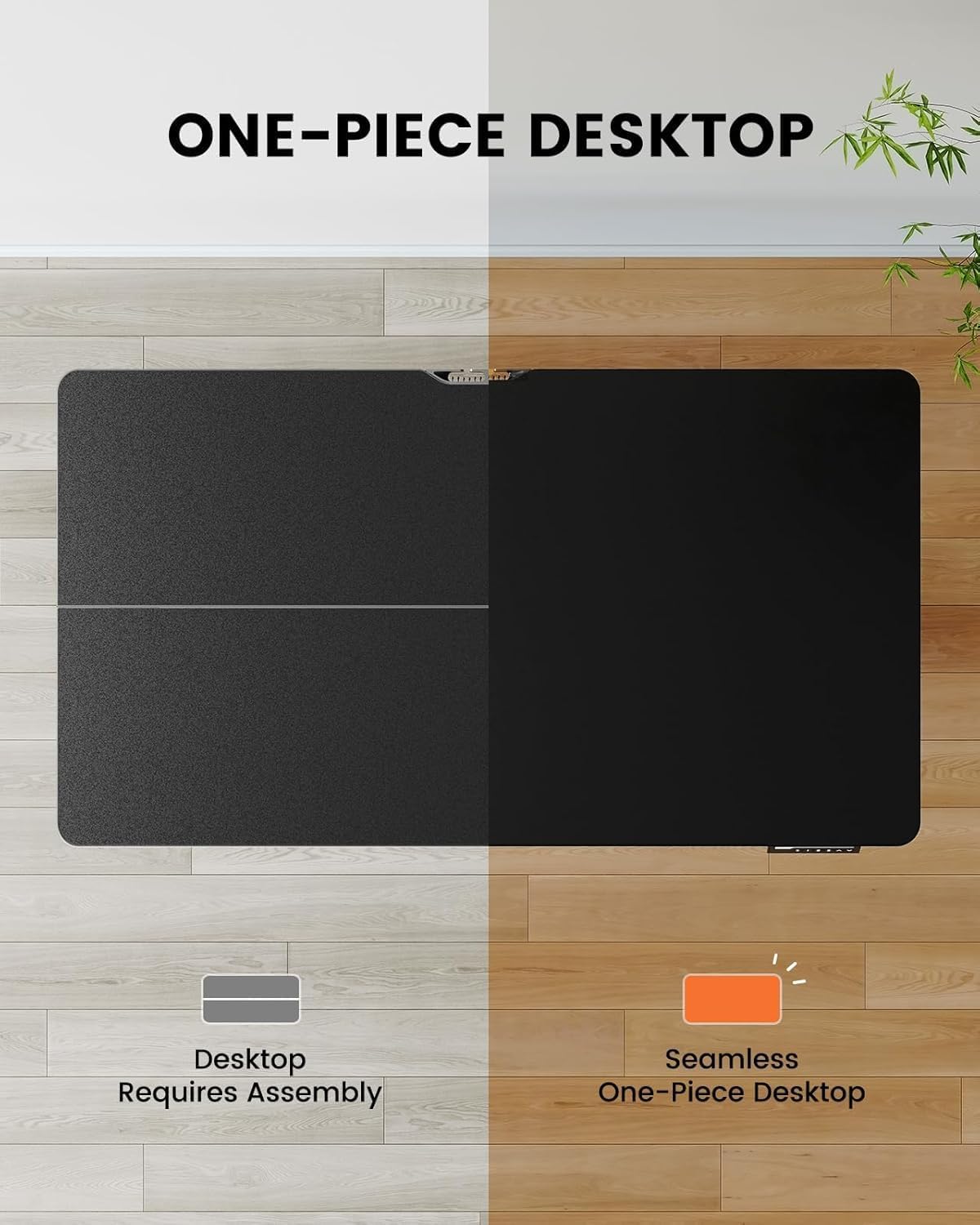
Image 4.1: Hassle-free assembly with the one-piece desktop.

Image 4.2: The ErGear EGESD63B features a seamless one-piece desktop for easier setup.
5. ఆపరేటింగ్ సూచనలు
Your ErGear EGESD63B electric standing desk is designed for easy height adjustment to switch between sitting and standing positions.
5.1. ఎత్తు సర్దుబాటు
- అప్/డౌన్ బటన్లు: Use the ▲ (Up) and ▼ (Down) buttons on the control panel to smoothly raise or lower the desk to your desired height. The desk adjusts from 27.9 inches to 46.9 inches.
5.2. మెమరీ ప్రీసెట్లు
The control panel features three memory preset buttons (1, 2, 3) to store and recall your preferred sitting and standing heights.
- ప్రీసెట్ సెట్ చేయడానికి: Adjust the desk to your desired height using the Up/Down buttons. Press the 'M' button, then immediately press one of the number buttons (1, 2, or 3) to save the current height to that preset. The display will show 'S-' followed by the number to confirm.
- ప్రీసెట్ను రీకాల్ చేయడానికి: Simply press the corresponding number button (1, 2, or 3). The desk will automatically move to the saved height.

Image 5.1: Adjust the desk for sit and stand comfort.
6. నిర్వహణ
Regular maintenance helps ensure the longevity and smooth operation of your standing desk.
- శుభ్రపరచడం: డెస్క్టాప్ మరియు ఫ్రేమ్ను మృదువైన, d తో తుడవండి.amp వస్త్రం. కఠినమైన రసాయనాలు లేదా రాపిడి క్లీనర్లను నివారించండి.
- కనెక్షన్లను తనిఖీ చేయండి: Periodically check all screws and electrical connections to ensure they are secure. Tighten any loose screws.
- కేబుల్ నిర్వహణ: Ensure cables are neatly organized within the cable management tray to prevent snagging during height adjustments.
7. ట్రబుల్షూటింగ్
If you encounter issues with your ErGear EGESD63B desk, refer to the following common troubleshooting steps:
- డెస్క్ కదలడం లేదు:
- పవర్ కేబుల్ డెస్క్ మరియు వాల్ అవుట్లెట్ రెండింటిలోనూ సురక్షితంగా ప్లగ్ చేయబడిందో లేదో తనిఖీ చేయండి.
- కదలికకు ఆటంకం కలిగించే అడ్డంకులు లేవని నిర్ధారించుకోండి.
- Perform a reset: Unplug the power for 10 seconds, then plug it back in. Press and hold the 'Down' button until the desk reaches its lowest point and slightly rebounds.
- ప్రదర్శనలో లోపం కోడ్లు:
- If an error code appears, refer to the detailed manual for specific code meanings and solutions. Often, a reset (as described above) can resolve minor errors.
- అసమాన కదలిక:
- డెస్క్ ఒక స్థాయి ఉపరితలంపై ఉందని నిర్ధారించుకోండి.
- Check that all frame connections are tight.
If problems persist after attempting these steps, contact ErGear customer support for assistance.
8. స్పెసిఫికేషన్లు
| ఫీచర్ | స్పెసిఫికేషన్ |
|---|---|
| బ్రాండ్ | ఎర్గేర్ |
| మోడల్ | EGESD63B |
| Desktop Dimensions (L x W) | 40 x 24 అంగుళాలు (101.6 x 61 సెం.మీ.) |
| ఎత్తు సర్దుబాటు పరిధి | 27.9 - 46.9 అంగుళాలు (70.9 - 119.1 సెం.మీ) |
| బరువు సామర్థ్యం | 250 పౌండ్లు (113 కిలోలు) |
| మోటార్ రకం | ఎలక్ట్రిక్ మోటార్ |
| ఎత్తు స్థానాల సంఖ్య | 3 (మెమరీ ప్రీసెట్లు) |
| డెస్క్టాప్ మెటీరియల్ | ఇంజినీర్డ్ వుడ్ |
| ఫ్రేమ్ మెటీరియల్ | స్టెయిన్లెస్ స్టీల్ |
| రంగు | నలుపు |
| అసెంబ్లీ అవసరం | Yes, with included tools |

Image 8.1: Product dimensions of the ErGear EGESD63B desk.
9. వారంటీ మరియు మద్దతు
ErGear provides a comprehensive warranty for your EGESD63B electric standing desk:
- 2-సంవత్సరాల పరిమిత వారంటీ: Covers the motor, controller, and cables.
- 5-సంవత్సరాల పరిమిత వారంటీ: Covers the desktop, frame, and other parts.
For warranty claims, technical support, or any questions regarding your product, please contact ErGear customer service through their official website or the retailer where the product was purchased. Please have your model number (EGESD63B) and proof of purchase ready.