
షియోమి BHR8034GL
Xiaomi Watch 2
వినియోగదారు మాన్యువల్
పరిచయం
Welcome to the user manual for your new Xiaomi Watch 2. This guide provides essential information on setting up, operating, maintaining, and troubleshooting your smartwatch. The Xiaomi Watch 2 is designed to enhance your daily life with smart features, comprehensive health monitoring, and robust performance.
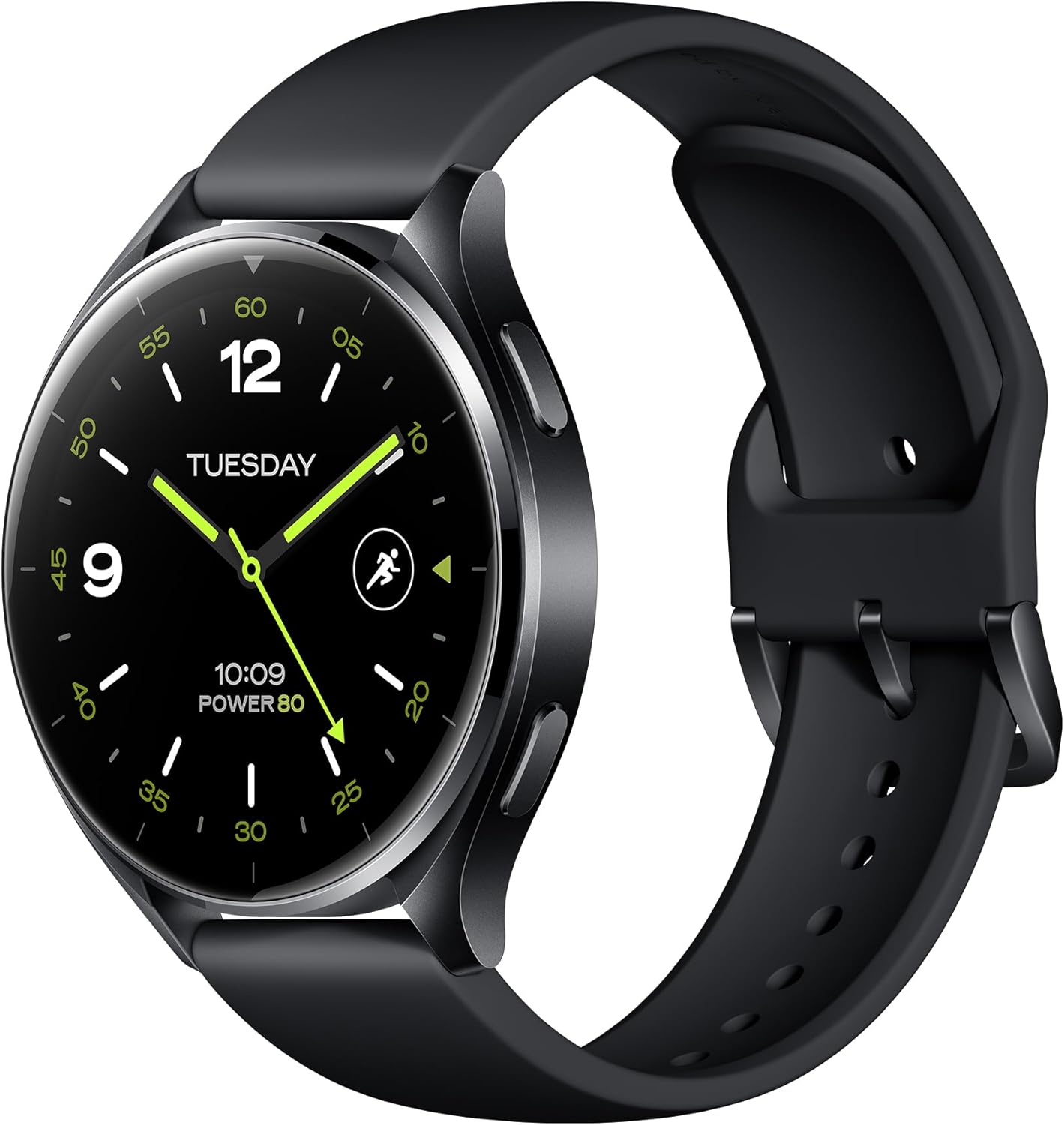
Figure 1: Xiaomi Watch 2 Overview
The Xiaomi Watch 2 features a 1.43" AMOLED display, Google Wear OS, and a powerful Qualcomm Snapdragon W5+ Gen 1 processor, offering a seamless and responsive user experience.
పెట్టెలో ఏముంది
Upon unboxing your Xiaomi Watch 2, please ensure all the following items are present:
- Xiaomi Watch 2 Smartwatch
- మాగ్నెటిక్ ఛార్జింగ్ కేబుల్
- User Manual (including Warranty Notice)
సెటప్
1. పరికరాన్ని ఛార్జ్ చేస్తోంది
Before first use, fully charge your Xiaomi Watch 2. Connect the magnetic charging cable to the charging contacts on the back of the watch and plug the USB end into a power adapter (not included) or a computer's USB port. A full charge takes approximately 45 minutes.
2. పవర్ చేయడం ఆన్/ఆఫ్
- పవర్ ఆన్: Press and hold the power button (usually the top right button) until the Xiaomi logo appears.
- పవర్ ఆఫ్: పవర్ బటన్ను నొక్కి పట్టుకోండి, ఆపై స్క్రీన్పై 'పవర్ ఆఫ్' ఎంచుకోండి.
3. మీ స్మార్ట్ఫోన్తో జత చేయడం
- Download the 'Mi Fitness' app from the Google Play Store or Apple App Store on your smartphone.
- Open the Mi Fitness app and follow the on-screen instructions to create or log in to your Xiaomi account.
- On your watch, select your preferred language.
- In the Mi Fitness app, tap 'Add device' and select 'Xiaomi Watch 2'.
- Follow the prompts to pair your watch via Bluetooth 5.2. Confirm the pairing code on both devices.
4. ప్రారంభ ఆకృతీకరణ
Once paired, the app will guide you through setting up your Google account, Wi-Fi connection, and other essential settings for Wear OS functionality.
పరికరాన్ని ఆపరేట్ చేస్తోంది
ప్రదర్శన మరియు నావిగేషన్
The Xiaomi Watch 2 features a vibrant 1.43" AMOLED display with a resolution of 466 x 466 pixels. Navigate the watch using touch gestures and the physical buttons.

Figure 2: Watch Buttons for Navigation
- క్రిందికి స్వైప్ చేయండి: త్వరిత సెట్టింగ్లు మరియు నోటిఫికేషన్లను యాక్సెస్ చేయండి.
- పైకి స్వైప్ చేయండి: View నోటిఫికేషన్లు.
- ఎడమ/కుడి స్వైప్ చేయండి: Cycle through tiles (widgets) like heart rate, weather, and activity.
- టాప్ బటన్: Typically acts as a 'Home' button or app launcher.
- దిగువ బటన్: Customizable shortcut, often for fitness tracking.
కీ ఫీచర్లు
The Xiaomi Watch 2 integrates seamlessly with Google's ecosystem, offering a wide range of functionalities.

Figure 3: Google Wear OS Applications
- Wear OS by Google: Access Google Play for apps, use Hey Google for voice commands, make payments with Google Wallet, and navigate with Google Maps.
- కాల్ చేస్తోంది: Answer calls directly from your watch using the built-in microphone and speaker.
- ఫిట్నెస్ ట్రాకింగ్: Supports over 160 sports modes. Monitor your heart rate, SpO2, and track activities with the accelerometer and gyroscope sensors.
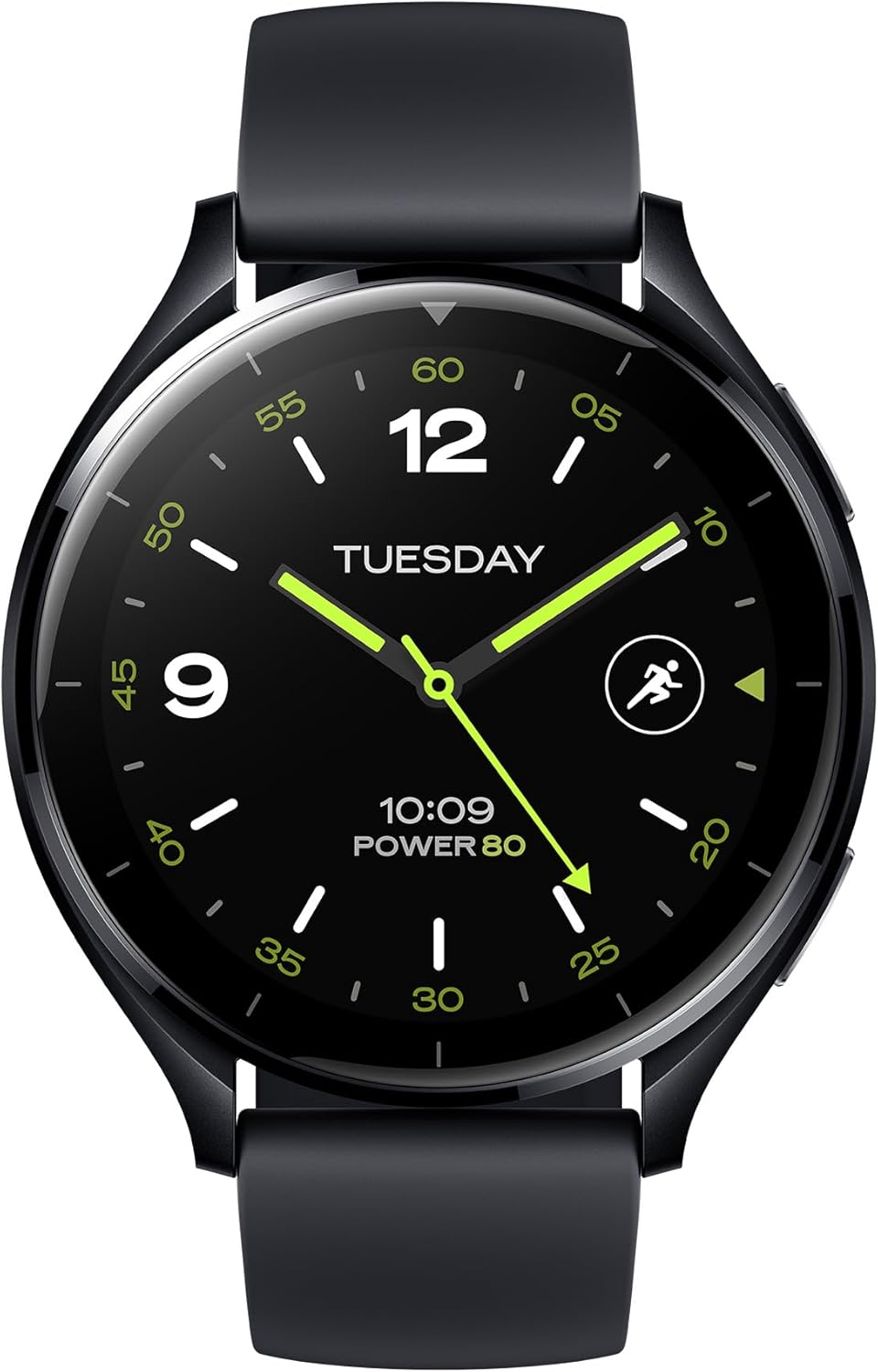
Figure 4: Water Resistance and Sports Modes
- GPS: Integrated L1+L5 GNSS for accurate location tracking during outdoor activities.
- నీటి నిరోధకత: Rated 5 ATM, suitable for shallow-water activities like swimming in a pool or ocean. Not suitable for diving or high-pressure water activities.
- సెన్సార్లు: Equipped with Optical Heart Rate Sensor, Accelerometer Sensor, Gyro Sensor, Ambient Light Sensor, Electronic Compass Sensor, and Barometer Sensor for comprehensive data collection.

Figure 5: GPS and Health Monitoring
బ్యాటరీ జీవితం మరియు పనితీరు
The Xiaomi Watch 2 is powered by a Qualcomm Snapdragon W5+ Gen 1 processor, ensuring smooth performance. It offers a battery life of up to 65 hours under normal usage conditions, supported by a 495 mAh Lithium Ion battery and 32GB of storage.

Figure 6: Processor and Battery Information
నిర్వహణ
వాచ్ శుభ్రం చేయడం
చర్మపు చికాకును నివారించడానికి మరియు పరికర పనితీరును నిర్వహించడానికి మీ వాచ్ మరియు పట్టీని క్రమం తప్పకుండా శుభ్రం చేయండి. మృదువైన, మెత్తటి బట్టను ఉపయోగించండి. మొండి ధూళి కోసం, కొద్దిగా dampen గుడ్డను నీటితో తడిపివేయండి. కఠినమైన రసాయనాలు లేదా రాపిడి పదార్థాలను ఉపయోగించకుండా ఉండండి.
నీటి నిరోధక జాగ్రత్తలు
While the watch is 5 ATM water resistant, avoid exposing it to hot water, steam, or high-velocity water. Dry the watch thoroughly after exposure to water, especially the charging contacts, to prevent corrosion.
సాఫ్ట్వేర్ నవీకరణలు
Keep your watch's software updated to ensure optimal performance, security, and access to new features. Connect your watch to Wi-Fi and check for updates via the Mi Fitness app or directly on the watch settings.
ట్రబుల్షూటింగ్
If you encounter issues with your Xiaomi Watch 2, try the following common solutions:
- వాచ్ ఆన్ అవ్వడం లేదు: వాచ్ పూర్తిగా ఛార్జ్ అయ్యిందని నిర్ధారించుకోండి. కనీసం 10 నిమిషాలు దానిని ఛార్జర్కి కనెక్ట్ చేయండి.
- జత సమస్యలు: Ensure Bluetooth is enabled on your phone and watch. Restart both devices. Clear Bluetooth cache on your phone.
- సరికాని డేటా: మీ మణికట్టు మీద వాచ్ చక్కగా ధరించేలా చూసుకోండి. వాచ్ వెనుక ఉన్న సెన్సార్లను శుభ్రం చేయండి.
- బ్యాటరీ త్వరగా ఖాళీ అవుతుంది: స్క్రీన్ ప్రకాశాన్ని తగ్గించండి, ఎల్లప్పుడూ డిస్ప్లేను నిలిపివేయండి, నేపథ్య యాప్ రిఫ్రెష్ను పరిమితం చేయండి మరియు అనవసరమైన నోటిఫికేషన్లను ఆఫ్ చేయండి.
- స్పందించడం లేదు చూడండి: Try restarting the watch by holding the power button. If unresponsive, perform a force restart (refer to specific instructions in the Mi Fitness app or Xiaomi support).
- ఫ్యాక్టరీ రీసెట్: As a last resort, you can perform a factory reset from the watch settings. This will erase all data on the watch and restore it to its original state.
స్పెసిఫికేషన్లు
| ఫీచర్ | స్పెసిఫికేషన్ |
|---|---|
| మోడల్ సంఖ్య | BHR8034GL |
| ప్రదర్శించు | 1.43" AMOLED, 466 x 466 pixels, 326 dpi |
| ప్రాసెసర్ | Qualcomm Snapdragon W5+ Gen 1 |
| ఆపరేటింగ్ సిస్టమ్ | Wear OS by Google |
| జ్ఞాపకశక్తి | 2 GB RAM |
| నిల్వ | 32 GB |
| బ్యాటరీ కెపాసిటీ | 495 mAh లిథియం అయాన్ |
| ఛార్జింగ్ సమయం | సుమారు 45 నిమిషాలు |
| సాధారణ వినియోగ బ్యాటరీ జీవితకాలం | 65 గంటల వరకు |
| కనెక్టివిటీ | Bluetooth 5.2, 2.4/5 GHz Wi-Fi |
| నీటి నిరోధకత | 5 ATM |
| GPS | Built-in L1+L5 GNSS |
| సెన్సార్లు | Optical Heart Rate, Accelerometer, Gyro, Ambient Light, Electronic Compass, Barometer |
| బరువు | 46 గ్రాములు (1.62 ఔన్సులు) |
| ఆకారం | గుండ్రంగా |
వారంటీ మరియు మద్దతు
వారంటీ సమాచారం
Your Xiaomi Watch 2 comes with a limited warranty. Please refer to the separate Warranty Notice included in your product packaging for detailed terms and conditions, including warranty period, coverage, and claim procedures.
కస్టమర్ మద్దతు
మరిన్ని సహాయం, సాంకేతిక మద్దతు లేదా సేవా విచారణల కోసం, దయచేసి అధికారిక Xiaomi మద్దతును సందర్శించండి. website or contact their customer service. You can find contact information and FAQs on the Xiaomi webసైట్:
Ask a question about this manual
Ask about setup, troubleshooting, compatibility, parts, safety, or missing instructions. Manuals+ will review the question and use this page’s manual context to help answer it.