
1. పరిచయం
Thank you for choosing the MOKA SFX Electric Confetti Cannon MK-CN07. This device is designed to create spectacular confetti effects for various events such as DJ performances, stage shows, weddings, parties, nightclubs, concerts, and more. This manual provides essential information for safe operation, setup, maintenance, and troubleshooting to ensure optimal performance and longevity of your confetti cannon.
2. భద్రతా సమాచారం
Please read all safety warnings and instructions carefully before operating this device. Failure to do so may result in injury or damage to the product.
- Always ensure the device is placed on a stable, level surface.
- Keep a safe distance from the nozzle when operating. Do not look directly into the nozzle.
- Do not insert any objects into the confetti outlet.
- Ensure the power supply matches the device's requirements (110V 60Hz or 220V 50Hz).
- Disconnect power before cleaning, maintenance, or when the device is not in use.
- This device is for indoor use or covered outdoor use only, protected from moisture.
- పిల్లలకు మరియు అనధికార సిబ్బందికి దూరంగా ఉంచండి.
- Use only approved confetti cartridges or bulk confetti suitable for this machine.
3. ప్యాకేజీ విషయాలు
క్రింద జాబితా చేయబడిన అన్ని వస్తువులు మీ ప్యాకేజీలో చేర్చబడ్డాయని ధృవీకరించండి:
- 1 x MOKA SFX Electric Confetti Cannon (MK-CN07)
- 1 x పవర్ కేబుల్
- 1 x DMX కేబుల్
- 1 x Remote Control (requires 23A battery, not included)
- 1 x వినియోగదారు మాన్యువల్

Image: Contents of the MOKA SFX Electric Confetti Cannon package.
4. ఉత్పత్తి ముగిసిందిview
The MOKA SFX Electric Confetti Cannon MK-CN07 is a robust and versatile device designed for dynamic confetti effects. It features a compact aluminum design, adjustable confetti dispersion, and multiple control options.

చిత్రం: ముందు భాగం view of the MOKA SFX Electric Confetti Cannon.
ముఖ్య లక్షణాలు:
- Adjustable Confetti Dispersion: Manual angle adjustment up to 180 degrees for precise control over confetti direction and spread.
- కాంపాక్ట్ డిజైన్: Ideal for venues with limited space, easily integrating into event setups.
- Enhanced DMX Signal Transmission: Ensures accurate and rapid DMX signal transmission, minimizing delays.
- బహుముఖ నియంత్రణ ఎంపికలు: Supports manual operation, remote control, and DMX compatibility.
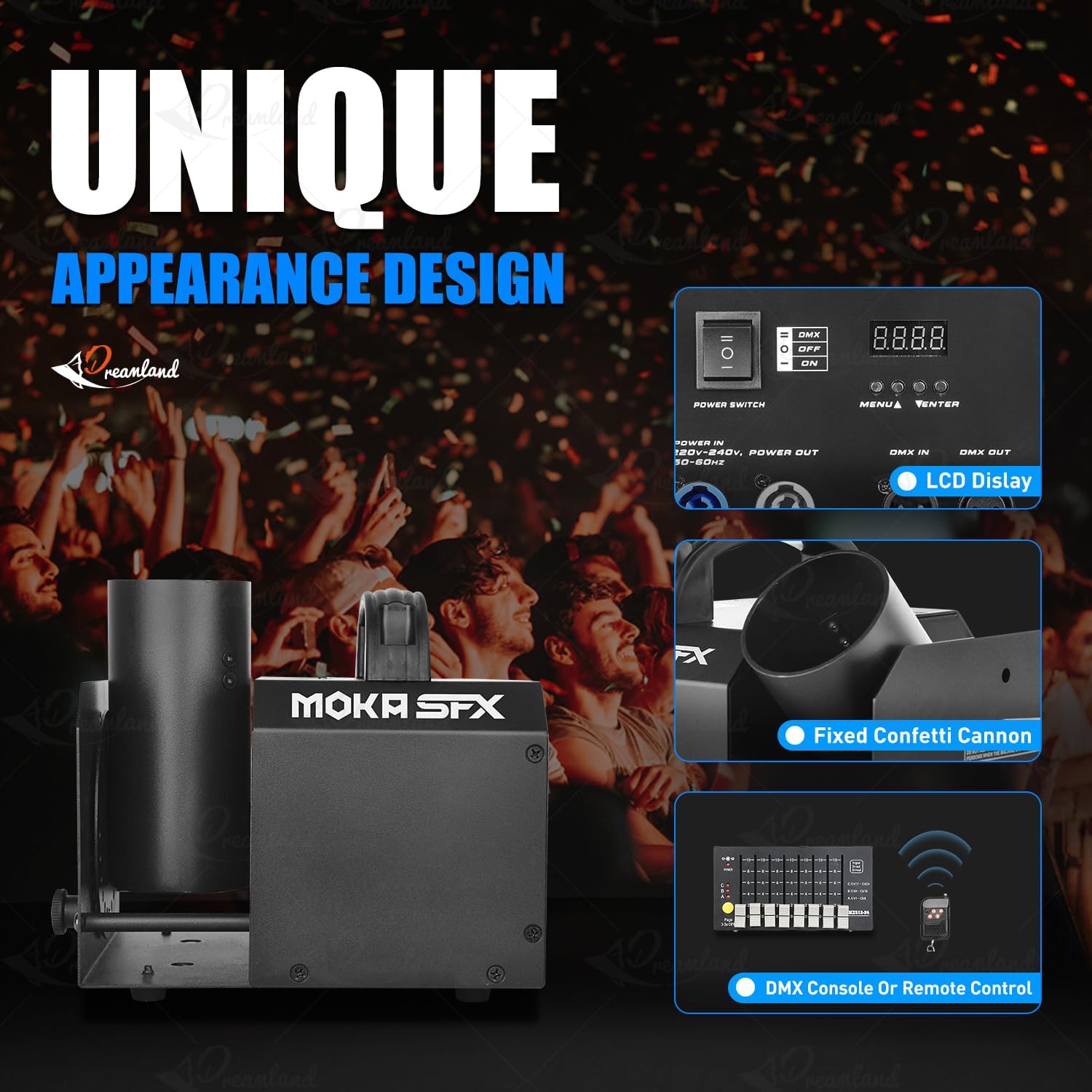
Image: Control panel and key features of the confetti cannon.

Image: Manual angle adjustment mechanism.
5. సెటప్
- అన్ప్యాకింగ్: Carefully remove the confetti cannon and all accessories from the packaging. Inspect for any signs of damage.
- ప్లేస్మెంట్: Position the machine on a stable, flat surface. Ensure there is adequate space around the device for operation and safety.
- Confetti Loading: Insert the confetti cannon cartridge into the designated slot on the machine. Ensure it is securely seated. If using bulk confetti, load it into the appropriate compartment according to the machine's design.
- కోణ సర్దుబాటు: Manually adjust the nozzle angle up to 180 degrees to achieve the desired confetti dispersion direction. Use the adjustment knob or lever if available.
- పవర్ కనెక్షన్: Connect the power cable to the machine and then to a suitable power outlet (110V 60Hz or 220V 50Hz).
- నియంత్రణ కనెక్షన్ (ఐచ్ఛికం):
- DMX నియంత్రణ: Connect a DMX cable from your DMX controller to the DMX IN port on the confetti cannon. If linking multiple units, connect from DMX OUT of the first unit to DMX IN of the next.
- రిమోట్ కంట్రోల్: Ensure the remote control has a working 23A battery installed.
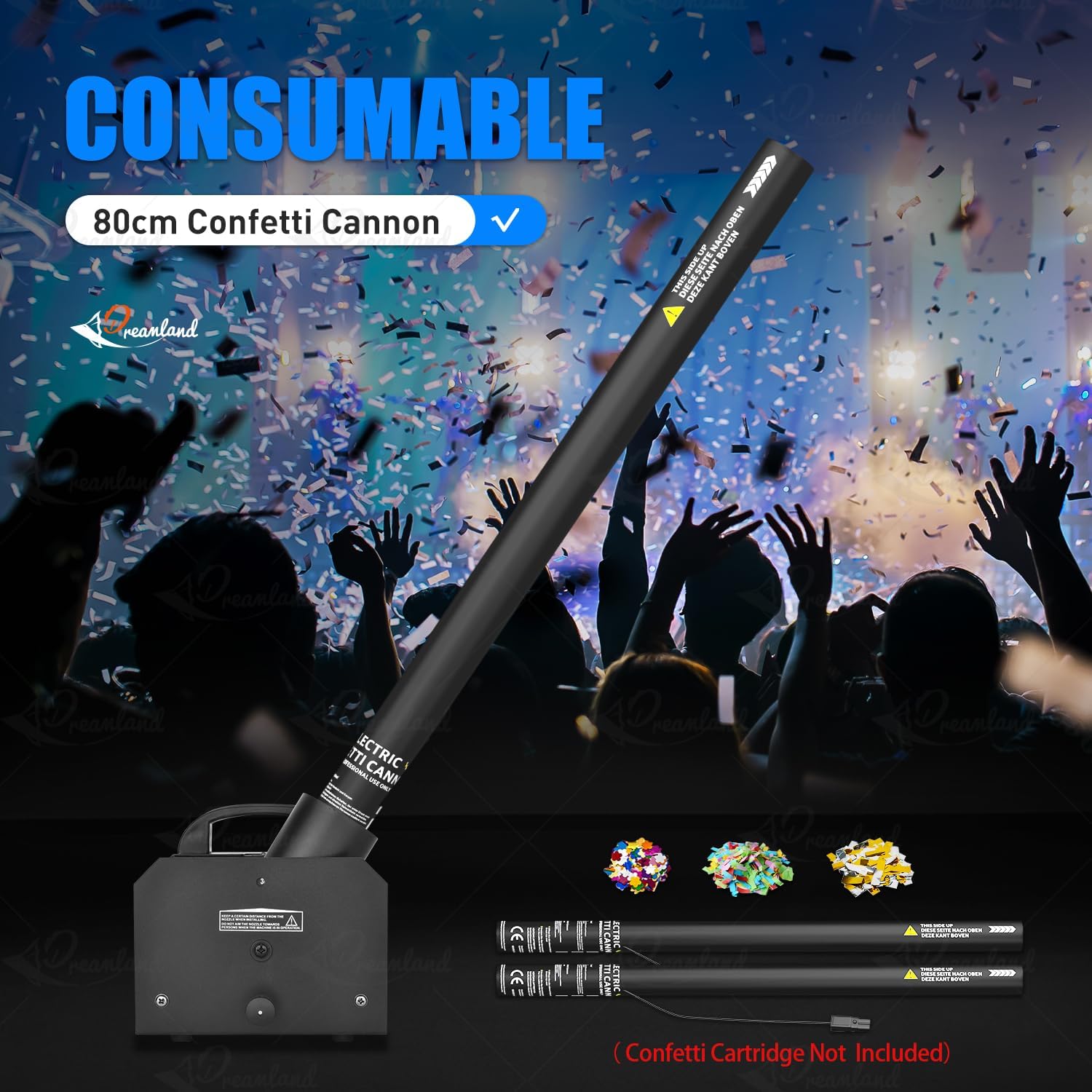
Image: Loading a confetti cannon consumable into the machine.
6. ఆపరేటింగ్ సూచనలు
పవర్ ఆన్:
Flip the main power switch to the 'ON' position. The LCD display (if present) will illuminate, indicating the machine is ready.
నియంత్రణ మోడ్లు:
The MOKA SFX Electric Confetti Cannon offers multiple control options:
- మాన్యువల్ ఆపరేషన్: Some models may have a direct trigger button on the unit for immediate confetti release.
- రిమోట్ కంట్రోల్: Use the provided wireless remote control to activate the confetti effect. Press the designated button on the remote to trigger the confetti. Ensure the remote has a fresh 23A battery.
- DMX512 నియంత్రణ: For professional setups, connect the machine to a DMX controller.

Image: Available control modes: DMX512 and Remote Control.
DMX ఆపరేషన్:
The device uses 5 DMX channels. Refer to your DMX controller's manual for specific programming instructions. Typically, one channel will control the confetti release, while others might control effects like angle or duration if applicable.
- Set the DMX address on the confetti cannon using the onboard display and buttons (MENU, UP, DOWN, ENTER).
- Consult the DMX chart in the full user manual for channel assignments and values.
- Use your DMX controller to send commands to the assigned channels to trigger confetti effects.
7. నిర్వహణ
Regular maintenance ensures the longevity and reliable operation of your confetti cannon.
- శుభ్రపరచడం: After each use, especially after large events, clean any residual confetti from the machine, particularly around the nozzle and internal mechanisms. Use a soft, dry cloth. Do not use liquids or abrasive cleaners.
- తనిఖీ: Periodically check all cables, connections, and the housing for any signs of wear or damage. Replace damaged parts immediately.
- నిల్వ: ఉపయోగంలో లేనప్పుడు పరికరాన్ని పొడి, దుమ్ము లేని వాతావరణంలో నిల్వ చేయండి.
8. ట్రబుల్షూటింగ్
If you encounter issues with your MOKA SFX Electric Confetti Cannon, refer to the following common problems and solutions:
| సమస్య | సాధ్యమైన కారణం | పరిష్కారం |
|---|---|---|
| యంత్రం పవర్ ఆన్ చేయదు. | No power, faulty cable, power switch off. | Check power cable connection, ensure power switch is ON, test power outlet. |
| Confetti does not launch. | No confetti loaded, remote battery dead, DMX signal issue. | Ensure confetti is loaded correctly. Replace remote battery. Check DMX connections and address settings. |
| Weak confetti effect. | Low power, clogged nozzle, incorrect confetti type. | Ensure stable power. Clean the nozzle. Use recommended confetti. |
| రిమోట్ కంట్రోల్ పనిచేయడం లేదు. | Dead battery, out of range, interference. | Replace 23A battery. Operate within range. Minimize interference. |
9. స్పెసిఫికేషన్లు
Detailed technical specifications for the MOKA SFX Electric Confetti Cannon MK-CN07:
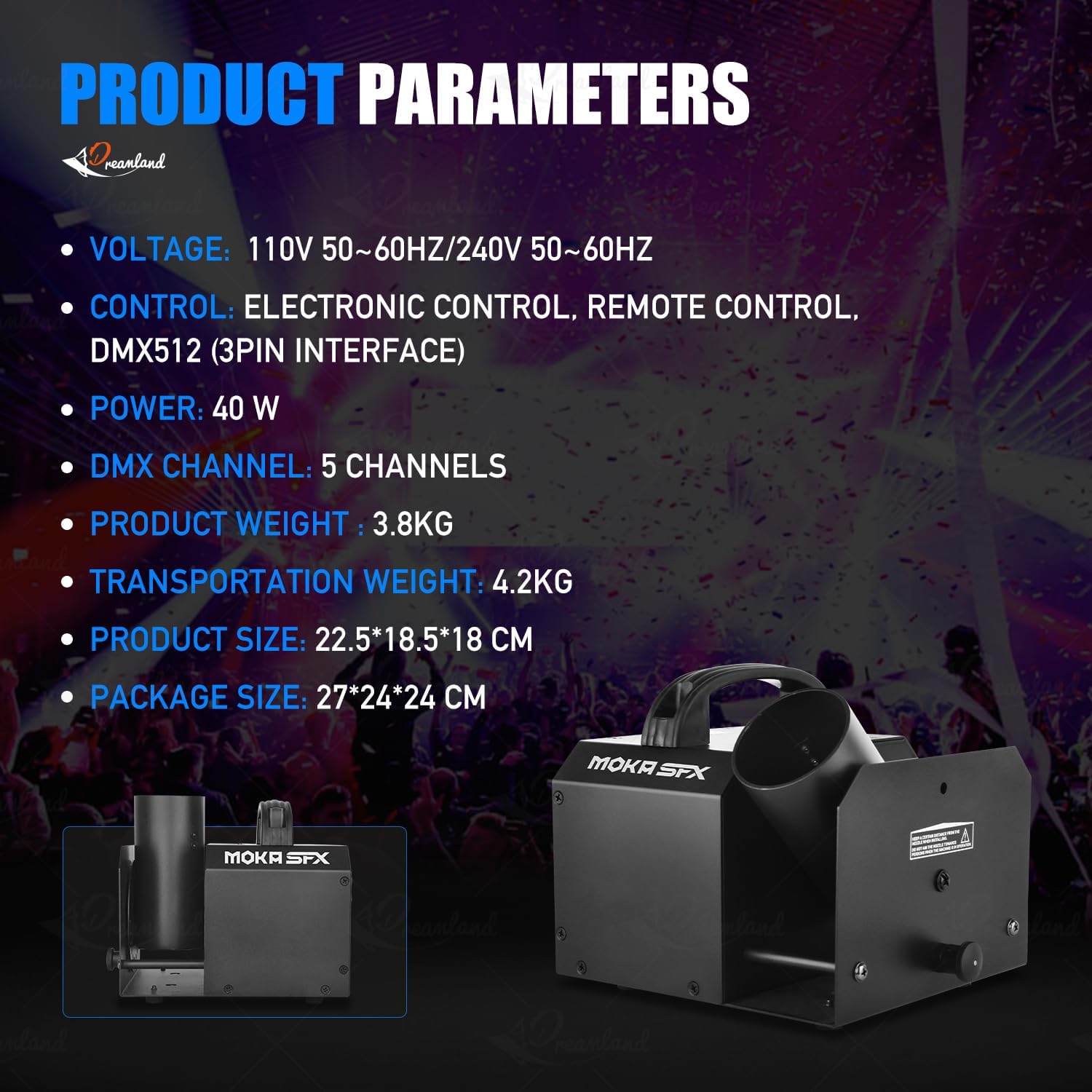
Image: Product parameters overview.
| ఫీచర్ | వివరాలు |
|---|---|
| మోడల్ సంఖ్య | MK-CN07 |
| వాల్యూమ్tage | 110 వి 60 హెర్ట్జ్ / 220 వి 50 హెర్ట్జ్ |
| శక్తి | 25W |
| నికర బరువు | 3.6 కిలోలు (సుమారు 7.9 పౌండ్లు) |
| స్థూల బరువు | 5.0 కిలోలు (సుమారు 11 పౌండ్లు) |
| యంత్ర కొలతలు (L x W x H) | 19.5 x 18.5 x 17.5 సెం.మీ (సుమారుగా 7.7 x 7.3 x 6.9 అంగుళాలు) |
| ప్యాకేజీ కొలతలు (L x W x H) | 24 x 24 x 29 సెం.మీ (సుమారుగా 9.4 x 9.4 x 11.4 అంగుళాలు) |
| కోణం సర్దుబాటు | Manual 180 degrees |
| నియంత్రణ మోడ్లు | Remote Control, DMX512, Electric Control |
| DMX ఛానెల్లు | 5CH |
| మెటీరియల్ | అల్యూమినియం |
| రంగు | నలుపు |
| బ్యాటరీలు ఉన్నాయి | లేదు (రిమోట్ కంట్రోల్ కోసం) |

చిత్రం: ఉత్పత్తి కొలతలు.
10. వారంటీ మరియు మద్దతు
MOKA SFX products are manufactured to high-quality standards. For warranty information, please refer to the documentation provided with your purchase or contact your retailer. If you require technical support or have questions not covered in this manual, please contact MOKA SFX customer service through their official webసైట్ లేదా మీ కొనుగోలు స్థానం.