
పరిచయం
This manual provides essential instructions for the safe and efficient operation, maintenance, and troubleshooting of your Oster OCAF900 Digital Espresso Coffee Machine. Please read all instructions carefully before first use and keep this manual for future reference.
ముఖ్యమైన భద్రతా సమాచారం
అగ్ని ప్రమాదాలు, విద్యుత్ షాక్ మరియు/లేదా వ్యక్తులకు గాయం అయ్యే ప్రమాదాన్ని తగ్గించడానికి విద్యుత్ ఉపకరణాలను ఉపయోగిస్తున్నప్పుడు ఎల్లప్పుడూ ప్రాథమిక భద్రతా జాగ్రత్తలను అనుసరించండి, వీటిలో కిందివి ఉన్నాయి:
- అన్ని సూచనలను చదవండి.
- వేడి ఉపరితలాలను తాకవద్దు. హ్యాండిల్స్ లేదా నాబ్లను ఉపయోగించండి.
- విద్యుత్ షాక్ నుండి రక్షించడానికి, త్రాడు, ప్లగ్లు లేదా ఉపకరణాన్ని నీటిలో లేదా ఇతర ద్రవంలో ముంచవద్దు.
- ఏదైనా ఉపకరణాన్ని పిల్లలు లేదా సమీపంలో ఉపయోగించినప్పుడు నిశిత పర్యవేక్షణ అవసరం.
- ఉపయోగంలో లేనప్పుడు మరియు శుభ్రపరిచే ముందు అవుట్లెట్ నుండి అన్ప్లగ్ చేయండి. విడిభాగాలను ధరించడానికి లేదా తీయడానికి ముందు మరియు ఉపకరణాన్ని శుభ్రపరిచే ముందు చల్లబరచడానికి అనుమతించండి.
- పాడైపోయిన త్రాడు లేదా ప్లగ్తో లేదా ఉపకరణం పనిచేయకపోవడం లేదా ఏ పద్ధతిలో పాడైపోయిన తర్వాత ఏదైనా ఉపకరణాన్ని ఆపరేట్ చేయవద్దు.
- ఉపకరణాల తయారీదారు సిఫార్సు చేయని అనుబంధ జోడింపులను ఉపయోగించడం వలన అగ్ని, విద్యుత్ షాక్ లేదా వ్యక్తులకు గాయం కావచ్చు.
- ఆరుబయట ఉపయోగించవద్దు.
- టేబుల్ లేదా కౌంటర్ అంచుపై త్రాడు వేలాడదీయవద్దు లేదా వేడి ఉపరితలాలను తాకవద్దు.
- వేడి గ్యాస్ లేదా ఎలక్ట్రిక్ బర్నర్ లేదా వేడిచేసిన ఓవెన్లో ఉంచవద్దు.
- ఎల్లప్పుడూ ముందుగా ఉపకరణానికి ప్లగ్ను అటాచ్ చేయండి, తర్వాత గోడ అవుట్లెట్లోకి త్రాడును ప్లగ్ చేయండి. డిస్కనెక్ట్ చేయడానికి, ఏదైనా నియంత్రణను "ఆఫ్"కి తిప్పండి, ఆపై గోడ అవుట్లెట్ నుండి ప్లగ్ను తీసివేయండి.
- ఉపకరణాన్ని ఉద్దేశించిన వినియోగానికి కాకుండా ఇతర వాటికి ఉపయోగించవద్దు.
- వేడి ద్రవాలు ఉన్న ఉపకరణాన్ని తరలించేటప్పుడు చాలా జాగ్రత్తగా ఉండాలి.
ఉత్పత్తి ముగిసిందిview
The Oster OCAF900 is a digital espresso coffee machine designed for both ground coffee and Nespresso-compatible capsules. It features a 20-bar pump for optimal extraction, a milk frother, and programmable functions.
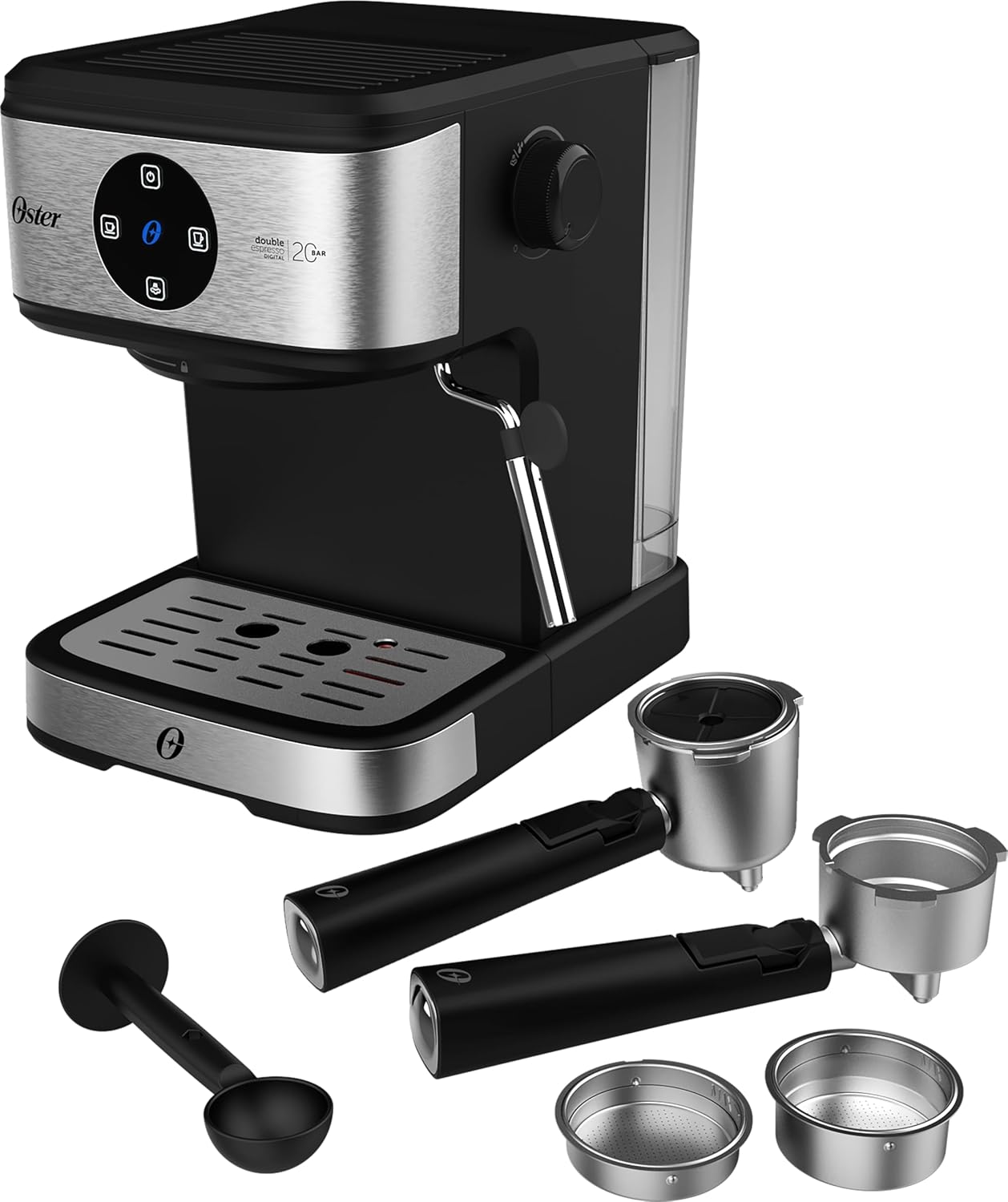
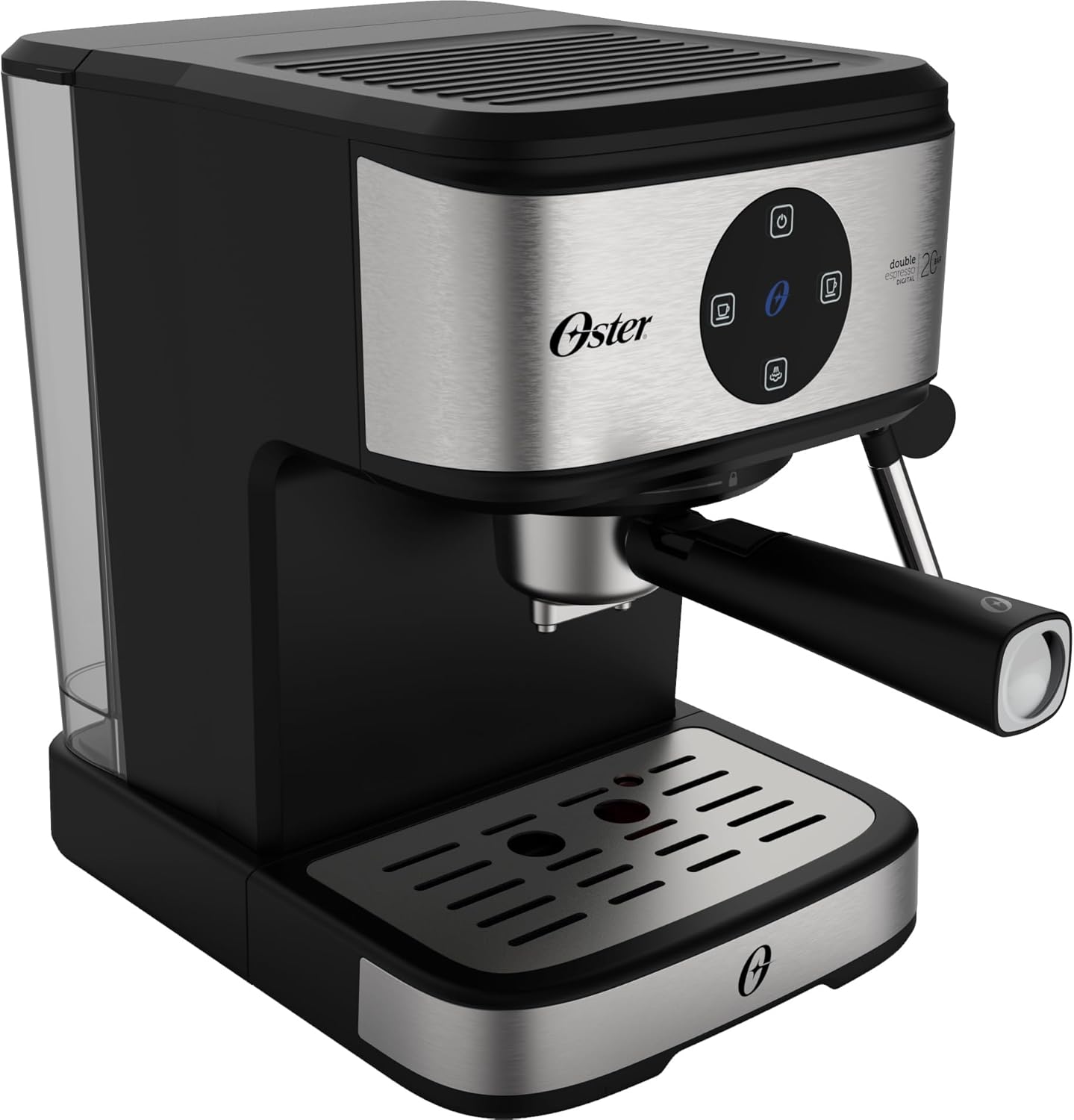
ముందు view of the Oster OCAF900 Digital Espresso Coffee Machine, showcasinదాని సొగసైన డిజైన్ మరియు డిజిటల్ కంట్రోల్ ప్యానెల్.

Included accessories: portafilters for single and double espresso, a measuring spoon/tamper, and a capsule adapter.
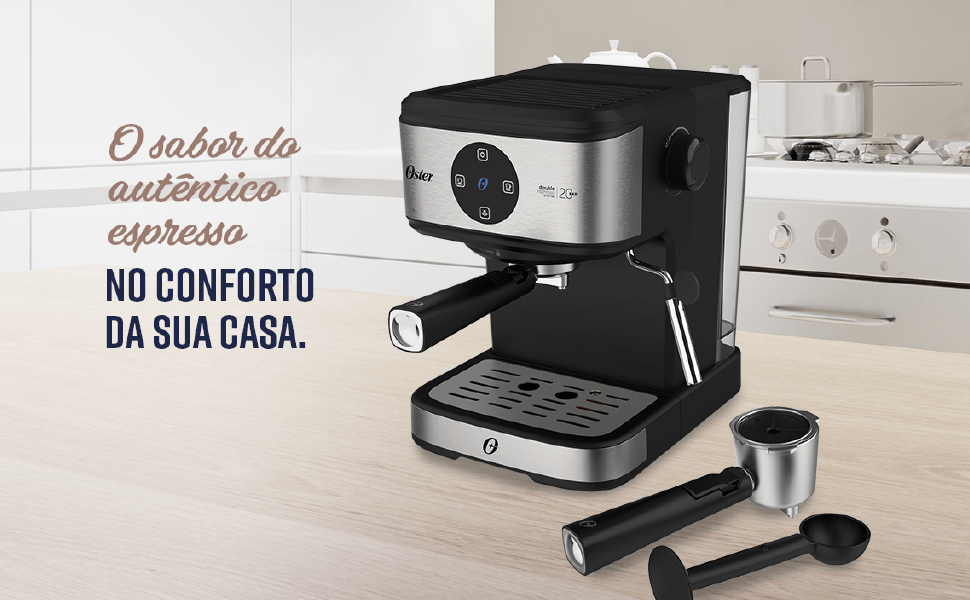
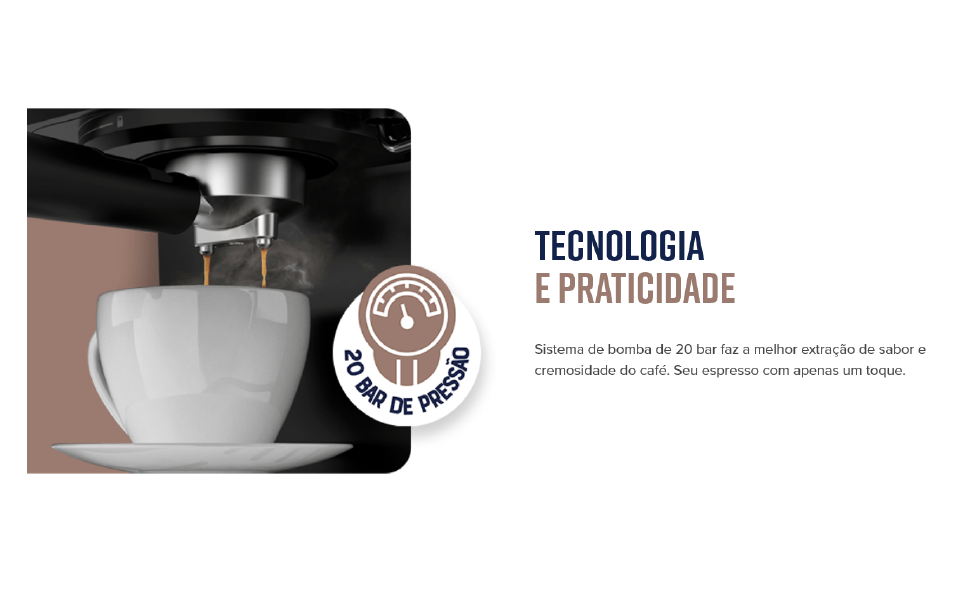
పైగాview of key features: 1.6L capacity, anti-heating system, 1100W power, milk and water frother, single/double espresso portafilter, and 4 pre-programmed/customizable functions.
సెటప్ మరియు మొదటి ఉపయోగం
- అన్ప్యాకింగ్: అన్ని ప్యాకేజింగ్ మెటీరియల్లను జాగ్రత్తగా తీసివేసి, అన్ని భాగాలు ఉన్నాయని నిర్ధారించుకోండి.
- ప్రారంభ శుభ్రపరచడం: Before first use, wash the water tank, portafilters, and drip tray with warm, soapy water. Rinse thoroughly and dry. Wipe the exterior of the machine with a damp గుడ్డ.
- వాటర్ ట్యాంక్ నింపండి: Fill the removable water tank with fresh, cold water up to the MAX level indicator. Ensure the tank is properly seated in the machine.
- పవర్ కనెక్షన్: పవర్ కార్డ్ను గ్రౌండెడ్ 220V ఎలక్ట్రికల్ అవుట్లెట్లోకి ప్లగ్ చేయండి.
- డిజిటల్ ప్యానెల్ ఆపరేషన్:
- Remove any protective sticker from the digital control panel.
- To turn on the machine, simply touch the power command button (usually the top button).
- To turn off the machine, press and hold the power command button for 5 seconds.
- పంప్ను ప్రైమ్ చేయండి: Before making coffee, run a cycle with only water to prime the pump and rinse the internal components. Place a cup under the coffee outlet, select a coffee function (without coffee), and let water flow through.
Visual guide for operating the digital panel: removing the sticker, turning on with a simple touch, and turning off by pressing for 5 seconds.
ఆపరేటింగ్ సూచనలు
గ్రౌండ్ కాఫీతో ఎస్ప్రెస్సో తయారు చేయడం
- Ensure the machine is on and the water tank is filled.
- Select the appropriate filter basket for single or double espresso and place it into the portafilter.
- Add finely ground espresso coffee to the filter basket. Do not overfill; the coffee level should be slightly below the rim to ensure proper sealing.
- తేలికగా టిamp the coffee grounds with the measuring spoon's flat end.
- పోర్టాఫిల్టర్ను బ్రూయింగ్ హెడ్కు అటాచ్ చేయండి, దానిని సమలేఖనం చేసి, అది సురక్షితంగా ఉండే వరకు కుడి వైపుకు గట్టిగా తిప్పండి.
- Place your espresso cup(s) on the drip tray under the portafilter spouts.
- Select your desired espresso shot (single or double) from the digital control panel. The machine will begin brewing.
- Once brewing is complete, carefully remove the portafilter. Always remove the portafilter with the coffee grounds immediately after use to prevent steam buildup and potential damage to electronic components.
The Oster OCAF900 brewing a rich espresso shot into a cup, demonstrating the 20-bar pressure extraction.
Using Nespresso-Compatible Capsules
- Ensure the machine is on and the water tank is filled.
- Insert the capsule adapter into the portafilter.
- Place a Nespresso-compatible capsule into the adapter.
- పోర్టాఫిల్టర్ను బ్రూయింగ్ హెడ్కు అటాచ్ చేయండి, దానిని సమలేఖనం చేసి, అది సురక్షితంగా ఉండే వరకు కుడి వైపుకు గట్టిగా తిప్పండి.
- Place your cup under the portafilter spout.
- Select your desired coffee shot from the digital control panel.
- Once brewing is complete, carefully remove the portafilter and dispose of the used capsule.

Illustration of the machine's 2-in-1 compatibility, allowing use of both ground coffee and Nespresso-compatible capsules.
Frothing Milk / Hot Water Dispensing
- Ensure the machine is on and has reached operating temperature.
- నురుగు కక్కుతున్న జల్లెడలో చల్లని పాలు (పాలు లేదా పాలు లేనివి) చిమ్ము కిందకు నింపండి.
- స్టీమ్ వాండ్ను పాలలోకి, ఉపరితలం క్రింద ఉంచండి.
- Turn the steam control knob to the steam/hot water position.
- Move the pitcher up and down to create foam. Once desired foam is achieved, turn off the steam.
- For hot water, place a cup under the steam wand and turn the steam control knob to the hot water position.
- After frothing, always clean the steam wand immediately by wiping it with a damp cloth and briefly releasing steam to clear any milk residue.

The Oster OCAF900 using its steam wand to froth milk, creating a creamy texture for lattes and cappuccinos.
వీడియో ప్రదర్శన
This video demonstrates the general operation and features of the Oster OCAF900 Digital Espresso Coffee Machine, including brewing espresso and frothing milk. Note: This is a preview వీడియో.
సంరక్షణ మరియు నిర్వహణ
రోజువారీ శుభ్రపరచడం
- పోర్టాఫిల్టర్: After each use, remove the portafilter and discard the coffee grounds. Rinse the portafilter and filter basket under warm water.
- ఆవిరి దండం: పాలు నురుగు కారిన వెంటనే, స్టీమ్ వాండ్ను ప్రకటనతో తుడవండి.amp cloth. Briefly activate the steam function to clear any internal milk residue.
- బిందు ట్రే: ఓవర్ఫ్లో మరియు బ్యాక్టీరియా పెరుగుదలను నివారించడానికి డ్రిప్ ట్రేని క్రమం తప్పకుండా ఖాళీ చేసి శుభ్రం చేయండి.
- నీటి ట్యాంక్: ప్రతిరోజూ వాటర్ ట్యాంక్ను ఖాళీ చేసి శుభ్రం చేయండి. ప్రతిసారి వాడటానికి మంచినీటితో నింపండి.
- బాహ్య: యంత్రం యొక్క బాహ్య భాగాన్ని మృదువైన, డితో తుడవండిamp గుడ్డ. రాపిడి క్లీనర్లు లేదా స్కౌర్లను ఉపయోగించవద్దు.
descaling
Over time, mineral deposits (limescale) can build up in your machine, affecting performance and coffee taste. Descale your machine regularly, depending on your water hardness and frequency of use (e.g., every 2-3 months).
- డీస్కేలర్ తయారీదారు సూచనల ప్రకారం డీస్కేలింగ్ ద్రావణాన్ని సిద్ధం చేయండి (లేదా తెల్ల వెనిగర్ మరియు నీటి మిశ్రమాన్ని ఉపయోగించండి).
- డెస్కేలింగ్ సొల్యూషన్తో వాటర్ ట్యాంక్ నింపండి.
- కాఫీ చిమ్ము మరియు ఆవిరి మంత్రదండం కింద ఒక పెద్ద కంటైనర్ ఉంచండి.
- Run several brewing cycles (without coffee) and steam cycles until the water tank is empty.
- వాటర్ ట్యాంక్ను బాగా కడిగి, మంచినీటితో నింపండి.
- మిగిలిన డెస్కేలింగ్ ద్రావణాన్ని శుభ్రం చేయడానికి మంచినీటితో అనేక చక్రాలను నడపండి.
ట్రబుల్షూటింగ్
| సమస్య | సాధ్యమైన కారణం | పరిష్కారం |
|---|---|---|
| కాఫీ కాయదు లేదా నెమ్మదిగా ప్రవహిస్తుంది. |
|
|
| కాఫీ రుచి కాలిపోతుంది. |
|
|
| Touch panel issues (e.g., turns off randomly). |
|
|
| పాలు సరిగ్గా నురుగు రాదు. |
|
|
స్పెసిఫికేషన్లు
| ఫీచర్ | వివరాలు |
|---|---|
| మోడల్ | OCAF900 |
| బ్రాండ్ | ఆస్టర్ |
| వాల్యూమ్tage | 220 వోల్ట్లు |
| శక్తి | 1100 వాట్స్ |
| ఒత్తిడి | 20 బార్ |
| నీటి ట్యాంక్ సామర్థ్యం | 1.6 లీటర్లు |
| మెటీరియల్ | స్టెయిన్లెస్ స్టీల్ |
| రంగు | బ్లాక్ ఐనాక్స్ |
| కొలతలు (ఉత్పత్తి) | 28.9P x 21.8L x 27.3A cm (28.9 x 21.8 x 27.3 cm) |
| ప్రత్యేక లక్షణాలు | Cup warmer, Milk frother, Permanent filter, Automatic cleaning function, Programmable |
| GTIN | 7898742840014 |
వారంటీ సమాచారం
Your Oster OCAF900 Digital Espresso Coffee Machine comes with a standard manufacturer's warranty. Please refer to the warranty card included with your product for specific terms and conditions, including the warranty period and coverage details.
Extended warranty options may be available for purchase. For more information on extended warranty plans, please consult your retailer or the Oster official webసైట్.
కస్టమర్ మద్దతు
If you encounter any issues not covered in the troubleshooting section, or require further assistance, please contact Oster customer support. You can find contact information on the official Oster webసైట్ లేదా మీ ఉత్పత్తి ప్యాకేజింగ్లో.
When contacting support, please have your product model (OCAF900) and serial number (if applicable) ready.