
KLLOQUE K10B
KLLOQUE Fingerprint Door Lock User Manual
మోడల్: K10B
1. పరిచయం
Welcome to the KLLOQUE Fingerprint Door Lock user manual. This smart door knob provides advanced security and convenience for your home or office. With multiple unlocking methods including fingerprint, app control, and traditional keys, it offers a versatile solution for various needs. Please read this manual carefully to ensure proper installation, setup, and operation of your new smart lock.
2. ఉత్పత్తి ముగిసిందిview
The KLLOQUE Fingerprint Door Lock is a 3-in-1 biometric door knob designed for enhanced security and ease of use. It features a robust aluminum construction and a sleek silver finish.
ముఖ్య లక్షణాలు:
- 3-in-1 Unlocking: Fingerprint, Mobile App (Bluetooth), and Physical Key.
- బహుళ మోడ్లు: Passage Mode (unlocked), Entrance Mode (fingerprint/app unlock), Privacy Mode (administrator unlock only).
- Fast Fingerprint Recognition: Stores up to 20 fingerprints.
- స్వీయ-లాకింగ్: 5-second auto-locking feature for added security.
- పునర్వినియోగపరచదగిన బ్యాటరీ: Built-in 400mAh battery, charged via USB-C.
- Low-Battery Alarm: Visual power display and alarm function.
- Local Fingerprint Storage: Ensures privacy by storing fingerprints locally.

Figure 1: KLLOQUE Fingerprint Door Lock (Silver) with companion app.

Figure 2: Multiple ways to unlock the KLLOQUE smart door lock.
3. సంస్థాపన
The KLLOQUE Fingerprint Door Lock is designed for easy installation, typically requiring only a screwdriver. For detailed step-by-step instructions, please refer to the official ఇన్స్టాలేషన్ మాన్యువల్ (PDF).
Important Installation Tips:
- When installing the interior knob, ensure both the Exterior and Interior Knobs are inserted according to the 'UP' sign on the top to keep them in place.
- The spindle bar must be in the vertical position.
- Align the thumb turn adjustment arrow to the center dot and the 'UP' sign. Insert the arrow upward on the mounting, applying slight force to fully seat the rear lock.
డోర్ అనుకూలత:
కొనుగోలు చేయడానికి ముందుasing and installing, please verify your door's dimensions:
- తలుపు మందం: 1 3/8" – 2 1/8" (35-54 mm)
- డోర్ హోల్ వ్యాసం: 2 1/8" (54 mm)
- బ్యాక్సెట్: 2 3/4" (70 mm) or 2 3/8" (60 mm)

Figure 3: Door compatibility and measurement guide.
4. సెటప్
App Control & Bluetooth Pairing:
The KLLOQUE smart door knob can be controlled via a dedicated mobile application (detailed in the manual). This app allows you to manage fingerprints, view unlocking records, and control the lock/unlock and privacy modes within Bluetooth range.
- Download the app from your smartphone's app store.
- బ్లూటూత్ ద్వారా మీ లాక్ని జత చేయడానికి యాప్లోని సూచనలను అనుసరించండి.
- For Wi-Fi control and remote access beyond Bluetooth range, a separately purchased gateway is required.

Figure 4: App control interface for the smart door lock.
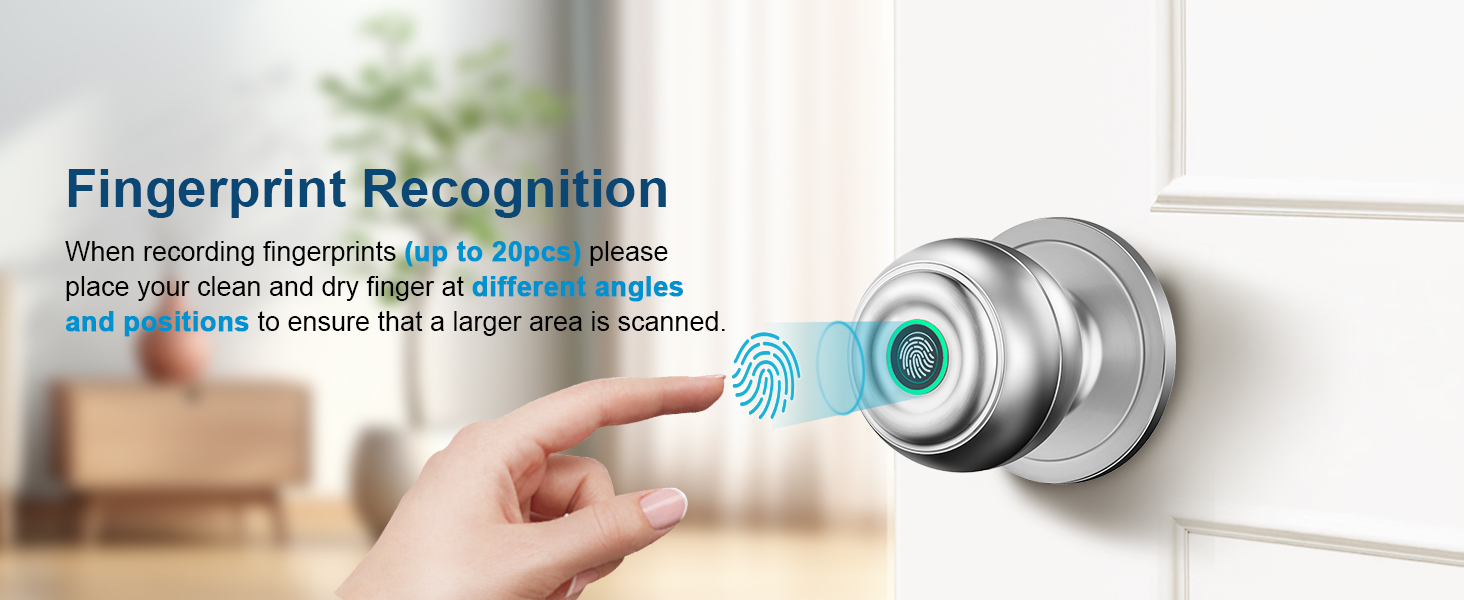
Figure 5: Fingerprint recognition on the smart door knob.
వేలిముద్ర నమోదు:
The lock can store up to 20 unique fingerprints. To register a fingerprint:
- Open the KLLOQUE app and navigate to the "Set Fingerprint" section.
- Follow the on-screen prompts to add a new fingerprint.
- Place your clean and dry finger on the sensor at different angles and positions to ensure a larger area is scanned for optimal recognition.
- Repeat the process until the app confirms successful registration.
5. ఆపరేటింగ్ మోడ్లు
The KLLOQUE smart door knob offers three distinct operating modes, easily switchable by rotating your thumbprint around the smart door knob:
- Passage Mode (Unlocked Mode): In this mode, the door remains unlocked and can be opened by simply turning the knob, similar to a standard passage door knob. This is ideal for areas where free access is desired.
- Normal Mode (Entrance Mode): The lock will auto-lock after 5 seconds. To unlock, a registered fingerprint or app control is required. This mode provides enhanced security for private spaces.
- గోప్యతా మోడ్: This is the most secure mode. Only administrator fingerprints or app control can unlock the door. This mode is perfect for ensuring maximum privacy and preventing unauthorized entry.
- నిశ్శబ్ద మోడ్: The smart door knob can operate with whisper-quiet operation, ensuring minimal disturbance.

చిత్రం 6: పైగాview of the four operating modes.

Figure 7: Passage Mode allows free access.

Figure 8: Normal Mode provides security with auto-lock.

Figure 9: Privacy Mode for maximum security.
6. ఛార్జింగ్ మరియు బ్యాటరీ
The KLLOQUE Fingerprint Door Lock features a built-in 400mAh rechargeable battery. It is designed for long-lasting performance, but regular charging is recommended.
- ఛార్జింగ్: Fully charging the battery takes approximately 3 to 4 hours using a USB-A to Type-C cable (not included).
- బ్యాటరీ లైఫ్: Battery life may vary depending on usage frequency. The lock features a visual power display to monitor battery level.
- Low-Battery Alarm: An alarm function will notify you when the battery is low, prompting you to recharge.
- బ్యాకప్ కీలు: In case of complete battery depletion, physical keys are provided for manual unlocking. It is recommended to keep at least one key in a secure, accessible location outside the locked area.

Figure 10: Type-C USB Fast Charging and battery indicators.
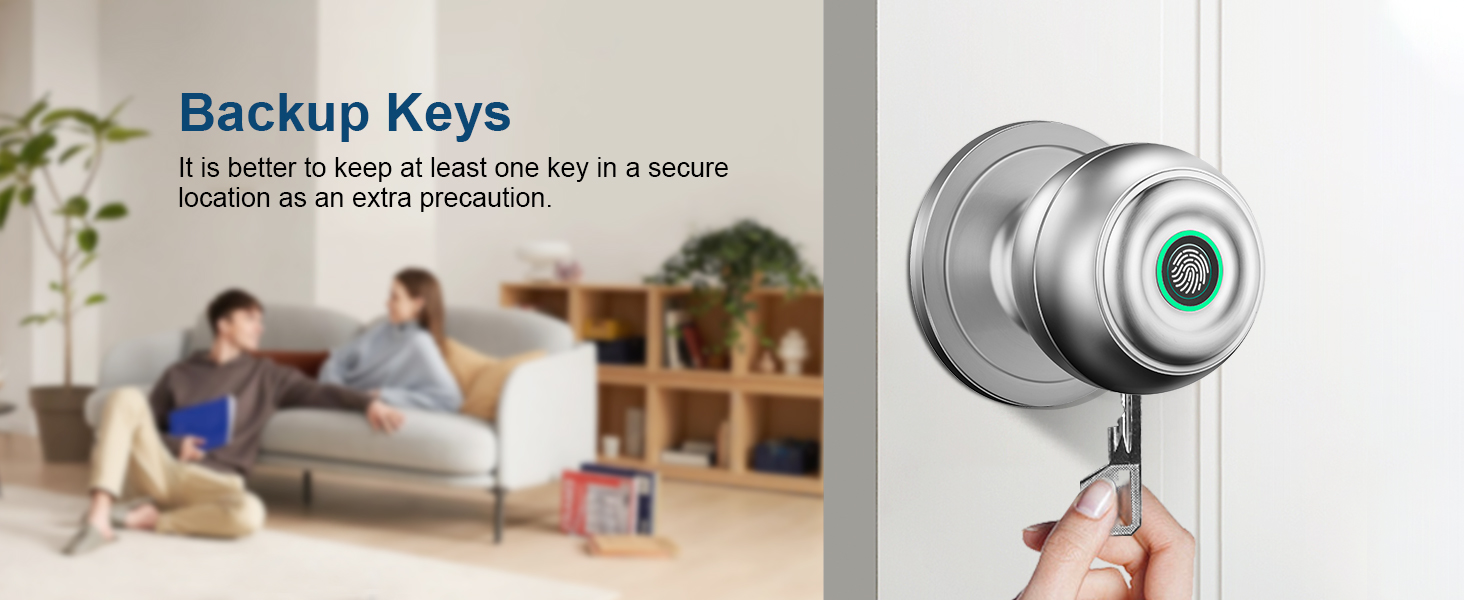
Figure 11: Backup keys for manual unlocking.
7. ట్రబుల్షూటింగ్
| సమస్య | సాధ్యమైన కారణం | పరిష్కారం |
|---|---|---|
| వేలిముద్ర గుర్తించబడలేదు. | Wet or dirty finger; improper placement; unregistered fingerprint. | Ensure finger is clean and dry. Place finger firmly and completely on the sensor. Try different angles. Re-register fingerprint if necessary. |
| Lock not responding. | Low battery; temporary malfunction. | Check battery level and recharge if low. Use physical key for immediate access. Try restarting the lock (if applicable, refer to manual for reset procedure). |
| App not connecting to lock. | Bluetooth off; out of range; app issue. | Ensure Bluetooth is enabled on your device. Move closer to the lock. Restart the app or your phone. |
| Door knob feels loose after installation. | Improper installation of interior/exterior knobs or spindle bar. | Re-check installation steps, especially ensuring 'UP' signs are aligned and the spindle bar is vertical and fully seated. |
8. స్పెసిఫికేషన్లు
- బ్రాండ్: KLLOQUE
- మోడల్ పేరు: K10B
- లాక్ రకం: కాంబినేషన్ లాక్
- మెటీరియల్: Aluminum (Handle Material: Zinc)
- రంగు: వెండి
- ఉత్పత్తి కొలతలు: 9 x 3.5 x 3.5 అంగుళాలు
- వస్తువు బరువు: 1.59 పౌండ్లు
- ప్రత్యేక లక్షణాలు: Fingerprint, App, Keys Unlock, Auto Lock, Privacy/Normal/Passage Mode, Share or add Members, View History Logs, Mute Mode
- నియంత్రిక రకం: APP
- నియంత్రణ పద్ధతి: యాప్
- కనెక్టివిటీ ప్రోటోకాల్: బ్లూటూత్
- శక్తి మూలం: Built-in 400mAh rechargeable battery (USB-C charging)
- ఆపరేటింగ్ ఉష్ణోగ్రత: 23°F - 131°F
- వాతావరణ నిరోధక రేటింగ్: IP54
- Lock & Unlock Lifespan: 15,000 సార్లు

Figure 12: Durability and environmental resistance specifications.
9. వారంటీ మరియు మద్దతు
KLLOQUE stands behind the quality of its products. Your Fingerprint Door Lock comes with a 1 సంవత్సరాల వారంటీ కొనుగోలు చేసిన తేదీ నుండి.
For any questions, technical assistance, or warranty claims, please contact KLLOQUE's US-ఆధారిత మద్దతు team. Refer to the product packaging or the official KLLOQUE webసంప్రదింపు సమాచారం కోసం సైట్.

Figure 13: KLLOQUE US-Based Support.
Ask a question about this manual
Ask about setup, troubleshooting, compatibility, parts, safety, or missing instructions. Manuals+ will review the question and use this page’s manual context to help answer it.