
1. పరిచయం
Welcome to the ExtreLife MagSafe Wallet with Apple Find My technology. This manual provides essential information to help you get the most out of your new wallet, including setup instructions, feature explanations, and maintenance tips. This wallet is designed to securely hold your cards, provide a convenient phone stand, and offer tracking capabilities through Apple's Find My network.
వీడియో 1: పైగాview of the ExtreLife MagSafe Wallet, highlighting its features including Apple Find My compatibility and card storage.
2 కీ ఫీచర్లు
- Apple Find My Integration: Real-time Bluetooth tracking, Play Sound Alert, Left Behind notifications, and Lost Mode for enhanced security. (Note: Android devices are not supported.)
- 8-Card Smart Storage: Features 3 individual card slots designed to comfortably hold up to 8 cards.
- Adjustable Magnetic Wallet Stand: Robust hinge allows for flexible viewపోర్ట్రెయిట్ మరియు ల్యాండ్స్కేప్ మోడ్లలో కోణాలను సర్దుబాటు చేయడం.
- Strong Magnetic Force: Up to 4200 Gauss, ensuring a secure attachment to MagSafe-compatible iPhones or cases.
- వైర్లెస్ ఛార్జింగ్: Supports MagSafe or other wireless chargers. The battery lasts up to 4 months on a single charge.
- RFID Blocking: Advanced technology to protect your card information.
- ప్రీమియం మెటీరియల్: Crafted from luxurious vegan leather.
3. Apple Find My తో సెటప్ మరియు జత చేయడం
Follow these steps to pair your ExtreLife MagSafe Wallet with your Apple device using the Find My app:
- Enable Two-Factor Authentication: Ensure Two-Factor Authentication is turned on for your Apple ID.
- Activate Find My and Bluetooth: On your iPhone, go to Settings and ensure the 'Find My' app and Bluetooth are enabled.
- Power On Wallet: Short press the wallet's power button once to turn it on.
- Add Item in Find My: Open the 'Find My' app on your iPhone. Tap the 'Items' tab at the bottom, then tap the '+' icon to 'Add New Item'. Select 'Other Supported Item' and follow the on-screen prompts to connect your ExtreLife wallet.

మూర్తి 1: Visual guide for pairing your ExtreLife wallet with the Apple Find My app.
4. వినియోగం మరియు ఆపరేషన్
4.1 Attaching to iPhone
The wallet features a strong magnetic array for secure attachment to MagSafe-compatible iPhones (iPhone 12 series and newer) or MagSafe-compatible cases. Simply align the wallet with the back of your iPhone or case until it snaps into place.

మూర్తి 2: Demonstrating the strong magnetic force of the wallet when attached to an iPhone.
4.2 Card Storage
The wallet is designed with 3 individual card slots, capable of holding up to 8 cards. The outer slot allows for quick access, while inner slots provide additional security. The RFID-blocking technology helps protect your card data from unauthorized scanning.

మూర్తి 3: Illustrating the card storage capacity and easy access design.
4.3 Adjustable Stand Function
The wallet features a robust hinge that allows it to fold into an adjustable stand. This enables hands-free viewing of your iPhone in both portrait and landscape orientations, making it convenient for watching videos, video calls, or multitasking.

మూర్తి 4: The wallet functioning as an adjustable stand for an iPhone.
4.4 Find My Features
Once paired, you can utilize the Apple Find My app to locate your wallet. Features include:
- శబ్దం చేయి: Trigger an audible alert from your wallet to help locate it when nearby.
- మిగిలిపోయిన నోటిఫికేషన్లు: Receive an alert on your iPhone if you leave your wallet behind.
- లాస్ట్ మోడ్: Mark your wallet as lost in the app to receive location updates and display a message to anyone who finds it.
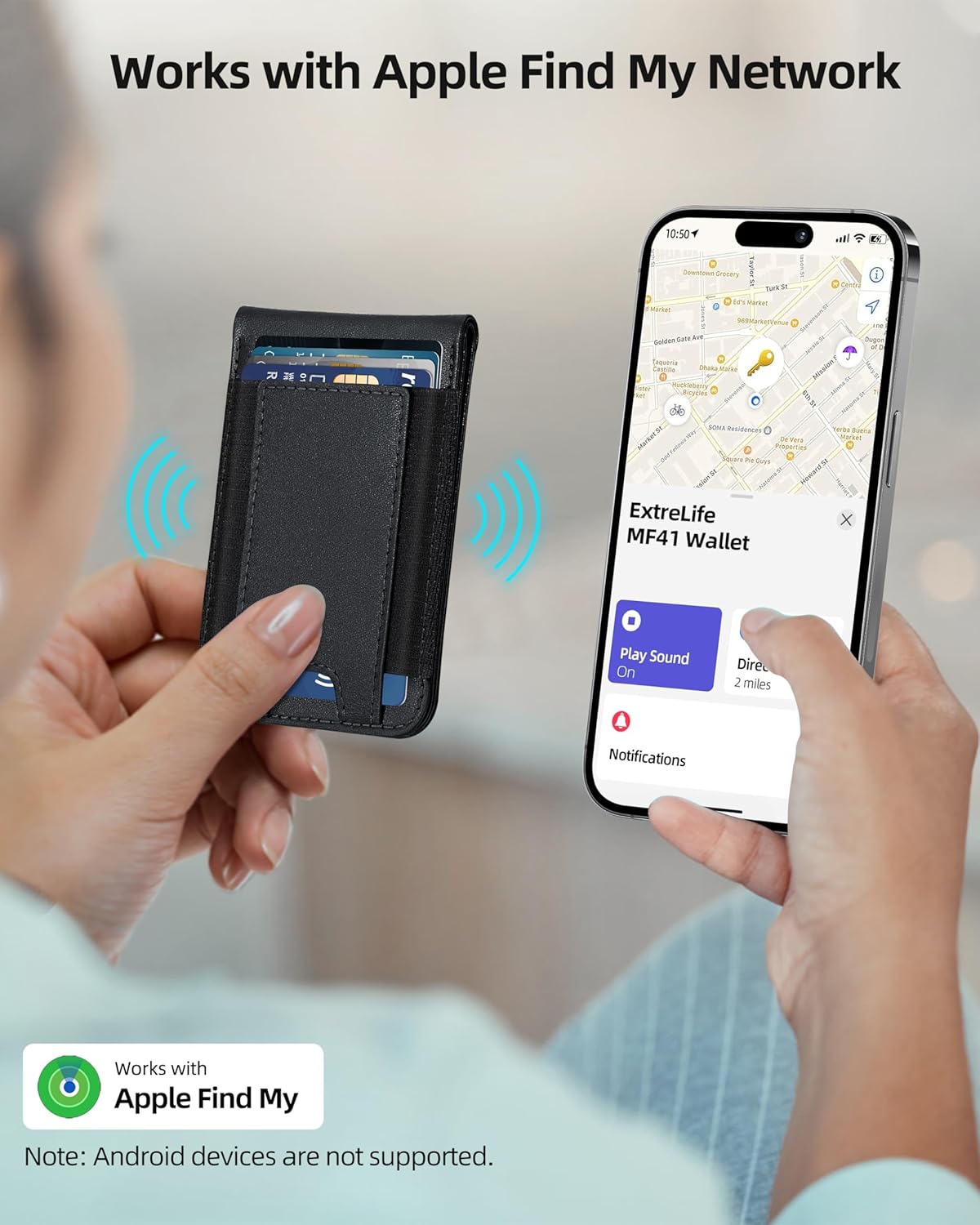
మూర్తి 5: Tracking the wallet's location using the Apple Find My app.
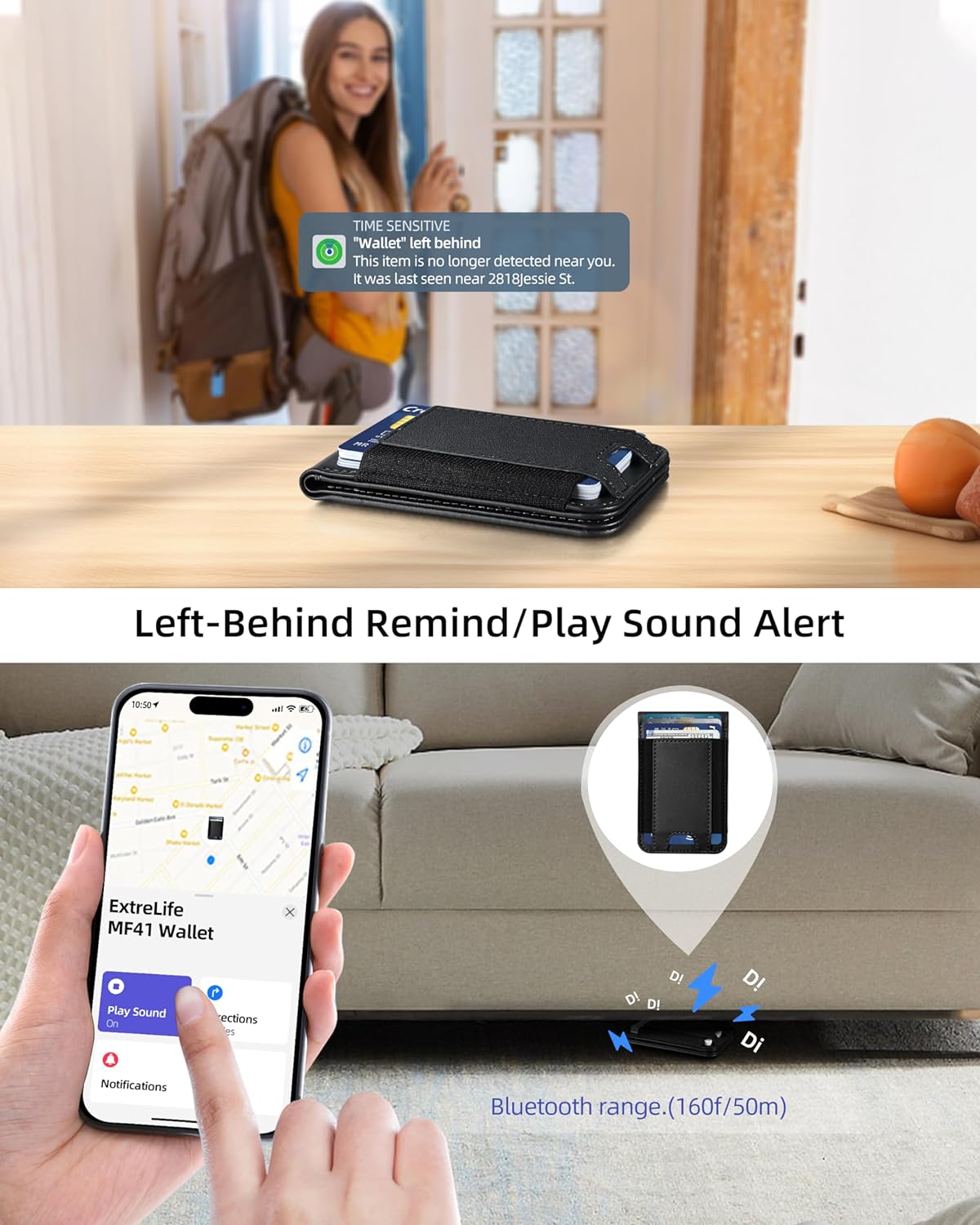
మూర్తి 6: ఒక మాజీampFind My యాప్ నుండి 'లెఫ్ట్ బిహైండ్' నోటిఫికేషన్ గురించి.
5. ఛార్జింగ్
The ExtreLife MagSafe Wallet is equipped with a rechargeable battery that lasts up to 4 months on a single charge. It supports wireless charging via MagSafe or other compatible wireless chargers. No proprietary charging cable is required.
- Place the wallet on a MagSafe or Qi-compatible wireless charging pad.
- The charging indicator light on the wallet will illuminate to show it is charging.
- Once fully charged, the indicator light may change or turn off, depending on the charger.
గమనిక: The charger is not included with the wallet.
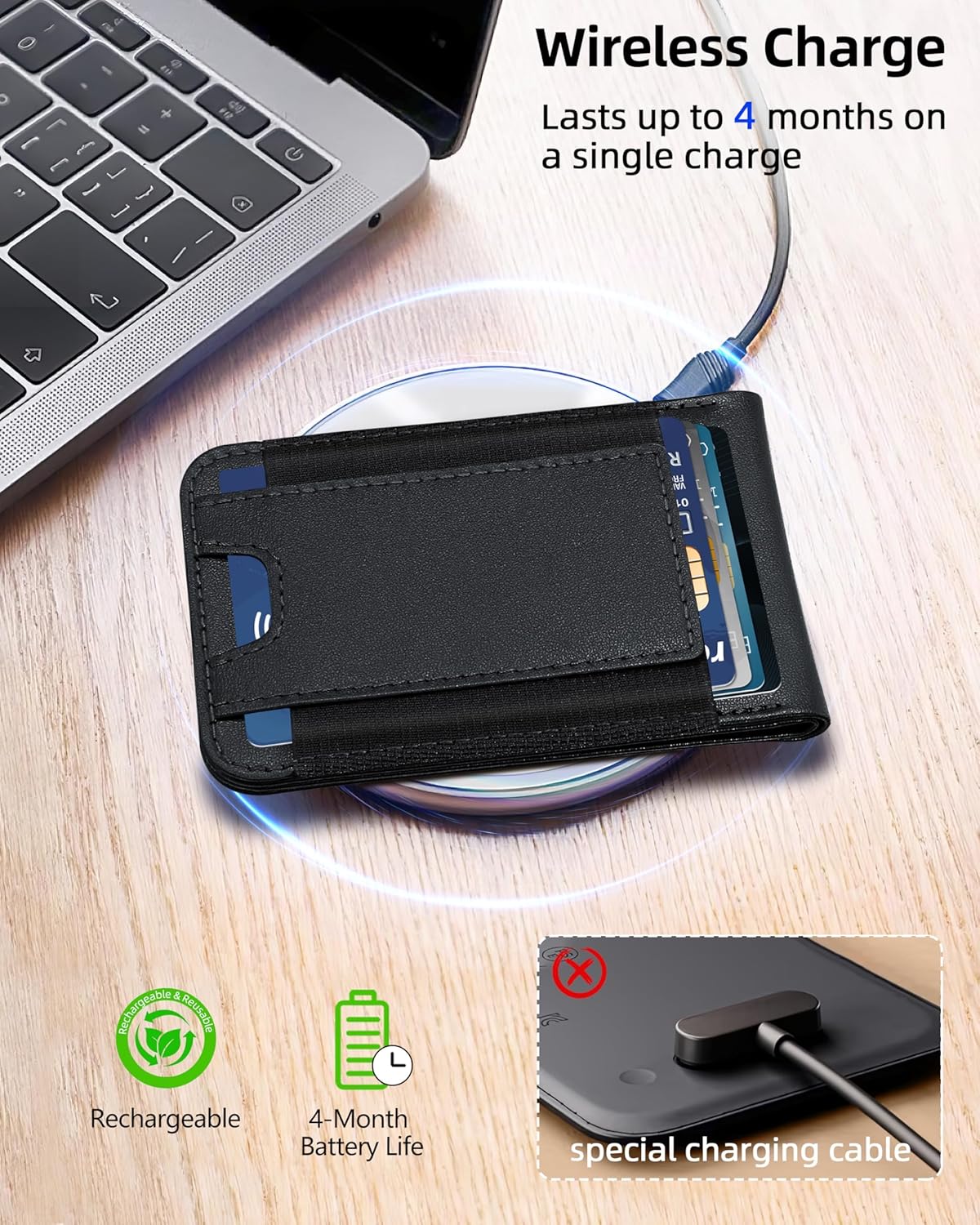
మూర్తి 7: The wallet being charged wirelessly on a compatible charging pad.
6. అనుకూలత
The ExtreLife MagSafe Wallet is compatible with the following devices:
- iPhone 17 Pro Max/17 Pro/17 Air/17
- iPhone 16 Pro Max/16 Pro/16 Plus/16
- iPhone 15 Pro Max/15 Pro/15 Plus/15
- iPhone 14 Pro Max/14 Pro/14 Plus/14
- iPhone 13 Pro Max/13 Pro/13
- iPhone 12 Pro Max/12 Pro/12
It is also compatible with MagSafe-enabled mobile phones and cases or magnet stickers.
దీనికి అనుకూలం కాదు: iPhone 13/12 mini, Samsung S25/S24/S23, and non-magnetic cases.

మూర్తి 8: Visual guide to device compatibility.
7. స్పెసిఫికేషన్లు
| గుణం | వివరాలు |
|---|---|
| బ్రాండ్ | ExtreLife |
| మోడల్ పేరు | MF41 వాలెట్ |
| రంగు | క్లాసిక్ బ్లాక్ |
| మెటీరియల్ | ఫాక్స్ లెదర్ |
| శైలి | మినిమలిస్ట్ |
| చేర్చబడిన భాగాలు | కార్డ్ హోల్డర్ |
| యూనిట్ కౌంట్ | 8 కౌంట్ |
| ఉత్పత్తి సంరక్షణ సూచనలు | Wet Wipe Clean |
| మూసివేత రకం | అయస్కాంత |
| కంపార్ట్మెంట్ల సంఖ్య | 3 |
| వస్తువు బరువు | 0.11 కిలోలు |
8. నిర్వహణ
To ensure the longevity and appearance of your ExtreLife MagSafe Wallet, please follow these maintenance guidelines:
- శుభ్రపరచడం: ఒక మృదువైన ఉపయోగించండి, డిamp cloth (wet wipe) to gently clean the exterior of the wallet. Avoid harsh chemicals or abrasive materials.
- నిల్వ: Store the wallet in a cool, dry place away from direct sunlight and extreme temperatures.
- అతిగా నింపడం మానుకోండి: While designed for up to 8 cards, consistently overstuffing the wallet may stretch the material and affect its slim profile and magnetic hold.
- అయస్కాంత సంరక్షణ: Keep the magnetic surface clean and free from debris to ensure optimal attachment strength.
9. ట్రబుల్షూటింగ్
If you encounter any issues with your ExtreLife MagSafe Wallet, please refer to the following common troubleshooting tips:
- Wallet Not Connecting to Find My:
- Ensure the wallet is powered on (short press the power button).
- మీ ఐఫోన్లో బ్లూటూత్ ప్రారంభించబడిందని ధృవీకరించండి.
- Check that 'Find My' is enabled in your iPhone settings.
- Make sure your iPhone's operating system is up to date.
- Try restarting both your iPhone and the wallet.
- Weak Magnetic Attachment:
- Ensure your iPhone or case is MagSafe compatible. Non-MagSafe cases may reduce magnetic strength.
- Check for any debris or obstructions between the wallet and your iPhone/case.
- Avoid overstuffing the wallet, as this can affect its ability to lie flat and connect securely.
- Cards Difficult to Insert/Remove:
- The wallet is designed for a snug fit to secure cards. Over time, the material may loosen slightly.
- Ensure you are not exceeding the recommended 8-card capacity.
- బ్యాటరీ ఛార్జింగ్ లేదు:
- Ensure your wireless charger is MagSafe or Qi-compatible and functioning correctly.
- Verify the wallet is correctly positioned on the charging pad.
- Check for any obstructions between the wallet and the charging pad.
10. వారంటీ మరియు మద్దతు
ExtreLife products are manufactured with high-quality standards. For specific warranty information, please refer to the product packaging or the official ExtreLife website. If you require further assistance or have questions not covered in this manual, please contact ExtreLife customer support through the following channels:
- ఆన్లైన్ మద్దతు: సందర్శించండి ExtreLife Store on Amazon తరచుగా అడిగే ప్రశ్నలు మరియు సంప్రదింపు ఎంపికల కోసం.
- ఇమెయిల్ మద్దతు: Refer to your product's packaging for the dedicated customer service email address.
Please have your product model (MF41 Wallet) and purchase details ready when contacting support.