
క్లారస్ EP12
క్లారస్ EP12 అల్ట్రా బ్రైట్ జూమబుల్ ఫ్లాష్లైట్ యూజర్ మాన్యువల్
Model: EP12 | Brand: Klarus
1. పరిచయం
Thank you for choosing the Klarus EP12 Ultra Bright Zoomable Flashlight. This manual provides essential information for the safe and effective use, maintenance, and troubleshooting of your device. The EP12 is a high-performance flashlight designed for various applications, including outdoor exploration, search and rescue, security patrols, and general daily use. It features a powerful 30W LED, 2000 lumens output, adjustable focus, and multiple lighting modes.
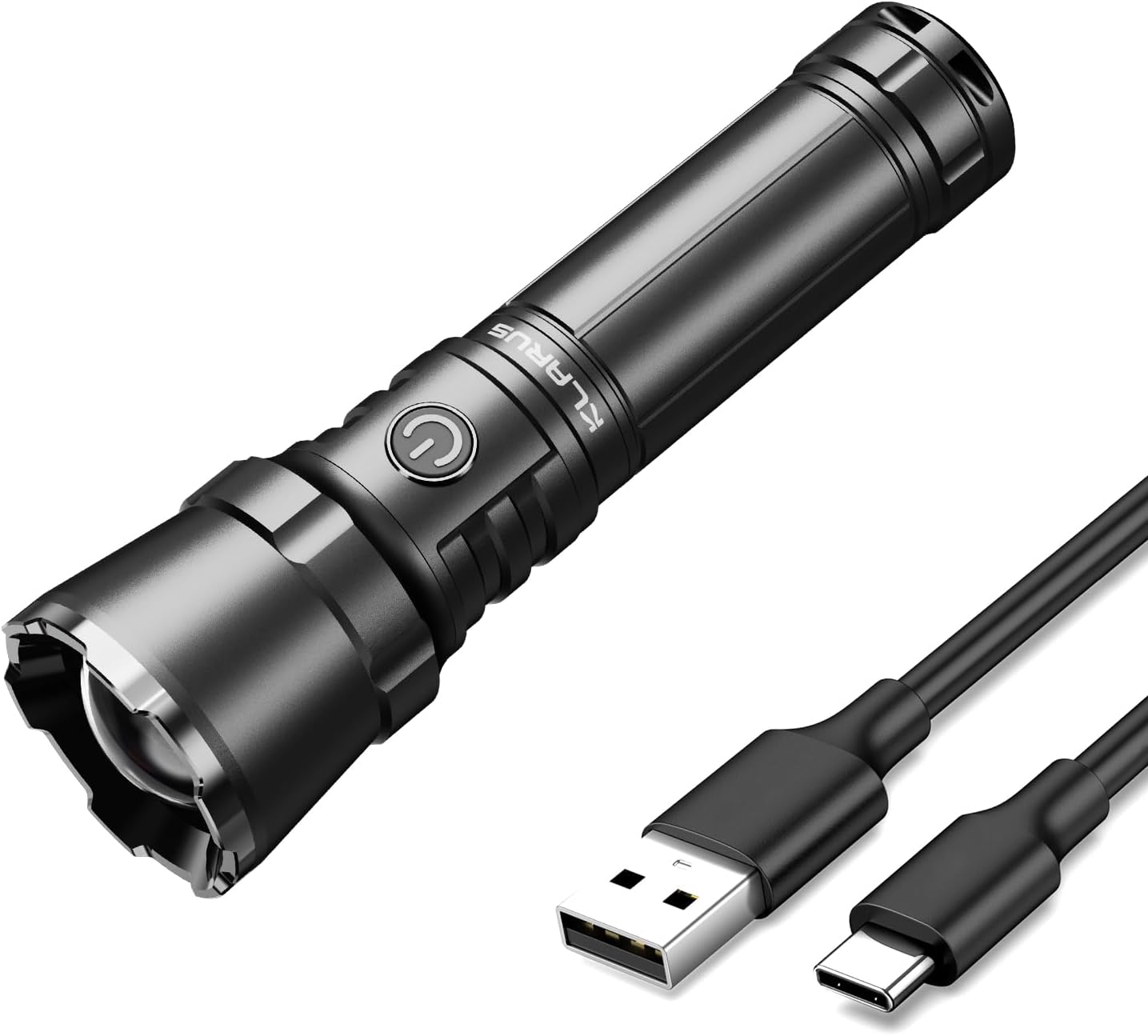
Image 1.1: The Klarus EP12 flashlight shown with its accompanying USB-C charging cable.
2. ఉత్పత్తి ముగిసిందిview మరియు భాగాలు
Familiarize yourself with the various parts of your Klarus EP12 flashlight to ensure proper operation and maintenance.
2.1 ప్యాకేజీ విషయాలు
- Klarus EP12 Flashlight
- USB-C ఛార్జింగ్ కేబుల్
- O-Ring (Spare)
- వినియోగదారు మాన్యువల్
- బ్యాటరీ (ముందే ఇన్స్టాల్ చేయబడింది)

Image 2.1: The complete package contents for the Klarus EP12 flashlight.
2.2 Flashlight Diagram

Image 2.2: An exploded diagram illustrating the main components of the EP12 flashlight.
- స్ట్రైక్ బెజెల్: Used for adjusting focus.
- LED: Light Emitting Diode, the primary light source.
- Helical Focusing Column: Mechanism for beam adjustment.
- Side Switch/Battery Capacity Indicator: Controls power and modes, also displays battery status.
- USB-C ఛార్జింగ్ పోర్ట్: For direct battery charging.
- అల్యూమినియం అల్లాయ్ బాడీ: Durable and corrosion-resistant housing.
- బ్యాటరీ: Power source (pre-installed).
- లాన్యార్డ్ హోల్: లాన్యార్డ్ కోసం అటాచ్మెంట్ పాయింట్.
- Tailcap: Rear cap of the flashlight.
3. సెటప్
3.1 ప్రారంభ బ్యాటరీ తయారీ
Before first use, ensure the insulating disc is removed from the battery compartment. This disc prevents accidental activation during shipping.
- ఫ్లాష్లైట్ టెయిల్క్యాప్ను విప్పు.
- Remove the pre-installed battery.
- Locate and remove the small insulating disc placed at the end of the battery.
- Reinsert the battery with the positive (+) end facing towards the head of the flashlight.
- టెయిల్క్యాప్ను సురక్షితంగా తిరిగి స్క్రూ చేయండి.
3.2 బ్యాటరీని ఛార్జ్ చేయడం
The Klarus EP12 features a convenient USB-C charging port, allowing direct charging without battery removal.

Image 3.1: The EP12 flashlight connected for USB-C charging.
- Locate the USB-C charging port on the side of the flashlight body.
- Connect the provided USB-C cable to the flashlight and a compatible USB power source (e.g., wall adapter, power bank, computer USB port).
- The side switch will illuminate to indicate charging status:
- గ్రీన్ లైట్: Battery level above 70%.
- ఆరెంజ్ లైట్: Battery level between 30% and 70%.
- రెడ్ లైట్: బ్యాటరీ స్థాయి 30% కంటే తక్కువ.
- మెరిసే రెడ్ లైట్: Battery level below 10%, indicating critical low power.
- Charging is complete when the indicator light turns solid green (if it was red/orange) or turns off.

Image 3.2: Visual representation of the battery indicator during USB-C charging.
4. ఆపరేటింగ్ సూచనలు
The Klarus EP12 offers intuitive controls for power, mode selection, and focus adjustment.
4.1 పవర్ ఆన్/ఆఫ్
- ఆన్ చేయడానికి: Press the side switch once.
- ఆపివేయడానికి: Press and hold the side switch for approximately 1 second.
4.2 మోడ్ ఎంపిక
The flashlight features 7 light modes: Floodlight (High, Medium, Low), Spotlight (High, Medium, Low), and SOS.
- With the flashlight on, single-click the side switch to cycle through the brightness levels (High > Medium > Low) within the current beam type (Flood or Spot).
- To switch between Floodlight and Spotlight modes, quickly double-click the side switch.
- సక్రియం చేయడానికి SOS మోడ్, triple-click the side switch from any state (on or off). Single-click to exit SOS mode.
4.3 Adjustable Focus
The EP12 allows you to easily switch between a wide floodlight beam and a concentrated spotlight beam by twisting the strike bezel.

Image 4.1: Illustration of the adjustable focus feature, showing both spot and flood modes.
- దృష్టిని సర్దుబాటు చేయడానికి: Simply twist the strike bezel (the front part of the flashlight head) clockwise or counter-clockwise.
- Twist in one direction for a wider, diffused ఫ్లడ్లైట్ beam, ideal for illuminating a large area at close range.
- Twist in the other direction for a narrow, concentrated స్పాట్లైట్ beam, suitable for long-distance illumination.

Image 4.2: Flashlight in Floodlight mode for wider illumination.

Image 4.3: Flashlight in Spotlight mode for focused, long-distance light.
5. నిర్వహణ
Proper maintenance ensures the longevity and optimal performance of your Klarus EP12 flashlight.
5.1 శుభ్రపరచడం
- ఫ్లాష్లైట్ బాడీని శుభ్రమైన, మృదువైన గుడ్డతో తుడవండి.
- మొండి ధూళి కోసం, కొద్దిగా డి ఉపయోగించండిamp గుడ్డ ఆపై పూర్తిగా పొడిగా.
- కఠినమైన రసాయనాలు లేదా రాపిడి క్లీనర్లను ఉపయోగించవద్దు.
5.2 బ్యాటరీ సంరక్షణ
- Recharge the battery regularly, especially if the flashlight will not be used for an extended period.
- Avoid fully depleting the battery to prolong its lifespan.
- Store the flashlight and battery in a cool, dry place.
5.3 నీటి నిరోధకత
The EP12 is rated IPX6 waterproof, meaning it is protected against powerful water jets. While it can withstand heavy rain and splashes, it is not designed for submersion.

Image 5.1: The EP12 flashlight demonstrating its water resistance.

Image 5.2: Close-up of the EP12 flashlight with water droplets, emphasizing its IPX6 rating.
6. ట్రబుల్షూటింగ్
If you encounter issues with your Klarus EP12 flashlight, refer to the following common problems and solutions.
6.1 Flashlight Not Turning On
- బ్యాటరీ ఇన్స్టాలేషన్ని తనిఖీ చేయండి: Ensure the battery is inserted correctly with the positive (+) end facing the head of the flashlight.
- Remove Insulating Disc: Verify that the insulating disc has been removed from the battery compartment (refer to Section 3.1).
- ఛార్జ్ బ్యాటరీ: The battery may be depleted. Connect the flashlight to a USB-C charger and observe the battery indicator (refer to Section 3.2).
- Tighten Tailcap: Ensure the tailcap is fully tightened to establish proper electrical contact.
6.2 Dim or Flickering Light
- రీఛార్జ్ బ్యాటరీ: A dim or flickering light often indicates a low battery. Recharge the flashlight fully.
- క్లీన్ పరిచయాలు: Ensure the battery contacts and the flashlight's internal contacts are clean and free of debris.
If these steps do not resolve the issue, please contact Klarus customer support for further assistance.
7. స్పెసిఫికేషన్లు
Detailed technical specifications for the Klarus EP12 flashlight.
| ఫీచర్ | స్పెసిఫికేషన్ |
|---|---|
| మోడల్ | EP12 |
| బ్రాండ్ | క్లారస్ |
| కాంతి మూలం రకం | LED |
| ప్రకాశం | 2000 ల్యూమెన్స్ (గరిష్టంగా) |
| బీమ్ దూరం | 2460 అడుగుల (750 మీటర్లు) వరకు |
| ప్రత్యేక లక్షణాలు | Adjustable Focus, Ultra Bright |
| లైట్ మోడ్లు | 7 (Flood High/Medium/Low, Spot High/Medium/Low, SOS) |
| శక్తి మూలం | బ్యాటరీ ఆధారితమైనది |
| బ్యాటరీ రకం | 4000mAh లిథియం అయాన్ (చేర్చబడింది) |
| ఛార్జింగ్ ఇంటర్ఫేస్ | USB-C |
| రన్టైమ్ | 11 గంటల వరకు |
| మెటీరియల్ | 6063-T6 Space Aluminum Alloy |
| నీటి నిరోధక స్థాయి | IPX6 (వాటర్ప్రూఫ్) |
| ఉత్పత్తి కొలతలు | 6.89"D x 2.36"W x 1.77"H (సుమారుగా 17.5సెం.మీ x 6సెం.మీ x 4.5సెం.మీ) |
| వస్తువు బరువు | 10.2 ఔన్సులు (సుమారు 289 గ్రాములు) |
| రంగు | నలుపు |
8. వారంటీ మరియు మద్దతు
Klarus products are manufactured to high-quality standards. For warranty information or technical support, please refer to the official Klarus webసైట్లో లేదా మీ అధీకృత డీలర్ను సంప్రదించండి. కొనుగోలు రుజువుగా మీ కొనుగోలు రసీదును ఉంచండి.
For further assistance, you may visit the Klarus store on Amazon: Klarus Store
Ask a question about this manual
Ask about setup, troubleshooting, compatibility, parts, safety, or missing instructions. Manuals+ will review the question and use this page’s manual context to help answer it.