
1. పరిచయం
Thank you for choosing the MIZISNR UG-240 4-Channel UHF Wireless Microphone System. This system is designed to provide high-quality audio transmission for various applications, including karaoke, public speaking, church events, and weddings. Featuring 200 adjustable frequencies, auto-scan functionality, and a robust 300ft operation range, the UG-240 ensures stable and clear sound performance. Please read this manual thoroughly before operating the system to ensure proper setup and optimal use.
2. ప్యాకేజీ విషయాలు
క్రింద జాబితా చేయబడిన అన్ని వస్తువులు మీ ప్యాకేజీలో చేర్చబడ్డాయని ధృవీకరించండి:
- 1 x UHF Wireless Receiver
- 4 x హ్యాండ్హెల్డ్ మైక్రోఫోన్లు
- 1 x పవర్ అడాప్టర్
- 1 x 6.35mm ఆడియో కేబుల్
- 4 x Anti-Rolling Rings
- 4 x యాంటెనాలు
- 1 x వినియోగదారు మాన్యువల్

Figure 2.1: All-in-one package contents of the MIZISNR UG-240 system.
3. ఉత్పత్తి ముగిసిందిview
3.1 రిసీవర్
The receiver unit is the central hub for your wireless microphone system. It features individual controls for each microphone channel, an LCD display, and various output ports.

Figure 3.1: Front and back panel of the MIZISNR UG-240 receiver, highlighting controls and connection points.
- LCD డిస్ప్లే: Shows channel, frequency, and battery status for each microphone.
- Mic A/B/C/D Controls: Individual buttons for setting and adjusting each microphone channel.
- పవర్ స్విచ్: రిసీవర్ను ఆన్ లేదా ఆఫ్ చేస్తుంది.
- యాంటెన్నా పోర్ట్లు: Connect the included antennas for stable signal reception.
- Balanced Outputs (XLR): Individual XLR outputs for each microphone channel (Mic A, B, C, D).
- Mixed Output (6.35mm TRS): Combines all microphone signals into a single output.
- పవర్ ఇన్పుట్: అందించిన పవర్ అడాప్టర్ను కనెక్ట్ చేయండి.
3.2. Handheld Microphones
The system includes four handheld microphones, each designed for clear vocal pickup and durable use.

Figure 3.2: Features of the MIZISNR handheld microphone.
- Metal Shockproof Mesh Head: Provides durability and protects the microphone capsule.
- LED డిస్ప్లే స్క్రీన్: Shows real-time monitoring of battery status and frequency.
- స్విచ్ ఆన్/ఆఫ్: Powers the microphone on or off.
- కార్డియోయిడ్ పికప్: High-quality sound capture with noise reduction.
- బ్యాటరీ కంపార్ట్మెంట్: Each microphone requires 2 AA batteries (not included).
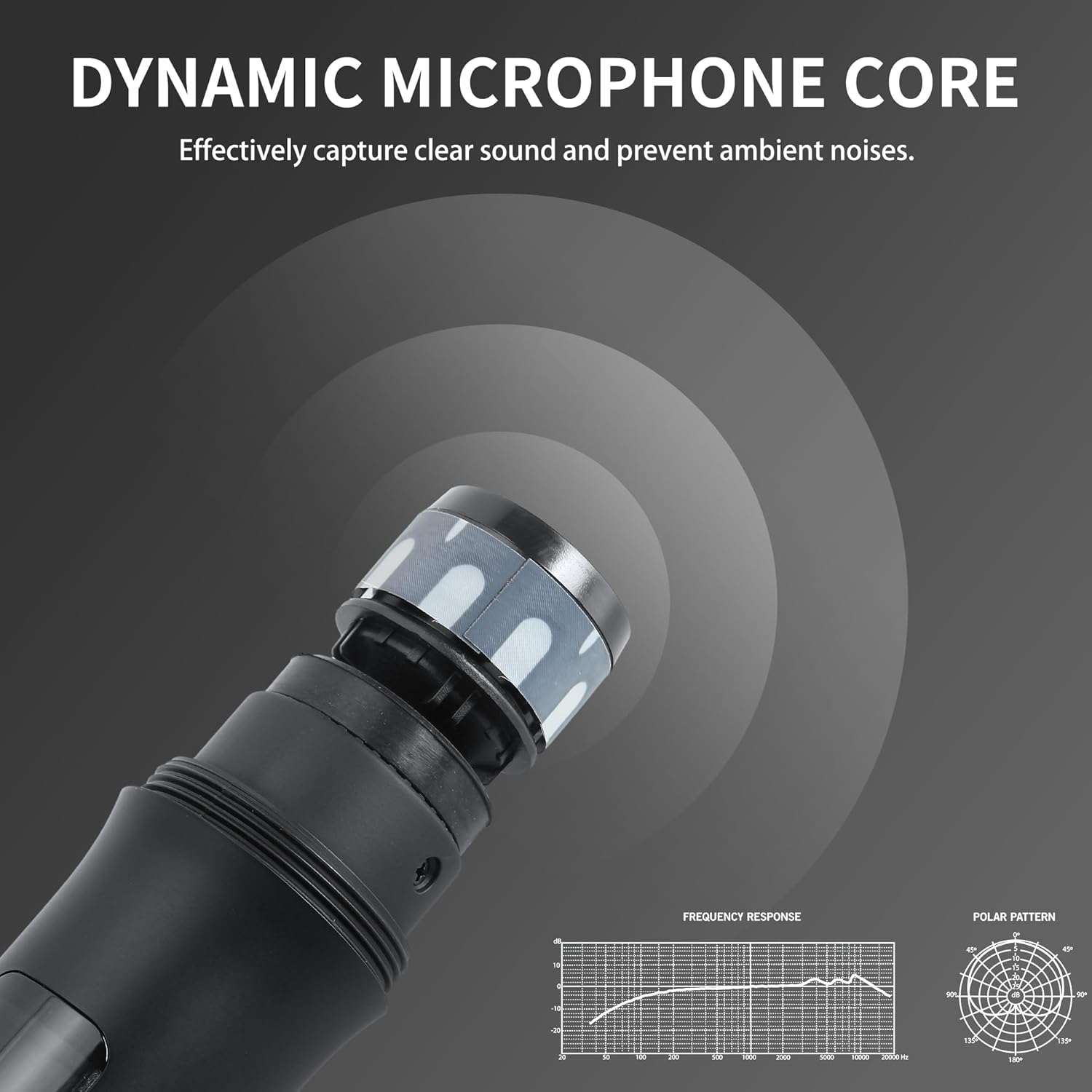
Figure 3.3: Dynamic microphone core for clear sound and ambient noise prevention.
4. సెటప్
4.1. రిసీవర్ సెటప్
- యాంటెన్నాలను కనెక్ట్ చేయండి: Screw the four antennas into their respective ports on the back of the receiver. Ensure they are securely tightened and positioned upright for optimal signal reception.
- పవర్ కనెక్ట్ చేయండి: Plug the power adapter into the DC 12-18V power input on the receiver and then into a power outlet.
- ఆడియో అవుట్పుట్: రిసీవర్ను మీ ఆడియో సిస్టమ్కి కనెక్ట్ చేయండి (మిక్సర్, amplifier, or PA system) using either the individual balanced XLR outputs or the mixed 6.35mm TRS output.
4.2. Microphone Battery Installation
Each handheld microphone requires 2 AA batteries (not included).
- Unscrew the bottom part of the microphone to reveal the battery compartment.
- Insert two fresh AA batteries, ensuring correct polarity (+/-).
- Screw the bottom part back onto the microphone.
5. ఆపరేషన్
5.1. పవర్ చేయడం ఆన్/ఆఫ్
- రిసీవర్: Press the power switch on the front panel to turn the receiver on or off.
- మైక్రోఫోన్లు: Press and hold the ON/OFF switch on each microphone until the LED display illuminates (or turns off).
5.2. Auto Scan & Frequency Adjustment
The UG-240 system features an auto-scan function to quickly find the best available frequencies and an IR sync feature for easy pairing.

Figure 5.1: Steps for Auto Scan and IR Pairing.
- Initiate Auto-Scan: On the receiver, long press the 'SET' button (for the desired channel, e.g., Mic A) for 2 seconds to initiate auto-scan. The display will show 'SCAN'.
- ఫ్రీక్వెన్సీ ఎంపిక: Once the scan is complete, the receiver will display an available frequency. You can use the up/down buttons to refresh and select a different frequency if needed.
- IR Pairing: With the desired frequency displayed on the receiver, turn on the corresponding microphone. When 'IR' appears on the receiver's display, point the microphone's IR window towards the receiver's IR indicator light. The microphone will automatically connect. A 'Connection Successful' message or a stable frequency display on the microphone indicates successful pairing.
Video 5.1: Demonstrates the frequency sync and pairing process for bodypack microphones (similar process for handheld mics).
5.3. స్క్రీన్ లాక్/అన్లాక్
To prevent accidental changes to settings, you can lock the receiver's screen.

Figure 5.2: Locking and unlocking the receiver screen.
- To lock or unlock the screen, press and hold the 'SET' buttons on both sides of the display for two seconds. The display will show 'LOCKED' or 'UNLOCKED'.
5.4. వాల్యూమ్ నియంత్రణ
Adjust the volume for each microphone channel directly on the receiver using the dedicated up/down buttons next to each channel's display.
6. Connectivity and Usage Scenarios
The MIZISNR UG-240 offers versatile connectivity options to integrate with various audio setups.
6.1. Connecting to a Home Theater System (Karaoke)

Figure 6.1: Connection to a Home Theater System.
Use the included 1/4" audio cable to connect the receiver's mixed output to your home theater system's audio input. You may need an RCA male to RCA male cable and a DAC converter if your system requires it (not included).
6.2. ఒకదానికి కనెక్ట్ చేయడం Amplifier Mixer Receiver (Karaoke)

Figure 6.2: Connection to an Amplifier Mixer Receiver.
Connect the receiver's mixed output to your amplifier mixer receiver using the 1/4" audio cable. Ensure your speakers are connected to the ampసౌండ్ అవుట్పుట్ కోసం లైఫైయర్.
6.3. Professional Setup with Audio Mixer and Ampజీవితకాలం

Figure 6.3: Professional Audio Setup.
For professional setups, connect the individual balanced XLR outputs from the receiver to your audio mixer. Then, connect the audio mixer's output to an audio amplifier, which in turn connects to your speakers. XLR to XLR audio cables and RCA male to RCA male cables are not included.
వీడియో 6.1: ముగిసిందిview of the MIZISNR 4-Channel UHF Wireless Microphone System, demonstrating its features and setup.
7. నిర్వహణ
- శుభ్రపరచడం: Use a soft, dry cloth to clean the receiver and microphones. Avoid using liquid cleaners or solvents.
- బ్యాటరీ భర్తీ: Replace microphone batteries when the low battery indicator appears on the microphone's LED display or when audio quality degrades.
- నిల్వ: ఉపయోగంలో లేనప్పుడు ప్రత్యక్ష సూర్యకాంతి మరియు తీవ్రమైన ఉష్ణోగ్రతలకు దూరంగా చల్లని, పొడి ప్రదేశంలో వ్యవస్థను నిల్వ చేయండి.
- యాంటెన్నా సంరక్షణ: వంగకుండా లేదా దెబ్బతినకుండా ఉండటానికి యాంటెన్నాలను జాగ్రత్తగా నిర్వహించండి.
8. ట్రబుల్షూటింగ్
| సమస్య | సాధ్యమైన కారణం | పరిష్కారం |
|---|---|---|
| మైక్రోఫోన్ల నుండి శబ్దం లేదు | Microphone not powered on; Receiver not powered on; Incorrect audio cable connection; Microphone not paired; Low microphone battery. | Ensure microphones and receiver are powered on. Check all audio cable connections. Perform IR pairing as described in Section 5.2. Replace microphone batteries. |
| Interference or dropouts | Other wireless devices operating on similar frequencies; Obstacles blocking signal; Microphones too far from receiver. | Use the auto-scan function to find a clear frequency. Ensure line of sight between microphones and receiver. Reduce distance between microphones and receiver (max 300ft). |
| తక్కువ లేదా వక్రీకరించిన ధ్వని | Microphone volume too low; Receiver volume too low; Audio system volume too low; Damaged microphone or cable. | Adjust microphone volume on the receiver. Increase volume on your audio system. Check cables for damage. |
| Receiver screen is locked | Screen lock feature activated. | Press and hold the 'SET' buttons on both sides of the display for 2 seconds to unlock. |
9. స్పెసిఫికేషన్లు
| ఫీచర్ | స్పెసిఫికేషన్ |
|---|---|
| మోడల్ సంఖ్య | UG-240 |
| బ్రాండ్ | MIZISNR |
| ఛానెల్ల సంఖ్య | 4 |
| Adjustable Frequencies | 200 (100 per mic) |
| ఆపరేషన్ రేంజ్ | 300 అడుగుల (91 మీటర్లు) వరకు |
| మైక్రోఫోన్ ఫారమ్ ఫ్యాక్టర్ | హ్యాండ్హెల్డ్ |
| మైక్రోఫోన్ పవర్ సోర్స్ | 2 AA batteries per mic (8 AA batteries required for 4 mics) |
| రిసీవర్ పవర్ సోర్స్ | DC 12-18V, 1A (Power Adapter Included) |
| మెటీరియల్ | మెటల్ |
| రిసీవర్ కొలతలు (L x W x H) | 18.9 x 6.1 x 1.7 అంగుళాలు |
| రిసీవర్ బరువు | 6.49 పౌండ్లు (2.95 కిలోగ్రాములు) |
| కనెక్టివిటీ టెక్నాలజీ | 6.35mm Jack, XLR |
| ధ్రువ నమూనా | ఏకదిశాత్మక |
10. భద్రతా సమాచారం
- వర్షం లేదా తేమకు యూనిట్ను బహిర్గతం చేయవద్దు.
- Do not remove the cover; any damage caused by improper disassembly will void the warranty.
- పేర్కొన్న పవర్ అడాప్టర్ను మాత్రమే ఉపయోగించండి.
- పిల్లలకు దూరంగా ఉంచండి.
11. వారంటీ మరియు మద్దతు
MIZISNR is committed to providing high-quality products and customer satisfaction. If you encounter any questions or concerns regarding your UG-240 Wireless Microphone System, please contact our customer support team. We aim to provide a satisfactory solution within 24 hours.
For support, please refer to the contact information provided with your purchase or visit the MIZISNR official webసైట్.