
పరిచయం
Thank you for choosing the BCUOZ 4 Lesn Dash Cam M8. This manual provides detailed instructions for the installation, operation, and maintenance of your dash camera. Please read this manual thoroughly before use to ensure proper functionality and to maximize your device's performance.
ఉత్పత్తి ముగిసిందిview
The BCUOZ 4 Lesn Dash Cam M8 is a comprehensive vehicle recording system designed to capture events from multiple perspectives. It features a 1080P resolution, a 2.4-inch IPS screen, and a unique 4-lens system for front, left, right, and rear views. Key features include infrared night vision, loop recording, G-sensor collision detection, and 24-hour parking monitoring.
ముఖ్య లక్షణాలు:
- 1080P HD Recording: స్పష్టమైన వీడియో foo ని సంగ్రహిస్తుందిtage.
- 4-Lens System: Records simultaneously from front, left, right, and rear perspectives. The interior camera can rotate 360 degrees.
- 2.4-అంగుళాల IPS స్క్రీన్: Provides a clear display for live view మరియు ప్లేబ్యాక్.
- ఇన్ఫ్రారెడ్ (IR) నైట్ విజన్: Ensures clear recording in low-light conditions, especially for the interior camera with 3 IR LED fill lights.
- లూప్ రికార్డింగ్: పాత foo ని ఆటోమేటిక్గా ఓవర్రైట్ చేస్తుంది.tage మెమరీ కార్డ్ నిండినప్పుడు, నిరంతర రికార్డింగ్ను నిర్ధారిస్తుంది.
- G-సెన్సార్: ఆకస్మిక ప్రభావాలు లేదా ఢీకొన్న వాటిని గుర్తించి, ప్రస్తుత వీడియో ఫూను స్వయంచాలకంగా లాక్ చేస్తుంది.tage ఓవర్రైట్ కాకుండా నిరోధించడానికి.
- 24-గంటల పార్కింగ్ పర్యవేక్షణ: Monitors your vehicle even when parked, recording events triggered by motion or impact (requires hardwire kit, not included).
- సులభమైన సంస్థాపన: Mounts securely to the windshield using suction cups and connects via the cigarette lighter.

Image: The BCUOZ 4 Lesn Dash Cam M8 displaying simultaneous views from its four cameras on the 2.4-inch IPS screen.

Image: Visual representation of the 4-camera system, highlighting the front, built-in left/right, and rear camera components.
ప్యాకేజీ విషయాలు
- BCUOZ 4 Lesn Dash Cam M8 Unit
- కార్ ఛార్జర్
- సక్షన్ కప్ మౌంట్
- వినియోగదారు మాన్యువల్ (ఈ పత్రం)
- 64GB మైక్రో SD కార్డ్ (ముందే ఇన్స్టాల్ చేయబడింది లేదా విడిగా చేర్చబడింది)
సెటప్
1. మైక్రో SD కార్డ్ సిద్ధం చేయండి
The dash cam supports up to a 64GB Micro SD card. A 64GB card is included. For optimal performance, it is recommended to format the Micro SD card within the dash cam settings before first use and periodically thereafter.
- Insert the Micro SD card into the designated slot on the dash cam.
- డాష్ కామ్ను ఆన్ చేయండి.
- సిస్టమ్ సెట్టింగ్ల మెనూకు నావిగేట్ చేయండి.
- Select the "Format" option and confirm. This will erase all data on the card.
2. డాష్ కామ్ను మౌంట్ చేయండి
The dash cam is designed for easy and secure mounting to your vehicle's windshield using the included suction cup mount.
- Clean the area on your windshield where you intend to mount the dash cam. Ensure it is free from dust and grease.
- Attach the suction cup mount to the dash cam unit.
- Press the suction cup firmly against the cleaned windshield surface and engage the locking mechanism to secure it.
- Adjust the angle of the dash cam to ensure the front camera has a clear view of the road ahead. The interior camera can be rotated 360 degrees to capture the cabin as desired.
3. పవర్ కనెక్షన్
Connect the dash cam to your vehicle's power supply using the provided car charger.
- Insert the small end of the car charger cable into the power input port on the dash cam.
- మీ వాహనం యొక్క సిగరెట్ లైటర్ సాకెట్లో కార్ ఛార్జర్ యొక్క పెద్ద చివరను ప్లగ్ చేయండి.
- మీ వాహనం యొక్క ఇగ్నిషన్ ఆన్ చేసినప్పుడు డాష్ క్యామ్ స్వయంచాలకంగా పవర్ ఆన్ అవుతుంది మరియు రికార్డింగ్ ప్రారంభమవుతుంది.
ఆపరేటింగ్ సూచనలు
ప్రాథమిక ఆపరేషన్
- పవర్ ఆన్/ఆఫ్: The dash cam powers on automatically with vehicle ignition and powers off when the ignition is turned off. You can also manually power it on/off using the power button.
- రికార్డింగ్: Once powered on, the dash cam automatically begins continuous loop recording. A recording indicator (e.g., flashing red dot) will be visible on the screen.
- స్క్రీన్ డిస్ప్లే: The 2.4-inch IPS screen can display live views from multiple cameras simultaneously. Use the menu buttons to switch display modes if available.
లూప్ రికార్డింగ్
The dash cam records video in segments (e.g., 1, 3, or 5 minutes) and stores them on the Micro SD card. When the card is full, the oldest unlocked fileకొత్త రికార్డింగ్ల ద్వారా లు స్వయంచాలకంగా ఓవర్రైట్ చేయబడతాయి. ఇది మాన్యువల్ జోక్యం లేకుండా నిరంతర రికార్డింగ్ను నిర్ధారిస్తుంది.
- To adjust loop recording duration, access the settings menu.
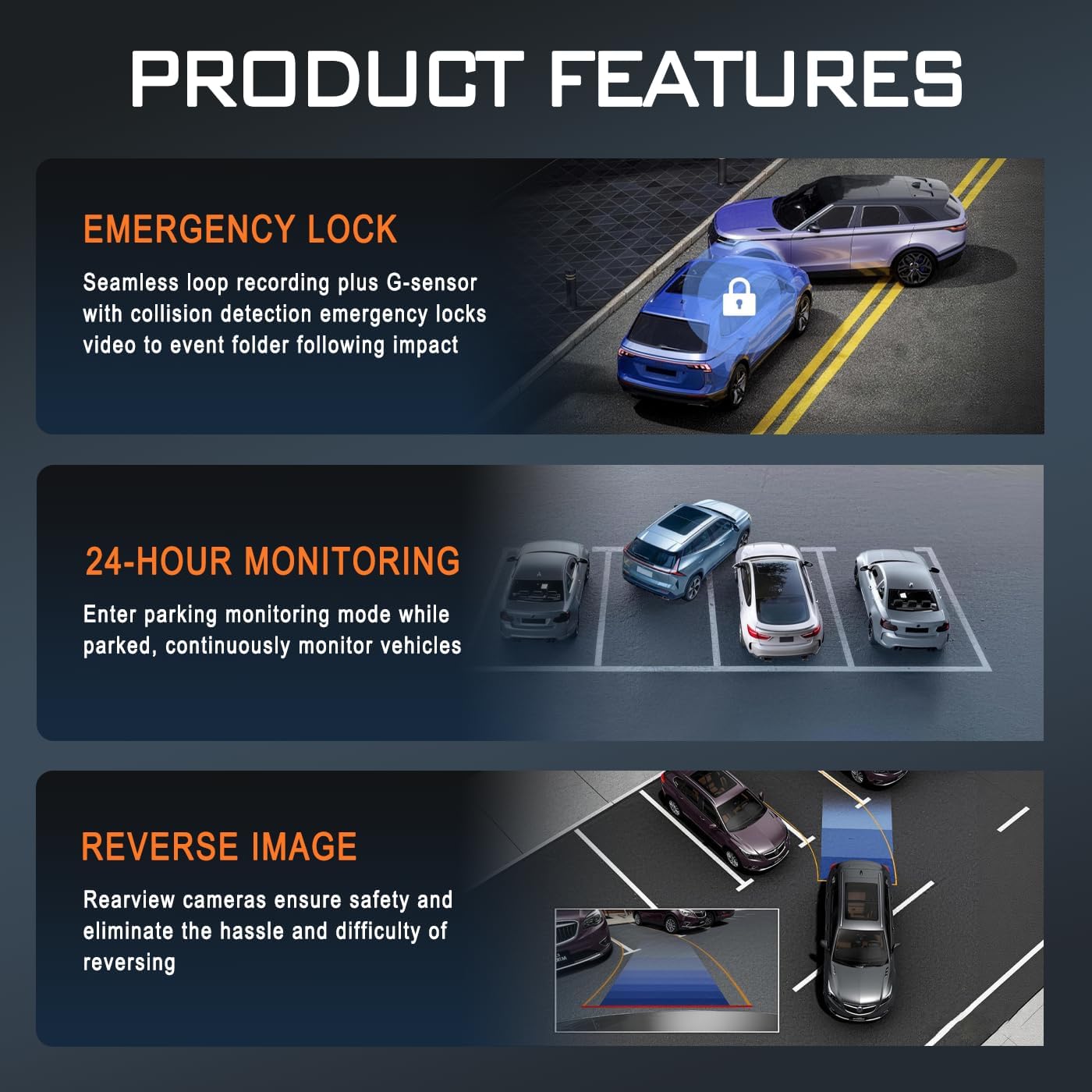
Image: Illustration of key product features: Emergency Lock (G-sensor), 24-Hour Monitoring, and Reverse Image functionality.
G-Sensor (Emergency Lock)
అంతర్నిర్మిత G-సెన్సార్ ఆకస్మిక త్వరణం, బ్రేకింగ్ లేదా ప్రభావాలను గుర్తిస్తుంది. ప్రేరేపించబడినప్పుడు, ఇది ప్రస్తుత వీడియో విభాగాన్ని స్వయంచాలకంగా లాక్ చేస్తుంది, లూప్ రికార్డింగ్ ద్వారా అది ఓవర్రైట్ చేయబడకుండా నిరోధిస్తుంది. ఇవి లాక్ చేయబడ్డాయి. fileలు మైక్రో SD కార్డ్లోని ప్రత్యేక ఫోల్డర్లో నిల్వ చేయబడతాయి.
- The G-sensor sensitivity can be adjusted in the settings menu (e.g., Low, Medium, High, Off).
24-Hour Parking Monitoring
When enabled, the parking monitor allows the dash cam to continue monitoring your vehicle after it's parked and the ignition is off. It can detect impacts or motion and automatically start recording. This feature requires a continuous power supply, typically achieved through a hardwire kit (sold separately) connected to your vehicle's fuse box.
- Ensure a hardwire kit is installed for continuous 24-hour parking monitoring.
- The parking mode settings (e.g., time-lapse recording, impact detection) can be configured in the menu.
ఇన్ఫ్రారెడ్ నైట్ విజన్
The dash cam is equipped with infrared technology to enhance recording clarity in low-light or dark conditions. The interior camera utilizes 3 IR LED fill lights to capture clear images of the cabin occupants even in complete darkness.
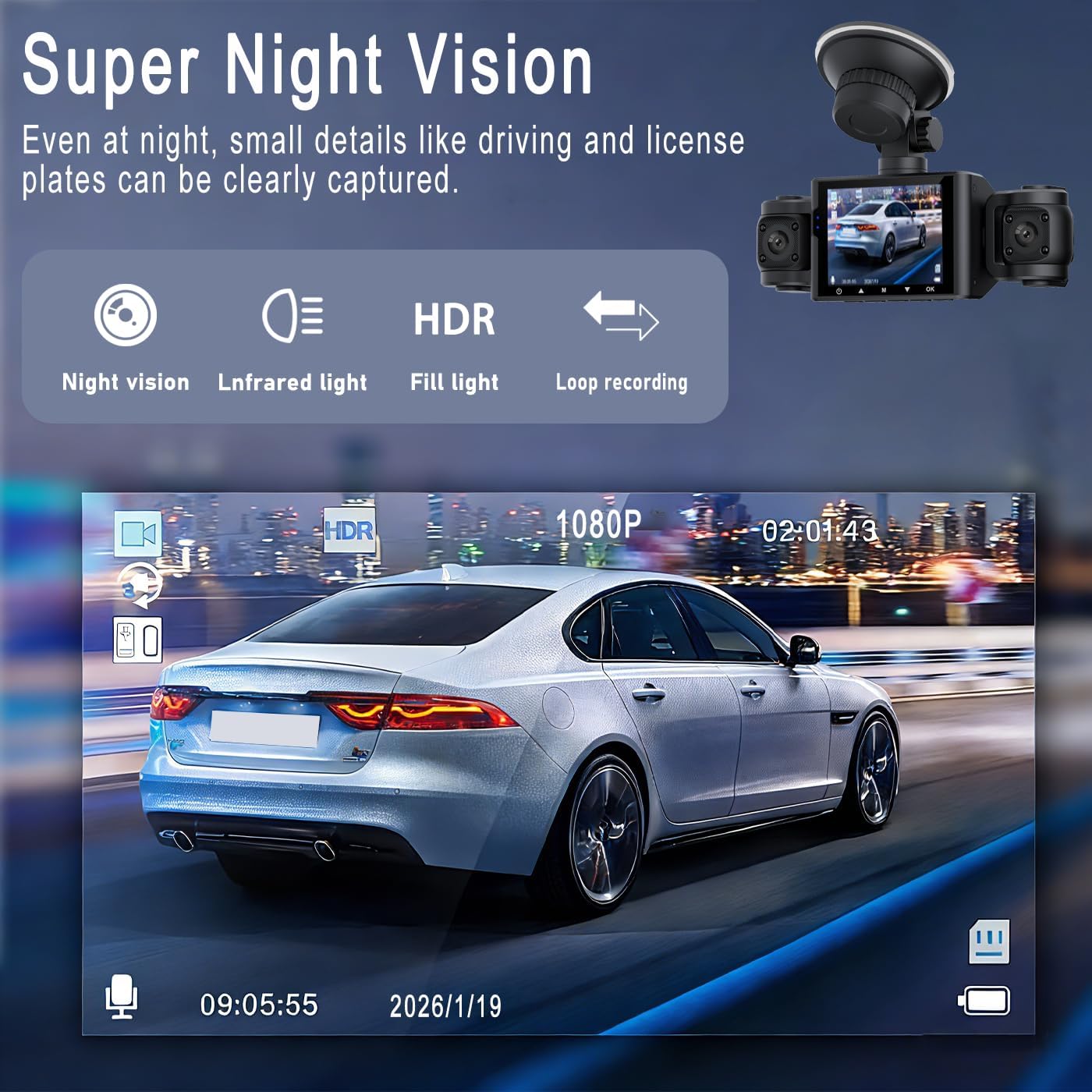
చిత్రం: ఉదాample of Super Night Vision performance, showing clear capture of details like license plates in low light.

చిత్రం: వివరణాత్మకం view of the dash cam's lens system, highlighting features like aspheric high-index lens and optical plating for enhanced image quality in various lighting conditions.
ప్లేబ్యాక్ మరియు File నిర్వహణ
- పరికరంలో ప్లేబ్యాక్: Stop recording, then navigate to the playback menu on the dash cam's screen to view రికార్డ్ చేసిన వీడియోలు.
- కంప్యూటర్ ప్లేబ్యాక్: Remove the Micro SD card from the dash cam and insert it into a computer's card reader. Video files can be accessed and played using standard media players.
- File సంస్థ: Videos are typically organized into folders such as "Normal," "Event" (for G-sensor triggered recordings), and "Parking" (for parking mode recordings).
నిర్వహణ
- లెన్స్లను శుభ్రం చేయండి: Regularly clean the camera lenses with a soft, lint-free cloth to ensure clear video quality. Avoid abrasive materials.
- Micro SD Card Maintenance: Format the Micro SD card every 2-4 weeks to prevent data corruption and ensure optimal recording performance. Back up any important fileఫార్మాటింగ్ ముందు s.
- ఆపరేటింగ్ ఉష్ణోగ్రత: Avoid exposing the dash cam to extreme temperatures for extended periods.
- ఫర్మ్వేర్ నవీకరణలు: తయారీదారుని తనిఖీ చేయండి webపనితీరును మెరుగుపరచడానికి మరియు కొత్త ఫీచర్లను జోడించడానికి అందుబాటులో ఉన్న ఏవైనా ఫర్మ్వేర్ నవీకరణల కోసం సైట్ను కాలానుగుణంగా సందర్శించండి.
ట్రబుల్షూటింగ్
| సమస్య | సాధ్యమైన పరిష్కారం |
|---|---|
| డాష్ కామ్ పవర్ ఆన్ అవ్వదు. |
|
| Dash cam stops recording or shows "Card Full" error. |
|
| వీడియో footage అస్పష్టంగా లేదా అస్పష్టంగా ఉంది. |
|
| Parking monitor is not working. |
|
| G-sensor is too sensitive or not sensitive enough. |
|
స్పెసిఫికేషన్లు
| మోడల్ పేరు | M8 |
| బ్రాండ్ | సాధారణమైనది |
| వీడియో క్యాప్చర్ రిజల్యూషన్ | 1080p |
| స్క్రీన్ పరిమాణం | 2.4 Inches (IPS Display) |
| లెన్స్ కాన్ఫిగరేషన్ | 4-lens system (Front, Left, Right, Rear) |
| ప్రత్యేక లక్షణాలు | Loop Recording, IR Night Vision, G-Sensor, 24hr Parking Mode |
| కనెక్టివిటీ టెక్నాలజీ | సహాయక |
| ఫ్లాష్ మెమరీ రకం | Micro SD (supports up to 64GB) |
| మౌంటు రకం | డ్యాష్బోర్డ్ మౌంట్ (సక్షన్ కప్) |
| ఉత్పత్తి కొలతలు (D x W x H) | 3.54"D x 0.99"W x 1.57"H (సుమారుగా 9సెం.మీ x 2.5సెం.మీ x 4సెం.మీ) |
| వస్తువు బరువు | 200 గ్రాములు |
| చేర్చబడిన భాగాలు | Car Charger, 64GB Micro SD Card |
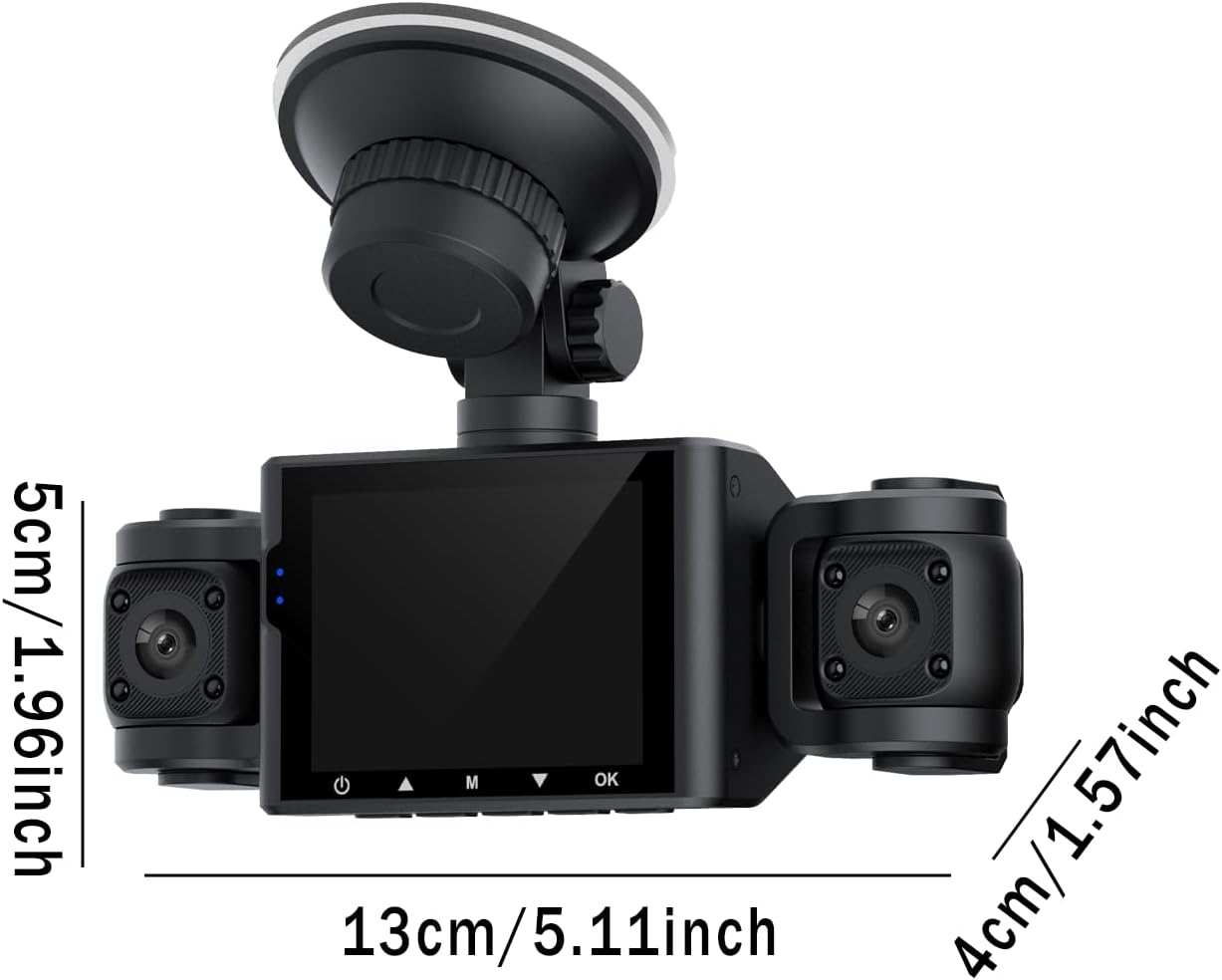
Image: Diagram showing the approximate dimensions of the dash cam unit in centimeters and inches.
వారంటీ మరియు మద్దతు
వారంటీ సమాచారం
This BCUOZ 4 Lesn Dash Cam M8 comes with a 2-సంవత్సరం తయారీదారు వారంటీ from the date of purchase. This warranty covers defects in materials and workmanship under normal use. It does not cover damage caused by misuse, accidents, unauthorized modifications, or natural disasters. Please retain your proof of purchase for warranty claims.
కస్టమర్ మద్దతు
For technical assistance, troubleshooting, or warranty inquiries, please refer to the contact information provided with your purchase or visit the manufacturer's official support website. When contacting support, please have your product model (M8) and purchase details ready.