
kinstone 102MF-6+128GB-GY-NEW
Kinstone Android Tablet 10 Inch User Manual
బ్రాండ్: kinstone | మోడల్: 102MF-6+128GB-GY-NEW
పరిచయం
This manual provides comprehensive instructions for the operation, maintenance, and troubleshooting of your new kinstone 102MF-6+128GB-GY-NEW Android Tablet. Please read this manual carefully before using the device to ensure proper functionality and to maximize your user experience.

Figure 1: Kinstone Android Tablet 10 Inch, front and back view.
పెట్టెలో ఏముంది
ప్యాకేజింగ్లో అన్ని వస్తువులు ఉన్నాయని నిర్ధారించుకోండి:
- 1 x Android 12G Tablet
- 1 x USB టైప్-C కేబుల్
- 1 x పవర్ అడాప్టర్
- 1 x యూజర్ మాన్యువల్ (ఈ పత్రం)

Figure 2: Included accessories: tablet, USB-C cable, power adapter, and user manual.
సెటప్
1. ప్రారంభ ఛార్జింగ్
Before first use, fully charge the tablet. Connect the provided USB Type-C cable to the tablet's Type-C port and the power adapter, then plug the adapter into a wall outlet.

Figure 3: The tablet features a 6000mAh battery and charges via a Type-C port.
2. పవర్ చేయడం ఆన్/ఆఫ్
- To power on: Press and hold the Power button located on the side of the tablet until the screen lights up.
- పవర్ ఆఫ్ చేయడానికి: పవర్ బటన్ను నొక్కి పట్టుకోండి, ఆపై స్క్రీన్పై కనిపించే ఎంపికల నుండి "పవర్ ఆఫ్" ఎంచుకోండి.
3. ప్రారంభ ఆకృతీకరణ
Upon first startup, follow the on-screen prompts to set up your language, Wi-Fi connection, Google account, and other basic settings.
4. మైక్రో SD కార్డ్ చొప్పించడం (ఐచ్ఛికం)
The tablet supports up to 1TB TF card expansion. Locate the MicroSD card slot on the side of the tablet and gently insert the card until it clicks into place.

Figure 4: The tablet offers 6GB RAM and 128GB ROM, with support for 1TB MicroSD card expansion.
ఆపరేటింగ్ సూచనలు
1. ప్రాథమిక నావిగేషన్
- టచ్స్క్రీన్ సంజ్ఞలు: ఎంచుకోవడానికి నొక్కండి, స్క్రోల్ చేయడానికి స్వైప్ చేయండి, జూమ్ చేయడానికి పించ్ చేయండి.
- భౌతిక బటన్లు:
- Power Button: Powers on/off, locks/unlocks screen.
- Volume Buttons: Adjusts audio volume.
- Reset Button: Small pinhole for force restart if needed.
చిత్రం 5: పైగాview of tablet ports and buttons, including power, volume, reset, and Type-C.
2 కనెక్టివిటీ
- Wi-Fi: The tablet supports 2.4G and 5G dual-band Wi-Fi. Go to సెట్టింగ్లు > నెట్వర్క్ & ఇంటర్నెట్ > Wi-Fi to connect to a network.
- బ్లూటూత్: The tablet features Bluetooth 5.0 for stable and fast connections. Go to సెట్టింగ్లు > కనెక్ట్ చేయబడిన పరికరాలు > బ్లూటూత్ to pair with devices.

Figure 6: The tablet supports both 2.4G and 5G Wi-Fi bands and Bluetooth 5.0 for reliable connectivity.
3. కెమెరా వినియోగం
The tablet is equipped with a 5MP rear camera and a 2MP front camera. Open the "Camera" application to capture photos and videos.

Figure 7: The tablet features a 5MP rear camera and a 2MP front camera for capturing moments.
4. ఆడియో
The tablet features dual speakers for stereo surround sound. An earphone jack is also available for private listening.

Figure 8: The tablet is equipped with dual speakers for enhanced audio experience.
5. నిల్వ నిర్వహణ
With 128GB of internal storage and support for up to 1TB external TF card, you can manage your files, applications, and media through the "Files" app or by connecting the tablet to a computer.
6. అప్లికేషన్ నిర్వహణ
Download and install applications from the Google Play Store. Manage installed apps via సెట్టింగ్లు > యాప్లు.
నిర్వహణ
1. శుభ్రపరచడం
టాబ్లెట్ స్క్రీన్ మరియు బాడీని శుభ్రం చేయడానికి మృదువైన, మెత్తటి బట్టను ఉపయోగించండి. కఠినమైన రసాయనాలు లేదా రాపిడి పదార్థాలను ఉపయోగించకుండా ఉండండి.
2. సాఫ్ట్వేర్ నవీకరణలు
సరైన పనితీరు మరియు భద్రతను నిర్ధారించుకోవడానికి సిస్టమ్ నవీకరణల కోసం క్రమం తప్పకుండా తనిఖీ చేయండి. వెళ్ళండి సెట్టింగ్లు > సిస్టమ్ > సిస్టమ్ అప్డేట్.
3. బ్యాటరీ సంరక్షణ
To prolong battery life, avoid extreme temperatures and fully discharging the battery frequently. The 6000mAh battery provides 6-8 hours of usage.
ట్రబుల్షూటింగ్
| సమస్య | సాధ్యమైన కారణం | పరిష్కారం |
|---|---|---|
| టాబ్లెట్ ఆన్ అవ్వదు. | బ్యాటరీ తక్కువగా ఉంది; సిస్టమ్ క్రాష్ అయింది. | Charge the tablet for at least 30 minutes. If still unresponsive, press the reset button with a pin. |
| Wi-Fi కనెక్షన్ సమస్యలు. | Incorrect password; router issue; out of range. | Verify Wi-Fi password. Restart router. Move closer to the Wi-Fi source. |
| అప్లికేషన్లు క్రాష్ అవుతున్నాయి లేదా స్తంభించిపోతున్నాయి. | తగినంత RAM లేదు; యాప్ బగ్; పాత సాఫ్ట్వేర్. | Close background apps. Clear app cache. Update the app or system software. |
| నెమ్మదిగా పనితీరు. | చాలా యాప్లు నడుస్తున్నాయి; తక్కువ నిల్వ; పాత సాఫ్ట్వేర్. | Close unused apps. Free up storage space. Perform a system update. |
స్పెసిఫికేషన్లు
| ఫీచర్ | వివరాలు |
|---|---|
| మోడల్ పేరు | 102MF-6+128GB-GY-NEW |
| ఆపరేటింగ్ సిస్టమ్ | ఆండ్రాయిడ్ |
| స్క్రీన్ పరిమాణం | 10.1 అంగుళాలు |
| స్క్రీన్ రిజల్యూషన్ | 1280 x 800 pixels (IPS HD) |
| ప్రాసెసర్ | 2 GHz Octa-Core (MediaTek 8183) |
| RAM | 6GB |
| అంతర్గత నిల్వ | 128GB |
| విస్తరించదగిన నిల్వ | 1TB వరకు (TF కార్డ్) |
| వెనుక కెమెరా | 5 ఎంపీ |
| ఫ్రంట్ కెమెరా | 2 ఎంపీ |
| వైర్లెస్ కనెక్టివిటీ | 802.11ac (2.4G+5G Dual Wi-Fi) |
| బ్లూటూత్ | బ్లూటూత్ 5.0 |
| బ్యాటరీ కెపాసిటీ | 6000mAh |
| సగటు బ్యాటరీ జీవితం | 6-8 hours (usage), 10 hours (listed) |
| ఛార్జింగ్ పోర్ట్ | టైప్-సి |
| కొలతలు (LxWxH) | 12.9 x 7.5 x 1.4 అంగుళాలు |
| వస్తువు బరువు | 2 పౌండ్లు |
| రంగు | బూడిద రంగు |
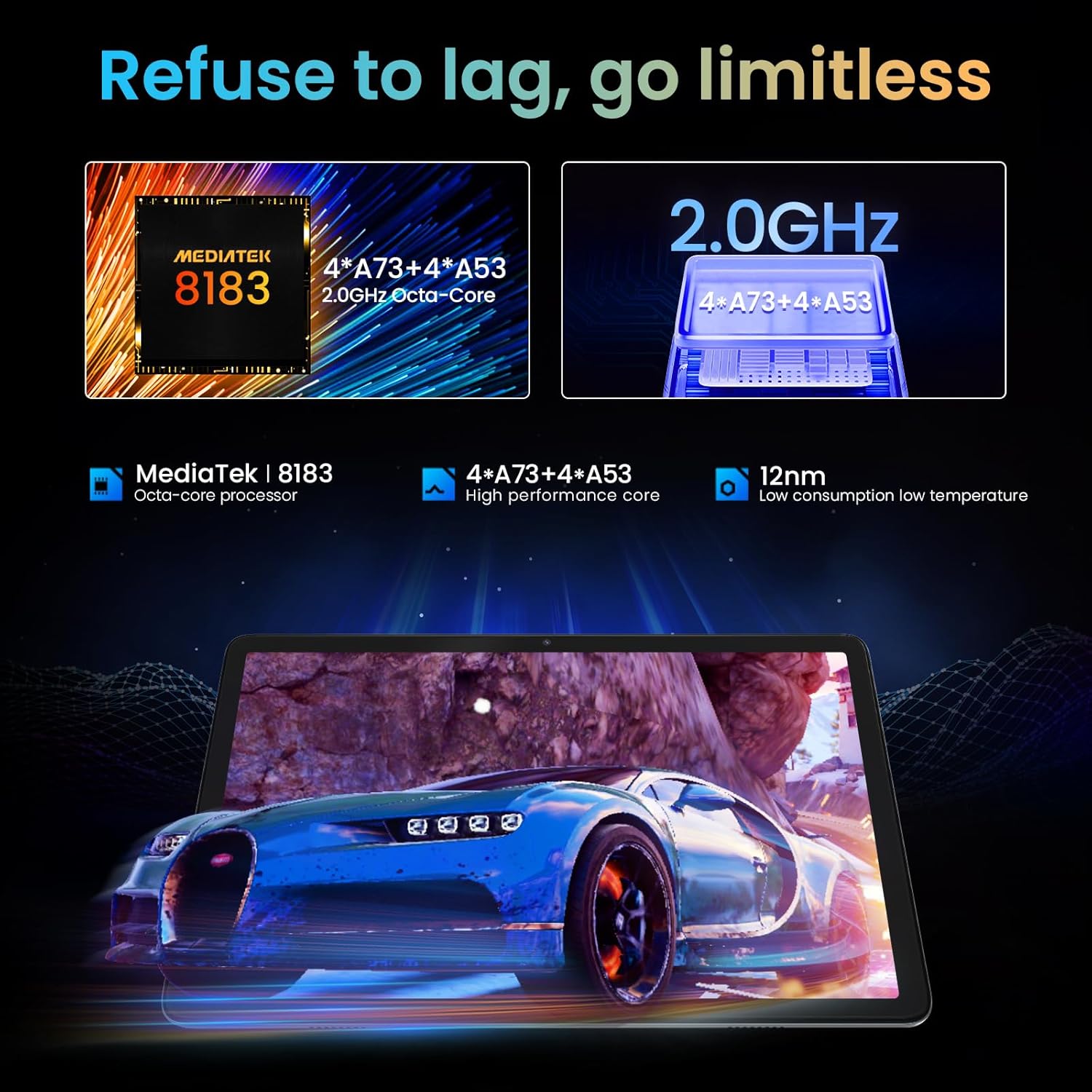
Figure 9: The tablet is powered by a MediaTek 8183 Octa-core processor for high performance.

Figure 10: The tablet features a 10.1-inch In-cell HD IPS screen with 1280x800 resolution and 178° viewing కోణం.
వారంటీ మరియు మద్దతు
The Kinstone Android Tablet comes with a 2 సంవత్సరాల వారంటీ from the date of purchase. This warranty covers manufacturing defects and ensures a satisfactory shopping experience.
For technical support, warranty claims, or any inquiries, please contact Kinstone customer service. We are committed to responding within 12 hours to assist you.
మరింత సమాచారం కోసం, అధికారిని సందర్శించండి Kinstone Store on Amazon.
Ask a question about this manual
Ask about setup, troubleshooting, compatibility, parts, safety, or missing instructions. Manuals+ will review the question and use this page’s manual context to help answer it.