
పరిచయం
Welcome to the user manual for your new Redmi Xiaomi 13 4G LTE smartphone. This guide provides essential information on setting up, operating, maintaining, and troubleshooting your device to ensure optimal performance and user experience. Please read this manual thoroughly before using your phone.
పెట్టెలో ఏముంది
Upon unboxing your Redmi Xiaomi 13, verify that all the following items are included:
- Redmi Xiaomi 13 Smartphone
- 33W వాల్ ఛార్జర్
- అడాప్టర్
- ఫాస్ట్ కార్ ఛార్జర్
- SIM ట్రే ఎజెక్టర్
సెటప్
1. SIM కార్డ్ మరియు మైక్రో SD కార్డ్ ఇన్స్టాలేషన్
Your Redmi 13 supports Dual Nano SIM cards or one Nano SIM and one MicroSD card in a hybrid slot. Ensure your SIM card is activated by your carrier before installation.
- మీ ఫోన్ పక్కన సిమ్ ట్రేని గుర్తించండి.
- ట్రే పక్కన ఉన్న చిన్న రంధ్రంలోకి సిమ్ ట్రే ఎజెక్టర్ సాధనాన్ని చొప్పించి, ట్రే బయటకు వచ్చే వరకు గట్టిగా నొక్కండి.
- Carefully place your Nano SIM card(s) and/or MicroSD card into the designated slots on the tray. Ensure the gold contacts face downwards.
- Gently push the tray back into the phone until it is flush with the device.
చిత్రం: వైపు view of the Redmi Xiaomi 13, illustrating the location of the SIM tray and camera module.
2. ప్రారంభ పవర్ ఆన్ మరియు సెటప్
మీ పరికరాన్ని మొదటిసారి ఆన్ చేయడానికి:
- Press and hold the Power button (located on the right side of the phone) until the Redmi logo appears on the screen.
- Follow the on-screen instructions to select your language, region, connect to a Wi-Fi network, and set up your Google account.
- You will be prompted to set up security features such as a PIN, pattern, password, fingerprint, or face unlock.

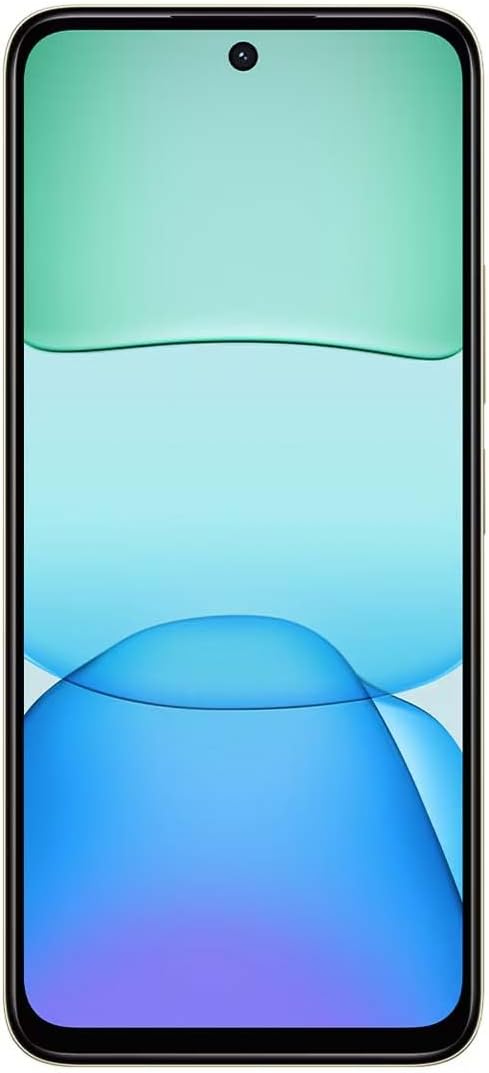
చిత్రం: ముందు భాగం view of the Redmi Xiaomi 13, showing the display and front camera.
3. నెట్వర్క్ కాన్ఫిగరేషన్
Your device is designed for 4G LTE connectivity. For USA users, it is compatible with Tello and Mint Mobile. For global users, it supports various GSM carriers. Ensure your APN settings are correctly configured if you experience network issues. These settings are usually automatically detected upon SIM insertion.
మీ పరికరాన్ని ఆపరేట్ చేస్తోంది
1. డిస్ప్లే ఫీచర్లు
The Redmi 13 features a 6.79-inch Dot Drop HD+ display with a resolution of 1650 x 720. It supports Sunlight display for better visibility in bright conditions and Reading mode to reduce eye strain. You can adjust color temperature in the display settings.
2. కెమెరా వినియోగం
Your phone is equipped with a powerful camera system:
- వెనుక కెమెరా: 108MP main camera (f/1.8 with 4-in-1 pixel binning) and a 2MP depth camera (f/2.4).
- ముందు కెమెరా: సెల్ఫీలు మరియు వీడియో కాల్స్ కోసం 13MP.
ఫోటో తీయడానికి:
- కెమెరా అప్లికేషన్ను తెరవండి.
- మీకు కావలసిన మోడ్ను ఎంచుకోండి (ఫోటో, పోర్ట్రెయిట్, వీడియో, మొదలైనవి).
- Tap the shutter button to capture an image.
The camera features HDR mode for improved dynamic range and quick snap functionality for capturing moving moments efficiently.

చిత్రం: వెనుకకు view of the Redmi Xiaomi 13, highlighting the 108MP dual camera system.
3 కనెక్టివిటీ
The device supports Wi-Fi for internet access, GPS for navigation (including AGPS, GLONASS, Beidou, Galileo), and Bluetooth for connecting wireless accessories. It also includes a 3.5mm headphone jack for wired audio.
4. భద్రతా లక్షణాలు
Protect your device and data using the following security options:
- వెనుక ఫింగర్ ప్రింట్ సెన్సార్: త్వరిత మరియు సురక్షితమైన అన్లాకింగ్ కోసం మీ వేలిముద్రలను నమోదు చేసుకోండి.
- AI ఫేస్ అన్లాక్: Use your face to unlock the device.
- పిన్/నమూనా/పాస్వర్డ్: Standard lock screen security methods.
నిర్వహణ
1. బ్యాటరీ సంరక్షణ
The Redmi 13 is equipped with a 5030mAh (typ) battery. To prolong battery life:
- తీవ్రమైన ఉష్ణోగ్రతలను నివారించండి.
- Use the provided 33W charger for optimal charging speed and safety.
- బ్యాటరీ తరచుగా పూర్తిగా ఖాళీ అవ్వనివ్వకండి.
2. సాఫ్ట్వేర్ నవీకరణలు
మీ పరికరం తాజా ఫీచర్లు, భద్రతా ప్యాచ్లు మరియు పనితీరు మెరుగుదలలను కలిగి ఉందని నిర్ధారించుకోవడానికి సాఫ్ట్వేర్ నవీకరణల కోసం క్రమం తప్పకుండా తనిఖీ చేసి, ఇన్స్టాల్ చేయండి. దీనికి నావిగేట్ చేయండి సెట్టింగ్లు > ఫోన్ గురించి > సిస్టమ్ అప్డేట్ నవీకరణల కోసం తనిఖీ చేయడానికి.
3. మీ పరికరాన్ని శుభ్రపరచడం
Use a soft, lint-free cloth to clean your phone. Avoid using harsh chemicals or abrasive materials that could damage the screen or finish.
ట్రబుల్షూటింగ్
If you encounter issues with your Redmi 13, try the following common troubleshooting steps:
- పరికరం స్పందించడం లేదు: రీస్టార్ట్ చేయమని బలవంతం చేయడానికి పవర్ బటన్ను దాదాపు 10-15 సెకన్ల పాటు నొక్కి పట్టుకోండి.
- నెట్వర్క్ సమస్యలు: Check if your SIM card is properly inserted. Toggle Airplane Mode on and off. Reset network settings via సెట్టింగ్లు > కనెక్షన్ & షేరింగ్ > Wi-Fi, మొబైల్ నెట్వర్క్లు మరియు బ్లూటూత్ను రీసెట్ చేయండి.
- App crashing: యాప్ కాష్ మరియు డేటాను దీని ద్వారా క్లియర్ చేయండి Settings > Apps > Manage apps > [App Name] > Clear data. సమస్య అలాగే ఉంటే, యాప్ను అన్ఇన్స్టాల్ చేసి, మళ్లీ ఇన్స్టాల్ చేయండి.
- బ్యాటరీ త్వరగా ఖాళీ అవుతోంది: Review బ్యాటరీ వినియోగం సెట్టింగ్లు > బ్యాటరీ to identify power-hungry apps. Reduce screen brightness and disable unnecessary features like GPS or Bluetooth when not in use.
- నిల్వ నిండింది: అనవసరంగా తొలగించండి files, photos, and videos. Uninstall unused apps. Consider moving media to a MicroSD card if installed.
- ఫ్యాక్టరీ రీసెట్: నిరంతర సాఫ్ట్వేర్ సమస్యలకు చివరి ప్రయత్నంగా, మీరు ఫ్యాక్టరీ రీసెట్ చేయవచ్చు. హెచ్చరిక: ఇది మీ ఫోన్లోని మొత్తం డేటాను తొలగిస్తుంది. కొనసాగే ముందు ముఖ్యమైన డేటాను బ్యాకప్ చేయండి. వెళ్ళండి సెట్టింగ్లు > ఫోన్ గురించి > ఫ్యాక్టరీ రీసెట్.
స్పెసిఫికేషన్లు
Below are the key technical specifications for the Redmi Xiaomi 13 4G LTE:
| మోడల్ పేరు | రెడ్మీ 13 |
| ఆపరేటింగ్ సిస్టమ్ | ఆండ్రాయిడ్ 14 హైపర్ ఓఎస్ |
| ప్రాసెసర్ | MediaTek Helio G91 Ultra Octa-core (2x2.0 GHz Cortex-A75 & 6x1.8 GHz Cortex-A55) |
| GPU | మాలి-G52 MC2 |
| ప్రదర్శించు | 6.79 Inches Dot Drop HD+ (1650 x 720) |
| RAM | 6 GB |
| అంతర్గత నిల్వ | 128 GB |
| వెనుక కెమెరా | 108MP (main) + 2MP (depth) |
| ఫ్రంట్ కెమెరా | 13MP |
| బ్యాటరీ కెపాసిటీ | 5030 mAh (సాధారణ) |
| ఛార్జింగ్ | 33W ఫాస్ట్ ఛార్జింగ్ (USB టైప్-C) |
| కనెక్టివిటీ | 4G LTE, Wi-Fi, Bluetooth, GPS (AGPS, GLONASS, Beidou, Galileo) |
| ఆడియో జాక్ | 3.5 మి.మీ |
| భద్రత | వెనుక ఫింగర్ ప్రింట్ సెన్సార్, AI ఫేస్ అన్లాక్ |
| ప్యాకేజీ కొలతలు | 7 x 4 x 2 అంగుళాలు |
| బరువు | 6 ఔన్సులు |
Note: Specifications are subject to change without prior notice. Please refer to the official Redmi webఅత్యంత తాజా సమాచారం కోసం సైట్.
వారంటీ మరియు మద్దతు
For warranty information, please refer to the warranty card included with your product or visit the official Redmi/Xiaomi website. For technical support, software updates, or service inquiries, please contact Xiaomi customer service or visit their official support channels. Keep your proof of purchase for warranty claims.
Official Redmi/Xiaomi Support: https://www.mi.com/global/support