1. పరిచయం
Thank you for choosing the RONGUAN Laser Measure. This portable digital measuring tool is designed for high-precision distance measurement, offering a range of up to 40 meters (132 feet) with millimeter-level accuracy. It is ideal for various applications including house decoration, mapping, and general construction tasks. This manual provides essential information on the product's features, setup, operation, maintenance, and troubleshooting to ensure safe and effective use.
2. భద్రతా సమాచారం
Please read and understand all safety instructions before using the device. Failure to follow these instructions may result in laser radiation exposure, electric shock, fire, or serious injury.
- లేజర్ రేడియేషన్: This product is a Class II laser product. Do not stare into the laser beam or direct it at other people. Avoid direct eye exposure.
- శక్తి మూలం: Use only the specified Type-C charging cable and a compatible power adapter (not included) for charging.
- పర్యావరణం: Do not operate the device in explosive atmospheres, such as in the presence of flammable liquids, gases, or dust. Keep the device dry and away from extreme temperatures.
- నిర్వహణ: Do not attempt to disassemble or modify the device. Refer all servicing to qualified service personnel.
- పిల్లలు: పరికరాన్ని పిల్లలకు అందుబాటులో లేకుండా ఉంచండి.
3. ఉత్పత్తి ముగిసిందిview
The RONGUAN Laser Measure is a compact and robust device designed for ease of use and accuracy. Familiarize yourself with its components:
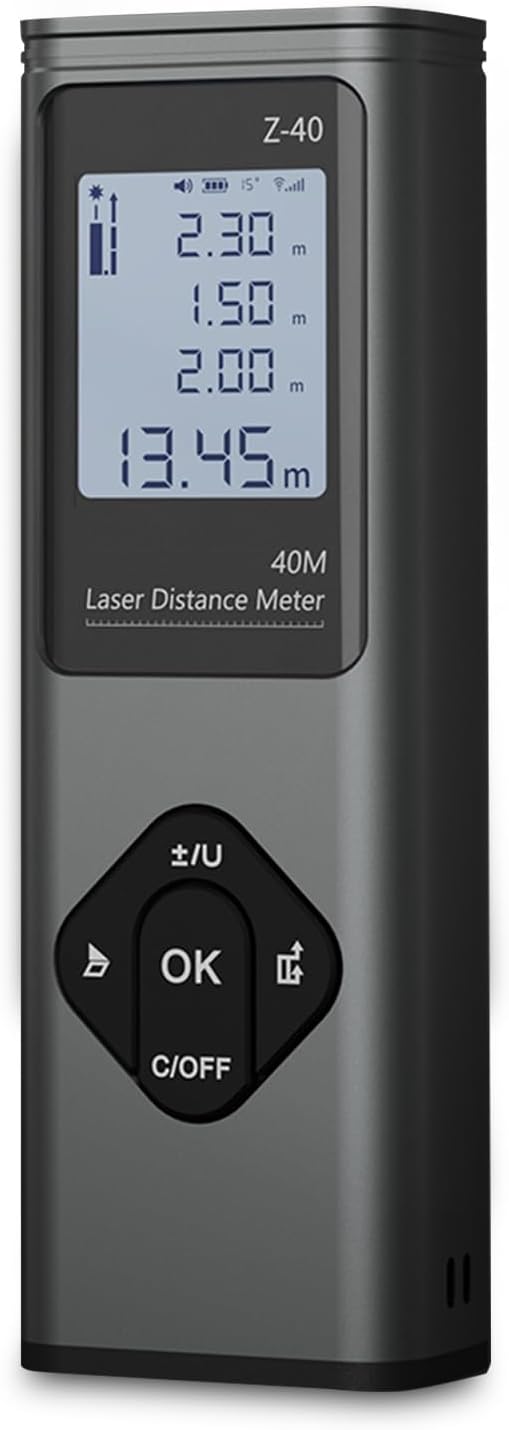
మూర్తి 3.1: ముందు view of the RONGUAN Laser Measure. It features a clear digital display at the top, showing measurement readings and battery status. Below the display are four control buttons: a left arrow button, an 'OK' button in the center, a right arrow button, and a 'C/OFF' button at the bottom for clearing and powering off.

Figure 3.2: The RONGUAN Laser Measure is highlighted as a laser rangefinder and line thrower, emphasizing its dual functionality for both distance measurement and cross laser line projection.
3.1 కీలక భాగాలు:
- డిజిటల్ ప్రదర్శన: Shows measurement results, battery level, and mode indicators.
- Laser Emitter/Receiver: Located at the top of the device.
- నియంత్రణ బటన్లు:
- OK / Measure Button: Initiates measurements and confirms selections.
- C/OFF Button: Clears current measurement or powers off the device.
- +/- / Unit Button: Switches between measurement units (e.g., meters, feet) and adjusts settings.
- మోడ్ బటన్: Cycles through different measurement modes.
- టైప్-సి ఛార్జింగ్ పోర్ట్: అనుకూలమైన ఛార్జింగ్ కోసం ప్రక్కన ఉంచబడింది.
4. సెటప్
4.1 ప్రారంభ ఛార్జింగ్
Before first use, fully charge the device. The RONGUAN Laser Measure has a built-in 200mAh battery.
- పరికరం వైపు టైప్-సి ఛార్జింగ్ పోర్ట్ను గుర్తించండి.
- Connect the provided Type-C charging cable to the device.
- Connect the other end of the cable to a standard USB power adapter (e.g., phone charger, computer USB port).
- The battery indicator on the display will show charging status. Once fully charged, the indicator will change.
4.2 పవర్ చేయడం ఆన్/ఆఫ్
- పవర్ ఆన్ చేయడానికి: నొక్కండి OK button briefly. The display will light up.
- పవర్ ఆఫ్ చేయడానికి: నొక్కండి మరియు పట్టుకోండి సి/ఆఫ్ button for a few seconds until the display turns off. The device will also automatically power off after a period of inactivity to conserve battery.
5. ఆపరేటింగ్ సూచనలు
The RONGUAN Laser Measure offers multiple measurement modes to suit various needs. The device features a fast response time, completing measurements in 0.3 seconds.

Figure 5.1: Visual representation of the multiple measurement modes supported by the device, including single measurement, continuous measurement, even area measurements, volumetric measurements, cross-hatched line, cosine measurement, Pythagoras measurement, and cumulative additions and subtractions.
5.1 Basic Measurement (Single Measurement)
- Power on the device. It will typically default to single measurement mode.
- లక్ష్య ఉపరితలం వైపు లేజర్ను సూచించండి.
- నొక్కండి OK button briefly. The measurement will be displayed instantly.
5.2 నిరంతర కొలత
This mode allows for dynamic measurement as you move the device, displaying real-time distance updates.
- నొక్కండి మోడ్ button until the continuous measurement icon appears on the display.
- నొక్కండి OK button to start continuous measurement.
- Move the device; the distance will update continuously.
- నొక్కండి OK మళ్ళీ ఆపడానికి.
5.3 Cross Laser Projection
The device can project a cross laser line, useful for alignment and leveling tasks. This feature has an effective distance of up to 8 meters.

Figure 5.2: The device projecting a clear red cross laser line, demonstrating its utility in aiding complex tasks such as pointing, marking, mounting, and fixing objects on a surface.
- నొక్కండి మోడ్ button until the cross laser icon appears.
- The device will project a horizontal and vertical laser line.
- To turn off the cross laser, press the మోడ్ బటన్ మళ్లీ లేదా సి/ఆఫ్ బటన్.
5.4 Area and Volume Measurement
These modes allow for quick calculation of areas (length x width) and volumes (length x width x height).
- నొక్కండి మోడ్ button to select Area or Volume mode. The display will prompt for the first dimension.
- Measure the first dimension (e.g., length) by pointing the laser and pressing OK.
- The display will then prompt for the next dimension (e.g., width). Measure it.
- For Volume, measure the third dimension (height).
- లెక్కించిన ప్రాంతం లేదా వాల్యూమ్ ప్రదర్శించబడుతుంది.
5.5 Pythagorean Theorem Measurement
Use this mode to calculate indirect distances (e.g., height of a building) using two or three measurements.
- నొక్కండి మోడ్ button to select the desired Pythagorean mode (e.g., two-point or three-point).
- Follow the on-screen prompts to take the necessary measurements (e.g., hypotenuse, base).
- The device will automatically calculate and display the unknown side.
5.6 Data Storage and Voice Announcements
The system automatically stores up to 50 sets of historical data, allowing for easy review without manual recording. The device also features intimate voice announcements for convenience.
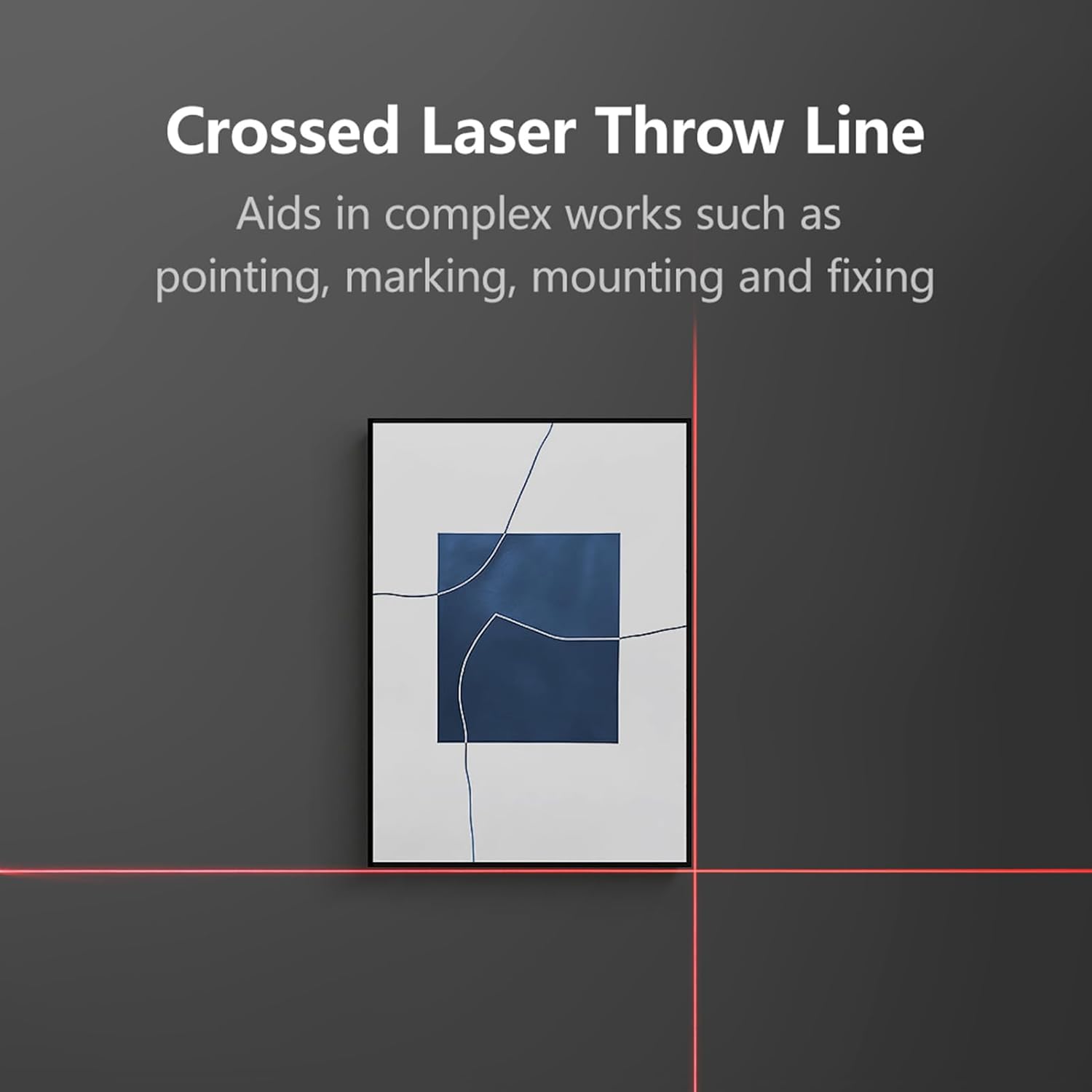
Figure 5.3: The RONGUAN Laser Measure, illustrating its capabilities for voice announcements and automatic data storage, providing easy access to historical measurements.
- Accessing History: Use the arrow buttons to navigate through stored measurements.
- Voice Announcements: The device provides audible feedback for measurements and mode changes. This feature can typically be toggled on/off via settings or a dedicated button (refer to specific button functions on your device).
6. నిర్వహణ
Proper maintenance ensures the longevity and accuracy of your RONGUAN Laser Measure.
- శుభ్రపరచడం: ఒక మృదువైన ఉపయోగించండి, డిamp cloth to clean the device. Do not use abrasive cleaners or solvents. Pay special attention to the laser lens, keeping it free from dust and smudges.
- నిల్వ: Store the device in a cool, dry place, away from direct sunlight and extreme temperatures. If storing for an extended period, ensure the battery is partially charged (around 50%) to prolong its lifespan.
- ప్రభావాన్ని నివారించండి: Protect the device from drops and impacts, which can affect its calibration and internal components.
7. ట్రబుల్షూటింగ్
మీ పరికరంలో మీకు సమస్యలు ఎదురైతే, ఈ క్రింది సాధారణ సమస్యలు మరియు పరిష్కారాలను చూడండి:
| సమస్య | సాధ్యమైన కారణం | పరిష్కారం |
|---|---|---|
| పరికరం పవర్ ఆన్ చేయదు. | బ్యాటరీ తక్కువగా ఉంది; పరికరం పనిచేయకపోవడం. | Charge the device fully. If still unresponsive, contact support. |
| సరికాని కొలతలు. | Laser lens dirty; unstable surface; environmental factors (e.g., strong light). | Clean the laser lens. Ensure a stable measurement surface. Avoid measuring in direct sunlight or highly reflective surfaces. |
| Laser beam is weak or invisible. | తక్కువ బ్యాటరీ; బలమైన పరిసర కాంతి. | Charge the device. Measure in areas with less intense ambient light. |
| డిస్ప్లే ఎర్రర్ కోడ్ను చూపుతుంది. | కొలత పరిధి దాటిపోయింది; అంతర్గత లోపం. | Ensure target is within 0.05-40m range. Restart the device. If error persists, contact support. |
8. స్పెసిఫికేషన్లు
Technical specifications for the RONGUAN Laser Measure:

Figure 8.1: The RONGUAN Laser Measure with its dimensions indicated: 100mm in height and 33mm in width.
| ఫీచర్ | స్పెసిఫికేషన్ |
|---|---|
| రంగు | నలుపు |
| మెటీరియల్ | అల్యూమినియం మిశ్రమం |
| కొలిచే పరిధి | 0.05 - 40 meters (132 feet) |
| ఖచ్చితత్వాన్ని కొలవడం | ± (2mm + 5*10^-5*D), where D is distance |
| Display Indexing | 1మి.మీ |
| లేజర్ క్లాస్ | క్లాస్ II |
| లేజర్ రకం | 630-670nm, < 1mW |
| బ్యాటరీ కెపాసిటీ | 200mAh |
| ఛార్జీ రకం నుండి | టైప్-సి |
| ఉత్పత్తి పరిమాణం | 100 x 33 x 20 మిమీ |
| ఉత్పత్తి బరువు | 60గ్రా |
9. వారంటీ మరియు మద్దతు
This product comes with a standard manufacturer's warranty. Please refer to the product packaging or purchase documentation for specific warranty terms and conditions.
For technical support, troubleshooting assistance, or warranty claims, please contact the retailer or manufacturer directly through the contact information provided at the point of purchase.


