
పరిచయం
Thank you for choosing the MONODEAL UKS820 IP68 Waterproof Bone Conduction Swimming Headphones. This device is engineered for an exceptional audio experience during various activities, including swimming, fitness, cycling, and running. Its IP68 waterproof rating allows for underwater use, making it an ideal companion for aquatic sports. Please note that for optimal performance underwater, the MP3 mode should be utilized, as Bluetooth transmission is limited in water.

Image: The MONODEAL UKS820 bone conduction headphones, designed for use in water, showcasing their waterproof capability.
ఉత్పత్తి లక్షణాలు
- IP68 జలనిరోధిత రేటింగ్: Professional-grade waterproofing, allowing submersion up to 2 meters for 2 hours. Ideal for swimming and water sports.
- బోన్ కండక్షన్ టెక్నాలజీ: Delivers audio through your cheekbones, leaving your ears open to ambient sounds for enhanced safety and awareness.
- ఇంటిగ్రేటెడ్ 32GB MP3 ప్లేయర్: Store thousands of songs or audiobooks directly on the headphones, perfect for underwater listening where Bluetooth signals are weak.
- బ్లూటూత్ 5.4 కనెక్టివిటీ: Ensures faster and more stable wireless connections for land-based activities.
- తేలికైన మరియు సౌకర్యవంతమైన డిజైన్: Weighing only 24g, made from soft silicone material for extended wear comfort.
- సుదీర్ఘ బ్యాటరీ జీవితం: ఒక్కసారి ఛార్జ్ చేస్తే 8 గంటల వరకు నిరంతరాయంగా మ్యూజిక్ ప్లేబ్యాక్.
- దిశాత్మక ధ్వని ప్రసారం: Enhanced sound quality with reduced sound leakage, protecting your privacy during calls.
- అంతర్నిర్మిత మైక్రోఫోన్: స్పష్టమైన హ్యాండ్స్-ఫ్రీ కాల్స్ కోసం.

Image: A visual comparison highlighting the 3rd Generation features of the MONODEAL UKS820, including Bluetooth 5.4, IP68 Waterproofing, and Premium Sound Quality.

Image: A swimmer wearing the MONODEAL UKS820 headphones, illustrating the IP68 waterproof capability for submersion up to 2 meters.

Image: A diagram illustrating the directional sound transmission technology, which reduces sound leakage and enhances privacy.

Image: A visual representation emphasizing the ultra-light (24g) and soft silicone material of the headphones, highlighting their flexibility and comfort.
ప్యాకేజీ విషయాలు
The MONODEAL UKS820 package typically includes:
- MONODEAL UKS820 Bone Conduction Headphones
- ఛార్జింగ్ కేబుల్
- వినియోగదారు మాన్యువల్
- Earplugs (foam and silicone, as mentioned in reviews)
సెటప్
1. హెడ్ఫోన్లను ఛార్జ్ చేయడం
- అందించిన ఛార్జింగ్ కేబుల్ను హెడ్ఫోన్లలోని ఛార్జింగ్ పోర్ట్కు కనెక్ట్ చేయండి.
- Plug the other end of the cable into a USB power adapter (not included) or a computer's USB port.
- The LED indicator will show the charging status. A full charge typically takes approximately [X] hours (specific time not provided, user should refer to product documentation or LED behavior).
2. పవర్ చేయడం ఆన్/ఆఫ్
- పవర్ ఆన్ చేయడానికి: Press and hold the Power button for [X] seconds until the LED indicator lights up (specific time not provided).
- పవర్ ఆఫ్ చేయడానికి: Press and hold the Power button for [X] seconds until the LED indicator turns off (specific time not provided).
ఆపరేటింగ్ సూచనలు
1. Bluetooth Mode (Wireless Streaming)
- హెడ్ఫోన్లు ఆన్ చేయబడ్డాయని నిర్ధారించుకోండి.
- Activate Bluetooth on your smartphone or other device.
- కోసం వెతకండి "MONODEAL UKS820" (or similar name) in your device's Bluetooth settings and select it to pair.
- Once paired, the LED indicator will confirm the connection, and you can stream audio wirelessly.
- గమనిక: Bluetooth connectivity is not effective underwater. Switch to MP3 mode for swimming.

Image: The MONODEAL UKS820 headphones displaying their dual Bluetooth and MP3 modes, with a phone showing a Bluetooth connection.
2. MP3 Mode (Internal Storage Playback)
- సంగీతాన్ని బదిలీ చేస్తోంది: Connect the headphones to a computer using the charging cable. The headphones will appear as a removable drive. Drag and drop your audio files (e.g., MP3, WAV) into the headphone's storage.
- MP3 మోడ్కి మారుతోంది: Locate the mode button on the headphones (specific button not detailed in input, assume a dedicated button or combination). Press it to switch from Bluetooth mode to MP3 mode.
- ప్లేబ్యాక్: Use the control buttons (e.g., Play/Pause, Next/Previous Track) to manage your music.
- వాల్యూమ్ నియంత్రణ: ప్రత్యేక వాల్యూమ్ బటన్లను ఉపయోగించి వాల్యూమ్ను సర్దుబాటు చేయండి.
3. కాల్ నిర్వహణ
- సమాధానం/ముగింపు కాల్: Press the Multi-function button once (assuming a multi-function button).
- కాల్ని తిరస్కరించండి: Press and hold the Multi-function button for [X] seconds (specific time not provided).

Image: A woman exercising on a treadmill while wearing the MONODEAL UKS820 headphones, demonstrating their suitability for extended workouts with 8 hours of music playback.

Image: A woman relaxing in water with the MONODEAL UKS820 headphones, highlighting the open-ear comfort for bud-free listening during aquatic activities.
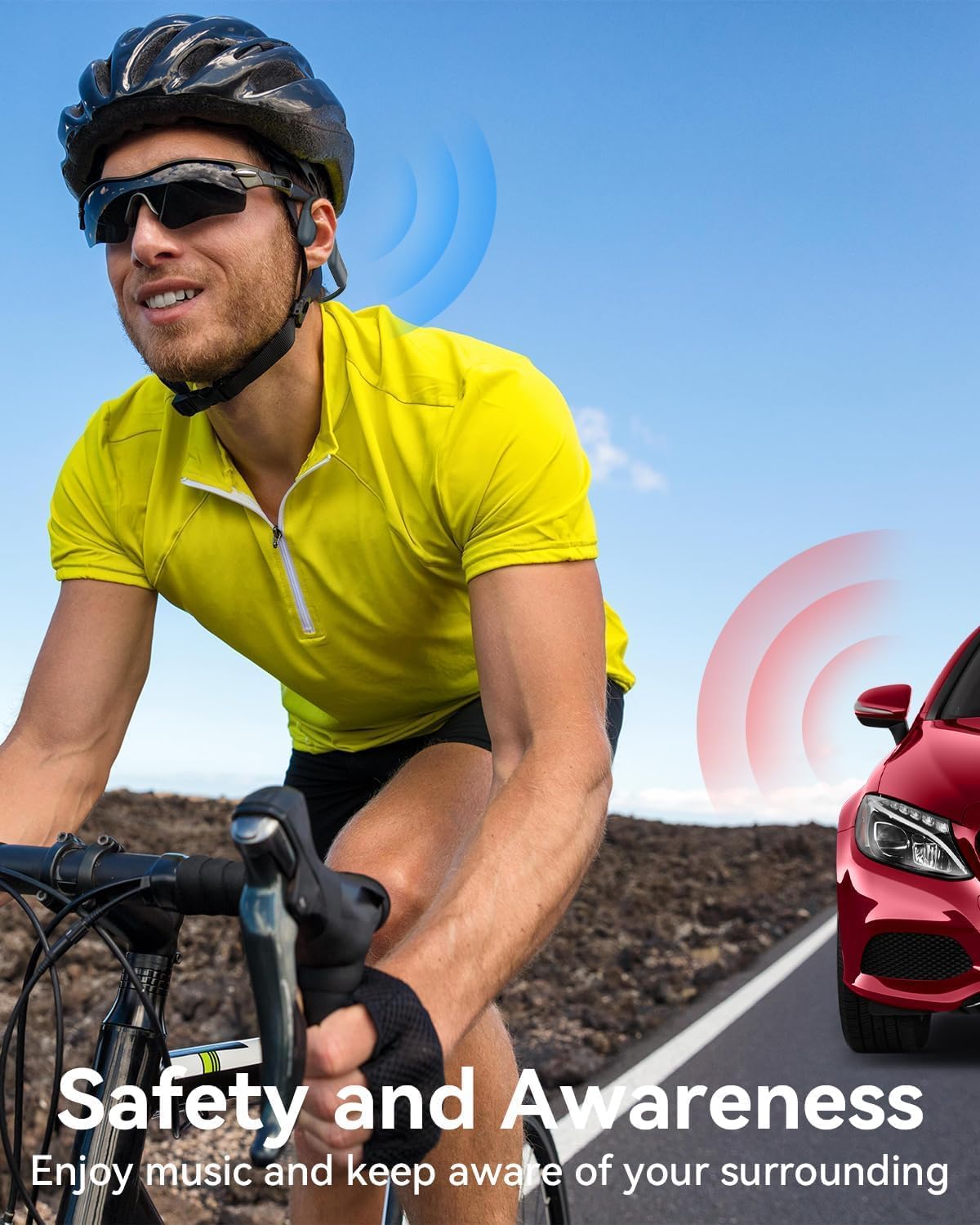
Image: A cyclist wearing the MONODEAL UKS820 headphones, emphasizing the safety and awareness benefits of the open-ear design, allowing users to hear their surroundings.
నిర్వహణ
- శుభ్రపరచడం: After use, especially after swimming, rinse the headphones with fresh water to remove chlorine or salt. Wipe them dry with a soft cloth.
- నిల్వ: హెడ్ఫోన్లను ప్రత్యక్ష సూర్యకాంతి మరియు విపరీతమైన ఉష్ణోగ్రతలకు దూరంగా చల్లని, పొడి ప్రదేశంలో నిల్వ చేయండి.
- ఛార్జింగ్ పోర్ట్: ఛార్జింగ్ కేబుల్ను కనెక్ట్ చేసే ముందు ఛార్జింగ్ పోర్ట్ పొడిగా ఉందని నిర్ధారించుకోండి, తద్వారా నష్టం జరగదు.
- ఇయర్ప్లగ్లు: If using the included earplugs, clean them regularly according to their specific instructions.
ట్రబుల్షూటింగ్
| సమస్య | సాధ్యమైన పరిష్కారం |
|---|---|
| పవర్ లేదు/ఆన్ అవ్వదు | హెడ్ఫోన్లు పూర్తిగా ఛార్జ్ అయ్యాయని నిర్ధారించుకోండి. పవర్ సోర్స్కి కనెక్ట్ చేసి, ఛార్జింగ్ ఇండికేటర్ను తనిఖీ చేయండి. |
| బ్లూటూత్ ద్వారా జత చేయడం సాధ్యం కాదు |
|
| MP3 మోడ్లో ధ్వని లేదు |
|
| Poor sound quality underwater | Ensure you are using MP3 mode for underwater listening. Bluetooth transmission is significantly degraded in water. |
| Headphones not recognized by computer | Try a different USB port or cable. Ensure the headphones are powered on when connecting to the computer. |
స్పెసిఫికేషన్లు
| ఫీచర్ | వివరాలు |
|---|---|
| బ్రాండ్ | మోనోడీల్ |
| మోడల్ సంఖ్య | UKS820 |
| కనెక్టివిటీ టెక్నాలజీ | వైర్లెస్ (బ్లూటూత్ 5.4) |
| అంతర్గత నిల్వ | 32 GB (MP3 mode) |
| జలనిరోధిత రేటింగ్ | IP68 (Submersion up to 2 meters for 2 hours) |
| బరువు | 24 గ్రాములు |
| బ్యాటరీ లైఫ్ | Up to 8 hours (Music Playback) |
| మెటీరియల్ | Plastic (Silicone) |
| రంగు | బూడిద రంగు |
| ఫారమ్ ఫ్యాక్టర్ | On-Ear (Bone Conduction) |
వారంటీ మరియు మద్దతు
MONODEAL products are designed for durability and performance. For specific warranty details, including the lifetime warranty mentioned in some customer reviews, please refer to the warranty card included with your product or contact MONODEAL customer support directly.
For technical assistance, troubleshooting, or warranty claims, please visit the official MONODEAL webసైట్లో లేదా వారి కస్టమర్ సర్వీస్ విభాగాన్ని సంప్రదించండి. సంప్రదింపు సమాచారం సాధారణంగా ఉత్పత్తి ప్యాకేజింగ్ లేదా అధికారిక వెబ్సైట్లో చూడవచ్చు. webసైట్.