
పరిచయం
ధన్యవాదాలు, ధన్యవాదాలు.asing the Greadio GB-W18 Portable CD Player Boombox. This device offers multiple audio playback options including CD, cassette, FM radio, Bluetooth, USB, AUX, and TF/SD card. Please read this manual carefully before using the product to ensure proper operation and to maximize your listening experience. Keep this manual for future reference.
భద్రతా సమాచారం
- అగ్ని లేదా విద్యుత్ షాక్ను నివారించడానికి యూనిట్ను వర్షం లేదా తేమకు గురిచేయవద్దు.
- సి ని తెరవవద్దుasing. అన్ని సర్వీసింగ్లను అర్హత కలిగిన సిబ్బందికి సూచించండి.
- యూనిట్ను ఉష్ణ వనరుల దగ్గర లేదా ప్రత్యక్ష సూర్యకాంతిలో ఉంచకుండా ఉండండి.
- యూనిట్ చుట్టూ సరైన వెంటిలేషన్ ఉండేలా చూసుకోండి.
- Use only the specified power adapter (if applicable) or charge with a compatible 5V/2A Type-C charger.
- పిల్లలకు దూరంగా ఉంచండి.
ప్యాకేజీ విషయాలు
దయచేసి అన్ని అంశాలు ఉన్నాయో లేదో తనిఖీ చేయండి:
- Greadio GB-W18 Portable CD Player Boombox
- రిమోట్ కంట్రోల్ (1)
- వినియోగదారు మాన్యువల్ (ఈ పత్రం)
- USB ఛార్జింగ్ కేబుల్ (టైప్-సి)
ఉత్పత్తి ముగిసిందిview
Familiarize yourself with the various parts and controls of your Greadio GB-W18 boombox.
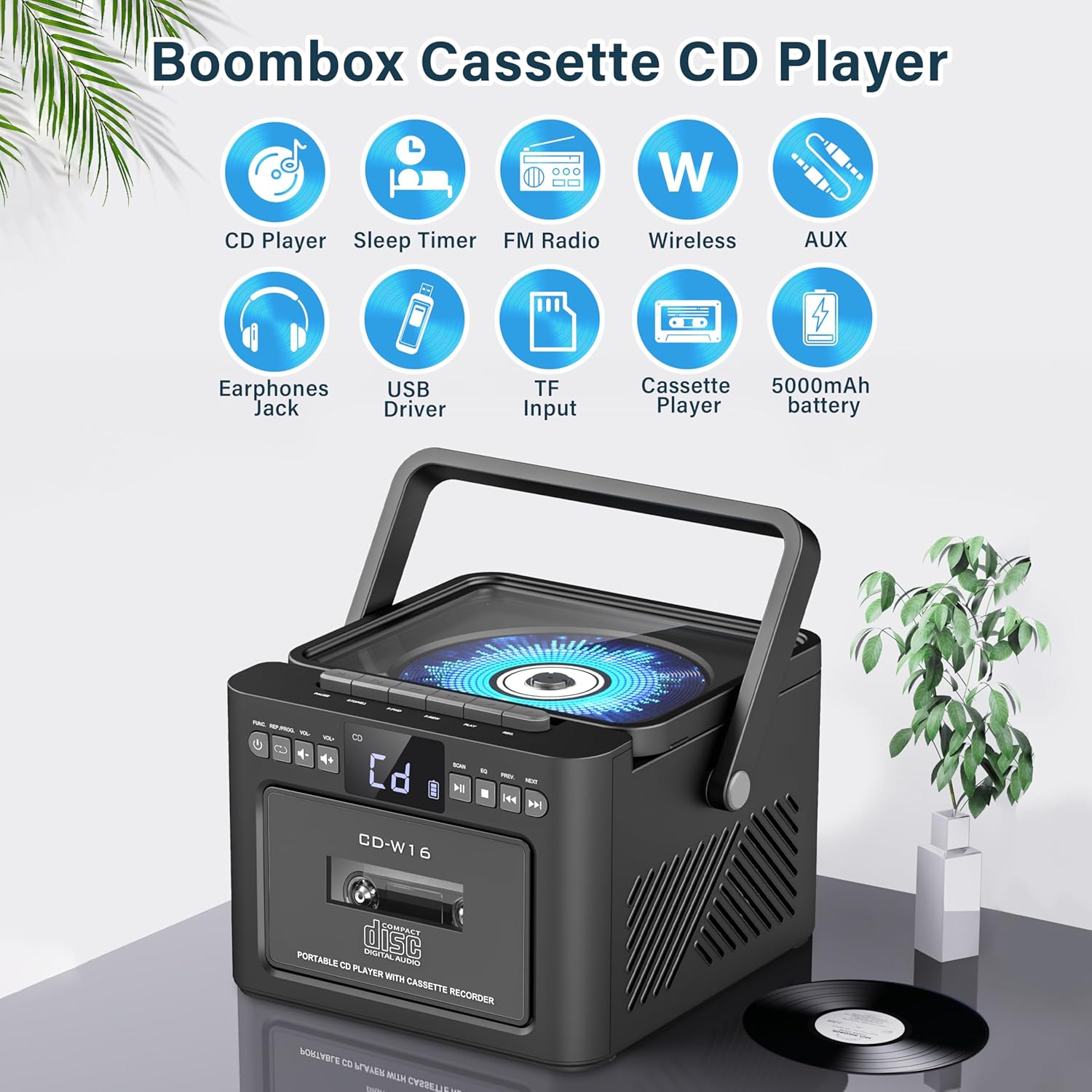
చిత్రం: పైగాview of the Greadio GB-W18 Portable CD Player Boombox, highlighting its multi-functional capabilities including CD, cassette, FM radio, Bluetooth, USB, TF/SD card, AUX, and a built-in 5000mAh rechargeable battery.
ముందు ప్యానెల్ నియంత్రణలు
- LED డిస్ప్లే: Shows current mode, track number, frequency, etc.
- పవర్ బటన్: యూనిట్ ఆన్/ఆఫ్ చేస్తుంది.
- మోడ్ బటన్: Switches between CD, Cassette, FM, Bluetooth, USB, AUX, TF/SD modes.
- వాల్యూమ్ నియంత్రణ: ఆడియో అవుట్పుట్ స్థాయిని సర్దుబాటు చేస్తుంది.
- ప్లే/పాజ్ బటన్: Controls playback for CD, USB, TF/SD, Bluetooth.
- బటన్ ఆపు: ప్లేబ్యాక్ను ఆపివేస్తుంది.
- దాటవేయి/శోధన బటన్లు: Skips tracks or searches radio frequencies.
- రికార్డ్ బటన్: Initiates cassette recording.
Side/Rear Panel Ports
- CD కంపార్ట్మెంట్: టాప్-లోడింగ్ CD ప్లేయర్.
- క్యాసెట్ డెక్: ముందు భాగంలో లోడ్ చేయగల క్యాసెట్ ప్లేయర్/రికార్డర్.
- USB పోర్ట్: USB డ్రైవ్ ప్లేబ్యాక్ కోసం.
- TF/SD కార్డ్ స్లాట్: For TF/SD card playback.
- AUX ఇన్పుట్: బాహ్య ఆడియో పరికరాల కోసం 3.5mm జాక్.
- హెడ్ఫోన్ జాక్: ప్రైవేట్ లిజనింగ్ కోసం 3.5mm జాక్.
- DC 5V Input (Type-C): అంతర్గత బ్యాటరీని ఛార్జ్ చేయడానికి.
- FM యాంటెన్నా: రేడియో రిసెప్షన్ కోసం టెలిస్కోపిక్ యాంటెన్నా.
సెటప్
యూనిట్కు శక్తిని అందిస్తోంది
The Greadio GB-W18 can be powered by its built-in rechargeable battery or via a Type-C USB power source.
- బ్యాటరీని ఛార్జ్ చేయడం: Connect the provided USB Type-C cable to the DC 5V input port on the unit and the other end to a compatible USB power adapter (e.g., car charger, power bank, computer USB port). The LED display will indicate charging status. A full charge provides extended portable use.

చిత్రం: The Greadio GB-W18 boombox with its USB and TF/SD card slots highlighted, along with illustrations of various 5V Type-C charging methods: car charger, power bank, and computer.
ప్రారంభ పవర్ అప్
నొక్కండి శక్తి button to turn on the unit. The LED display will light up, and the unit will typically default to the last used mode or CD mode.
ఆపరేటింగ్ సూచనలు
ఉపయోగించండి మోడ్ button to switch between different playback sources.
CD ప్లేబ్యాక్
- నొక్కండి మోడ్ button until 'CD' appears on the display.
- CD కంపార్ట్మెంట్ మూతను తెరవండి.
- Place a CD (CD, CD-R, CD-RW) with the label side facing up onto the spindle.
- Close the CD compartment lid. The CD will begin to play automatically.
- ఉపయోగించండి ప్లే/పాజ్ చేయండి, ఆపు, మరియు దాటవేయండి/శోధించండి ప్లేబ్యాక్ని నియంత్రించడానికి బటన్లు.

చిత్రం: A user operating the Greadio GB-W18 boombox, demonstrating CD playback and the use of the remote control for convenient operation.
Cassette Playback and Recording
- నొక్కండి మోడ్ button until 'TAPE' appears on the display.
- క్యాసెట్ డెక్ తలుపు తెరవండి.
- తెరిచి ఉన్న అంచు పైకి ఎదురుగా ఉండేలా క్యాసెట్ టేప్ను చొప్పించండి.
- క్యాసెట్ డెక్ తలుపు మూసివేయండి.
- నొక్కండి ఆడండి button on the cassette deck controls to start playback.
- కు రికార్డ్ చేయండి: Ensure a blank or recordable cassette is inserted. Select your desired input source (e.g., FM radio, AUX, Bluetooth). Press the రికార్డ్ చేయండి button on the unit. Press ఆపు రికార్డింగ్ ముగించడానికి.

చిత్రం: The Greadio GB-W18 boombox in a social setting, illustrating the cassette player function with a hand inserting a tape.
FM రేడియో ఆపరేషన్
- Extend the telescopic FM antenna for optimal reception.
- నొక్కండి మోడ్ డిస్ప్లేలో 'FM' కనిపించే వరకు బటన్ను నొక్కి ఉంచండి.
- నొక్కండి మరియు పట్టుకోండి దాటవేయండి/శోధించండి buttons to automatically scan for available stations. The unit can preset up to 30 stations.
- నొక్కండి దాటవేయండి/శోధించండి buttons briefly to manually tune or cycle through preset stations.
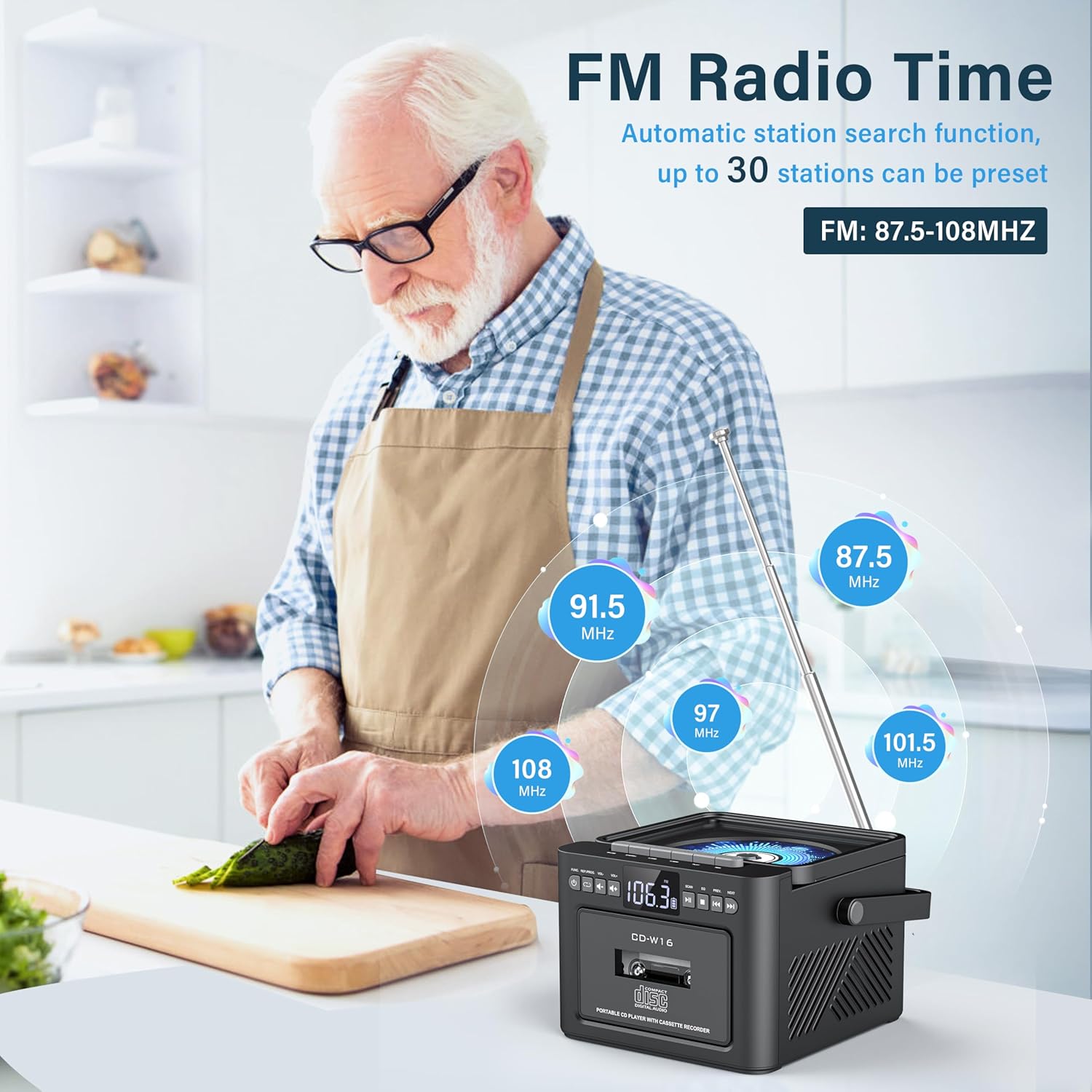
చిత్రం: A user in a kitchen setting with the Greadio GB-W18 boombox, demonstrating its FM radio capabilities and the range of frequencies it can receive.
Bluetooth (Wireless Receiver)
- నొక్కండి మోడ్ button until 'BLUE' or 'BT' appears on the display. The unit will enter pairing mode, indicated by a flashing Bluetooth icon.
- మీ మొబైల్ పరికరంలో (స్మార్ట్ఫోన్, టాబ్లెట్, మొదలైనవి), బ్లూటూత్ను ప్రారంభించి, అందుబాటులో ఉన్న పరికరాల కోసం శోధించండి.
- Select 'Greadio GB-W18' (or similar name) from the list to pair.
- Once paired, you can play audio from your device through the boombox.
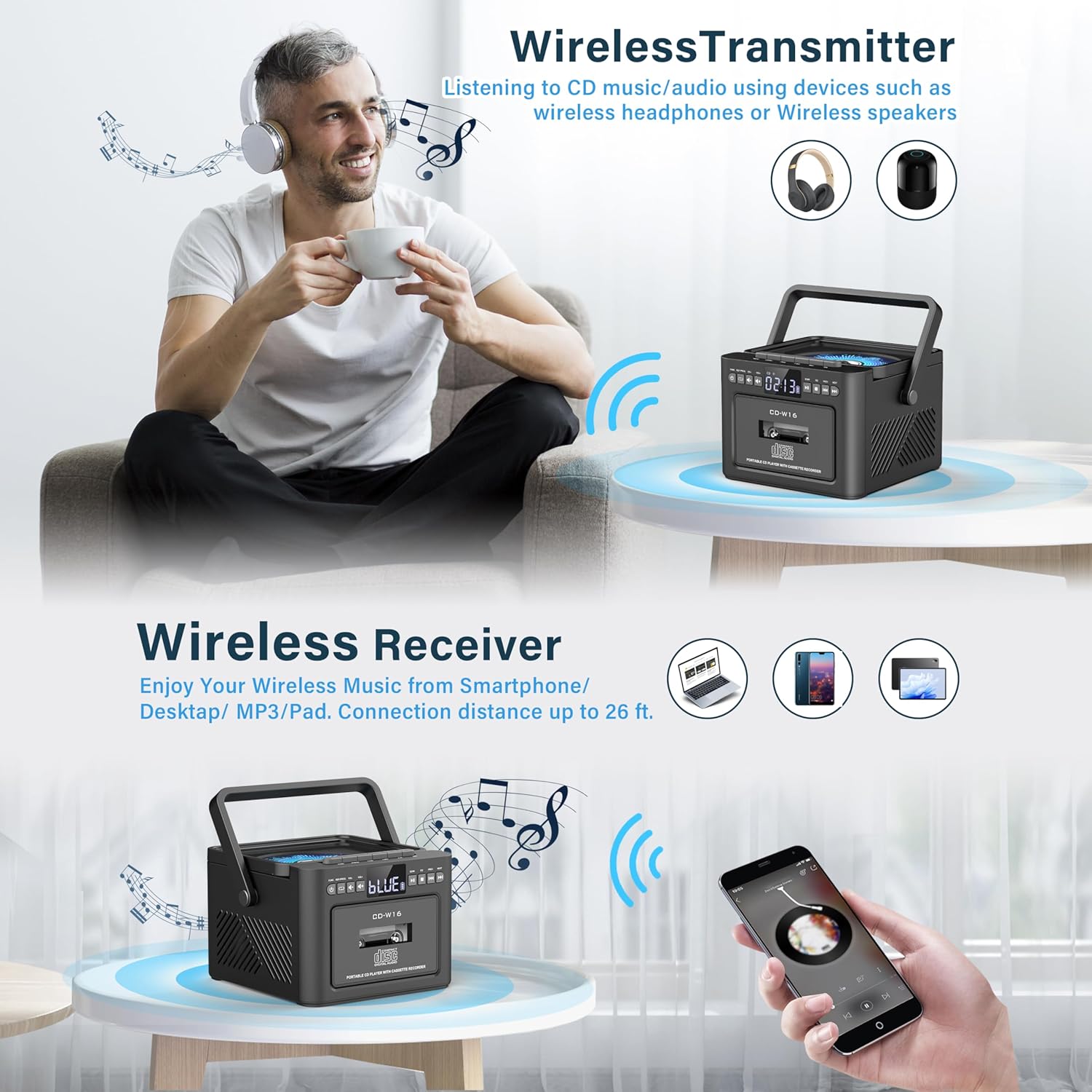
చిత్రం: The Greadio GB-W18 boombox demonstrating its wireless capabilities, functioning as both a wireless transmitter (for headphones/speakers) and a wireless receiver (for streaming from smartphones/tablets).
USB Drive & TF/SD Card Playback
- Insert a USB drive into the USB port or a TF/SD card into the TF/SD card slot.
- నొక్కండి మోడ్ button until 'USB' or 'TF' appears on the display.
- The unit will automatically detect and play MP3 fileనిల్వ పరికరం నుండి s.
- ఉపయోగించండి ప్లే/పాజ్ చేయండి, ఆపు, మరియు దాటవేయండి/శోధించండి ప్లేబ్యాక్ని నియంత్రించడానికి బటన్లు.
AUX ఇన్పుట్
- Connect an external audio device (e.g., MP3 player, smartphone) to the AUX input jack using a 3.5mm audio cable (not included).
- నొక్కండి మోడ్ డిస్ప్లేలో 'AUX' కనిపించే వరకు బటన్ను నొక్కి ఉంచండి.
- Play audio from your external device. The sound will be output through the boombox speakers.
రిమోట్ కంట్రోల్
The included remote control allows for convenient operation of most functions from a distance. Point the remote control directly at the front panel of the boombox. Functions include power on/off, mode selection, volume adjustment, playback controls (play, pause, stop, skip), and radio tuning.
స్లీప్ టైమర్
The unit features a sleep timer function. Refer to the remote control or specific button on the unit (if available) to set a timer for automatic power-off. This feature is useful for falling asleep to music.
నిర్వహణ
- శుభ్రపరచడం: యూనిట్ వెలుపలి భాగాన్ని శుభ్రం చేయడానికి మృదువైన, పొడి వస్త్రాన్ని ఉపయోగించండి. రాపిడి క్లీనర్లు లేదా ద్రావకాలను ఉపయోగించవద్దు.
- CD లెన్స్ కేర్: If CD playback issues occur, use a specialized CD lens cleaner disc.
- క్యాసెట్ హెడ్ క్లీనింగ్: Regularly clean the cassette heads with a cotton swab lightly dampసరైన ధ్వని నాణ్యతను నిర్ధారించడానికి మరియు టేప్ దెబ్బతినకుండా నిరోధించడానికి ఐసోప్రొపైల్ ఆల్కహాల్తో రూపొందించబడింది.
- బ్యాటరీ సంరక్షణ: For optimal battery life, avoid fully discharging the battery frequently. Charge the unit regularly, even if not in use for extended periods.
- నిల్వ: When not in use for a long time, store the unit in a cool, dry place away from direct sunlight and extreme temperatures.
ట్రబుల్షూటింగ్
| సమస్య | సాధ్యమైన కారణం | పరిష్కారం |
|---|---|---|
| యూనిట్ పవర్ ఆన్ చేయదు. | బ్యాటరీ క్షీణించింది. | Connect the unit to a power source using the Type-C USB cable and allow it to charge. |
| స్పీకర్ల నుండి శబ్దం లేదు. | Volume is too low or muted. Incorrect mode selected. Headphones connected. | వాల్యూమ్ పెంచండి. నొక్కండి మోడ్ button to select the correct source. Disconnect headphones. |
| CD స్కిప్ అవుతుంది లేదా ప్లే అవ్వదు. | CD is dirty, scratched, or inserted incorrectly. CD lens is dirty. | Clean the CD. Reinsert the CD correctly. Use a CD lens cleaner. |
| FM రేడియో స్పందన సరిగా లేదు. | యాంటెన్నా విస్తరించబడలేదు. బలహీనమైన సిగ్నల్. | FM యాంటెన్నాను పూర్తిగా పొడిగించండి. మెరుగైన రిసెప్షన్ కోసం యూనిట్ను తిరిగి ఉంచండి. |
| బ్లూటూత్ పరికరాన్ని జత చేయడం సాధ్యం కాదు. | Boombox not in pairing mode. Device too far. | Ensure boombox is in Bluetooth mode and flashing. Move device closer (within 26 ft). |
| Cassette playback distorted. | Cassette heads are dirty. Tape is old or damaged. | Clean cassette heads. Try a different tape. |
స్పెసిఫికేషన్లు
- మోడల్ సంఖ్య: GB-W18
- ఉత్పత్తి కొలతలు: 7.56 x 7.56 x 5.16 అంగుళాలు
- వస్తువు బరువు: 2.99 పౌండ్లు
- కనెక్టివిటీ టెక్నాలజీ: బ్లూటూత్ 5.0
- స్పీకర్ రకం: డ్యూయల్ స్టీరియో స్పీకర్
- బ్యాటరీ: Built-in 5000mAh Rechargeable Lithium Ion Battery
- పవర్ ఇన్పుట్: DC 5V (రకం-C)
- మద్దతు ఉన్న మీడియా: CD, CD-R, CD-RW, Cassette Tape, USB Drive (MP3 format, up to 32GB), TF/SD Card (MP3 format, up to 32GB), AUX Input
- FM రేడియో ఫ్రీక్వెన్సీ: 87.5-108 MHz
వారంటీ మరియు మద్దతు
Greadio products are designed for reliability and performance. For any questions, technical support, or warranty inquiries, please refer to the contact information provided with your purchase or visit the official Greadio webవారంటీ క్లెయిమ్ల కోసం దయచేసి మీ కొనుగోలు రుజువును మీ వద్ద ఉంచుకోండి.