
THOKWOK TK-X4SC
THOKWOK TK-X4SC Motorcycle Bluetooth Headset User Manual
Model: TK-X4SC
1. పరిచయం
Thank you for choosing the THOKWOK TK-X4SC Motorcycle Bluetooth Headset. This device is designed to enhance your riding experience by providing seamless communication, entertainment, and navigation capabilities. Featuring advanced Bluetooth 5.1 technology, powerful noise cancellation, and a user-friendly LCD screen, the TK-X4SC allows for group intercom with up to 6 riders, music sharing, and hands-free calling. Please read this manual thoroughly to ensure proper installation, operation, and maintenance of your headset.

Image: Two TK-X4SC main units.
2. పెట్టెలో ఏముంది
మీ ప్యాకేజీలో కింది అన్ని భాగాలు చేర్చబడ్డాయని ధృవీకరించండి:
- TK-X4SC Main Unit (x2)
- Headphone Cable & Charging Cable (x2)
- Boom Microphone & Button Microphone (x2 sets)
- Clamp with Screws & Velcro Clip (x2 sets)
- వినియోగదారు మాన్యువల్ (x1)
- Speaker Pad (x4)
- అలెన్ రెంచ్ (x2)

Image: All included components of the TK-X4SC Double Pack.
3. ఉత్పత్తి ముగిసిందిview
The TK-X4SC features a compact design with an intuitive LCD screen and a rotating wheel for easy operation.

Image: LCD screen interface and its indicators.
3.1 కీ ఫీచర్లు
- LCD డిస్ప్లే: Provides clear information on battery status, current mode, and FM channel.
- Rotating Wheel: Allows for user-friendly volume adjustment and channel selection.
- బ్లూటూత్ 5.1: స్థిరమైన మరియు సమర్థవంతమైన వైర్లెస్ కనెక్టివిటీని నిర్ధారిస్తుంది.
- శబ్దం రద్దు: Advanced DSP and CVC technology for clear audio.
- IP67 జలనిరోధిత: వివిధ వాతావరణ పరిస్థితులను తట్టుకునేలా రూపొందించారు.

చిత్రం: పైగాview of TK-X4SC key features.
4. సంస్థాపన
Follow these steps to install the TK-X4SC headset on your helmet.
4.1. Choosing a Microphone
The TK-X4SC comes with two interchangeable microphones to suit different helmet types:
- బూమ్ మైక్రోఫోన్: Recommended for open-face or flip-face (modular) helmets.
- Button Microphone: Recommended for full-face helmets.

Image: Microphone options for different helmet types.
4.2. Mounting the Main Unit
- మౌంటు పద్ధతిని ఎంచుకోండి: Use either the screw clamp or the adhesive velcro clip. The screw clamp offers a more secure attachment.
- Clని అటాచ్ చేయండిamp/Clip: Secure the chosen mounting accessory to the side of your helmet. Ensure it is firmly attached.
- మౌంట్ ప్రధాన యూనిట్: Slide the TK-X4SC main unit onto the mounted clamp or clip until it clicks into place.
4.3. స్పీకర్లు మరియు మైక్రోఫోన్లను ఇన్స్టాల్ చేయడం
- స్పీకర్ ప్లేస్మెంట్: Attach the speakers inside the helmet's ear pockets using the velcro pads. Ensure they are positioned directly over your ears for optimal sound.
- మైక్రోఫోన్ ప్లేస్మెంట్: Position the chosen microphone (boom or button) near your mouth, ensuring it is not obstructed.
- కేబుల్స్ కనెక్ట్ చేయండి: Plug the speaker and microphone cables into the corresponding ports on the TK-X4SC main unit. Route cables neatly under the helmet padding.
5. సెటప్
5.1. పరికరాన్ని ఛార్జ్ చేస్తోంది
Before first use, fully charge the TK-X4SC.
- Connect the charging cable to the TK-X4SC and a USB power source.
- LCD స్క్రీన్ ఛార్జింగ్ స్థితిని సూచిస్తుంది.
- పూర్తిగా ఛార్జ్ చేయడానికి సుమారు 2.5 గంటలు పడుతుంది.
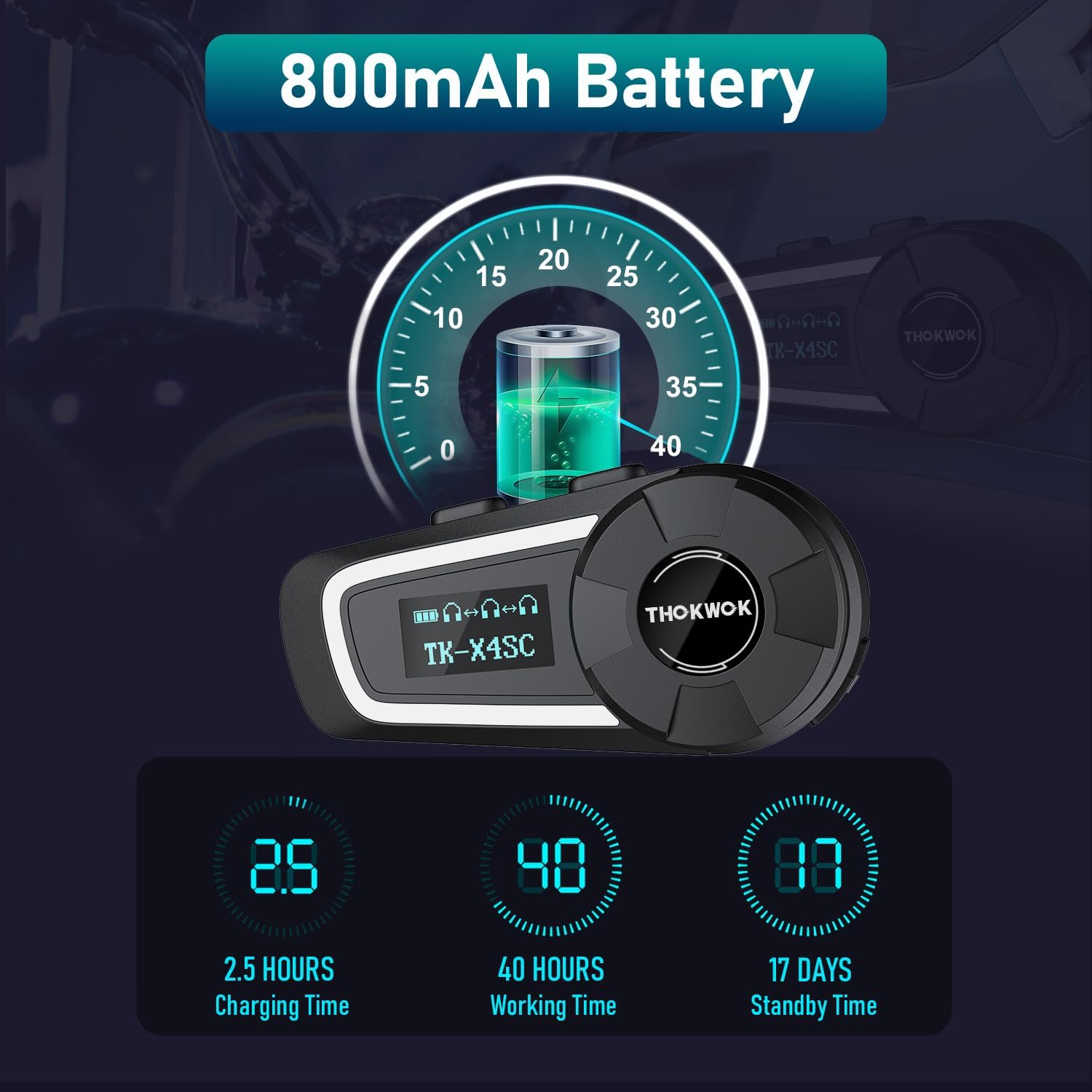
Image: Battery life and charging information.
5.2. Initial Bluetooth Pairing with Mobile Device
- పవర్ ఆన్: LCD స్క్రీన్ లైట్లు వెలిగే వరకు పవర్ బటన్ను నొక్కి పట్టుకోండి.
- జత చేసే విధానాన్ని నమోదు చేయండి: Refer to the user manual for specific button combinations to enter Bluetooth pairing mode (usually indicated by a flashing Bluetooth icon on the LCD).
- పరికరంలో శోధించండి: On your mobile phone or other Bluetooth device, search for available Bluetooth devices.
- Select TK-X4SC: Choose "TK-X4SC" from the list of found devices.
- జత చేయడాన్ని నిర్ధారించండి: Once paired, the LCD will show a stable Bluetooth icon.
5.3. Universal Pairing
The TK-X4SC supports universal pairing with other brands of Bluetooth headsets. Follow the pairing instructions for both devices to establish a connection.

Image: Universal pairing and voice command features.
6. ఆపరేటింగ్ సూచనలు
6.1. పవర్ ఆన్/ఆఫ్
- పవర్ ఆన్: పవర్ బటన్ను దాదాపు 3 సెకన్ల పాటు నొక్కి పట్టుకోండి.
- పవర్ ఆఫ్: పవర్ బటన్ను దాదాపు 5 సెకన్ల పాటు నొక్కి పట్టుకోండి.
6.2. వాల్యూమ్ సర్దుబాటు
- వాల్యూమ్ పెంచండి: Rotate the wheel clockwise.
- వాల్యూమ్ తగ్గించండి: Rotate the wheel counter-clockwise.
6.3. ఇంటర్కామ్ కమ్యూనికేషన్
The TK-X4SC supports group intercom for up to 6 riders, with an optimal performance for 4 units.
- Pairing Multiple Units: For one-click connection of up to four TK-X4SC units, refer to the detailed instructions in the included user manual.
- ఇంటర్కామ్ను ప్రారంభించండి: Press the Intercom button to start communication with paired riders.
- ఇంటర్కామ్ను ముగించండి: Press the Intercom button again to end the conversation.

Image: Group intercom capabilities and range.
6.4. సంగీత ప్లేబ్యాక్ మరియు భాగస్వామ్యం
- సంగీతాన్ని ప్లే/పాజ్ చేయండి: Press the Multi-function button (refer to manual for exact button).
- తదుపరి / మునుపటి ట్రాక్: Rotate the wheel or use specific buttons as per manual.
- సంగీతం భాగస్వామ్యం: Two riders can enjoy the same song simultaneously. Follow the music sharing pairing instructions in the manual.

Image: Music sharing feature between two riders.
6.5. ఫోన్ కాల్స్
- సమాధానం కాల్: మల్టీ-ఫంక్షన్ బటన్ని నొక్కండి.
- కాల్ ముగించు: మల్టీ-ఫంక్షన్ బటన్ని నొక్కండి.
- కాల్ని తిరస్కరించండి: మల్టీ-ఫంక్షన్ బటన్ను నొక్కి పట్టుకోండి.
- వాయిస్ అసిస్టెంట్ (సిరి/గూగుల్ అసిస్టెంట్): Double-press the Multi-function button to activate.
6.6. FM రేడియో
- FM ని ఆన్/ఆఫ్ చేయండి: Press the FM button (refer to manual).
- ఛానెల్లను స్కాన్ చేయండి: Rotate the wheel to scan for stations.
7. నిర్వహణ
7.1. శుభ్రపరచడం
- ఒక మృదువైన, d తో ప్రధాన యూనిట్ తుడవడంamp గుడ్డ.
- కఠినమైన రసాయనాలు లేదా రాపిడి క్లీనర్లను ఉపయోగించవద్దు.
- ఛార్జింగ్ చేయడానికి లేదా కేబుల్లను కనెక్ట్ చేయడానికి ముందు అన్ని పోర్ట్లు పొడిగా ఉన్నాయని నిర్ధారించుకోండి.
7.2. నిల్వ
- ఉపయోగంలో లేనప్పుడు పరికరాన్ని చల్లని, పొడి ప్రదేశంలో నిల్వ చేయండి.
- తీవ్రమైన ఉష్ణోగ్రతలను నివారించండి.
- Charge the battery periodically if storing for extended periods to maintain battery health.

చిత్రం: IP67 జలనిరోధక లక్షణం.
8. ట్రబుల్షూటింగ్
| సమస్య | సాధ్యమైన పరిష్కారం |
|---|---|
| పరికరం పవర్ ఆన్ అవ్వదు. | బ్యాటరీ ఛార్జ్ అయ్యిందని నిర్ధారించుకోండి. ఛార్జర్కు కనెక్ట్ చేసి, మళ్లీ ప్రయత్నించండి. |
| Cannot pair with phone/intercom. |
|
| శబ్దం లేదు లేదా తక్కువ వాల్యూమ్ ఉంది. |
|
| Intercom connection unstable. |
|
| LCD screen not working. | పరికరాన్ని పునఃప్రారంభించి ప్రయత్నించండి. సమస్య కొనసాగితే, కస్టమర్ మద్దతును సంప్రదించండి. |
9. స్పెసిఫికేషన్లు
| ఫీచర్ | వివరాలు |
|---|---|
| మోడల్ పేరు | TK-X4SC |
| బ్లూటూత్ వెర్షన్ | 5.1 |
| నాయిస్ కంట్రోల్ | Active Noise Cancellation (DSP & CVC) |
| ఇంటర్కామ్ రేంజ్ | Up to 2000m (6 riders), 800m (2-way) |
| గ్రూప్ ఇంటర్కామ్ | Up to 6 units (optimal for 4 units) |
| బ్యాటరీ కెపాసిటీ | 800mAh లిథియం అయాన్ |
| ఛార్జింగ్ సమయం | సుమారు 2.5 గంటలు |
| పని సమయం | Up to 40 hours (music or intercom) |
| స్టాండ్బై సమయం | 500 గంటల వరకు (సుమారు 17 రోజులు) |
| నీటి నిరోధకత | IP67 జలనిరోధిత |
| వక్తలు | Φ40mm Hi-Fi Stereo |
| కొలతలు | 3.15 x 1.5 x 1.1 అంగుళాలు |
| వస్తువు బరువు | 45 గ్రాములు (1.59 ఔన్సులు) |
| ప్రత్యేక లక్షణాలు | Built-in FM Radio, LCD Display Screen, Music Sharing, Universal Pairing, Voice Assistant |

Image: Speaker and battery details.
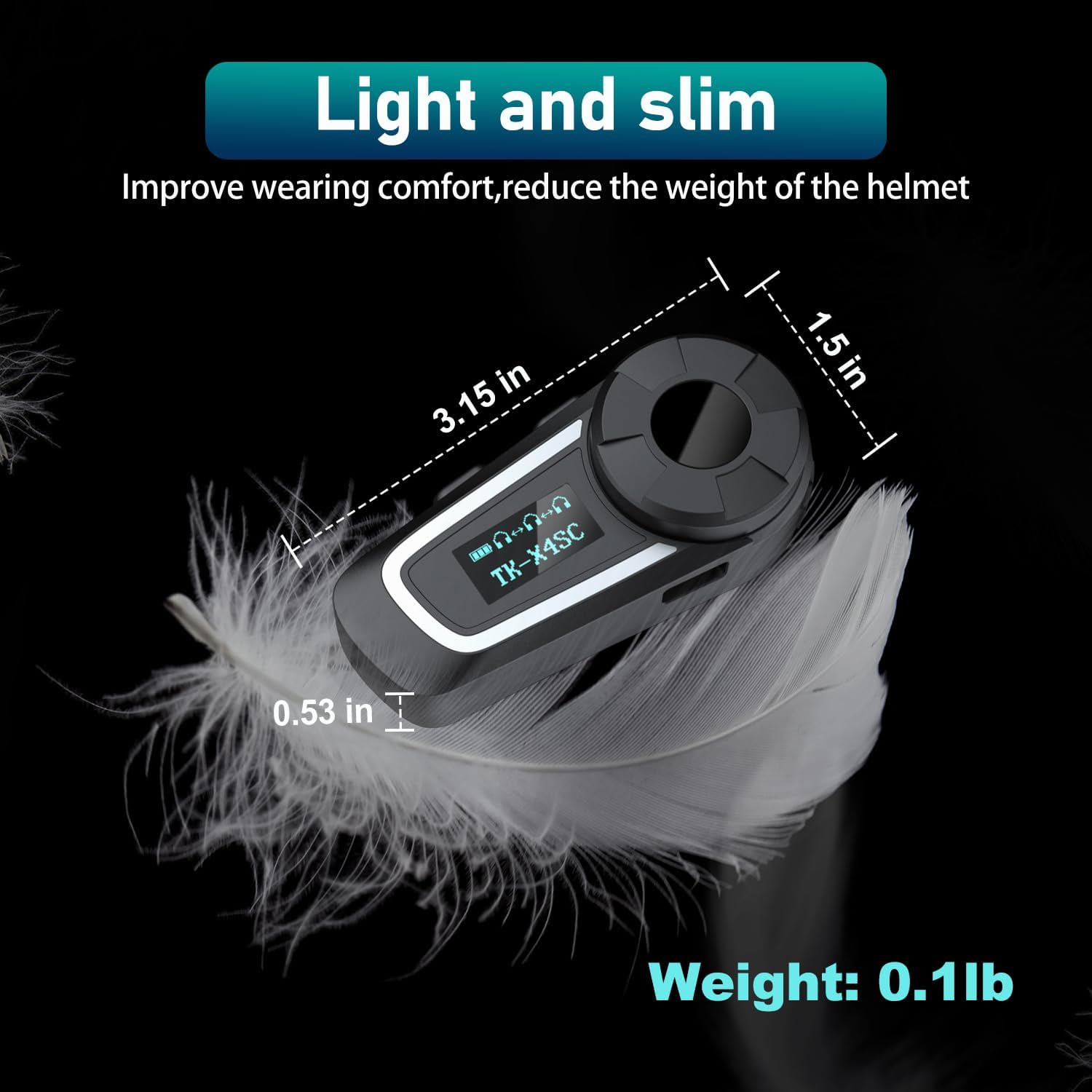
Image: Physical dimensions and weight of the TK-X4SC unit.
10. భద్రతా సమాచారం
- ఎల్లప్పుడూ రోడ్డు భద్రతకు ప్రాధాన్యత ఇవ్వండి. మీ డ్రైవింగ్ దృష్టి మరల్చే విధంగా పరికరాన్ని ఆపరేట్ చేయవద్దు.
- Maintain appropriate volume levels to hear ambient sounds and traffic.
- పరికరాన్ని విడదీయడానికి లేదా సవరించడానికి ప్రయత్నించవద్దు.
- Keep the device away from open flames or extreme heat.
- స్థానిక నిబంధనల ప్రకారం బ్యాటరీలను పారవేయండి.
11. వారంటీ మరియు మద్దతు
For warranty information, technical support, or any inquiries regarding your THOKWOK TK-X4SC headset, please refer to the contact information provided with your purchase or visit the official THOKWOK webసైట్.
Ask a question about this manual
Ask about setup, troubleshooting, compatibility, parts, safety, or missing instructions. Manuals+ will review the question and use this page’s manual context to help answer it.