
Xiaomi MJWSD05MMC
Xiaomi Mijia Bluetooth Thermometer 3 User Manual
మోడల్: MJWSD05MMC
1. పరిచయం
This manual provides comprehensive instructions for the setup, operation, and maintenance of your Xiaomi Mijia Bluetooth Thermometer 3. This smart device is designed to accurately monitor and display real-time temperature and humidity levels in your environment, offering insights into indoor climate conditions. Please read this manual thoroughly before using the product to ensure proper functionality and longevity.
2. ఉత్పత్తి ముగిసిందిview
The Xiaomi Mijia Bluetooth Thermometer 3 is a compact, digital device equipped with a high-precision sensor to measure ambient temperature and humidity. It features a clear LCD display for immediate readings and Bluetooth connectivity for integration with the Mi Home application, allowing for data logging, remote monitoring, and smart home automation.
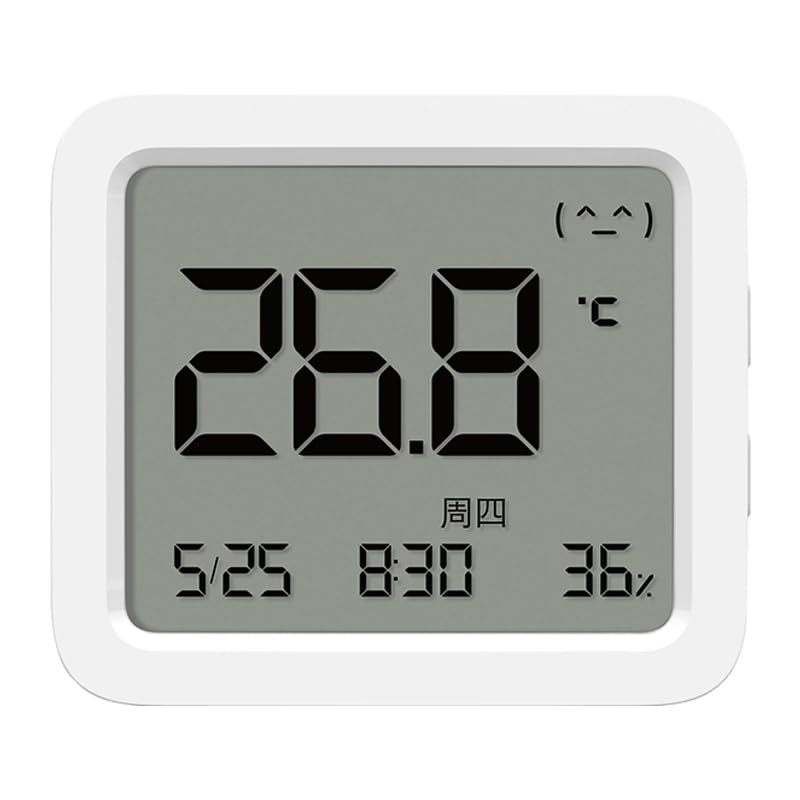
మూర్తి 2.1: ముందు view of the Xiaomi Mijia Bluetooth Thermometer 3, displaying temperature, time, and humidity.
3 కీ ఫీచర్లు
- హై-ప్రెసిషన్ సెన్సార్: Built-in industrial-grade Swiss Sensirion digital temperature and humidity sensor for accurate measurements.
- రియల్ టైమ్ మానిటరింగ్: Provides instant temperature and humidity readings on its clear LCD display.
- బ్లూటూత్ కనెక్టివిటీ: Connects to the Mi Home app for remote viewing, data history, and smart scene creation.
- కంఫర్ట్ ఇండికేటర్: Features an intuitive emoticon display to indicate comfort levels based on temperature and humidity.
- బహుముఖ ప్లేస్మెంట్: Designed for both vertical placement on surfaces and hanging on walls.
- సుదీర్ఘ బ్యాటరీ జీవితం: Optimized for extended operation on a single battery.

Figure 3.1: Illustration of the device's high-precision sensor capabilities.
4. సెటప్ గైడ్
4.1. బ్యాటరీ ఇన్స్టాలేషన్
- పరికరం వెనుక భాగంలో బ్యాటరీ కంపార్ట్మెంట్ కవర్ను గుర్తించండి.
- Gently slide or pry open the cover.
- Insert one CR2032 button cell battery, ensuring the positive (+) side faces upwards.
- Replace the battery compartment cover securely. The device display should activate.
4.2. App Pairing (Mi Home App)
To unlock full smart features, connect your thermometer to the Mi Home app.
- డౌన్లోడ్ చేయండి మి హోమ్ మీ పరికరం యొక్క యాప్ స్టోర్ నుండి యాప్ (Android కోసం Google Play స్టోర్, iOS కోసం Apple యాప్ స్టోర్).
- Open the Mi Home app and log in or create a new account.
- మీ స్మార్ట్ఫోన్ బ్లూటూత్ ప్రారంభించబడిందని నిర్ధారించుకోండి.
- In the Mi Home app, tap the "+కొత్త పరికరాన్ని జోడించడానికి ఎగువ కుడి మూలలో " చిహ్నం.
- The app should automatically detect nearby Xiaomi devices. Select "Xiaomi Mijia Bluetooth Thermometer 3" from the list. If not detected, you may need to manually search for it or reset the device (refer to Troubleshooting).
- Follow the on-screen prompts to complete the pairing process. This may involve pressing a button on the thermometer or confirming a code.
- Once paired, you can name your device and assign it to a specific room within the app.
5. ఆపరేటింగ్ సూచనలు
5.1. సమాచారాన్ని ప్రదర్శించు
LCD డిస్ప్లే కింది సమాచారాన్ని చూపుతుంది:
- ఉష్ణోగ్రత: Large digits, typically in Celsius (°C).
- తేమ: శాతంtagఇ (%).
- సమయం/తేదీ: ప్రస్తుత సమయం మరియు తేదీ.
- కంఫర్ట్ ఇండికేటర్: An emoticon (e.g., happy face, neutral face, sad face) indicating the comfort level based on combined temperature and humidity.
- బ్లూటూత్ చిహ్నం: Indicates active Bluetooth connection.
- బ్యాటరీ సూచిక: మిగిలిన బ్యాటరీ జీవితాన్ని చూపుతుంది.
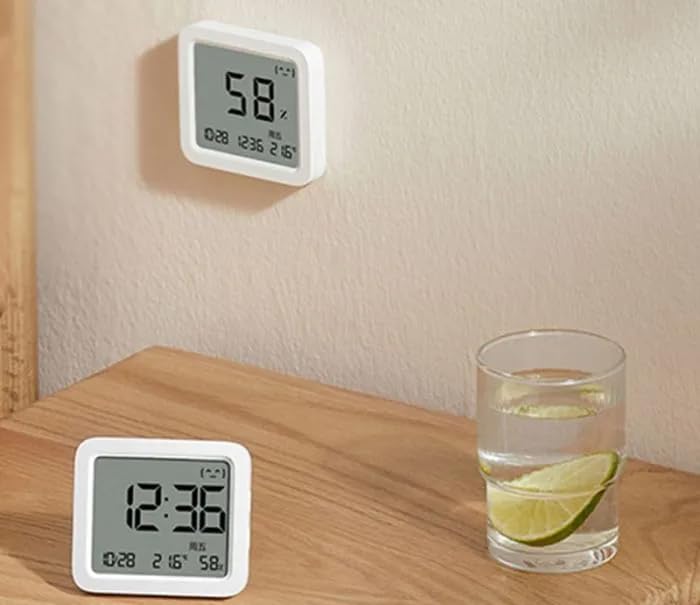
Figure 5.1: Device displaying readings while mounted on a wall.
5.2. Using with Mi Home App
Once paired, the Mi Home app provides enhanced functionality:
- రిమోట్ మానిటరింగ్: View real-time temperature and humidity from anywhere with an internet connection.
- చారిత్రక డేటా: Access graphs and logs of temperature and humidity changes over time.
- స్మార్ట్ ఆటోమేషన్: Set up automated scenes with other Xiaomi smart devices (e.g., turn on a humidifier if humidity drops below a certain level).
- హెచ్చరికలు: Receive notifications if temperature or humidity goes outside predefined ranges.

చిత్రం 5.2: ఉదాample of smart linkage with a Xiaomi AI speaker for voice queries.
6. నిర్వహణ
- శుభ్రపరచడం: మెత్తటి, పొడి గుడ్డతో పరికరాన్ని సున్నితంగా తుడవండి. రాపిడి క్లీనర్లను ఉపయోగించవద్దు లేదా పరికరాన్ని నీటిలో ముంచవద్దు.
- బ్యాటరీ భర్తీ: Replace the CR2032 battery when the low battery indicator appears on the display or in the app. Dispose of used batteries responsibly.
- పర్యావరణ పరిస్థితులు: Avoid exposing the device to extreme temperatures, direct sunlight, or high humidity environments (e.g., directly in a shower).
7. ట్రబుల్షూటింగ్
| సమస్య | సాధ్యమైన కారణం | పరిష్కారం |
|---|---|---|
| Device not turning on / Display blank | బ్యాటరీ డెడ్ లేదా తప్పుగా ఇన్స్టాల్ చేయబడింది. | Check battery orientation. Replace with a new CR2032 battery. |
| Cannot pair with Mi Home app | Bluetooth is off; device is out of range; app region lock; device already paired. | Ensure Bluetooth is on. Bring device closer to phone. Verify your Mi Home app region setting matches the device's intended region (e.g., China Mainland). Try resetting the device (if a reset button exists, otherwise remove/reinsert battery). Ensure the device is not already paired to another account. |
| Inaccurate readings / Readings fluctuate rapidly | Device placed in an unsuitable location (e.g., near heat source, draft, direct sunlight, high humidity); sensor obstruction; rapid environmental changes. | Relocate the device to a stable environment away from direct influences. Allow time for readings to stabilize. Ensure sensor vents are not blocked. Note that rapid fluctuations can occur if the device is moved or exposed to sudden changes in air flow. |
| బ్లూటూత్ కనెక్షన్ తరచుగా తగ్గిపోతుంది | Interference; device too far from phone/gateway; low battery. | Reduce distance between device and phone/Bluetooth gateway. Check for other interfering wireless devices. Replace battery. |
8. స్పెసిఫికేషన్లు
- మోడల్: MJWSD05MMC పరిచయం
- ఉష్ణోగ్రత కొలత పరిధి: 0°C to 60°C (32°F to 140°F) (Typical, refer to product packaging for exact range)
- తేమ కొలత పరిధి: 0% RH to 99% RH (Typical, refer to product packaging for exact range)
- ఉష్ణోగ్రత రిజల్యూషన్: 0.1°C
- తేమ రిజల్యూషన్: 1% RH
- వైర్లెస్ కనెక్టివిటీ: బ్లూటూత్ తక్కువ శక్తి (BLE)
- బ్యాటరీ రకం: CR2032 button cell (1 included)
- కొలతలు: Approximately 43 x 43 x 12.5 mm (Based on typical compact thermometer size)
- బరువు: Approximately 21g (Excluding battery)
- తయారీదారు: Xiaomi
- మూలం దేశం: చైనా
Note: Specifications are subject to change without notice. Please refer to the product packaging for the most accurate and up-to-date information.
9. వారంటీ మరియు మద్దతు
Xiaomi ఉత్పత్తులు పరిమిత వారంటీ పరిధిలోకి వస్తాయి. వివరణాత్మక వారంటీ నిబంధనలు మరియు షరతుల కోసం, దయచేసి మీ ఉత్పత్తితో చేర్చబడిన వారంటీ కార్డ్ని చూడండి లేదా అధికారిక Xiaomi వెబ్సైట్ను సందర్శించండి. webసైట్.
సాంకేతిక మద్దతు, ట్రబుల్షూటింగ్ సహాయం లేదా సేవా విచారణల కోసం, దయచేసి వారి అధికారిక ద్వారా Xiaomi కస్టమర్ సేవను సంప్రదించండి. website or authorized service centers in your region. Keep your purchase receipt as proof of purchase for warranty claims.
అధికారిక Xiaomi Webసైట్: www.mi.com
Ask a question about this manual
Ask about setup, troubleshooting, compatibility, parts, safety, or missing instructions. Manuals+ will review the question and use this page’s manual context to help answer it.