
పరిచయం
This manual provides detailed instructions for the setup, operation, and maintenance of your bemi Kix-m Smartwatch Fitness Tracker. Please read this manual thoroughly before using the device to ensure proper function and to maximize your user experience. The bemi Kix-m is designed to assist you in monitoring your fitness activities and health metrics.
పెట్టెలో ఏముంది
- bemi Kix-m Smartwatch
- ఛార్జింగ్ కేబుల్
- వినియోగదారు మాన్యువల్ (ఈ పత్రం)
సెటప్
1. యాప్ ఇన్స్టాలేషన్
The bemi Kix-m Smartwatch operates with the "H Band" application. This application is compatible with smartphones running Android 4.4 or newer and iOS 8.0 or newer.
- కోసం వెతకండి "H Band" in the App Store (for iOS devices) or Google Play Store (for Android devices).
- మీ స్మార్ట్ఫోన్లో అప్లికేషన్ను డౌన్లోడ్ చేసి ఇన్స్టాల్ చేయండి.
- ఖాతాను సృష్టించడానికి మరియు మీ వ్యక్తిగత నిపుణుడిని సెటప్ చేయడానికి స్క్రీన్పై ఉన్న ప్రాంప్ట్లను అనుసరించండి.file.
2. పరికర జత చేయడం
To connect your smartwatch with the "H Band" app:
- మీ స్మార్ట్ఫోన్ బ్లూటూత్ ప్రారంభించబడిందని నిర్ధారించుకోండి.
- Open the "H Band" application.
- Navigate to the device pairing section within the app (usually found under "Device" or "My Device").
- The app will search for available devices. Select "Kix-m" from the list to initiate pairing.
- ప్రాంప్ట్ చేయబడితే మీ స్మార్ట్ఫోన్ మరియు స్మార్ట్వాచ్ రెండింటిలోనూ జత చేసే అభ్యర్థనను నిర్ధారించండి.
గమనిక: If you experience issues with pairing, ensure the watch is charged and within Bluetooth range of your phone. Refer to the troubleshooting section for further assistance.
ఆపరేటింగ్ సూచనలు
1. ప్రాథమిక నావిగేషన్
The bemi Kix-m Smartwatch features a 1.5-inch touchscreen display for navigation. Swipe left, right, up, or down to access different functions and menus. Tap to select options.
2. మ్యూజిక్ ప్లేబ్యాక్
The Kix-m includes a built-in audio player with 512MB of internal memory, allowing you to store and play music directly from the watch.
- సంగీతాన్ని బదిలీ చేస్తోంది: Connect the smartwatch to a computer using the charging cable. The watch should appear as a removable storage device. Drag and drop your MP3 files into the designated music folder on the watch.
- Connecting Headphones/Speakers: The watch features a dual Bluetooth module. Navigate to the Bluetooth settings on your watch, enable Bluetooth, and pair with your wireless headphones or speaker.
- ప్లేబ్యాక్ని నియంత్రిస్తోంది: Access the music player from the watch's menu. You can play, pause, skip tracks, and adjust volume directly from the watch screen.
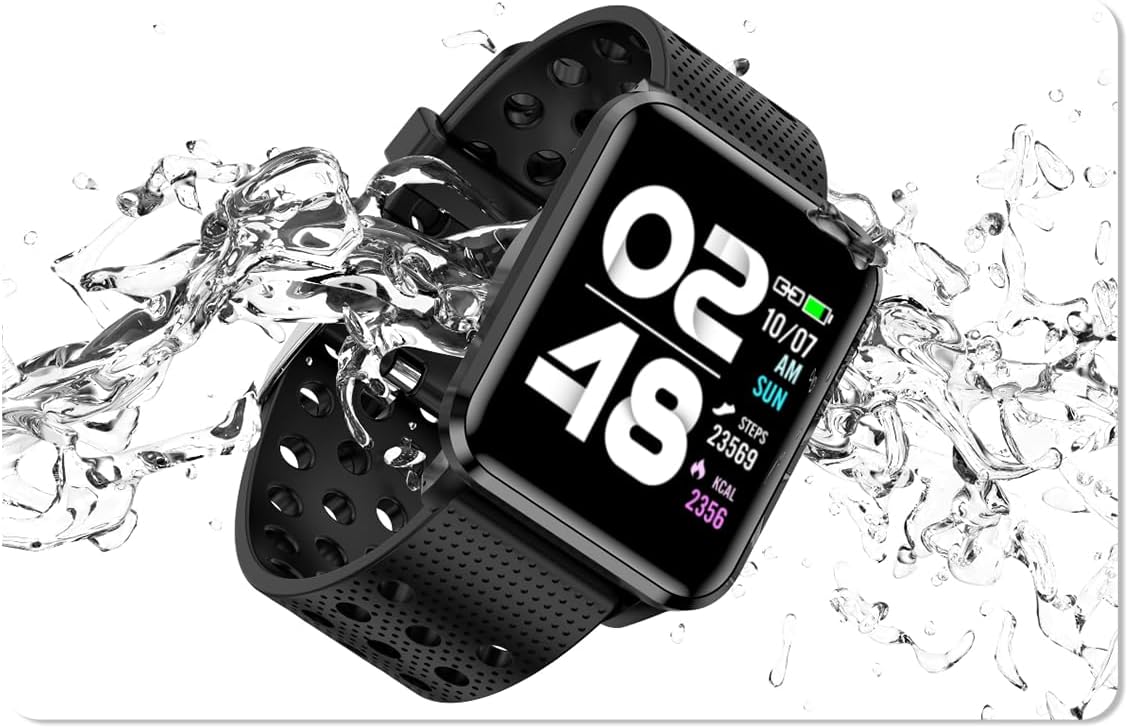
Image: The bemi Kix-m Smartwatch showing its music playback interface, with wireless earbuds positioned next to it, illustrating the device's audio capabilities.
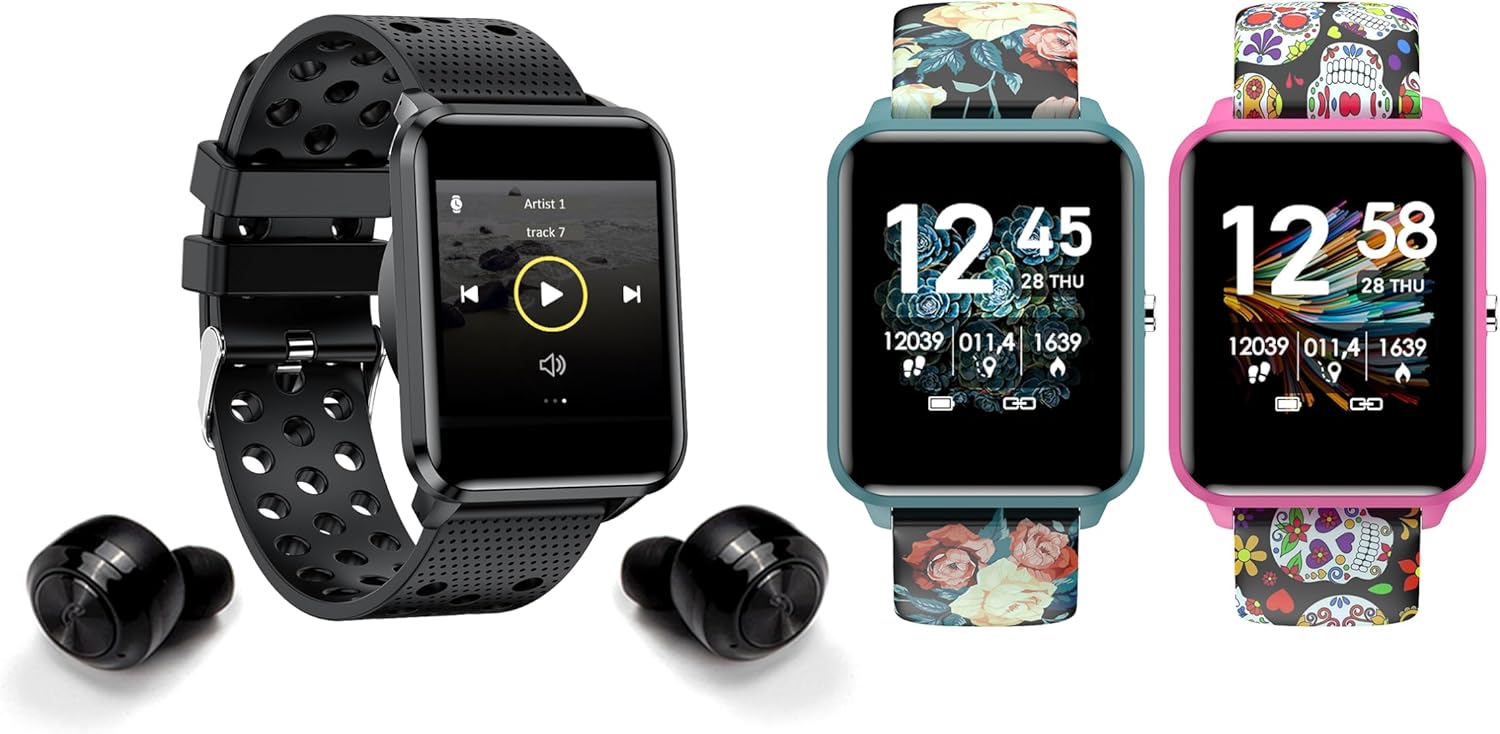
Image: The bemi Kix-m Smartwatch showing its music playback interface, with wireless earbuds positioned next to it, illustrating the device's audio capabilities.
3. కార్యాచరణ ట్రాకింగ్
The smartwatch continuously monitors your daily activity, including steps taken, distance covered, and calories burned. This data is synchronized with the "H Band" app for detailed analysis.

Image: A screenshot of the H Band application dashboard, displaying various activity metrics such as steps, blood oxygen saturation (SpO2), heart rate, and sleep patterns, alongside a smartwatch face.
4. స్పోర్ట్ మోడ్లు
The Kix-m offers 10 different sport modes to track specific workouts. Select the appropriate mode before starting an activity to get accurate data for your performance.
- Access sport modes from the main menu.
- Choose your desired activity (e.g., running, cycling).
- The watch will display real-time metrics relevant to your chosen sport.
5. ఆరోగ్య పర్యవేక్షణ
The smartwatch provides continuous monitoring of several health metrics:
- హార్ట్ రేట్ మానిటర్: రోజంతా మీ హృదయ స్పందన రేటును ట్రాక్ చేస్తుంది. View real-time data on the watch or detailed graphs in the app.
- రక్త ఆక్సిజన్ (SpO2): మీ రక్త ఆక్సిజన్ స్థాయిలను కొలుస్తుంది.
- నిద్ర ట్రాకింగ్: Monitors your sleep patterns, including deep sleep, light sleep, and awake times. Data is analyzed in the "H Band" app to provide insights into sleep quality.

చిత్రం: వెనుక భాగం view of the bemi Kix-m Smartwatch, highlighting the optical sensors used for heart rate and blood oxygen monitoring.

Image: The bemi Kix-m Smartwatch screen showing current blood pressure and heart rate measurements, with a background graph indicating historical data.

చిత్రం: వివరణాత్మక view of the H Band application's sleep tracking interface, showing sleep duration, quality, and different sleep stages.
6. స్మార్ట్ ఫీచర్లు
- నోటిఫికేషన్లు: Receive alerts for calls, messages, and app notifications directly on your wrist. Configure notification settings within the "H Band" app.
- కెమెరా నియంత్రణ: Use your smartwatch as a remote shutter for your smartphone camera. Access this feature from the watch's menu.
- మహిళల ఆరోగ్య ట్రాకింగ్: A dedicated mode for women's health tracking, including menstrual cycle and ovulation predictions. Set up and manage this feature in the "H Band" app.
- కదలిక రిమైండర్: The watch can remind you to move after periods of inactivity.
- Alarm, Stopwatch, Timer: Standard utility functions available on the watch.
- ఫోన్ను కనుగొనండి: Use this feature to locate your paired smartphone by making it ring.

Image: The bemi Kix-m Smartwatch screen showing a photo, demonstrating its remote camera control functionality with a smartphone in the background.

Image: A screenshot of the H Band application displaying the women's health tracking interface, including menstrual cycle and ovulation prediction features.
7 అనుకూలీకరణ
Choose from 24 clock faces available in the "H Band" application. You can also upload a photo from your phone to use as a custom watch face.

Image: A display of multiple bemi Kix-m Smartwatches showcasing different customizable watch faces, including a personalized photo option.
నిర్వహణ
1. ఛార్జింగ్
Connect the provided charging cable to the charging port on the back of the smartwatch and to a USB power source. The watch will display a charging indicator. A full charge typically takes 1-2 hours.
2. నీటి నిరోధకత
The bemi Kix-m Smartwatch is IP68 waterproof, meaning it is resistant to dust and can withstand immersion in water up to 1.5 meters for up to 30 minutes. It is suitable for daily use, such as washing hands or light rain. Avoid hot water, saunas, or diving, as these conditions may compromise the water resistance.

Image: The bemi Kix-m Smartwatch being splashed with water, illustrating its IP68 water resistance rating for daily activities.
3. శుభ్రపరచడం
Wipe the watch screen and strap with a soft, damp cloth. Avoid using harsh chemicals or abrasive materials, which can damage the device.
ట్రబుల్షూటింగ్
- గడియారం ఆన్ కావడం లేదు: వాచ్ పూర్తిగా ఛార్జ్ అయ్యిందని నిర్ధారించుకోండి. దానిని ఛార్జింగ్ కేబుల్ మరియు పవర్ సోర్స్కి కనీసం 30 నిమిషాలు కనెక్ట్ చేయండి.
- ఫోన్తో జత చేయడం సాధ్యం కాలేదు:
- మీ ఫోన్లో బ్లూటూత్ ప్రారంభించబడిందని నిర్ధారించుకోండి.
- Make sure the watch is within close proximity to your phone.
- మీ ఫోన్ మరియు స్మార్ట్ వాచ్ రెండింటినీ రీస్టార్ట్ చేయండి.
- Check if the "H Band" app is updated to the latest version.
- గతంలో జత చేసి ఉంటే, మీ ఫోన్ బ్లూటూత్ సెట్టింగ్ల నుండి పరికరాన్ని అన్పెయిర్ చేసి, ఆపై యాప్ ద్వారా తిరిగి జత చేయడానికి ప్రయత్నించండి.
- సరికాని ఆరోగ్య డేటా:
- మీ మణికట్టు మీద వాచ్ చక్కగా ధరించేలా చూసుకోండి, కానీ చాలా గట్టిగా ఉండకూడదు.
- వాచ్ వెనుక ఉన్న సెన్సార్ను శుభ్రం చేయండి.
- స్మార్ట్వాచ్లు వైద్య పరికరాలు కాదని మరియు రీడింగ్లు సూచన కోసం మాత్రమే అని గమనించండి.
- నోటిఫికేషన్లు కనిపించడం లేదు:
- వాచ్ మీ ఫోన్తో విజయవంతంగా జత చేయబడిందని ధృవీకరించండి.
- Check notification permissions for the "H Band" app in your phone's settings.
- Ensure notifications are enabled within the "H Band" app for the desired applications.
స్పెసిఫికేషన్లు
| మోడల్ సంఖ్య | Kix-m |
| స్క్రీన్ పరిమాణం | 1.5 అంగుళాలు |
| మెమరీ స్టోరేజ్ కెపాసిటీ | 512MB (for music) |
| కనెక్టివిటీ టెక్నాలజీ | బ్లూటూత్, వై-ఫై |
| నీటి నిరోధకత | IP68 |
| ఆపరేటింగ్ సిస్టమ్ అనుకూలత | ఆండ్రాయిడ్ 4.4+, iOS 8.0+ |
| బ్యాటరీ రకం | లిథియం పాలిమర్ |
| వస్తువు బరువు | 4.2 ఔన్సులు |
| ప్యాకేజీ కొలతలు | 4.8 x 2.83 x 2.24 అంగుళాలు |
గమనిక: ముందస్తు నోటీసు లేకుండా స్పెసిఫికేషన్లు మారవచ్చు.
వారంటీ మరియు మద్దతు
For warranty information and customer support, please refer to the official bemi webమీ సైట్లో లేదా మీ రిటైలర్ను సంప్రదించండి. వారంటీ క్లెయిమ్ల కోసం కొనుగోలు రుజువుగా మీ కొనుగోలు రసీదును ఉంచండి.
మరింత సహాయం కోసం, దయచేసి సందర్శించండి bemi Store on Amazon.