
HEANTLE de357c45-1f74-4326-b684-dacefa172da2
HEANTLE Smart Lock Front Door Instruction Manual
Model: de357c45-1f74-4326-b684-dacefa172da2
Brand: HEANTLE
1. పరిచయం
This manual provides comprehensive instructions for the installation, setup, operation, and maintenance of your HEANTLE Smart Lock Front Door. This smart lock offers multiple convenient entry methods, including fingerprint, IC card, passcode, physical key, and app control. It is designed for enhanced security and ease of use in residential environments.
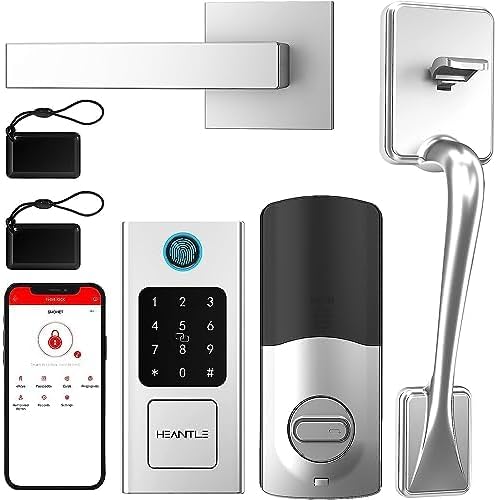
చిత్రం 1.1: ముగిసిందిview of HEANTLE Smart Lock components.
For optimal performance and safety, please read this manual thoroughly before installation and operation. Keep this manual for future reference.
2 కీ ఫీచర్లు
- బహుళ అన్లాకింగ్ పద్ధతులు: Fingerprint, IC Card/Fob, Passcode, Physical Key, and Smartphone App.
- Fast Biometric Recognition: Fingerprint unlock in approximately 0.3 seconds.
- అధిక సామర్థ్యం: Supports up to 250 fingerprints, 300 passcodes, and 1000 IC cards.
- స్మార్ట్ యాప్ నియంత్రణ: Manage access, generate temporary codes, and monitor lock status (optional gateway required for Wi-Fi remote access).
- వాయిస్ అసిస్టెంట్ ఇంటిగ్రేషన్: వాయిస్ కంట్రోల్ కోసం అమెజాన్ అలెక్సా మరియు గూగుల్ అసిస్టెంట్తో అనుకూలమైనది.
- ఆటో-లాక్ ఫంక్షన్: Customizable automatic locking after a set duration (10-60 seconds).
- Anti-Peep Keypad: Enter random digits before or after your actual passcode to prevent onlookers from guessing your code.
- అత్యవసర శక్తి: USB-C port for temporary power supply in case of battery depletion.
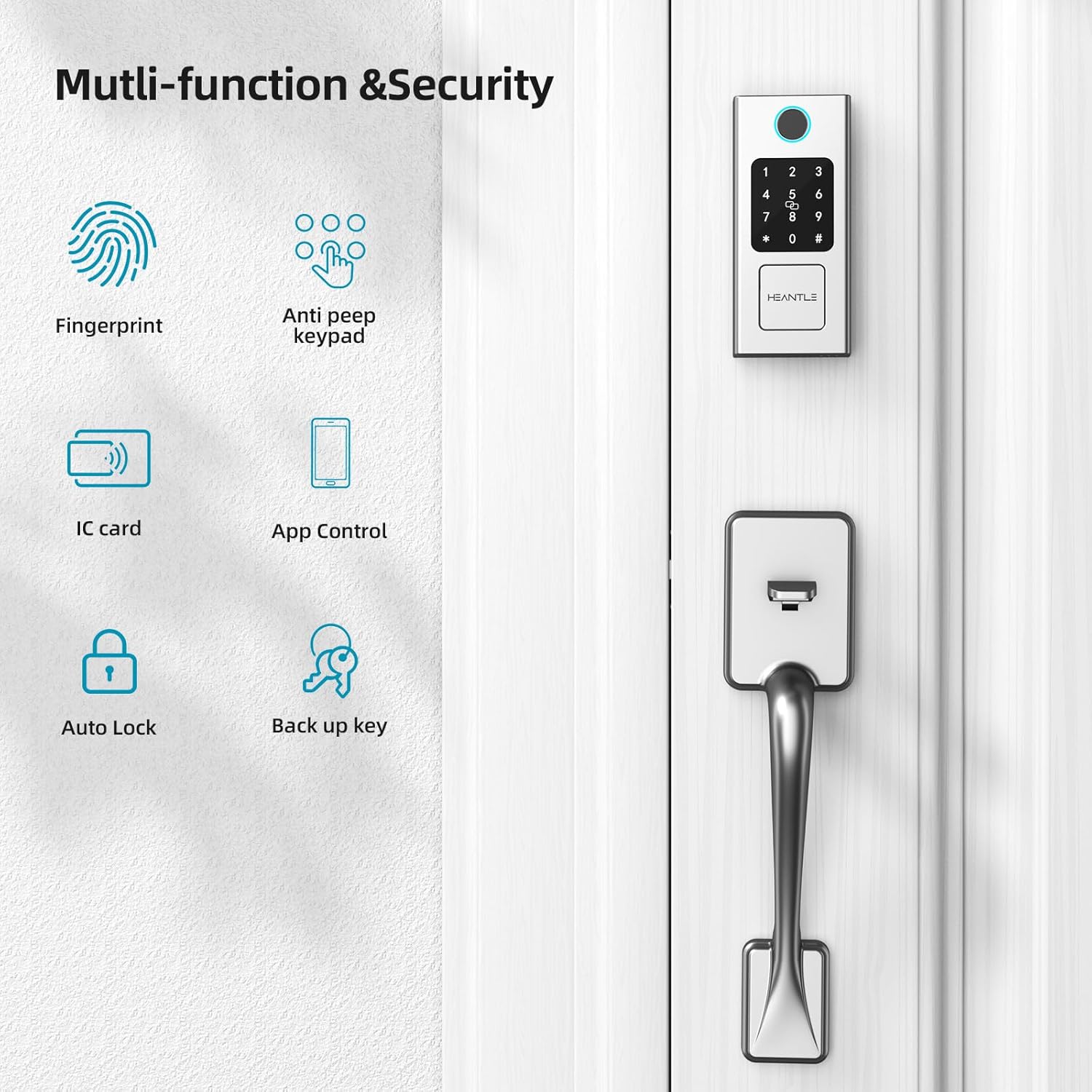
Image 2.1: Multi-function and security features of the smart lock.
3. స్పెసిఫికేషన్లు
| ఫీచర్ | వివరాలు |
|---|---|
| బ్రాండ్ | హేంటల్ |
| మోడల్ సంఖ్య | de357c45-1f74-4326-b684-dacefa172da2 |
| లాక్ రకం | బయోమెట్రిక్, కీప్యాడ్ |
| ప్రత్యేక లక్షణాలు | Auto-Lock, Fingerprint, Fob Unlock, Passcode Unlock, Touchscreen |
| కనెక్టివిటీ ప్రోటోకాల్ | Bluetooth (Wi-Fi with optional gateway) |
| కంట్రోలర్ రకం | అమెజాన్ అలెక్సా, గూగుల్ అసిస్టెంట్ |
| తలుపు మందం అనుకూలత | 1.49"–1.88" (38mm-48mm) |
| బ్యాక్సెట్ అనుకూలత | 2-3/8" లేదా 2-3/4" (60మిమీ లేదా 70మిమీ) |
| వస్తువు బరువు | 5.39 పౌండ్లు |
| శక్తి మూలం | 4 x AA బ్యాటరీలు (చేర్చబడలేదు) |
| అత్యవసర శక్తి | USB-C |
| ఆపరేటింగ్ ఉష్ణోగ్రత | -4°F నుండి 158°F (-20°C నుండి 70°C) |
| నీటి నిరోధకత | IP63 రేట్ చేయబడింది |
4. ఇన్స్టాలేషన్ గైడ్
The HEANTLE Smart Lock is designed for easy installation on standard doors. A Phillips screwdriver is typically the only tool required. No additional drilling is needed for most standard door preparations.
4.1 డోర్ తయారీ
- Ensure your door thickness is between 1.49" and 1.88" (38mm-48mm).
- Verify your door's backset (distance from door edge to center of bore hole) is either 2-3/8" or 2-3/4" (60mm or 70mm).
- Confirm the bore hole diameter is 2-1/8" (54mm). If smaller, a hole saw may be required.
- Determine the door's handing (left or right) as the handle can be adjusted.
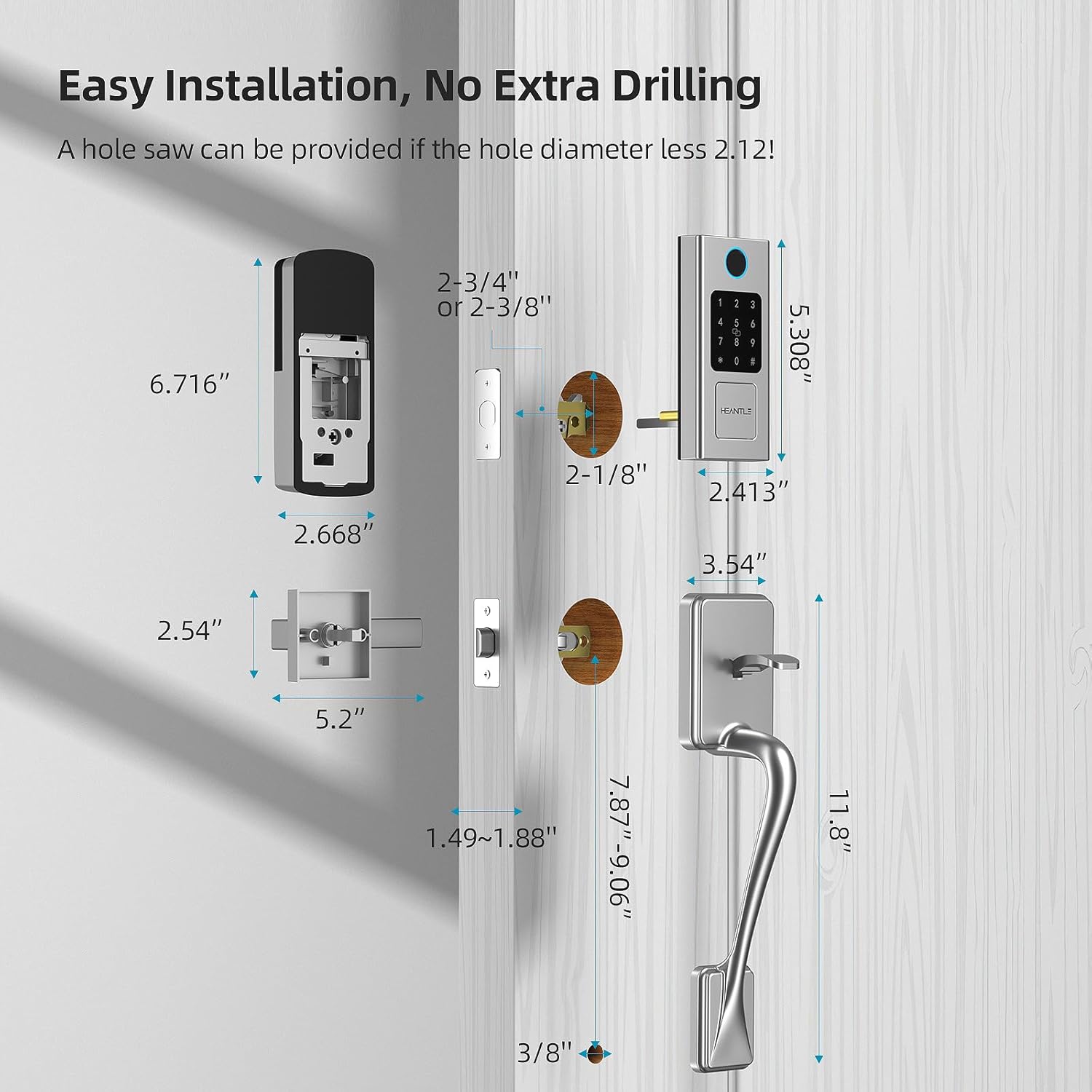
Image 4.1: Door and lock component dimensions for installation.

Image 4.2: The smart lock is suitable for both left and right-handed door opening directions.
4.2 హార్డ్వేర్ అసెంబ్లీ
Follow the detailed instructions provided in the physical installation guide included with your product for step-by-step assembly. Generally, the process involves:
- Install the latch and strike plate.
- బాహ్య కీప్యాడ్ అసెంబ్లీని మౌంట్ చేయండి.
- ఇంటీరియర్ మౌంటు ప్లేట్ను ఇన్స్టాల్ చేయండి.
- బాహ్య యూనిట్ నుండి లోపలి యూనిట్కు కేబుల్ను కనెక్ట్ చేయండి.
- Secure the interior unit to the mounting plate.
- Install the handle and deadbolt components.
- Insert 4 AA batteries (ensure correct polarity).
5. ప్రారంభ సెటప్
5.1 యాప్ డౌన్లోడ్ మరియు జత చేయడం
- Download the designated smart lock application from your smartphone's app store (e.g., Google Play Store or Apple App Store).
- ఖాతాను సృష్టించండి మరియు లాగిన్ చేయండి.
- Follow the in-app instructions to add your new smart lock. This typically involves enabling Bluetooth on your phone and bringing it close to the lock.
- Once paired, you will be prompted to set up an administrator passcode and fingerprint.
5.2 Administrator Setup
The first user registered will be the administrator. The administrator has full control over the lock, including adding/deleting users, managing access methods, and adjusting settings.
- అడ్మినిస్ట్రేటర్ పాస్కోడ్: Set a strong, unique passcode for administrative access.
- Administrator Fingerprint: Register your fingerprint as the primary administrator.
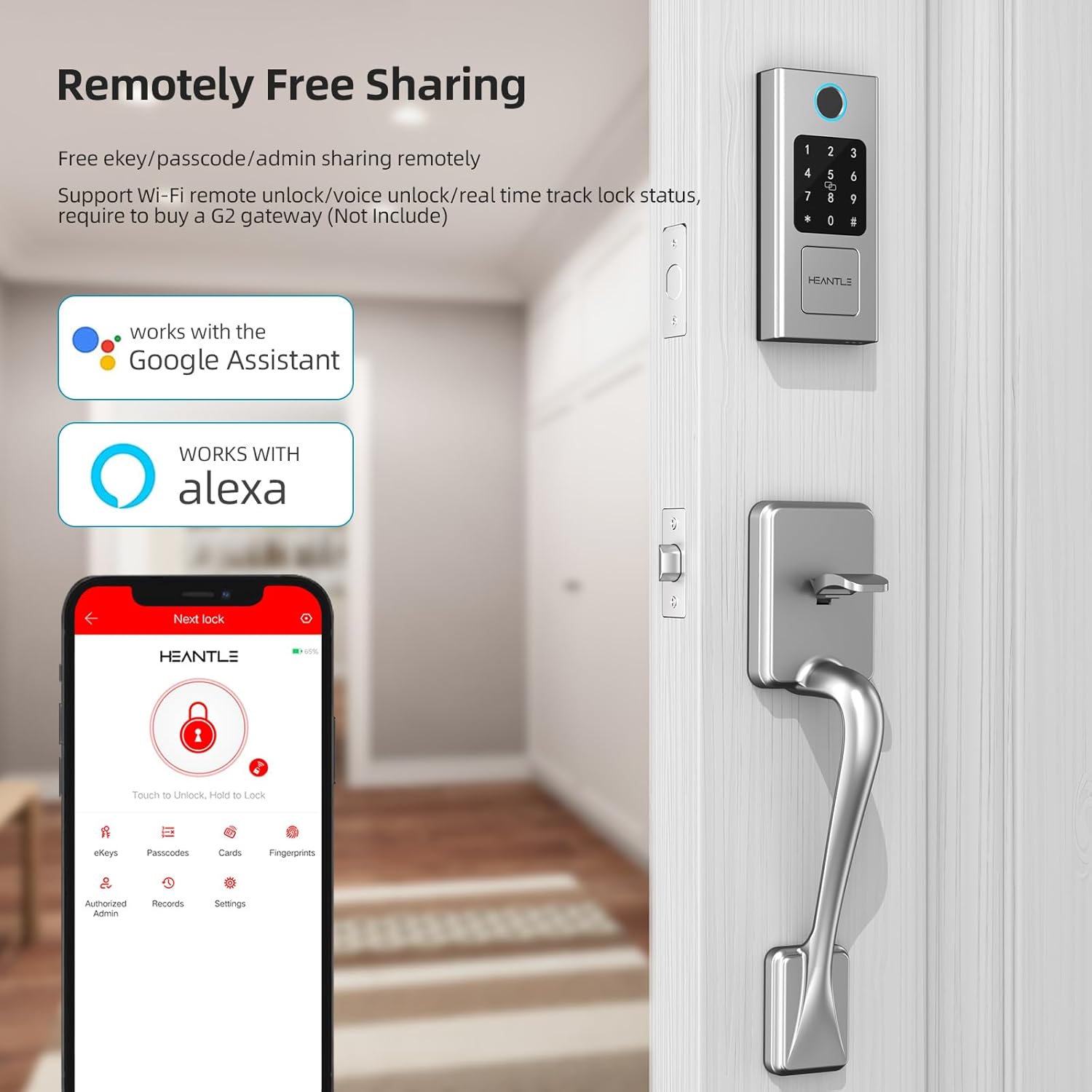
Image 5.1: App interface for remote sharing and management, compatible with Alexa and Google Assistant.
6. ఆపరేటింగ్ సూచనలు
6.1 ఫింగర్ప్రింట్ అన్లాక్
Place your registered finger flat on the fingerprint sensor. The lock will unlock in approximately 0.3 seconds if the fingerprint is recognized.
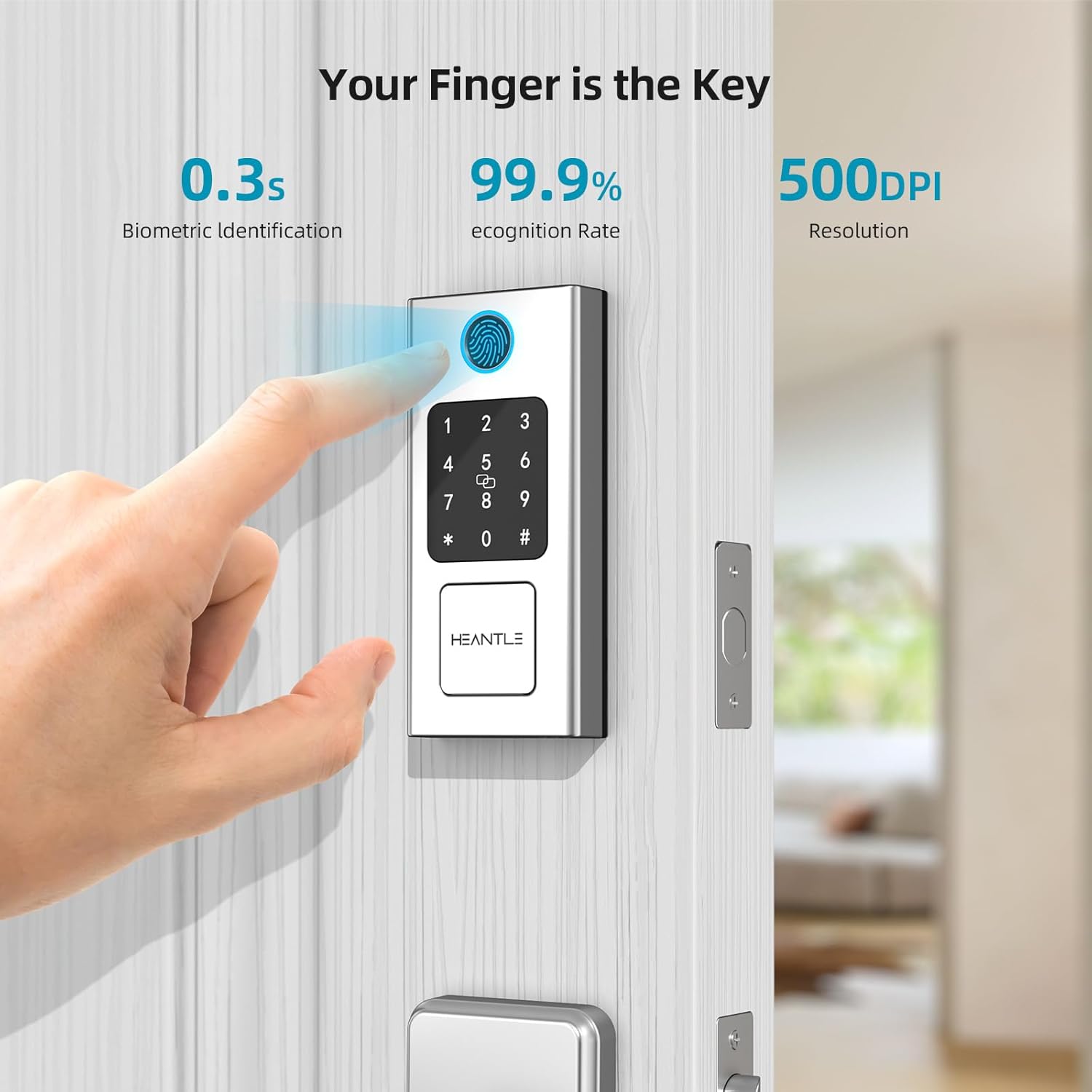
Image 6.1: Fingerprint recognition for quick unlocking.
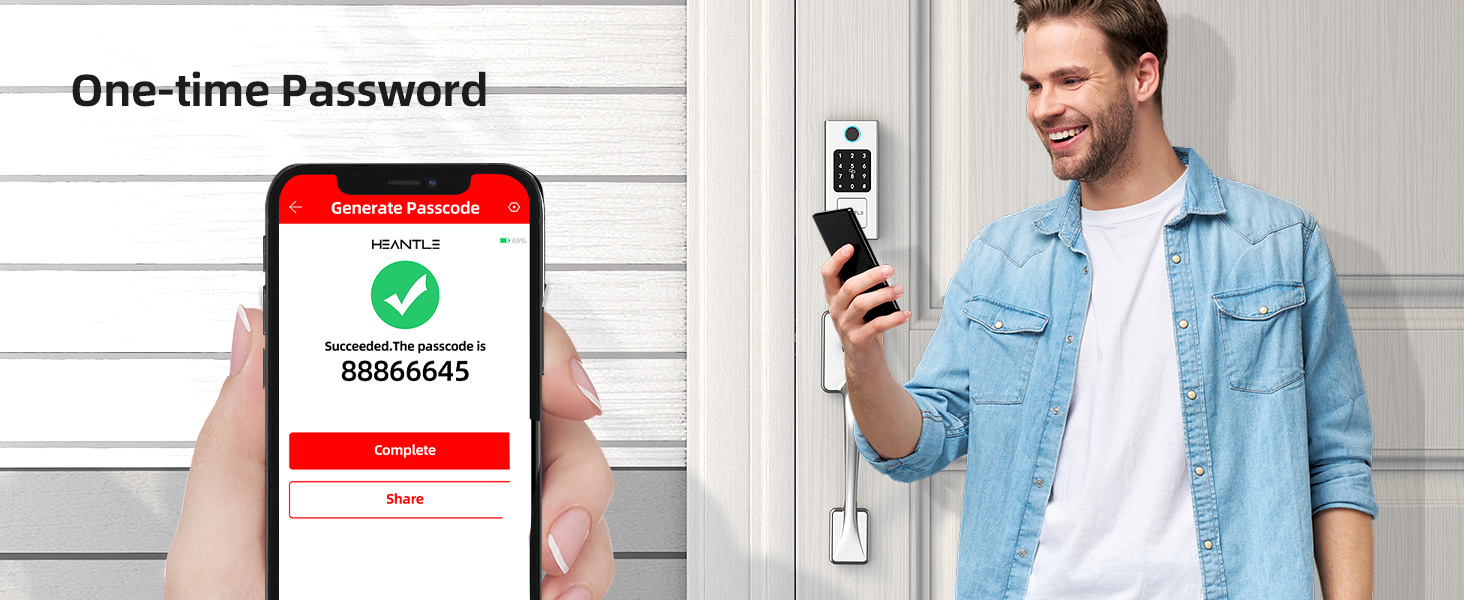
Image 6.2: The lock supports over 100 fingerprints for quick access.
6.2 Passcode Unlock
Enter your registered passcode on the keypad, followed by the '#' key. The lock will unlock if the passcode is correct.
- యాంటీ-పీప్ ఫంక్షన్: To prevent others from seeing your code, you can enter any random digits before and after your actual passcode. For example, if your passcode is 123456, you can enter 987123456321#. The lock will still recognize the correct sequence.
- వన్-టైమ్ పాస్కోడ్లు: Generate temporary passcodes via the app for guests or service providers. These codes can be time-limited or single-use.
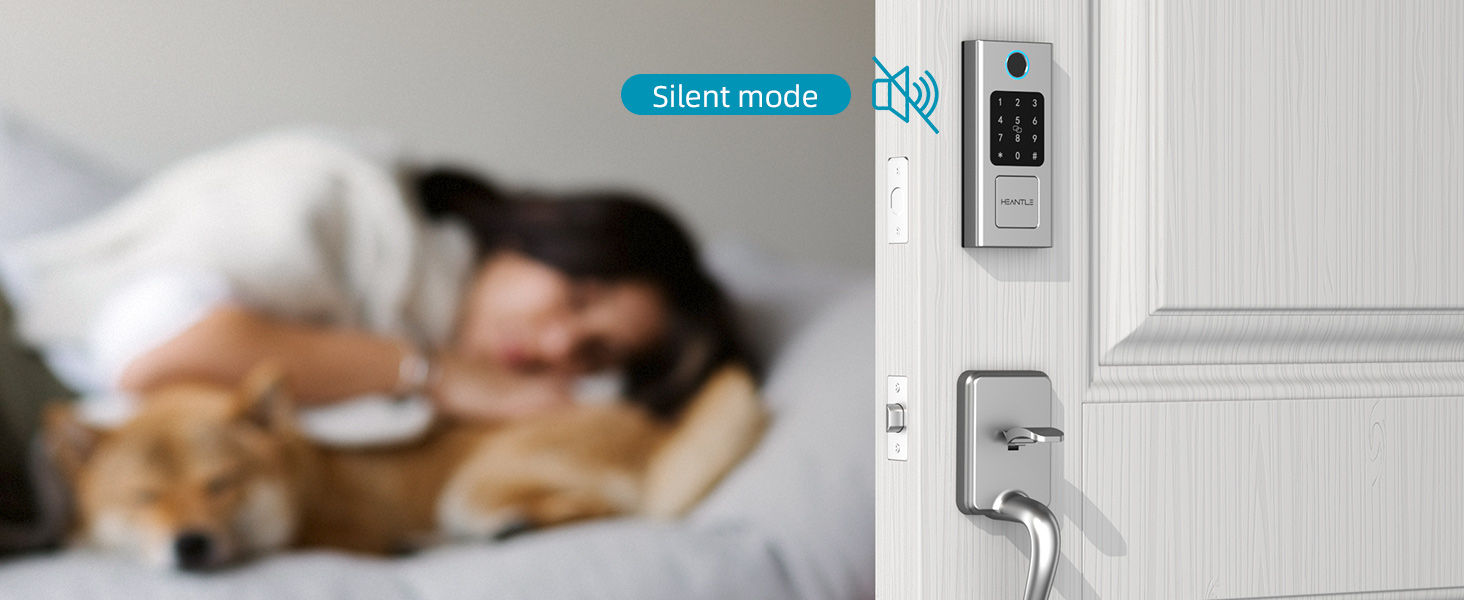
Image 6.3: Anti-Peep touchscreen keypad for enhanced security.
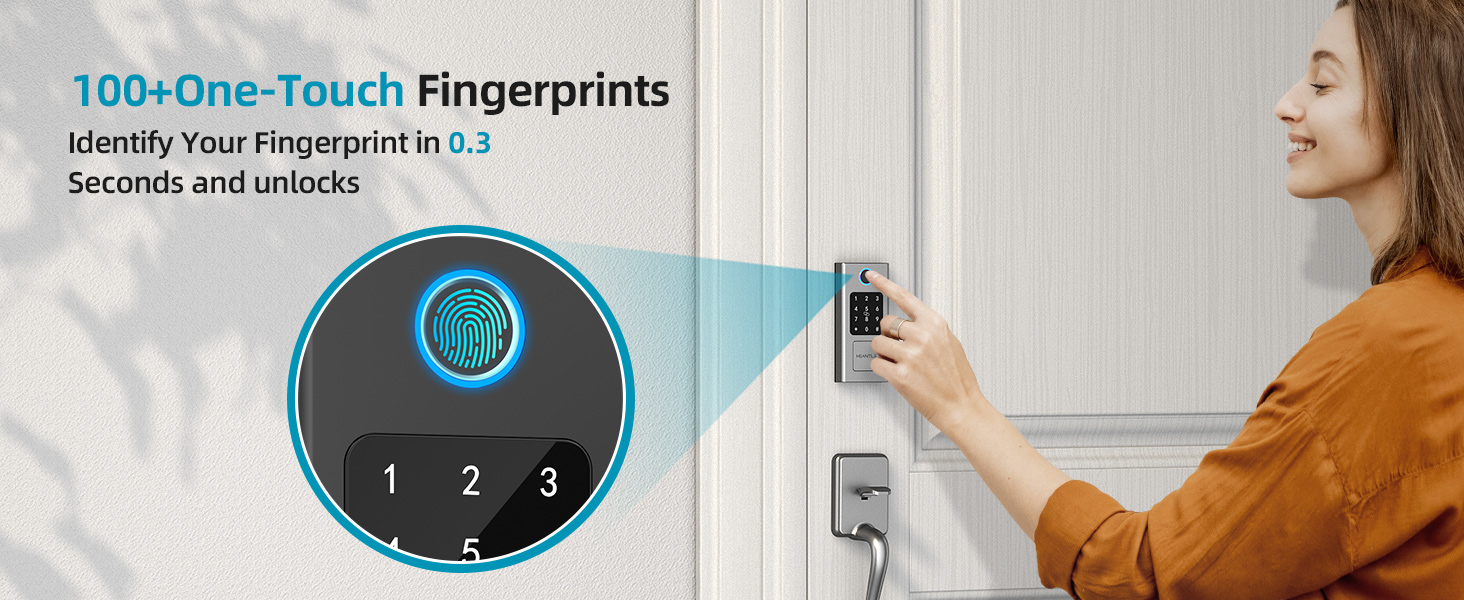
Image 6.4: Generating a one-time password via the app.
6.3 IC Card/Fob Unlock
Present a registered IC card or fob to the designated sensor area on the lock's exterior unit. The lock will unlock upon successful recognition.
6.4 Physical Key Unlock
In case of battery failure or electronic malfunction, use the provided physical key to manually unlock the deadbolt. Insert the key into the keyhole and turn to unlock.
6.5 యాప్ నియంత్రణ
The smartphone app allows for comprehensive control and management of your smart lock.
- రిమోట్ అన్లాక్/లాక్: Unlock or lock your door from anywhere using the app (requires optional Wi-Fi gateway).
- వాడుకరి నిర్వహణ: Add, modify, or delete fingerprints, passcodes, and IC cards for various users.
- యాక్సెస్ లాగ్లు: View ఎవరు ఎప్పుడు ప్రవేశించారో చరిత్ర.
- Auto-Lock Settings: Customize the duration after which the lock automatically engages (10-60 seconds).

Image 6.5: Auto-lock feature for convenience and security.
6.6 వాయిస్ కంట్రోల్ (అలెక్సా/గూగుల్ అసిస్టెంట్)
Integrate your HEANTLE Smart Lock with Amazon Alexa or Google Assistant for hands-free voice control. Follow the instructions in your smart home app (Alexa app or Google Home app) to link your HEANTLE account and enable voice commands.
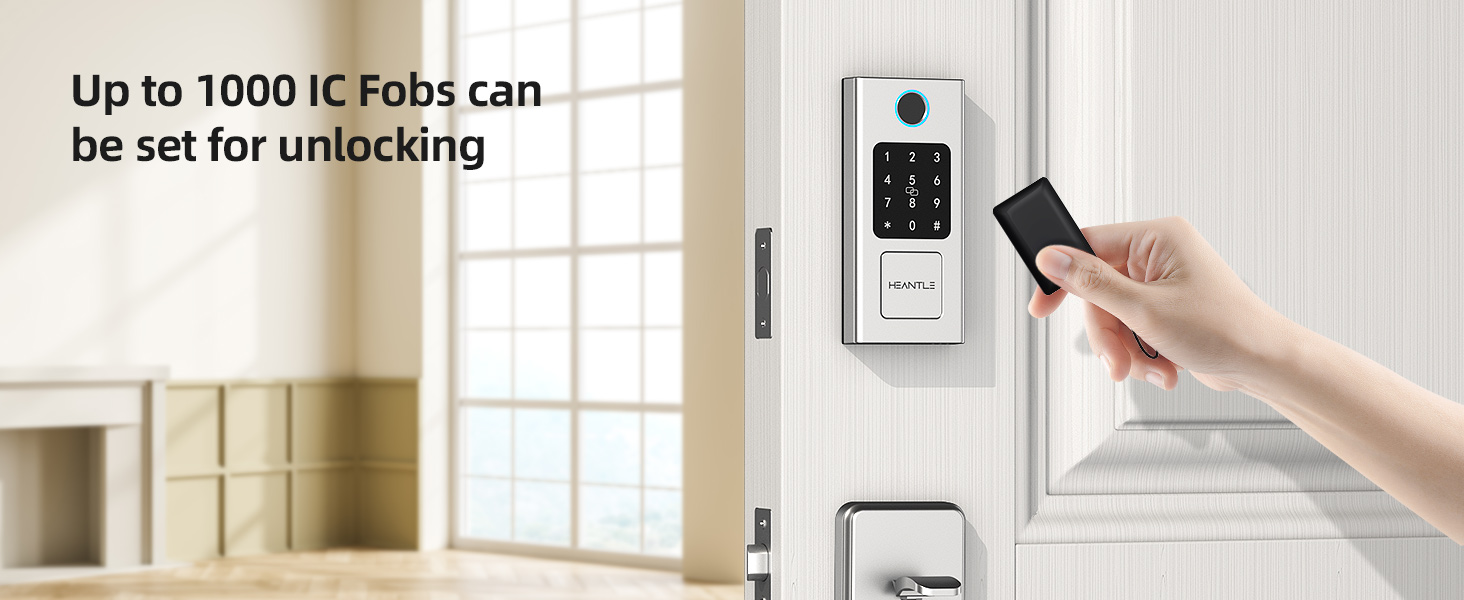
Image 6.6: Voice control unlock via Google Assistant and Alexa.
7. అధునాతన ఫీచర్లు
7.1 సైలెంట్ మోడ్
Enable silent mode through the app to disable all sound prompts from the lock. This is useful for quiet environments or late-night entries/exits.
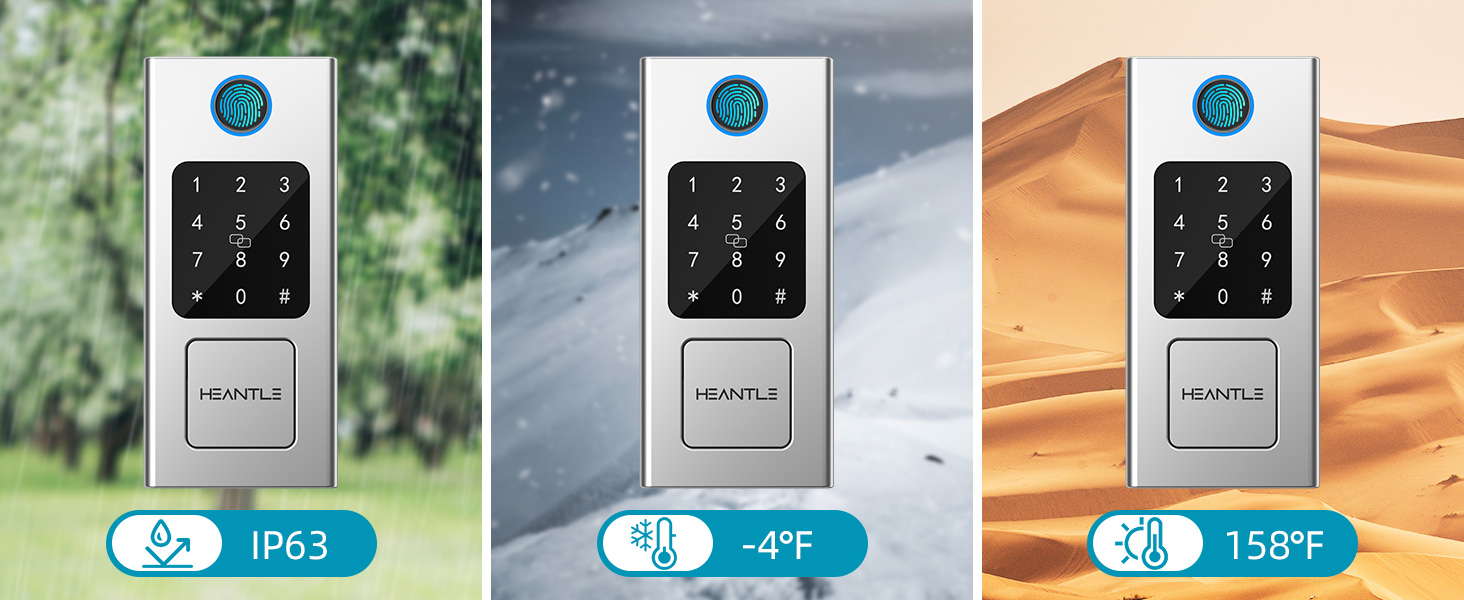
Image 7.1: Silent mode for discreet operation.
7.2 వాతావరణ నిరోధకత
The HEANTLE Smart Lock is designed to withstand various weather conditions, with an IP63 rating, and can operate in temperatures ranging from -4°F to 158°F.

Image 7.2: The smart lock is built to endure various environmental conditions.
7.3 Apple Watch Integration
For added convenience, the lock can be integrated with Apple Watch, allowing you to unlock your door with a tap on your watch.
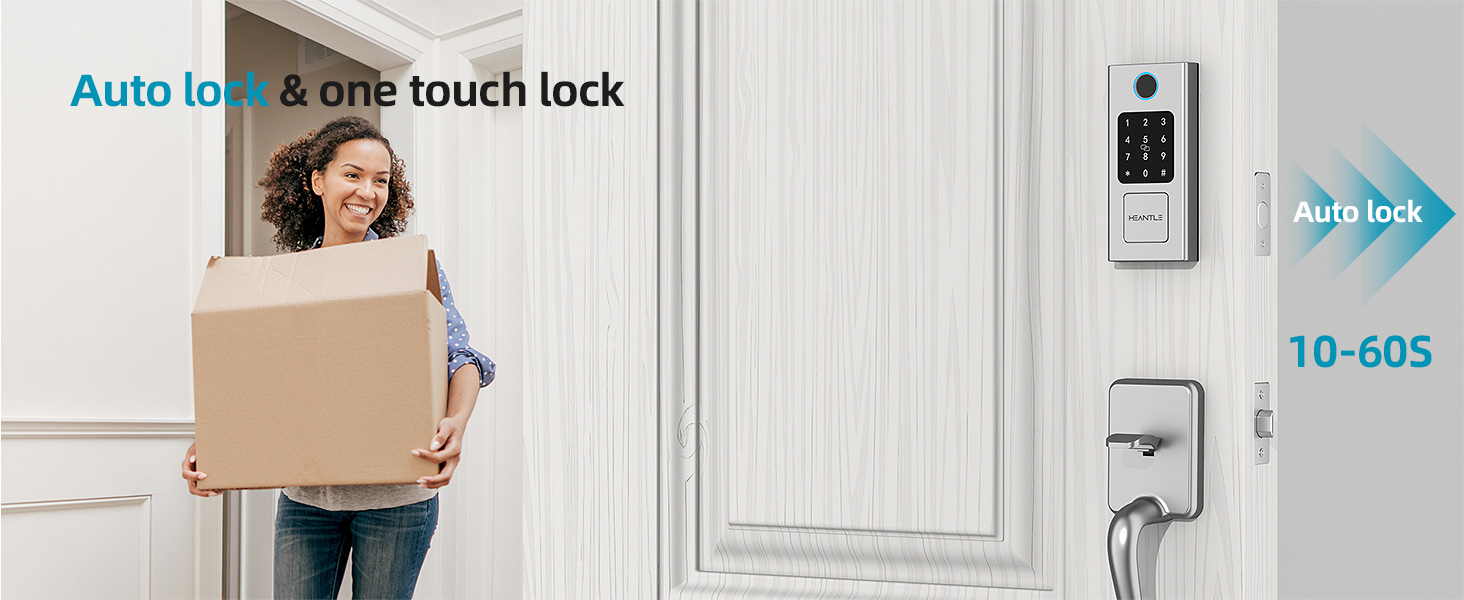
Image 7.3: Unlock your door using your Apple Watch.
8. నిర్వహణ
8.1 బ్యాటరీ భర్తీ
The smart lock is powered by 4 AA batteries (not included). When the battery level is low, the lock will provide an audible or visual alert. Replace all four batteries simultaneously with new, high-quality alkaline AA batteries.
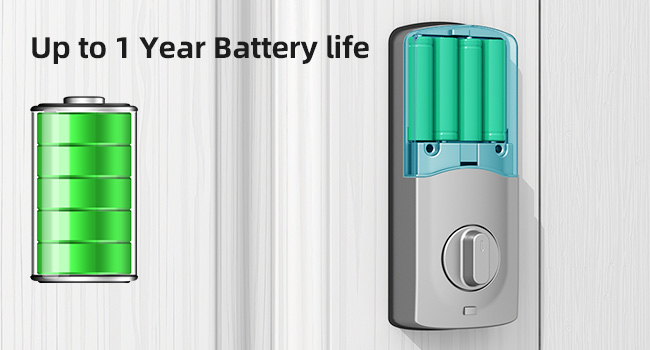
Image 8.1: Battery compartment and expected battery life.
8.2 అత్యవసర విద్యుత్
If the batteries completely deplete before replacement, you can temporarily power the lock using a USB-C power bank connected to the emergency power port on the exterior unit. This will allow you to unlock the door using a registered method (fingerprint, passcode, or IC card) and then replace the batteries.
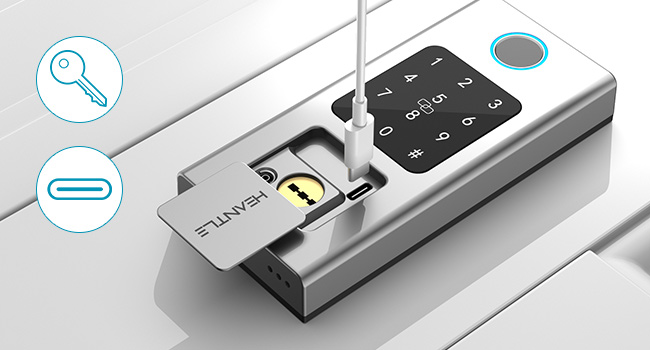
Image 8.2: Emergency key and USB-C power port.
8.3 శుభ్రపరచడం
Wipe the lock's exterior surfaces with a soft, damp రాపిడి క్లీనర్లు లేదా ద్రావకాలను ఉపయోగించడం మానుకోండి, ఎందుకంటే ఇవి ముగింపు లేదా ఎలక్ట్రానిక్ భాగాలను దెబ్బతీస్తాయి.
9. ట్రబుల్షూటింగ్
- లాక్ స్పందించడం లేదు: Check battery levels. If low, replace batteries or use emergency USB-C power.
- వేలిముద్ర గుర్తించబడలేదు: మీ వేలు శుభ్రంగా మరియు పొడిగా ఉందని నిర్ధారించుకోండి. సమస్యలు కొనసాగితే మీ వేలిముద్రను తిరిగి నమోదు చేసుకోవడానికి ప్రయత్నించండి.
- పాస్కోడ్ పనిచేయడం లేదు: Verify the correct passcode is entered. Ensure the anti-peep function is not causing confusion.
- యాప్ కనెక్టివిటీ సమస్యలు: Ensure Bluetooth is enabled on your phone and you are within range. If using Wi-Fi, check your gateway connection and internet access.
- ఆటో-లాక్ పనిచేయడం లేదు: Check the auto-lock settings in the app to ensure it is enabled and the delay time is set correctly.
- Lock is stiff or difficult to operate: Check for any obstructions in the door frame or latch mechanism. Ensure the lock was installed correctly and is aligned.
If you encounter persistent issues not covered here, please refer to the support section.
10. వారంటీ మరియు మద్దతు
Your HEANTLE Smart Lock comes with a 1-సంవత్సరం కవరేజ్ కొనుగోలు చేసిన తేదీ నుండి. ఈ వారంటీ సాధారణ ఉపయోగంలో తయారీ లోపాలు మరియు లోపాలను కవర్ చేస్తుంది. వారంటీ క్లెయిమ్ల కోసం దయచేసి మీ కొనుగోలు రుజువును ఉంచుకోండి.
For technical support, troubleshooting assistance, or warranty inquiries, please contact HEANTLE customer service through the following channels:
- ఇమెయిల్: Refer to the contact information provided in your product packaging or on the official HEANTLE webసైట్.
- ఆన్లైన్ మద్దతు: Visit the HEANTLE official webతరచుగా అడిగే ప్రశ్నలు మరియు మద్దతు వనరుల కోసం సైట్.
Our customer service team is committed to providing quick responses and ongoing technical support to ensure your peace of mind.
Ask a question about this manual
Ask about setup, troubleshooting, compatibility, parts, safety, or missing instructions. Manuals+ will review the question and use this page’s manual context to help answer it.