
1. పరిచయం
This user manual provides comprehensive instructions for the installation, operation, and maintenance of the DEWIN Tuya Smart 1P 63A 230VAC WiFi DIN Rail Smart Circuit Breaker. This device is designed to integrate with smart home systems via WiFi, offering remote control and monitoring capabilities. Please read this manual thoroughly before installation and use to ensure safe and optimal performance.
2. ఉత్పత్తి ముగిసిందిview
The DEWIN Tuya Smart Circuit Breaker is a versatile device for various applications, including current measurement systems, schools, markets, household appliances, industrial settings, and laboratories. It features robust construction and smart functionalities.
ముఖ్య లక్షణాలు:
- బహుళ రక్షణ: Equipped with colored indicator lights, providing clear operational status. Supports intelligent protection against overvoltagఇ, అండర్వాల్tage, overcurrent, and leakage.
- WiFi రిమోట్ కంట్రోల్: Control and monitor the device's status via the Tuya Smart mobile application. Compatible with Amazon Alexa and Google Assistant for voice control.
- రియల్ టైమ్ మానిటరింగ్: View various data such as total energy consumption, current, voltage, and power directly from your mobile phone.
- స్మార్ట్ చిప్ టెక్నాలజీ: Features powerful chips and integrated circuits for precise smart meter measurement with an error margin of less than 0.3%.
- మన్నికైన నిర్మాణం: సిasing is made from high-quality PC flame-retardant material, offering high resistance to flame, impact, and shock for extended durability.
- DIN రైలు సంస్థాపన: Designed for easy installation on a standard 35mm DIN rail.
ఉత్పత్తి భాగాలు:
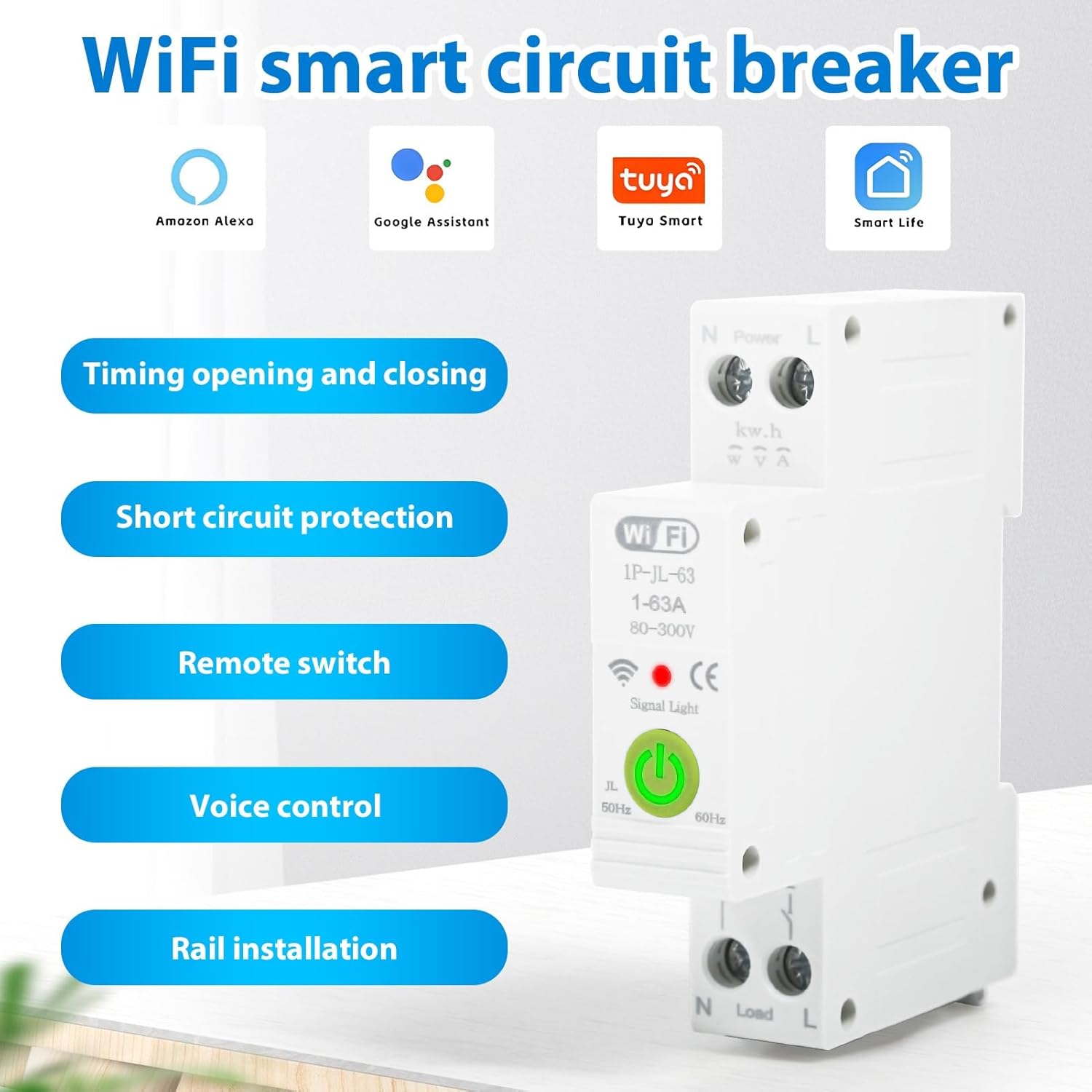
మూర్తి 2.1: పైగాview of the DEWIN Smart Circuit Breaker highlighting its smart features and compatibility.
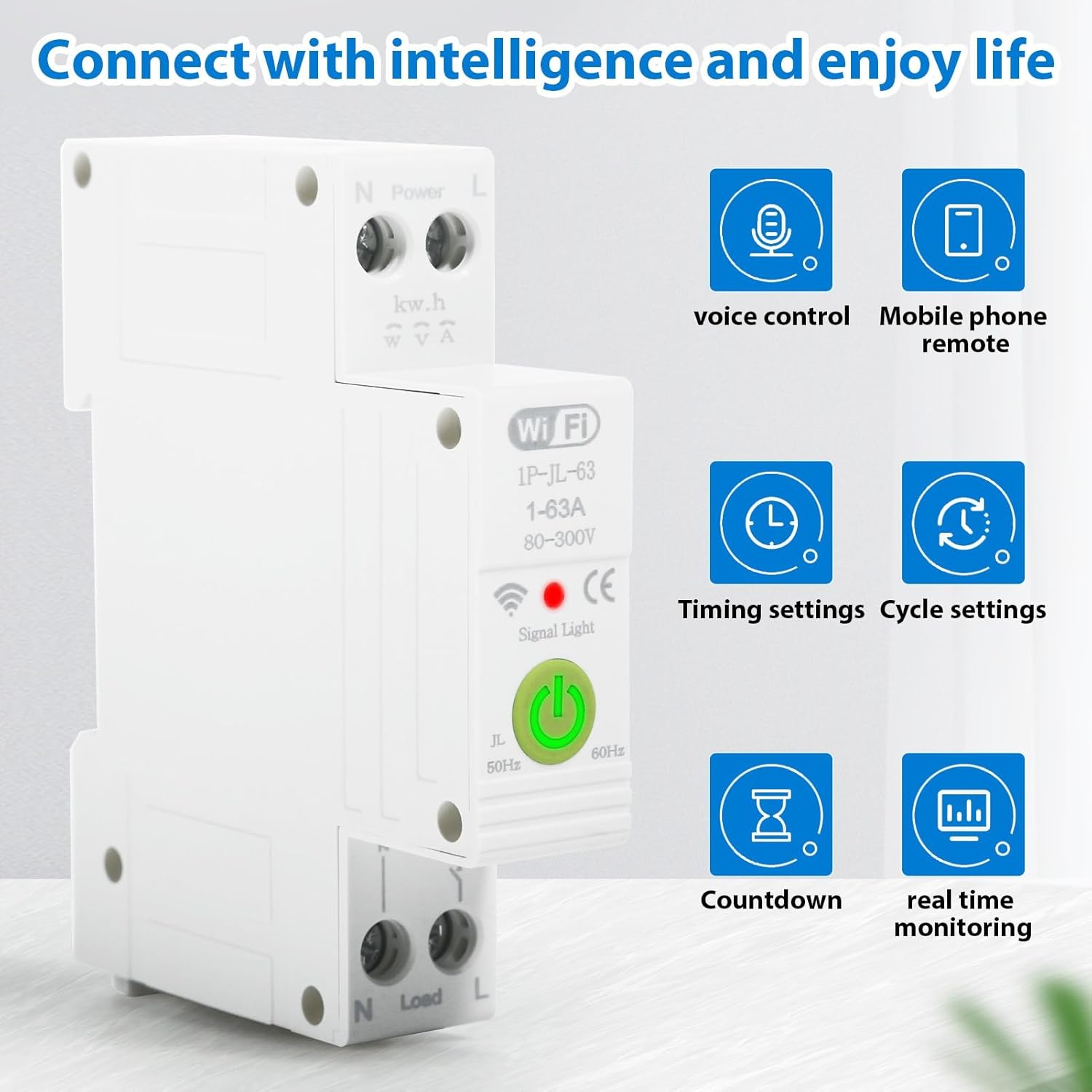
మూర్తి 2.2: Smart functionalities including voice control, remote access, and monitoring.
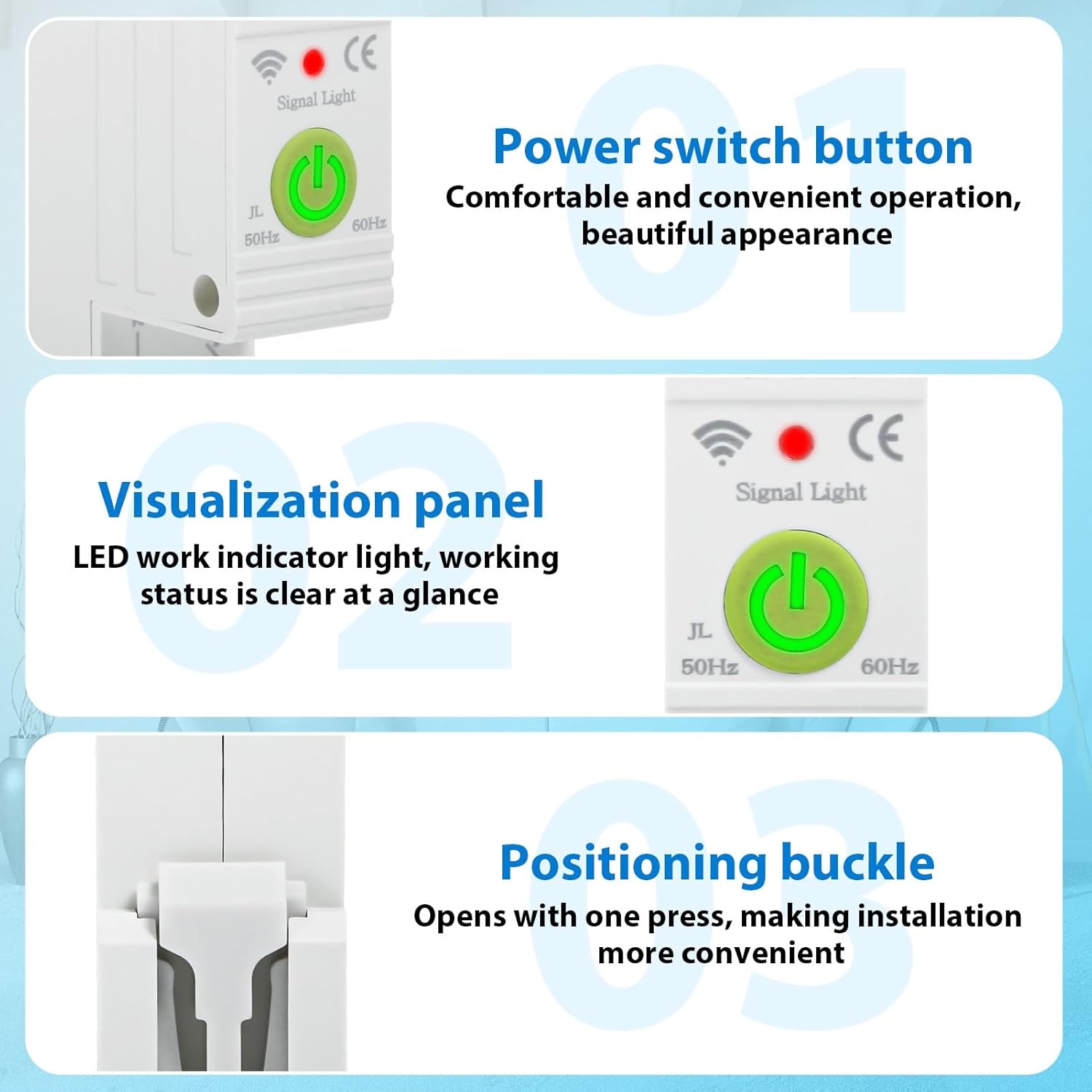
మూర్తి 2.3: వివరంగా view of the power switch, LED indicator, and installation buckle.

మూర్తి 2.4: Illustration of the product's flame-retardant material for enhanced safety.
3. స్పెసిఫికేషన్లు
The following table details the technical specifications of the DEWIN Tuya Smart Circuit Breaker:

మూర్తి 3.1: ఉత్పత్తి కొలతలు మరియు కీలక విద్యుత్ లక్షణాలు.
| స్పెసిఫికేషన్ | విలువ |
|---|---|
| Connection Platform | తుయా స్మార్ట్ APP |
| మెటీరియల్ | PC జ్వాల నిరోధక పదార్థం |
| రేటింగ్ కరెంట్ | 63 ఎ |
| వాల్యూమ్ రేట్ చేయబడిందిtage | 230 V AC |
| ఆపరేటింగ్ వాల్యూమ్tagఇ పరిధి | 80-400 వి ఎసి |
| ఓవర్వోల్tagఇ రక్షణ పరిధి | 120-300 V (Adjustable) |
| అండర్ వోల్tagఇ రక్షణ పరిధి | 80-210 V (Adjustable) |
| రేట్ చేయబడిన ఫ్రీక్వెన్సీ | 50/60 Hz |
| WiFi ఫ్రీక్వెన్సీ | 2.4 GHz |
| సంస్థాపన విధానం | 35 ఎంఎం డిఎన్ రైల్ |
| పరిసర ఉష్ణోగ్రత పరిధి | -30℃ నుండి 70℃ |
| ఉత్పత్తి కొలతలు (L x W x H) | 8.7 x 5 x 1.9 సెం.మీ (1.9 x 8.7 x 1.9 సెం.మీ) |
| వస్తువు బరువు | 120 గ్రాములు |
| ఆపరేషన్ మోడ్ | ఆఫ్ |
| సంప్రదింపు రకం | సాధారణంగా తెరవండి |
| టెర్మినల్ రకం | స్క్రూ |
| సర్క్యూట్ రకం | 1 మార్గం |
| నియంత్రణ పద్ధతి | రిమోట్ కంట్రోల్ |
| కనెక్టివిటీ ప్రోటోకాల్ | Wi-Fi |
| తయారీదారు పార్ట్ నంబర్ | QBCXIYQEQ-GS110256-03 |
4. భద్రతా సమాచారం
పరికరానికి గాయం లేదా నష్టం జరగకుండా నిరోధించడానికి దయచేసి క్రింది భద్రతా జాగ్రత్తలను గమనించండి:
- సంస్థాపన మరియు నిర్వహణ కేవలం అర్హత కలిగిన ఎలక్ట్రీషియన్లచే నిర్వహించబడాలి.
- Ensure the main power supply is disconnected before any installation or wiring work.
- వాల్యూమ్ అని ధృవీకరించండిtagసర్క్యూట్ బ్రేకర్ యొక్క e మరియు ప్రస్తుత రేటింగ్లు మీ విద్యుత్ వ్యవస్థ అవసరాలకు సరిపోతాయి.
- పరికరాన్ని తడి లేదా డిలో ఆపరేట్ చేయవద్దుamp పరిస్థితులు.
- పరికరాన్ని తీవ్రమైన ఉష్ణోగ్రతలు లేదా ప్రత్యక్ష సూర్యకాంతికి బహిర్గతం చేయకుండా ఉండండి.
- Do not attempt to disassemble or modify the circuit breaker.
5. సెటప్
5.1. Installation on DIN Rail
The DEWIN Smart Circuit Breaker is designed for quick and easy installation on a standard 35mm DIN rail. No screws are required for mounting.
- Ensure the main power supply to the circuit is turned off.
- Align the circuit breaker with the DIN rail.
- Press the positioning buckle (refer to Figure 2.3) and snap the device onto the DIN rail until it clicks securely into place.
- Release the buckle to lock the device.

మూర్తి 5.1: DIN rail installation process.
5.2. వైరింగ్ కనెక్షన్
Proper wiring is crucial for safe and correct operation. Refer to the wiring diagram below:
- Identify the Live (L) and Neutral (N) input terminals for the power source.
- Connect the incoming Live wire to the 'L' input terminal and the incoming Neutral wire to the 'N' input terminal.
- Identify the Live (L) and Neutral (N) output terminals for the load.
- Connect the outgoing Live wire to the 'L' output terminal and the outgoing Neutral wire to the 'N' output terminal.
- కనెక్షన్లు వదులుగా ఉండకుండా ఉండటానికి అన్ని స్క్రూ టెర్మినల్స్ సురక్షితంగా బిగించబడ్డాయని నిర్ధారించుకోండి.

మూర్తి 5.2: Wiring diagram for Live and Neutral connections.
5.3. App Connection (Tuya Smart)
To enable smart features, connect the device to the Tuya Smart APP:
- Download the 'Tuya Smart' app from your mobile device's app store (iOS or Android).
- మీ తుయా స్మార్ట్ ఖాతాకు నమోదు చేసుకోండి లేదా లాగిన్ అవ్వండి.
- Ensure your mobile device is connected to a 2.4 GHz WiFi network.
- Power on the circuit breaker. The signal light should blink, indicating it's in pairing mode. If not, press and hold the power switch button for 5-10 seconds until it blinks rapidly.
- In the Tuya Smart app, tap '+' to add a new device.
- Select 'Electrical' > 'Circuit Breaker (Wi-Fi)' or allow the app to auto-discover the device.
- Follow the on-screen instructions to complete the pairing process, entering your WiFi network password when prompted.
- Once connected, the signal light on the device will become solid.
6. ఆపరేటింగ్ సూచనలు
Once installed and connected to the Tuya Smart app, you can control and monitor your circuit breaker remotely.
6.1. మాన్యువల్ ఆపరేషన్
Press the physical power switch button on the device to manually turn the circuit ON or OFF.
6.2. యాప్ నియంత్రణ
Open the Tuya Smart app and select your circuit breaker device. From the app interface, you can:
- ఆన్/ఆఫ్ చేయండి: Toggle the power switch remotely.
- Monitor Data: View real-time data such as total energy consumption, current, voltagఇ, మరియు శక్తి.
- టైమర్లను సెట్ చేయండి: Schedule the circuit to turn ON or OFF at specific times.
- Create Cycle Timings: Set repetitive ON/OFF schedules.
- Configure Countdown: Set a countdown timer for the circuit to switch.
- Adjust Protection Settings: Modify overvoltagఇ మరియు అండర్వాల్tage protection ranges as needed (refer to specifications for default ranges).
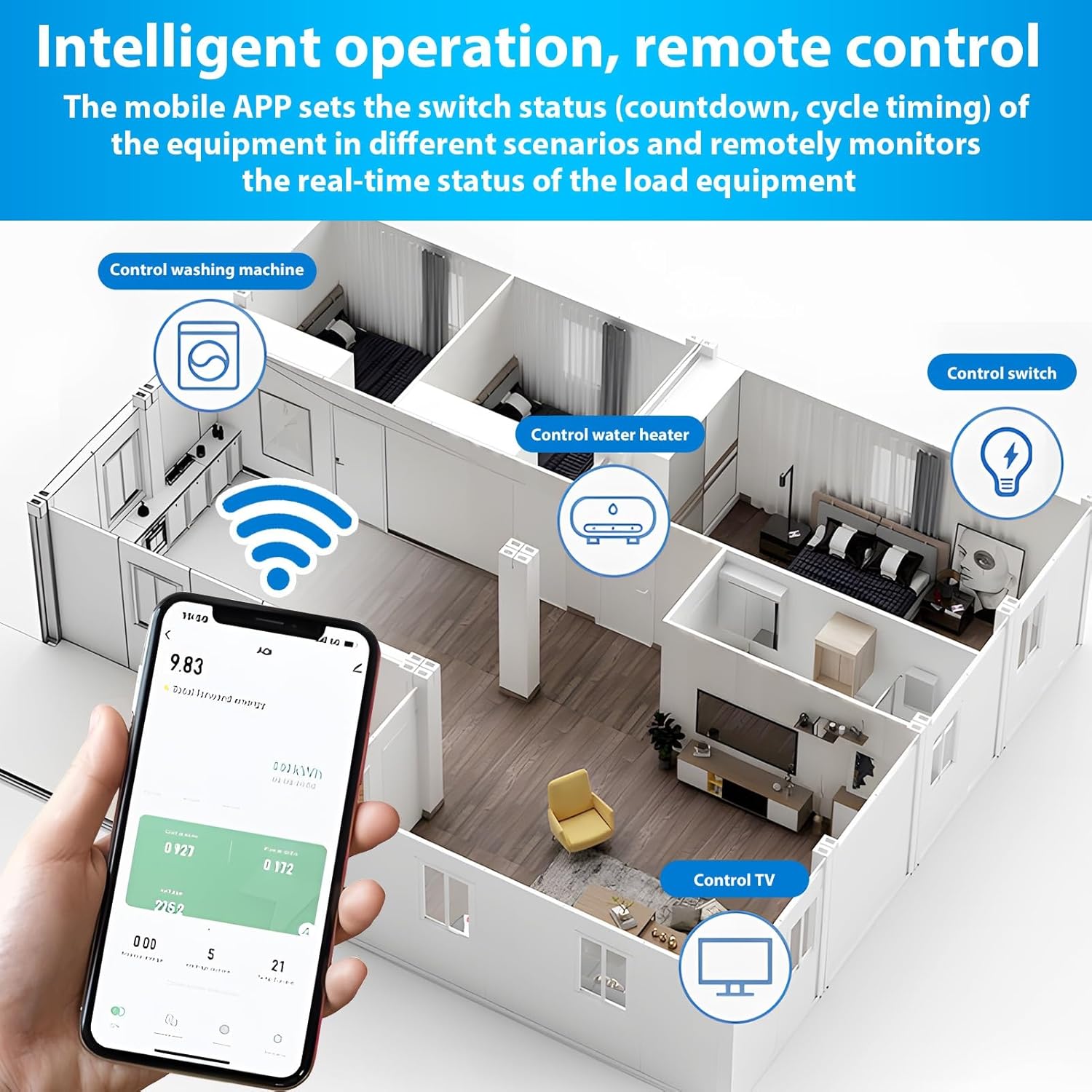
మూర్తి 6.1: Remote control and monitoring via the Tuya Smart mobile application.
6.3. వాయిస్ నియంత్రణ
Integrate the Tuya Smart app with Amazon Alexa or Google Assistant for voice-activated control:
- Enable the 'Tuya Smart' skill in your Alexa or Google Home app.
- Link your Tuya Smart account.
- పరికరాలను కనుగొనండి.
- ఇలాంటి వాయిస్ కమాండ్లను ఉపయోగించండి:
- "అలెక్సా, [పరికర పేరు] ఆన్ చేయండి"
- "హే గూగుల్, [డివైస్ నేమ్] ఆఫ్ చేయి"
7. నిర్వహణ
The DEWIN Smart Circuit Breaker requires minimal maintenance. Follow these guidelines to ensure longevity:
- Regularly inspect the device for any visible damage or loose connections.
- Keep the device clean and free from dust and debris. Use a dry, soft cloth for cleaning.
- కఠినమైన రసాయనాలు లేదా రాపిడి క్లీనర్లను ఉపయోగించవద్దు.
- వేడెక్కకుండా నిరోధించడానికి పరికరం చుట్టూ సరైన వెంటిలేషన్ ఉండేలా చూసుకోండి.
8. ట్రబుల్షూటింగ్
If you encounter issues with your DEWIN Smart Circuit Breaker, refer to the following common problems and solutions:
| సమస్య | సాధ్యమైన కారణం | పరిష్కారం |
|---|---|---|
| పరికరం పవర్ ఆన్ చేయదు. | No power supply; Loose wiring; Device fault. | Check main power supply; Verify wiring connections; Contact support if fault persists. |
| WiFiకి కనెక్ట్ చేయడం సాధ్యం కాలేదు. | Incorrect WiFi password; Router too far; 5GHz WiFi network; Device not in pairing mode. | Ensure correct 2.4GHz WiFi password; Move device closer to router; Switch to 2.4GHz network; Put device in pairing mode (blinking signal light). |
| రిమోట్ కంట్రోల్ పనిచేయడం లేదు. | No internet connection; App issue; Device offline. | Check internet connectivity; Restart Tuya Smart app; Reconnect device to WiFi if offline. |
| Protection features (over/undervoltage) tripping unexpectedly. | వాల్యూమ్tage fluctuations; Sensitivity settings. | Check power grid stability; Adjust protection thresholds in the app if necessary (consult a professional). |
If the problem persists after attempting these solutions, please contact DEWIN customer support.
9. వారంటీ మరియు మద్దతు
For warranty information, please refer to the terms and conditions provided at the time of purchase or contact your retailer. For technical support or further assistance, please reach out to DEWIN customer service through the contact information provided on the product packaging or the official DEWIN webసైట్.