1. పరిచయం
The Generic A-Pro W AI Smart Recording and Translation Earphones are designed to enhance communication through advanced AI features. These earbuds offer real-time voice translation, high-accuracy recording to text, and seamless connectivity for both mobile and PC environments. They are built for clarity, convenience, and extended use in various professional and personal settings.

Image 1.1: Generic A-Pro W AI Smart Recording and Translation Earphones (White)
వీడియో 1.1: ముగిసిందిview of A-Pro W AI Smart Recording Earphones features, including recording, translation, and connectivity. (Duration: 1:53)

Image 1.2: Key features overview of the AI Smart Earphones.
2. పెట్టెలో ఏముంది
అన్బాక్సింగ్ సమయంలో అన్ని వస్తువులు ఉన్నాయని దయచేసి ధృవీకరించండి:
- AI Smart Recording and Translation Earphones (Left and Right)
- ఛార్జింగ్ బాక్స్
- టైప్-సి ఛార్జింగ్ కేబుల్
- ఇన్స్ట్రక్షన్ మాన్యువల్
3. సెటప్
3.1 ప్రారంభ ఛార్జింగ్
Before first use, it is recommended to fully charge both the earphones and the charging case. Connect the Type-C charging cable to the charging box and a power source. The indicator lights on the charging case will show the charging status. A full charge typically takes approximately 1.5 hours.
3.2 బ్లూటూత్ జత చేయడం
- ఇయర్ఫోన్లు పూర్తిగా ఛార్జ్ అయ్యాయని నిర్ధారించుకోండి.
- ఛార్జింగ్ కేస్ను తెరవండి. ఇయర్ఫోన్లు స్వయంచాలకంగా జత చేసే మోడ్లోకి ప్రవేశిస్తాయి.
- On your device (smartphone, tablet, or computer), enable Bluetooth.
- కోసం వెతకండి available Bluetooth devices and select "A-Pro W" (or similar name) from the list.
- Once connected, a confirmation sound will play, and the indicator lights on the earphones/case may change.
4. ఆపరేటింగ్ సూచనలు
4.1 AI Smart Recording to Text
The earphones support free recording to text with up to 98% accuracy, covering 11 languages and 10 industry terms. This feature is ideal for mobile phone calls, voice and video conferences, and mainstream conference applications.
- తక్షణ రికార్డింగ్: Simply open the charging case to initiate recording via the mobile phone application. Headphones do not need to be worn.
- Speaker Distinction: The system can distinguish between speakers in real-time, eliminating the need for secondary sorting of transcripts.
- Network-Free Operation: Supports recording even without an active internet connection.
- Intelligent Encryption: An intelligent encryption protocol protects recorded information.
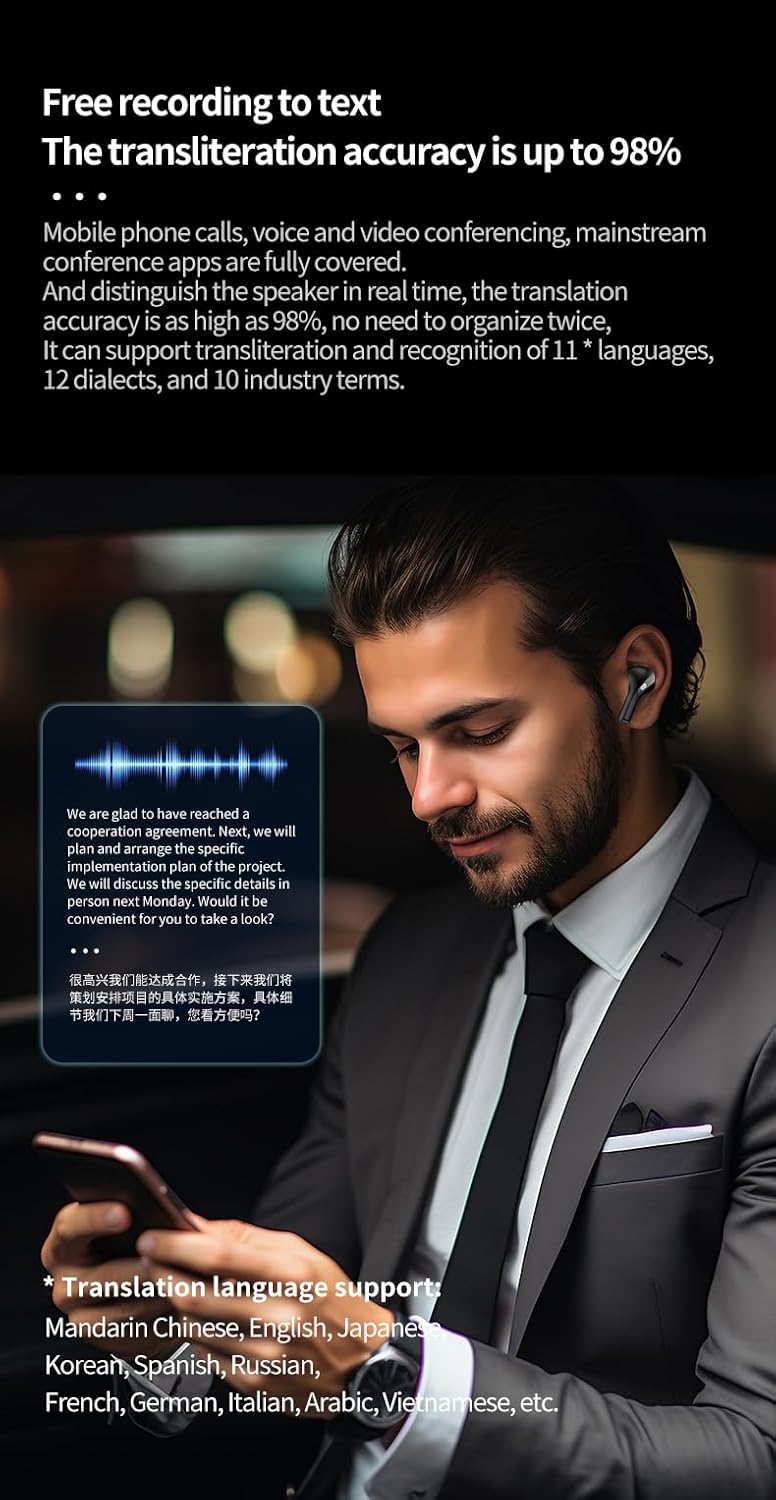
Image 4.1: Real-time recording and transcription feature.

Image 4.2: Live recording for interviewలు మరియు సమావేశాలు.
4.2 Voice Translation
The earphones offer comprehensive translation capabilities, supporting 32 languages for face-to-face communication and 10 languages for simultaneous interpretation.
- ముఖాముఖి అనువాదం: When communicating with someone speaking a foreign language, the earphones will provide real-time translation in your native language (e.g., Chinese to English). This enables barrier-free cross-language conversations.
- Simultaneous Audio Translation (One-Way Speech): Suitable for academic lectures, multinational conferences, or one-way speeches. Place your phone near the sound source, and the spoken content will be translated in real-time and broadcast to your headset. The original text and translation will also be displayed on your phone for easy viewing.
Supported Face-to-Face Translation Languages (with Mandarin Chinese): English, Japanese, Korean, Spanish, Russian, French, German, Italian, Arabic, Vietnamese, Bulgarian, Persian, Polish, Filipino, Dutch, Hausa, Czech, Romanian, Malaysian, Bengali, Portuguese, Swedish, Swahili, Turkish, Tamil, Thai, Ukrainian, Urdu, Uzbek, Greek, Hindi, Indonesian, etc.

Image 4.3: Face-to-face real-time translation in action.

Image 4.4: Simultaneous audio translation for lectures and conferences.
4.3 Mobile Phone and Computer Dual Connection
The earphones support simultaneous connection to both your mobile phone and computer, allowing for seamless switching between calls and PC meetings. This feature provides flexibility for various work and communication scenarios.

Image 4.5: Dual connection for mobile and PC.
4.4 Dedicated Application
Utilize the dedicated mobile application to access and manage the full suite of intelligent features, including the intelligent assistant, simultaneous translator, and conference assistant functionalities.
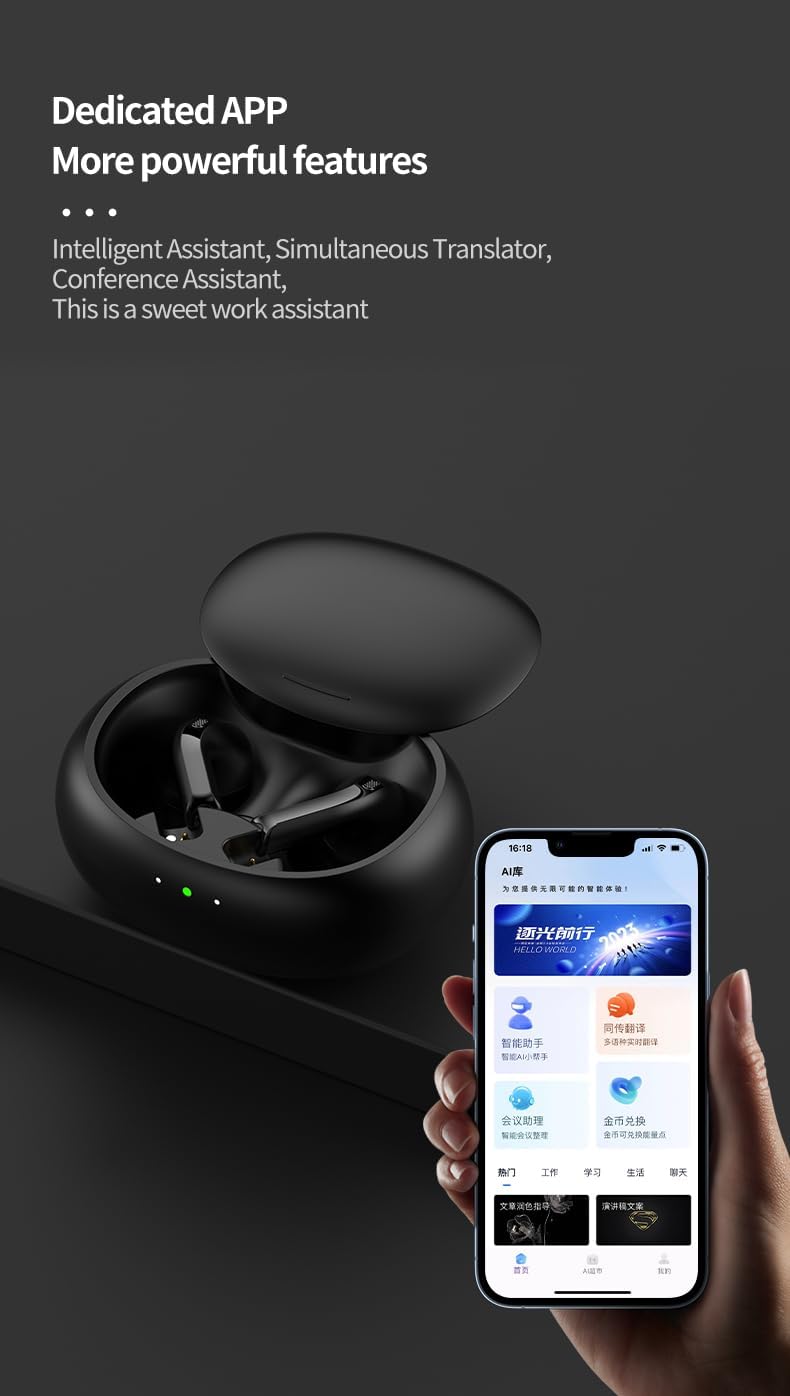
Image 4.6: Dedicated application interface.
5. నిర్వహణ
- శుభ్రపరచడం: ఇయర్ఫోన్లు మరియు ఛార్జింగ్ కేసును మృదువైన, పొడి వస్త్రంతో క్రమం తప్పకుండా శుభ్రం చేయండి. కఠినమైన రసాయనాలు లేదా రాపిడి పదార్థాలను ఉపయోగించకుండా ఉండండి.
- చెమట నిరోధక డిజైన్: The earphones feature a sweatproof design, making them suitable for workouts and daily activities. However, they are not fully waterproof; avoid submerging them in water.
- నిల్వ: Store the earphones in their charging case when not in use to protect them and ensure they remain charged.
- బ్యాటరీ సంరక్షణ: To prolong battery life, avoid fully discharging the earphones frequently. Charge them regularly, especially if they will not be used for an extended period.
6. ట్రబుల్షూటింగ్
- ఇయర్ఫోన్లు జత కావడం లేదు: Ensure both earphones are in the charging case, then open the lid to re-enter pairing mode. Check your device's Bluetooth settings and try re-pairing.
- శబ్దం లేదు: Verify that the earphones are connected to your device and the volume is turned up on both the earphones and your device.
- ఛార్జింగ్ సమస్యలు: Ensure the Type-C cable is securely connected to both the charging case and the power source. Check for any debris in the charging port.
- Translation inaccuracy: Ensure a clear audio input source. Check your internet connection if using cloud-based translation features. Update the dedicated application to the latest version.
- అడపాదడపా కనెక్షన్: Ensure the earphones are within the 15-meter wireless working range of your device. Avoid obstacles that may interfere with the Bluetooth signal.
7. స్పెసిఫికేషన్లు
| ఫీచర్ | వివరాలు |
|---|---|
| మోడల్ పేరు | A-Pro W |
| కనెక్టివిటీ టెక్నాలజీ | వైర్లెస్ (బ్లూటూత్ 5.3) |
| వైర్లెస్ వర్కింగ్ రేంజ్ | 15 మీటర్లు |
| ఇయర్ఫోన్ బ్యాటరీ కెపాసిటీ | 40mAh (పాలిమర్) |
| సింగిల్ ఇయర్ఫోన్ బ్యాటరీ లైఫ్ | 6 గంటలు |
| ఛార్జింగ్ బాక్స్ బ్యాటరీ కెపాసిటీ | 320mAh (పాలిమర్) |
| మొత్తం బ్యాటరీ జీవితకాలం (కేస్తో సహా) | 48 గంటలు |
| ఛార్జింగ్ సమయం | సుమారు 1.5 గంటలు |
| ఛార్జింగ్ ఇంటర్ఫేస్ | Type-C (supports wired/wireless/reverse charging) |
| నాయిస్ కంట్రోల్ | యాక్టివ్ నాయిస్ రద్దు |
| నీటి నిరోధక స్థాయి | చెమట ప్రూఫ్ |
| ధ్వని నాణ్యత | HIFI-level |
| జాప్యం | అల్ట్రా-తక్కువ |
| నియంత్రణ పద్ధతి | యాప్, టచ్ |
| అనుకూల పరికరాలు | Android, iOS, Windows (Bluetooth compatible) |
8. వారంటీ మరియు మద్దతు
వారంటీ సమాచారం మరియు సాంకేతిక మద్దతు కోసం, దయచేసి మీ కొనుగోలుతో అందించిన డాక్యుమెంటేషన్ను చూడండి లేదా విక్రేతను నేరుగా సంప్రదించండి. ఏవైనా వారంటీ క్లెయిమ్ల కోసం మీ కొనుగోలు రుజువును ఉంచండి.


