
పరిచయం
This manual provides essential information for the proper setup, operation, and maintenance of your ONN 24-inch FHD Gaming Monitor, model 100027813. Please read this manual thoroughly before using the product to ensure optimal performance and safety. This monitor is designed to deliver a high-quality gaming experience with its 1080p resolution, 165Hz refresh rate, 1ms response time, and FreeSync technology.
భద్రతా సమాచారం
Always observe the following safety precautions to prevent damage to the monitor and ensure user safety:
- అగ్ని లేదా షాక్ ప్రమాదాలను నివారించడానికి మానిటర్ను వర్షం లేదా తేమకు గురిచేయవద్దు.
- మానిటర్ తెరవవద్దు casing. లోపల వినియోగదారు-సేవ చేయగల భాగాలు లేవు. అన్ని సర్వీసింగ్లను అర్హత కలిగిన సేవా సిబ్బందికి సూచించండి.
- పడిపోకుండా నిరోధించడానికి మానిటర్ను స్థిరమైన, చదునైన ఉపరితలంపై ఉంచండి.
- మానిటర్ చుట్టూ సరైన వెంటిలేషన్ ఉండేలా చూసుకోండి. వెంటిలేషన్ ఓపెనింగ్లను బ్లాక్ చేయవద్దు.
- మానిటర్తో పాటు సరఫరా చేయబడిన పవర్ అడాప్టర్ను మాత్రమే ఉపయోగించండి.
- మెరుపు తుఫానుల సమయంలో లేదా ఎక్కువసేపు ఉపయోగించనప్పుడు పవర్ అవుట్లెట్ నుండి మానిటర్ను అన్ప్లగ్ చేయండి.
ప్యాకేజీ విషయాలు
ప్యాకేజీలో అన్ని అంశాలు ఉన్నాయని నిర్ధారించుకోండి:
- ONN 24-inch FHD Gaming Monitor
- మానిటర్ స్టాండ్ (బేస్ మరియు మెడ)
- పవర్ అడాప్టర్
- DisplayPort Cable (6 ft)
- HDMI కేబుల్ (6 అడుగులు)
- వినియోగదారు మాన్యువల్ (ఈ పత్రం)

Image: Retail box of the ONN 24-inch Gaming Monitor, highlighting key features like 165Hz, 1ms response time, DisplayPort, HDMI, and Adaptive-Sync.
సెటప్
1. స్టాండ్ అసెంబ్లింగ్
- ప్యాకేజింగ్ నుండి మానిటర్ మరియు స్టాండ్ భాగాలను జాగ్రత్తగా తొలగించండి.
- Attach the stand neck to the stand base. Secure it with the provided screw, if applicable.
- Align the assembled stand with the mounting slot on the back of the monitor. Gently push until it clicks into place or secure with screws as per the design.
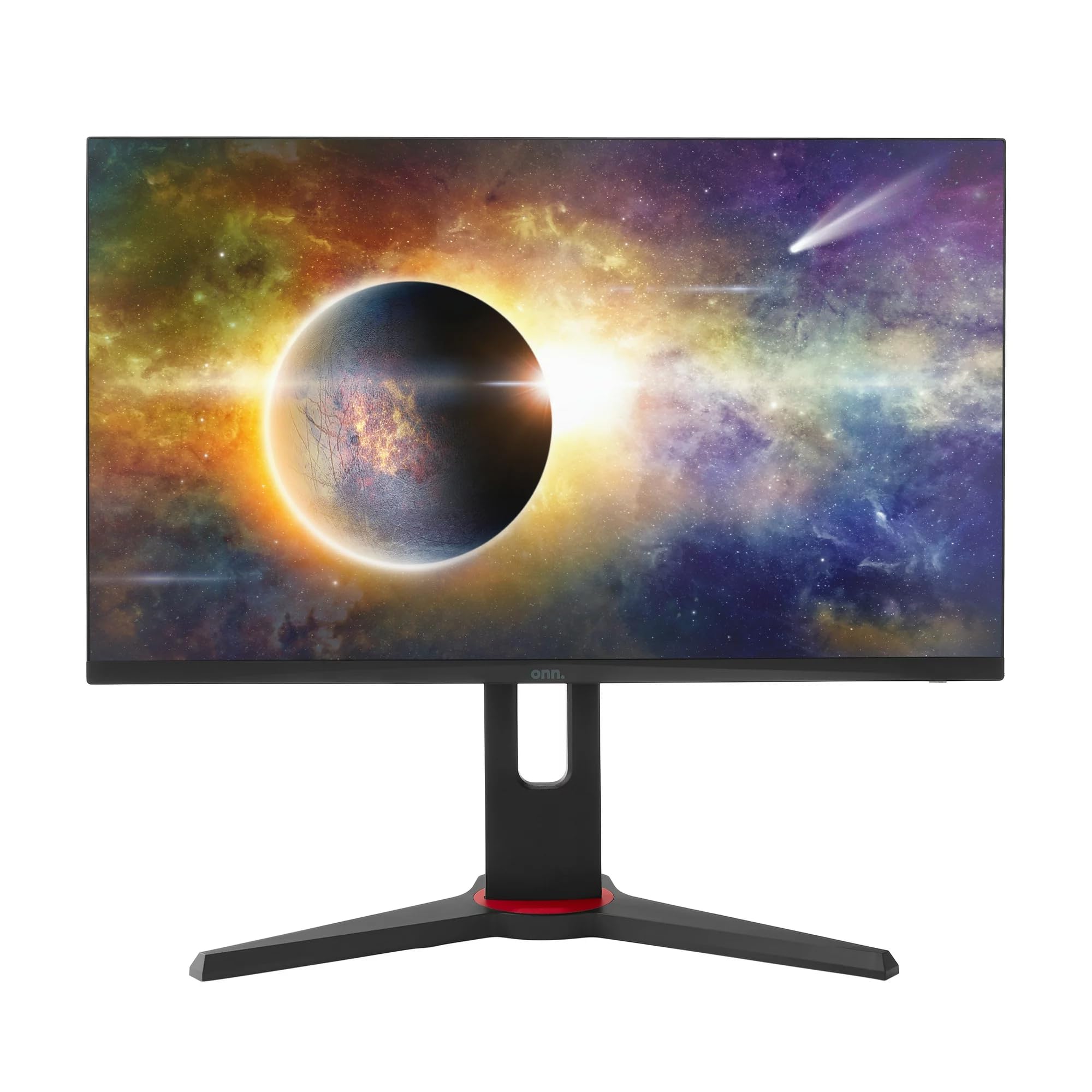
చిత్రం: ముందు భాగం view of the ONN 24-inch Gaming Monitor, fully assembled with its stand.

చిత్రం: వెనుక view of the ONN 24-inch Gaming Monitor, illustrating the stand attachment and cable management area.
2. కేబుల్స్ కనెక్ట్
Locate the input ports on the back of your monitor:
- శక్తి: పవర్ అడాప్టర్ను మానిటర్ యొక్క పవర్ ఇన్పుట్కు మరియు తరువాత పవర్ అవుట్లెట్కు కనెక్ట్ చేయండి.
- వీడియో ఇన్పుట్: Connect one end of the provided DisplayPort or HDMI cable to the corresponding port on your computer's graphics card and the other end to the monitor. The monitor supports 2 HDMI inputs and 1 DisplayPort input.
- ఆడియో అవుట్పుట్ (ఐచ్ఛికం): If your monitor has a 3.5mm audio jack, you can connect external speakers or headphones.

చిత్రం: క్లోజప్ view of the monitor's rear ports, including HDMI 1, HDMI 2, DisplayPort (DP), and power input.
3. ప్రారంభ పవర్-ఆన్
- అన్ని కేబుల్స్ సురక్షితంగా కనెక్ట్ అయ్యాయని నిర్ధారించుకోండి.
- Press the power button on the monitor (usually located on the back or bottom right).
- The monitor should display the ONN logo and then search for an input signal.
- If no image appears, ensure your computer is powered on and the correct input source is selected on the monitor (see Operating section).
ఆపరేటింగ్
1. పవర్ ఆన్/ఆఫ్
Press the power button to turn the monitor on or off. The power indicator light will show the monitor's status (e.g., blue for on, amber for standby).
2. ఆన్-స్క్రీన్ డిస్ప్లే (OSD) మెనూ నావిగేషన్
Your monitor features an OSD menu for adjusting various settings. Typically, buttons on the back or bottom of the monitor control the OSD:
- మెనూ బటన్: OSD మెనుని తెరుస్తుంది.
- నావిగేషన్ బటన్లు (పైకి/క్రిందికి/ఎడమ/కుడి): మెనూ ఎంపికల ద్వారా నావిగేట్ చేయడానికి ఉపయోగించబడుతుంది.
- ఎంచుకోండి/నమోదు బటన్: ఎంపికను నిర్ధారిస్తుంది లేదా ఉప-మెనూలోకి ప్రవేశిస్తుంది.
- నిష్క్రమణ బటన్: ప్రస్తుత మెనూ లేదా OSD నుండి నిష్క్రమిస్తుంది.
3. సెట్టింగులను సర్దుబాటు చేయడం
OSD మెను ద్వారా మీరు సర్దుబాటు చేయగల కీలక సెట్టింగ్లు:
- ప్రకాశం/కాంట్రాస్ట్: కాంతి మరియు చీకటి ప్రాంతాల మధ్య మొత్తం ప్రకాశం మరియు వ్యత్యాసాన్ని సర్దుబాటు చేయండి.
- రంగు సెట్టింగ్లు: రంగు ఉష్ణోగ్రత, గామా మరియు వ్యక్తిగత RGB స్థాయిలను సవరించండి.
- ఇన్పుట్ మూలం: HDMI 1, HDMI 2 లేదా DisplayPort ఇన్పుట్ల మధ్య మాన్యువల్గా ఎంచుకోండి.
- రిఫ్రెష్ రేట్: Ensure your graphics card and monitor are set to 165Hz for the smoothest experience. This is usually configured in your operating system's display settings.
- ప్రతిస్పందన సమయం: Adjust the monitor's response time setting (e.g., 1ms) for reduced motion blur in fast-paced games.
- ఫ్రీసింక్ టెక్నాలజీ: Enable FreeSync in the OSD menu and in your AMD graphics card settings to synchronize the monitor's refresh rate with your GPU's frame rate, eliminating screen tearing and stuttering.
- చిత్ర రీతులు: విభిన్న కంటెంట్ (ఉదా., స్టాండర్డ్, గేమ్, మూవీ, టెక్స్ట్) కోసం ఆప్టిమైజ్ చేయబడిన ప్రీసెట్ మోడ్ల నుండి ఎంచుకోండి.

Image: The ONN 24-inch Gaming Monitor displayed in a typical desk setup, connected to a laptop with gaming peripherals.
నిర్వహణ
మానిటర్ శుభ్రపరచడం
- శుభ్రపరిచే ముందు మానిటర్ను ఎల్లప్పుడూ అన్ప్లగ్ చేయండి.
- మెత్తని, మెత్తని బట్టను తేలికగా ఉపయోగించండి డిampనీటితో లేదా తేలికపాటి, రాపిడి లేని స్క్రీన్ క్లీనర్తో శుభ్రం చేయండి.
- క్లీనర్ను నేరుగా స్క్రీన్పై పిచికారీ చేయవద్దు. ముందుగా దానిని గుడ్డకు పూయండి.
- కఠినమైన రసాయనాలు, రాపిడి ప్యాడ్లు లేదా ద్రావకాలను ఉపయోగించడం మానుకోండి.
నిల్వ
మానిటర్ను ఎక్కువ కాలం నిల్వ ఉంచినట్లయితే, అన్ని కేబుల్లను డిస్కనెక్ట్ చేయండి, దాని అసలు ప్యాకేజింగ్లో (అందుబాటులో ఉంటే) ప్యాక్ చేయండి మరియు ప్రత్యక్ష సూర్యకాంతి మరియు తీవ్రమైన ఉష్ణోగ్రతలు లేకుండా చల్లని, పొడి ప్రదేశంలో నిల్వ చేయండి.
ట్రబుల్షూటింగ్
మీ మానిటర్తో మీకు సమస్యలు ఎదురైతే, ఈ క్రింది సాధారణ సమస్యలు మరియు పరిష్కారాలను చూడండి:
| సమస్య | సాధ్యమైన పరిష్కారం |
|---|---|
| తెరపై చిత్రం లేదు |
|
| Image is flickering or distorted |
|
| శబ్దం లేదు (మానిటర్ స్పీకర్లు/ఆడియో అవుట్పుట్ ఉపయోగిస్తుంటే) |
|
| మానిటర్ 165Hz కి చేరుకోవడం లేదు |
|
స్పెసిఫికేషన్లు
Detailed technical specifications for the ONN 24-inch FHD Gaming Monitor (Model 100027813):
| ఫీచర్ | స్పెసిఫికేషన్ |
|---|---|
| మోడల్ సంఖ్య | 100027813 |
| స్క్రీన్ పరిమాణం | 24 అంగుళాలు |
| రిజల్యూషన్ | FHD 1080p (1920x1080) |
| రిఫ్రెష్ రేట్ | 165 Hz |
| ప్రతిస్పందన సమయం | 1 మిల్లీసెకన్లు |
| ప్రదర్శన సాంకేతికత | IPS |
| అనుకూల సమకాలీకరణ | FreeSync |
| కారక నిష్పత్తి | 16:9 |
| కాంట్రాస్ట్ రేషియో | 2000:1 |
| స్క్రీన్ ఉపరితలం | Matte, Anti-glare with low blue light setting |
| కనెక్టివిటీ | 2 x HDMI, 1 x డిస్ప్లేపోర్ట్ |
| ఉత్పత్తి కొలతలు (D x W x H) | 61.3 x 11.3 x 37.3 సెం.మీ |
| వస్తువు బరువు | 6.1 కిలోలు |
| రంగు | నలుపు |
| మౌంటు రకం | డెస్క్ మౌంట్ |
| నిర్దిష్ట ఉపయోగాలు | Entertainment, Gaming |
వారంటీ
This ONN 24-inch FHD Gaming Monitor is a renewed product. Warranty terms and conditions for renewed products may vary. Please refer to the specific warranty information provided by the seller or retailer at the time of purchase. It is recommended to retain your proof of purchase for any warranty claims.
మద్దతు
For technical assistance, troubleshooting beyond this manual, or warranty inquiries, please contact the retailer or the Amazon Renewed support channel where the product was purchased. Have your model number (100027813) and proof of purchase ready when contacting support.