
1. ఉత్పత్తి ముగిసిందిview
The MONODEAL K105 is a versatile under-cabinet music system designed for kitchen environments, offering multiple audio playback options and convenient features. It integrates a CD player, FM radio, Bluetooth connectivity, and practical additions like an LED kitchen light, kitchen timer, and dual alarm clock.

Figure 1: MONODEAL K105 Under Cabinet CD Player with included accessories.
వీడియో 1: అధికారిక ఉత్పత్తి ముగిసిందిview of the MONODEAL K105 Under Cabinet CD Player, highlighting its features and design.
2 కీ ఫీచర్లు
- Radio/CD Player with Bluetooth: Supports wireless Bluetooth for connecting with mobile devices, FM radio with 30 preset stations, and playback of CD, CD-R, CD-RW, and MP3 formats.
- Stylish Look and Practical LED Kitchen Lights: Features a sleek black finish and a built-in energy-saving LED light for illuminating the counter space.
- టైమర్ మరియు రిమోట్ కంట్రోల్: Includes a cooking timer for time management and a remote control for convenient operation.
- Dual Alarm Clock and High Sound: Features dual alarm settings and 2*5W speakers for high-fidelity sound quality.
- 2*16 Display and Easy Installation: Large display for clear playback information, time, and timer status. Designed for easy installation.

Figure 2: Wireless Bluetooth 5.0 connection for streaming music from mobile devices.
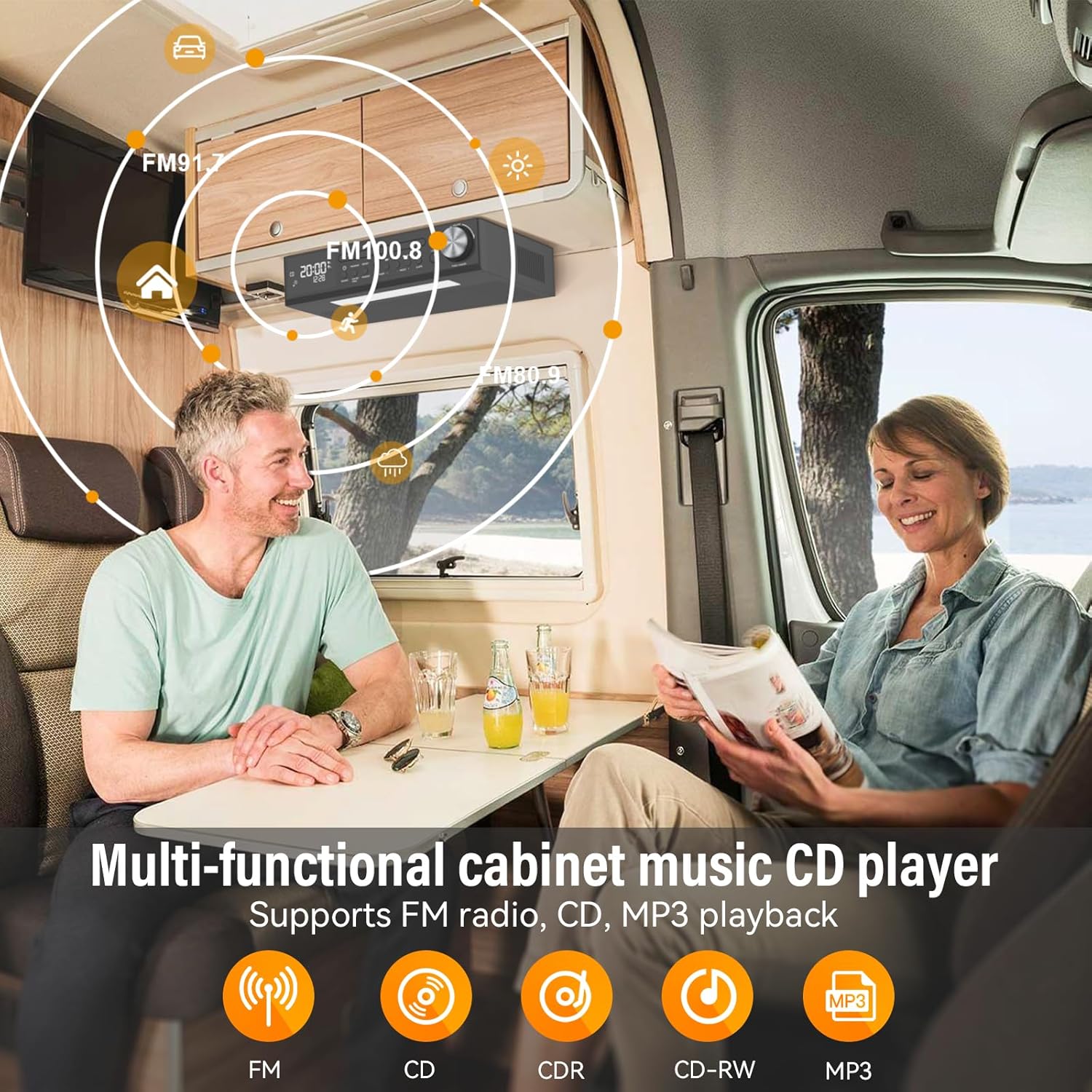
Figure 3: Multi-functional cabinet music CD player supporting FM radio, CD, and MP3 playback.

Figure 4: Energy-saving LED light to enhance the kitchen workspace.

Figure 5: Remote control operation for easy command of the unit.

Figure 6: Timer function assists with cooking and other timed activities.

Figure 7: Dual alarm settings to fit various lifestyle needs.
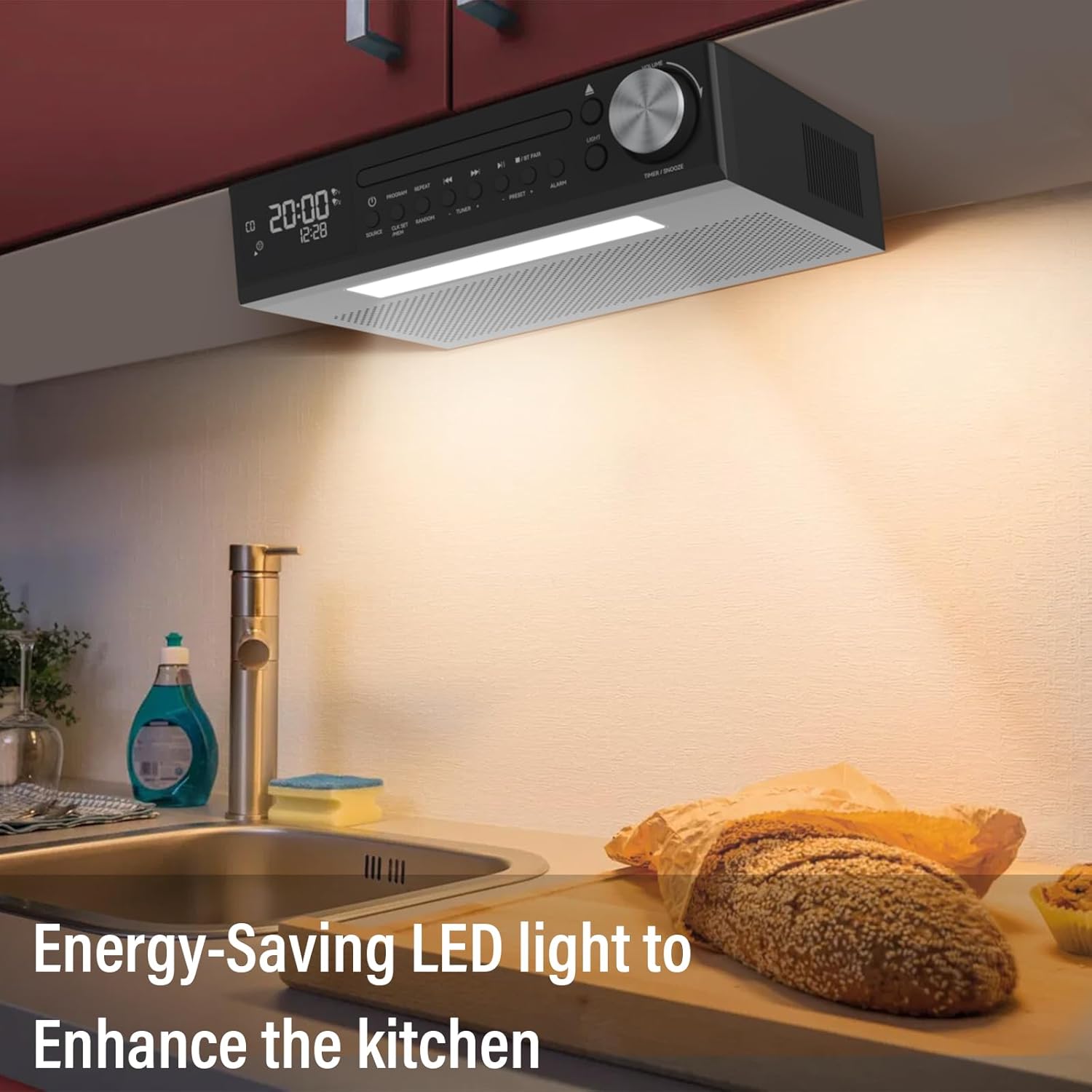
Figure 8: The 2*16 large screen display provides information at a glance.
3. సెటప్
3.1 పెట్టెలో ఏముంది
- KR105 Under Cabinet CD Player (x1)
- మౌంటు ప్లేట్ (x1)
- రిమోట్ కంట్రోల్ (x1)
- స్క్రూలు (x4)
- Power Plug (x1)

చిత్రం 9: ఉత్పత్తి ప్యాకేజింగ్లో చేర్చబడిన అన్ని భాగాలు.
3.2 సంస్థాపనా దశలు
- Attach Mounting Plate to Unit: Secure the mounting plate to the top of the CD player using the provided screws.
- Secure Mounting Plate to Cabinet: Position the mounting plate under your desired cabinet location. Use the remaining screws to firmly attach the plate to the underside of the cabinet. Ensure the plate is level and securely fastened.
- Slide CD Player onto Mounting Plate: Align the CD player with the attached mounting plate and slide it into place until it clicks securely.
- పవర్ కనెక్ట్ చేయండి: Plug the power adapter into the DC 5.0V input on the back of the CD player and then into a standard wall outlet.

Figure 10: Step 1 - Attaching the mounting plate to the top of the CD player.

Figure 11: Step 2 - Securing the mounting plate to the cabinet.

Figure 12: Step 3 - Sliding the CD player onto the mounting plate.

Figure 13: Step 4 - Connecting the power adapter.
4. ఆపరేటింగ్ సూచనలు
4.1 పవర్ ఆన్/ఆఫ్
నొక్కండి శక్తి button on the unit or the remote control to turn the device on or off.
4.2 మోడ్ ఎంపిక
నొక్కండి మూలం button on the unit or remote control to cycle through available modes: CD, FM Radio, and Bluetooth (BT).
4.3 CD ప్లేబ్యాక్
- ఉపయోగించి CD మోడ్ను ఎంచుకోండి మూలం బటన్.
- నొక్కండి తెరవండి/మూసివేయండి CD ట్రేని తెరవడానికి బటన్.
- Place a CD (CD, CD-R, CD-RW, MP3 format) onto the tray with the label side facing up.
- నొక్కండి తెరవండి/మూసివేయండి ట్రేని మూసివేయడానికి మళ్ళీ బటన్ నొక్కండి. ప్లేబ్యాక్ స్వయంచాలకంగా ప్రారంభమవుతుంది.
- ఉపయోగించండి ప్లే/పాజ్ చేయండి, ఫార్వార్డ్ దాటవేయి, మరియు వెనుకకు దాటవేయి నియంత్రణ కోసం బటన్లు.
- నొక్కండి కార్యక్రమం to program tracks, పునరావృతం చేయండి for repeat options, and యాదృచ్ఛికం షఫుల్ చేసిన ప్లేబ్యాక్ కోసం.
4.4 FM రేడియో ఆపరేషన్
- ఉపయోగించి FM మోడ్ను ఎంచుకోండి మూలం బటన్.
- ఉపయోగించండి TUNER + or TUNER - స్టేషన్కు మాన్యువల్గా ట్యూన్ చేయడానికి బటన్లు.
- స్టేషన్లను ఆటో-స్కాన్ చేసి సేవ్ చేయడానికి, నొక్కి పట్టుకోండి స్కాన్ బటన్ (రిమోట్లో) లేదా ప్రీసెట్ + / ప్రీసెట్ - buttons (on unit).
- ఉపయోగించండి ప్రీసెట్ + or ప్రీసెట్ - సేవ్ చేయబడిన స్టేషన్ల ద్వారా నావిగేట్ చేయడానికి.
4.5 బ్లూటూత్ జత చేయడం
- ఉపయోగించి బ్లూటూత్ మోడ్ను ఎంచుకోండి మూలం button. The display will show "BT" and flash, indicating it's ready for pairing.
- On your mobile device, enable Bluetooth and search for "MONODEAL K105".
- Select the device to pair. Once connected, "BT" will stop flashing and remain solid.
4.6 టైమర్ ఫంక్షన్
నొక్కండి TIMER/SNOOZE యూనిట్పై బటన్ లేదా టైమర్ button on the remote to set a cooking timer. Follow the on-screen prompts to adjust the time.
4.7 అలారం గడియారం సెట్టింగ్
The unit supports dual alarm settings. Press the అలారం button on the unit or remote to access alarm settings. Follow the display instructions to set alarm times and sources.
4.8 LED లైట్ ఆపరేషన్
నొక్కండి కాంతి button on the unit or remote control to turn the under-cabinet LED light on or off.
5. నిర్వహణ
5.1 శుభ్రపరచడం
- యూనిట్ వెలుపలి భాగాన్ని మృదువైన, పొడి గుడ్డతో తుడవండి. రాపిడి క్లీనర్లు లేదా ద్రావకాలను ఉపయోగించవద్దు.
- For the CD tray, use a soft, lint-free cloth to gently wipe away dust. Avoid touching the lens.
5.2 CD కేర్
- Handle CDs by their edges to prevent fingerprints and scratches.
- Store CDs in their cases when not in use.
- Clean dirty CDs with a soft, damp cloth, wiping from the center outwards.
6. ట్రబుల్షూటింగ్
| సమస్య | సాధ్యమైన కారణం | పరిష్కారం |
|---|---|---|
| శక్తి లేదు | పవర్ కార్డ్ కనెక్ట్ కాలేదు; పవర్ అవుట్లెట్ పనిచేయడం లేదు | పవర్ కార్డ్ సురక్షితంగా ప్లగ్ చేయబడిందని నిర్ధారించుకోండి; వేరే అవుట్లెట్ను ప్రయత్నించండి |
| శబ్దం లేదు | Volume too low; Incorrect mode selected | Increase volume; Select correct source mode (CD, FM, BT) |
| CD skipping/not playing | Dirty or scratched CD; CD inserted incorrectly | Clean or replace CD; Reinsert CD correctly with label side up |
| బ్లూటూత్ కనెక్ట్ కావడం లేదు | Device not in pairing mode; Bluetooth disabled on mobile device | Ensure unit is in BT pairing mode; Enable Bluetooth on your device and re-scan |
| FM రిసెప్షన్ పేలవంగా ఉంది | యాంటెన్నా పొడిగించబడలేదు/సరిగ్గా ఉంచబడలేదు; జోక్యం | Adjust antenna position; Move unit away from other electronic devices |
7. స్పెసిఫికేషన్లు
- మోడల్ పేరు: YJ105
- ఉత్పత్తి కొలతలు: 11.6 x 7.4 x 3 అంగుళాలు
- వస్తువు బరువు: 4 పౌండ్లు
- కనెక్టివిటీ టెక్నాలజీ: బ్లూటూత్
- ప్రత్యేక లక్షణాలు: Bluetooth, Built-In Radio, Kitchen Timer, Dual Alarm Clock, LED Light
- ఆడియో అవుట్పుట్: 2*5W Speakers
- శక్తి మూలం: ఎసి పవర్డ్
8. వారంటీ మరియు మద్దతు
Your MONODEAL K105 Under Cabinet Kitchen CD Player comes with a 12-month replacement warranty. MONODEAL is committed to providing lifetime support for its products.
For any questions, problems, or support needs, please refer to the contact information provided in your product packaging or visit the official MONODEAL webసైట్.

Figure 14: Dedicated customer support is available for assistance.