
1. పరిచయం
This manual provides detailed instructions for the proper use, setup, operation, and maintenance of your EBTOOLS Bluetooth Headset. Please read this manual thoroughly before using the product to ensure optimal performance and longevity.
2. ఉత్పత్తి ముగిసిందిview
2.1 ముఖ్య లక్షణాలు
- తిప్పగలిగే మైక్రోఫోన్: Easily adjust the microphone to the optimal angle for clear voice capture.
- బ్లూటూత్ 5.0 టెక్నాలజీ: Ensures faster, more efficient, and stable wireless connectivity with compatible devices.
- సౌకర్యవంతమైన డిజైన్: Single-ear design with padded ear cushion and flexible headband for extended wear without discomfort.
- సుదీర్ఘ బ్యాటరీ జీవితం: Up to 17 hours of talk time and 200 hours of standby time on a 2-hour charge.
- యూనివర్సల్ అనుకూలత: Works with laptops, cell phones, PCs, tablets, and other Bluetooth-enabled devices. Ideal for office, home, remote work, call centers, VoIP, and Skype.
2.2 ప్యాకేజీ విషయాలు
మీ ప్యాకేజీలో అన్ని అంశాలు ఉన్నాయని ధృవీకరించండి:
- EBTOOLS Bluetooth Headset
- ఛార్జింగ్ బేస్
- మైక్రో USB ఛార్జింగ్ కేబుల్
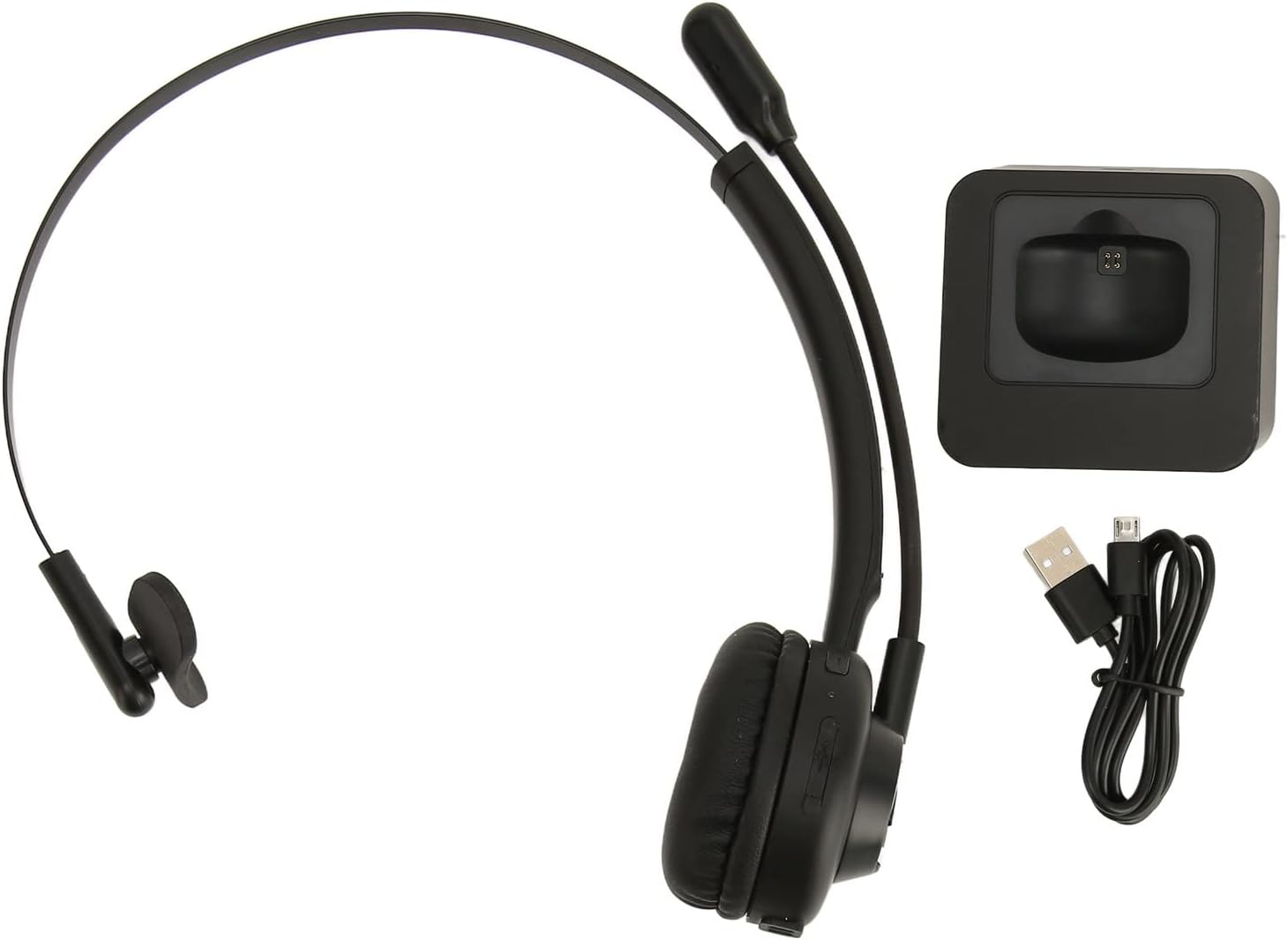
Image: The EBTOOLS Bluetooth Headset, its dedicated charging base, and a Micro USB charging cable, illustrating the complete package contents.
2.3 Headset Controls and Indicators

Image: A detailed diagram highlighting the Micro USB port, LED indicator, Volume Down button, Multifunctional button, and Volume Up button on the EBTOOLS Bluetooth Headset.
- మైక్రో USB పోర్ట్: హెడ్సెట్ను నేరుగా ఛార్జ్ చేయడానికి.
- LED సూచిక: పవర్, ఛార్జింగ్ మరియు జత చేసే స్థితిని ప్రదర్శిస్తుంది.
- వాల్యూమ్ - బటన్: ఆడియో వాల్యూమ్ను తగ్గిస్తుంది.
- మల్టీఫంక్షనల్ బటన్: Controls power, pairing, call answer/end, and music playback.
- వాల్యూమ్ + బటన్: ఆడియో వాల్యూమ్ని పెంచుతుంది.
3. సెటప్
3.1 హెడ్సెట్ను ఛార్జ్ చేస్తోంది
Before first use, fully charge the headset. You can charge it using the included charging base or directly via the Micro USB port.
- Connect the Micro USB cable to the charging base and a power source (e.g., computer USB port, USB wall adapter).
- Place the headset onto the charging base, ensuring the charging contacts align. The LED indicator on the headset will show charging status.
- Alternatively, connect the Micro USB cable directly to the headset's Micro USB port and a power source.
- A full charge typically takes approximately 2 hours. The LED indicator will change color or turn off once fully charged.

చిత్రం: క్లోజప్ view of the headset's earcup, showing the charging contacts designed to connect with the charging base.
3.2 బ్లూటూత్ పరికరంతో జత చేయడం
To connect your headset to a device:
- హెడ్సెట్ ఆపివేయబడిందని నిర్ధారించుకోండి.
- నొక్కండి మరియు పట్టుకోండి మల్టీఫంక్షనల్ బటన్ for approximately 5-7 seconds until the LED indicator flashes red and blue alternately, indicating pairing mode.
- On your device (phone, PC, tablet), enable Bluetooth and search for new devices.
- Select "EBTOOLS Headset" (or similar name) from the list of available devices.
- Once connected, the LED indicator on the headset will typically flash blue slowly or turn solid blue.
- పాస్వర్డ్ అడిగితే, "0000" ఎంటర్ చేయండి.
3.3 హెడ్సెట్ ధరించడం
The headset is designed for comfort and flexibility.
- Adjust the flexible headband to fit comfortably over your head.
- The single ear design allows you to remain aware of your surroundings.
- Rotate the microphone boom to position it close to your mouth for optimal voice clarity. The microphone can be rotated 180 degrees to be worn on either the left or right ear.

Image: A person wearing the EBTOOLS Bluetooth Headset, demonstrating the comfortable fit and the adjustable, rotatable microphone positioned for clear communication.
4. ఆపరేటింగ్ సూచనలు
4.1 పవర్ ఆన్/ఆఫ్
- పవర్ ఆన్: నొక్కండి మరియు పట్టుకోండి మల్టీఫంక్షనల్ బటన్ for approximately 3 seconds until the LED indicator flashes blue.
- పవర్ ఆఫ్: నొక్కండి మరియు పట్టుకోండి మల్టీఫంక్షనల్ బటన్ for approximately 3-5 seconds until the LED indicator flashes red and then turns off.
4.2 వాల్యూమ్ సర్దుబాటు
- నొక్కండి వాల్యూమ్ + బటన్ to increase the listening volume.
- నొక్కండి వాల్యూమ్ - బటన్ వినే వాల్యూమ్ తగ్గించడానికి.
4.3 కాల్ నిర్వహణ
- సమాధానం కాల్: షార్ట్ ప్రెస్ ది మల్టీఫంక్షనల్ బటన్ when an incoming call rings.
- కాల్ ముగించు: షార్ట్ ప్రెస్ ది మల్టీఫంక్షనల్ బటన్ కాల్ సమయంలో.
- కాల్ని తిరస్కరించండి: నొక్కండి మరియు పట్టుకోండి మల్టీఫంక్షనల్ బటన్ for approximately 2 seconds when an incoming call rings.
- చివరి నంబర్ని మళ్లీ డయల్ చేయండి: రెండుసార్లు నొక్కండి మల్టీఫంక్షనల్ బటన్ when not on a call.
4.4 Music Playback (if supported by device)
- ప్లే/పాజ్: షార్ట్ ప్రెస్ ది మల్టీఫంక్షనల్ బటన్.
- తదుపరి ట్రాక్: నొక్కండి మరియు పట్టుకోండి వాల్యూమ్ + బటన్.
- మునుపటి ట్రాక్: నొక్కండి మరియు పట్టుకోండి వాల్యూమ్ - బటన్.
4.5 మైక్రోఫోన్ వాడకం
The rotatable microphone ensures your voice is captured clearly.
- Adjust the microphone boom to be approximately 1-2 inches from your mouth.
- The microphone can be rotated 180 degrees to allow wearing the headset on either the left or right ear.

చిత్రం: క్లోజప్ view of the EBTOOLS headset's flexible microphone boom, highlighting its design for optimal voice pickup.
5. నిర్వహణ
5.1 శుభ్రపరచడం
- Wipe the headset with a soft, dry, or slightly damp గుడ్డ.
- కఠినమైన రసాయనాలు, శుభ్రపరిచే ద్రావకాలు లేదా బలమైన డిటర్జెంట్లు ఉపయోగించవద్దు.
- ఏదైనా రంధ్రాలలోకి తేమ రాకుండా చూసుకోండి.
5.2 బ్యాటరీ సంరక్షణ
- బ్యాటరీ ఆరోగ్యాన్ని కాపాడుకోవడానికి, తరచుగా ఉపయోగించకపోయినా, హెడ్సెట్ను క్రమం తప్పకుండా ఛార్జ్ చేయండి.
- బ్యాటరీని తరచుగా పూర్తిగా డిశ్చార్జ్ చేయడాన్ని నివారించండి.
- హెడ్సెట్ను తీవ్రమైన ఉష్ణోగ్రతలకు దూరంగా చల్లని, పొడి ప్రదేశంలో నిల్వ చేయండి.
6. ట్రబుల్షూటింగ్
మీ హెడ్సెట్తో మీకు సమస్యలు ఎదురైతే, ఈ క్రింది సాధారణ పరిష్కారాలను చూడండి:
| సమస్య | సాధ్యమైన పరిష్కారం |
|---|---|
| హెడ్సెట్ పవర్ ఆన్ అవ్వదు. | Ensure the headset is charged. Connect it to the charging base or directly via USB. |
| పరికరంతో జత చేయడం సాధ్యం కాదు. | Ensure the headset is in pairing mode (LED flashing red/blue). Turn off and on your device's Bluetooth. Delete previous pairings on your device and try again. Ensure the headset is within range (typically 10 meters). |
| శబ్దం లేదు లేదా తక్కువ వాల్యూమ్ ఉంది. | Increase volume on both the headset and your connected device. Ensure the headset is selected as the audio output device on your computer or phone. Re-pair the headset. |
| మైక్రోఫోన్ పనిచేయడం లేదు. | Ensure the microphone is positioned correctly. Check microphone settings on your connected device to ensure the headset is selected as the input device. |
| అడపాదడపా కనెక్షన్. | Move closer to your connected device. Avoid obstacles between the headset and device. Reduce interference from other wireless devices. |
7. స్పెసిఫికేషన్లు
| ఫీచర్ | వివరాలు |
|---|---|
| బ్రాండ్ పేరు | EBTOOLS |
| మోడల్ సంఖ్య | EBTOOLSrsgvuyg5fc |
| కనెక్టివిటీ టెక్నాలజీ | బ్లూటూత్ 5.0 |
| వస్తువు బరువు | 11.6 ఔన్సులు |
| ప్యాకేజీ కొలతలు | 7.09 x 6.69 x 2.36 అంగుళాలు |
| టాక్ టైమ్ | 17 గంటల వరకు |
| స్టాండ్బై సమయం | 200 గంటల వరకు |
| ఛార్జింగ్ సమయం | సుమారు 2 గంటలు |
8. వారంటీ మరియు మద్దతు
For warranty information or technical support, please refer to the documentation included with your purchase or contact EBTOOLS customer service through the retailer where the product was purchased. Keep your proof of purchase for warranty claims.