1. పరిచయం
Thank you for choosing the Generic Fantech MAXFIT108 RGB Mechanical Gaming Keyboard. This manual provides detailed instructions for setting up, operating, and maintaining your keyboard to ensure optimal performance and an enhanced gaming experience. Please read this manual thoroughly before use.
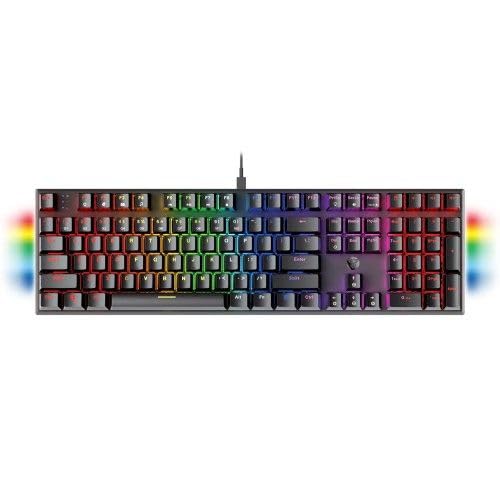
Image: The MAXFIT108 keyboard showcasing దాని పూర్తి లేఅవుట్ మరియు శక్తివంతమైన RGB బ్యాక్లైటింగ్.
2. ప్యాకేజీ విషయాలు
మీ ప్యాకేజీలో అన్ని వస్తువులు ఉన్నాయని నిర్ధారించుకోండి:
- MAXFIT108 మెకానికల్ కీబోర్డ్
- USB టైప్-సి కేబుల్
- వినియోగదారు మాన్యువల్ (ఈ పత్రం)
- కీకాప్ పుల్లర్

Image: Visual representation of the MAXFIT108 keyboard, USB Type-C cable, user manual, and keycap puller included in the box.
3. సెటప్ గైడ్
3.1 కీబోర్డ్ను కనెక్ట్ చేయడం
- Locate the detachable USB Type-C cable provided in the package.
- Connect the Type-C end of the cable to the port on the MAXFIT108 keyboard.
- మీ కంప్యూటర్లో అందుబాటులో ఉన్న USB పోర్ట్కి కేబుల్ యొక్క USB-A చివరను కనెక్ట్ చేయండి.
- మీ ఆపరేటింగ్ సిస్టమ్ ద్వారా కీబోర్డ్ స్వయంచాలకంగా గుర్తించబడుతుంది.

చిత్రం: వివరణాత్మక view of the USB Type-C port on the keyboard and the detachable cable, highlighting its ease of connection and portability.
3.2 సిస్టమ్ అనుకూలత
The MAXFIT108 keyboard is compatible with:
- Windows (7 or Newer)
- Mac OS X
- PC/Laptop/Mobile (via OTG adapter, not included)
4. ముఖ్య లక్షణాలు మరియు ఆపరేషన్
4.1 మెకానికల్ స్విచ్లు
The MAXFIT108 keyboard is equipped with durable mechanical switches, offering a responsive and tactile typing experience. Available switch types include:
| స్విచ్ రకం | యాక్చుయేషన్ ఫోర్స్ | ముందు ప్రయాణం | ప్రయాణ దూరం | ప్రవర్తన | ధ్వని స్థాయి |
|---|---|---|---|---|---|
| రెడ్ స్విచ్ | 42 ± 10 గ్రా | 2.0 ± 0.4మి.మీ | 4.0 ± 0.4మి.మీ | లీనియర్ | నిశ్శబ్దంగా |
| బ్లూ స్విచ్ | 60 ± 10 గ్రా | 2.0 ± 0.4మి.మీ | 4.0 ± 0.4మి.మీ | క్లిక్కీ | క్లిక్కీ |
The switches have a lifetime of 50 million clicks, ensuring long-term durability.
4.2 RGB బ్యాక్లైటింగ్
The keyboard features vibrant RGB backlighting with 22 spectrum modes to customize your visual experience. The side panels also include RGB lighting with 4 spectrum modes.

Image: The MAXFIT108 keyboard illuminated with dynamic RGB lighting effects across all keys.
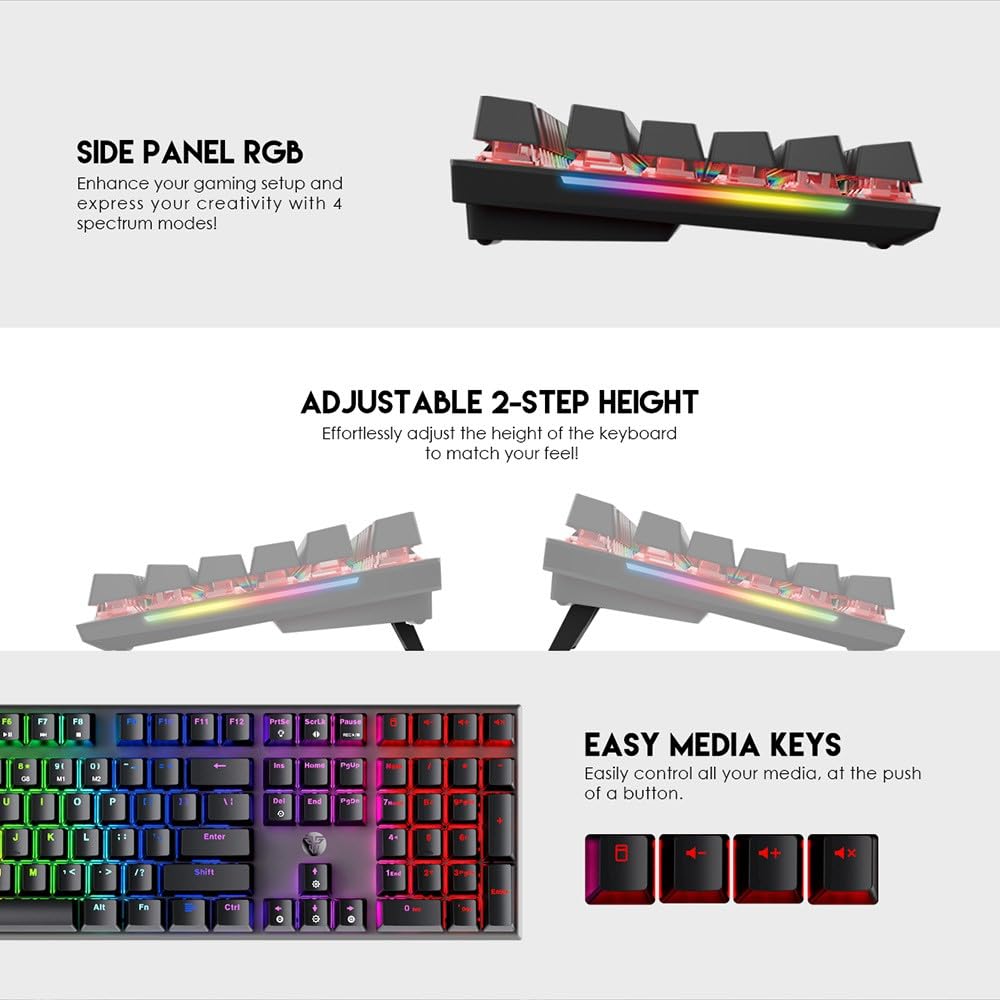
చిత్రం: ఎ view of the keyboard's side panel RGB lighting and the adjustable feet for ergonomic positioning.
4.3 దయ్యాల నిరోధకం
The MAXFIT108 supports full N-Key rollover and anti-ghosting, ensuring that every single key press registers simultaneously and accurately, even during intense gaming sessions with multiple key inputs.
4.4 Macro and Personalization
Adjust spectrum modes, assign buttons, or edit macro scripts using the dedicated software. The software is available for download from the manufacturer's webసైట్ (ఉదా., www.fantechworld.com).
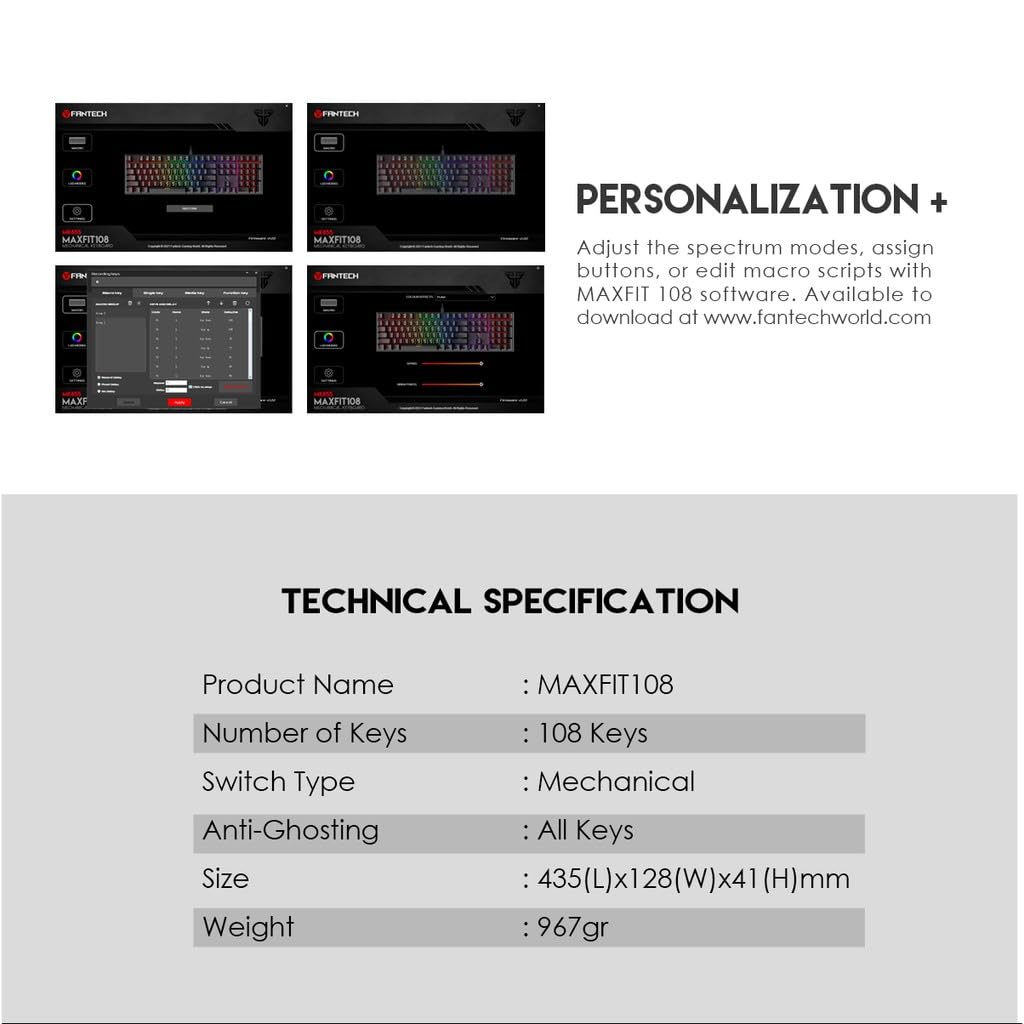
Image: Screenshots illustrating the software interface for customizing RGB lighting, key assignments, and macro functions.
4.5 Easy Media Keys
Dedicated media keys allow for easy control of audio playback, volume, and other media functions directly from the keyboard.
4.6 Adjustable Height
The keyboard features an adjustable 2-step height mechanism, allowing you to effortlessly set the keyboard angle for optimal comfort and ergonomics.
5. నిర్వహణ మరియు సంరక్షణ
To ensure the longevity and optimal performance of your MAXFIT108 keyboard, follow these maintenance guidelines:
- శుభ్రపరచడం: Use a soft, dry cloth to wipe the surface of the keyboard. For deeper cleaning, use a can of compressed air to remove dust and debris from between the keycaps. A slightly damp cloth can be used for stubborn stains, but ensure no liquid enters the keyboard.
- కీక్యాప్ తొలగింపు: Use the included keycap puller to safely remove keycaps for cleaning or switch replacement (if applicable to your specific switch type). Avoid pulling keycaps without a proper tool to prevent damage.
- నిల్వ: ఎక్కువసేపు ఉపయోగంలో లేనప్పుడు, కీబోర్డ్ను పొడి, దుమ్ము లేని వాతావరణంలో నిల్వ చేయండి.
- ద్రవాలను నివారించండి: Keep liquids away from the keyboard to prevent internal damage.
6. ట్రబుల్షూటింగ్
If you encounter issues with your MAXFIT108 keyboard, refer to the following common troubleshooting steps:
- కీబోర్డ్ స్పందించడం లేదు:
- USB టైప్-C కేబుల్ కీబోర్డ్ మరియు కంప్యూటర్ రెండింటికీ సురక్షితంగా కనెక్ట్ చేయబడిందని నిర్ధారించుకోండి.
- మీ కంప్యూటర్లోని కీబోర్డ్ను వేరే USB పోర్ట్కు కనెక్ట్ చేయడానికి ప్రయత్నించండి.
- సిస్టమ్-నిర్దిష్ట సమస్యలను తోసిపుచ్చడానికి మరొక కంప్యూటర్లో కీబోర్డ్ను పరీక్షించండి.
- RGB లైటింగ్ పని చేయడం లేదు:
- Check if the lighting effects are enabled via the keyboard's function keys or the personalization software.
- Ensure the software is installed correctly and up to date.
- నమోదు కాని కీలు:
- స్విచ్కు అడ్డుగా ఉండే ఏవైనా చెత్తను తొలగించడానికి ప్రభావిత కీ చుట్టూ శుభ్రం చేయండి.
- If using a hot-swappable version (not specified for this model, but general advice), ensure the switch is seated correctly.
- Macro Functions Not Working:
- Verify that the macro software is running and the macros are correctly configured and saved.
- Ensure the macro profileలు చురుకుగా ఉన్నాయి.
7. సాంకేతిక లక్షణాలు
Detailed specifications for the MAXFIT108 keyboard:
| ఫీచర్ | స్పెసిఫికేషన్ |
|---|---|
| ఉత్పత్తి పేరు | MAXFIT108 |
| కీల సంఖ్య | 108 కీలు |
| స్విచ్ రకం | Mechanical (Fantech) |
| జీవితకాలం మార్చు | 50 మిలియన్ క్లిక్లు |
| యాంటీ-గోస్టింగ్ | పూర్తి కీలు |
| ప్రకాశం | RGB – 22 modes |
| టాప్ మెటీరియల్ | మెటల్ (అల్యూమినియం) |
| కీకాప్స్ | Double-injection ABS Plastic |
| పోలింగ్ రేటు | 1000Hz |
| కనెక్టర్ రకం | USB-C |
| కేబుల్ పొడవు | 1.6m PVC |
| కొలతలు (L*W*H) | 435 మిమీ * 128 మిమీ * 41 మిమీ |
| బరువు | 967gr (without cable) / 1.1 kg (item weight) |
| ఆపరేటింగ్ సిస్టమ్ | Windows (7 or Newer), Mac OS X |
| అనుకూల పరికరాలు | PC, Laptop, Mobile (via OTG) |
| మూలం దేశం | చైనా |

Image: Technical drawing illustrating the length, width, and height measurements of the MAXFIT108 keyboard.
8. మద్దతు సమాచారం
For further assistance, technical support, or warranty inquiries, please contact your retailer or the manufacturer directly. Refer to the product packaging or the manufacturer's official webఅత్యంత తాజా సంప్రదింపు సమాచారం కోసం సైట్.
తయారీదారు: ఫ్యాన్టెక్
Importer/Packer: MRJ ELECTRONICS

