
1. ఉత్పత్తి ముగిసిందిview
The GeekTale Fingerprint Deadbolt (Model RD02) is a smart lock designed for keyless entry, offering multiple unlock methods including fingerprint, Bluetooth app, and traditional backup keys. It features quick fingerprint recognition and app-based user management.
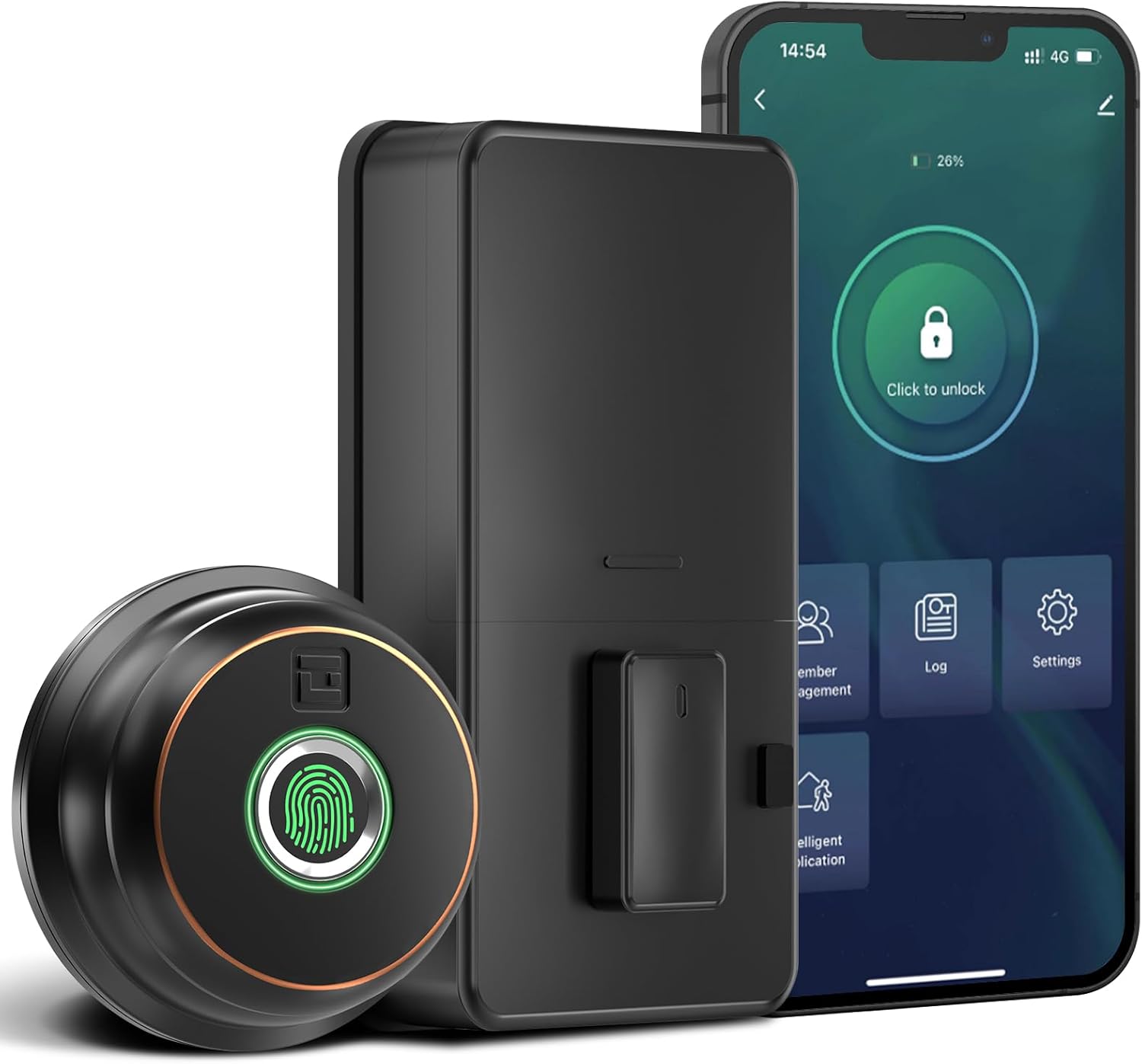
చిత్రం: పైగాview of the GeekTale Fingerprint Deadbolt, showing the exterior unit with fingerprint sensor, the interior unit, and a smartphone displaying the control app.
ముఖ్య లక్షణాలు:
- 3-in-1 Unlock Ways: Fingerprint, Bluetooth App, and Backup Keys.
- Fast Fingerprint Recognition: 360° Fingerprint ID for 0.3-second unlock.
- స్మార్ట్ యాప్ నియంత్రణ: Manage up to 50 users, set auto-lock times (5-60s), view unlock records, and monitor battery level.
- రిమోట్ కంట్రోల్ (గేట్వేతో): Requires separate purchase of a gateway for remote unlock and notifications.
- మన్నికైన నిర్మాణం: Outdoor lock made of aluminum alloy.
2. ప్యాకేజీ విషయాలు
ఇన్స్టాలేషన్ ప్రారంభించే ముందు అన్ని భాగాలు ఉన్నాయని నిర్ధారించుకోండి.
- Exterior Fingerprint Unit
- Interior Deadbolt Unit
- మౌంటు ప్లేట్
- డెడ్బోల్ట్ గొళ్ళెం
- స్ట్రైక్ ప్లేట్
- స్క్రూలు (వివిధ పరిమాణాలు)
- బ్యాకప్ కీలు
- సంస్థాపన మూస
3. ఇన్స్టాలేషన్ గైడ్
This section provides step-by-step instructions for installing your GeekTale Fingerprint Deadbolt. A screwdriver is the primary tool required. The lock is designed to fit most standard US doors.
3.1 తలుపు అనుకూలత తనిఖీ
మీ తలుపు కింది స్పెసిఫికేషన్లకు అనుగుణంగా ఉందని నిర్ధారించుకోండి:
- బ్యాక్సెట్: 2-3/4" (70మిమీ) లేదా 2-3/8" (60మిమీ)
- డోర్ హోల్ వ్యాసం: 2-1/8" (54మి.మీ)
- తలుపు మందం: 1-3/8" నుండి 2-1/8" (35మిమీ నుండి 54మిమీ)

Image: Diagram illustrating door measurements for backset, door hole diameter, and door thickness, crucial for proper installation.
3.2 సంస్థాపనా దశలు
- తలుపును సిద్ధం చేయండి: If replacing an existing deadbolt, remove it. Use the provided template to mark and drill holes if installing on a new door.
- గొళ్ళెం ఇన్స్టాల్ చేయండి: Insert the deadbolt latch into the door edge. Ensure the "UP" arrow on the latch is facing upwards. Secure with screws.
- Install Exterior Unit: Route the cable from the exterior unit through the door hole. Align the spindle with the latch mechanism.
- ఇంటీరియర్ మౌంటింగ్ ప్లేట్ను ఇన్స్టాల్ చేయండి: మౌంటు ప్లేట్ను స్క్రూలను ఉపయోగించి తలుపుకు బిగించండి, కేబుల్ ప్లేట్ గుండా వెళుతుందని నిర్ధారించుకోండి.
- కేబుల్స్ కనెక్ట్ చేయండి: బాహ్య యూనిట్ నుండి లోపలి యూనిట్కు కేబుల్ను కనెక్ట్ చేయండి.
- ఇంటీరియర్ యూనిట్ను ఇన్స్టాల్ చేయండి: Attach the interior unit to the mounting plate. Ensure the thumb turn operates smoothly.
- బ్యాటరీలను చొప్పించండి: Open the battery cover on the interior unit and insert 4 AA batteries (not included).
- పరీక్ష ఆపరేషన్: Manually test the deadbolt with the thumb turn.

చిత్రం: పేలింది view of the deadbolt components, illustrating how the exterior and interior units connect through the door.
3.3 Spindle Orientation for Right/Left Opened Doors
The spindle on the exterior knob should be in the horizontal position for both right-opened and left-opened doors. When installing the interior lock, ensure the knob is oriented correctly:
- For right-opened doors, the interior knob should be in a vertical state.
- For left-opened doors, the interior knob should be in a horizontal state.

Image: Visual guide for correctly orienting the spindle and interior knob based on door opening direction.
4. ఆపరేటింగ్ సూచనలు
Learn how to use your smart deadbolt effectively.
4.1 ప్రారంభ సెటప్ మరియు యాప్ జత చేయడం
- అనువర్తనాన్ని డౌన్లోడ్ చేయండి: కోసం వెతకండి "GeekTale" in your smartphone's app store and download the official application.
- ఖాతాను సృష్టించండి: కొత్త ఖాతా కోసం నమోదు చేసుకోండి లేదా మీకు ఇప్పటికే ఒకటి ఉంటే లాగిన్ అవ్వండి.
- పరికరాన్ని జోడించండి: Follow the in-app instructions to add your new deadbolt. Ensure Bluetooth is enabled on your phone and you are within range of the lock.
- Administrator Fingerprint: The first fingerprint registered will typically be the administrator.
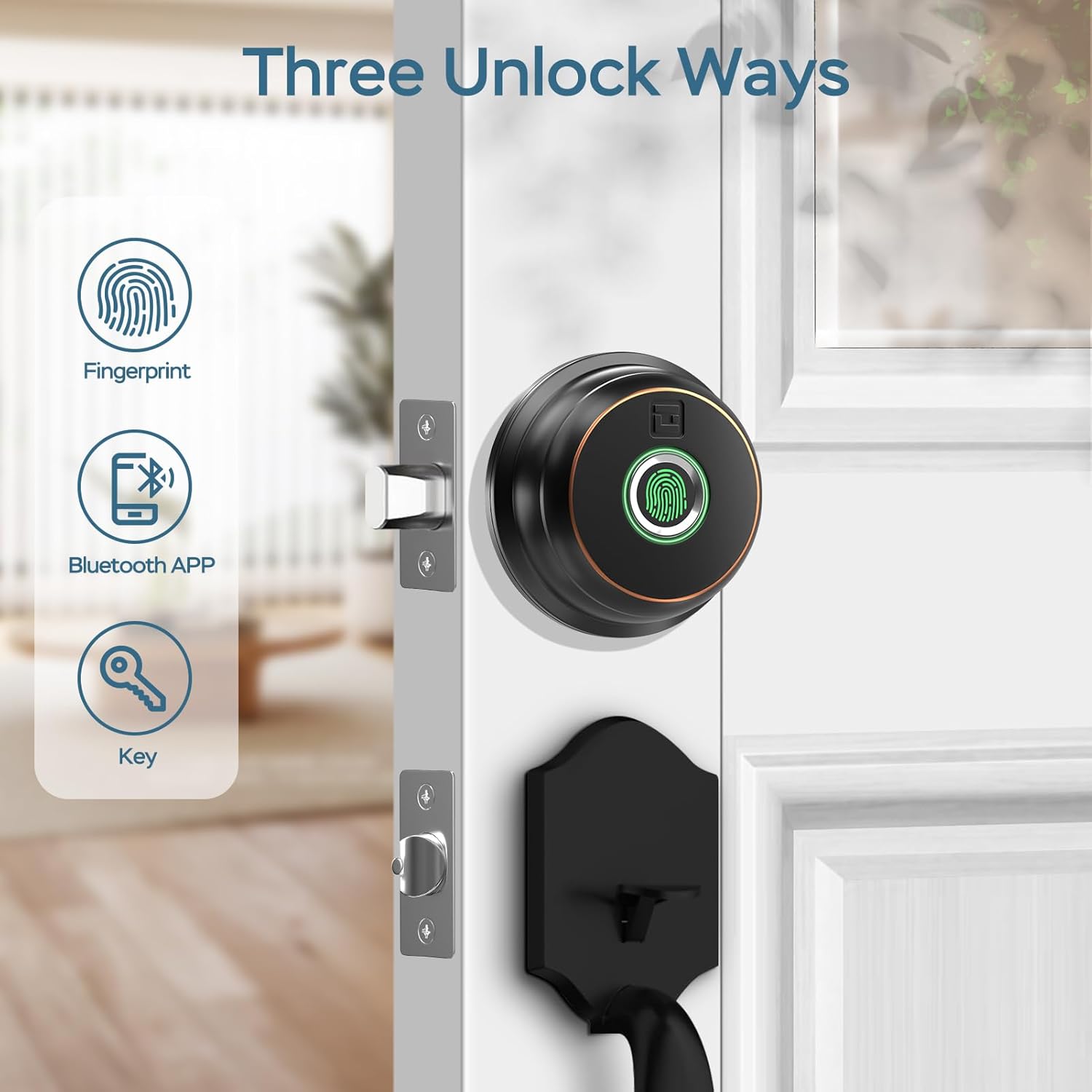
Image: Illustration of the three primary unlock methods: fingerprint, Bluetooth app, and physical key.
4.2 అన్లాకింగ్ మరియు లాకింగ్
- వేలిముద్ర అన్లాక్: Place a registered finger on the fingerprint sensor. The lock will unlock in approximately 0.3 seconds.
- యాప్ అన్లాక్: Open the GeekTale app, ensure Bluetooth connection, and tap the unlock icon.
- కీ అన్లాక్: Use the provided backup keys in the emergency keyhole.
- తనంతట తానే తాళంవేసుకొను: Configure auto-lock duration (5-60 seconds) via the app. The lock will automatically engage after the set time.
- వన్-టచ్ లాకింగ్: Touch the fingerprint sensor with any finger to instantly lock the deadbolt.

Image: A woman carrying groceries, demonstrating the convenience of the auto-lock feature after entering her home.
4.3 యాప్ ఫీచర్లు
- వాడుకరి నిర్వహణ: Add or delete up to 50 users (fingerprints).
- యాక్సెస్ లాగ్: Review a history of unlock events, including method and user.
- Auto-Lock Settings: Adjust the automatic locking delay.
- మ్యూట్ మోడ్: Silence lock sounds for quiet operation.
- Share E-Key: Grant temporary or permanent access to others via the app.
- బ్యాటరీ స్థితి: Monitor the current battery level of the lock.

Image: Screenshot of the GeekTale app interface, highlighting options for member management, access logs, and settings.
4.4 Remote Access (Gateway Required)
For remote control and notifications, a GeekTale Gateway (sold separately) is required. This allows you to:
- Unlock/lock the door from anywhere.
- Receive instant notifications when the lock is opened.
- Integrate with voice assistants like Alexa and Google Assistant.

Image: Depiction of the smart deadbolt, a gateway device, and a smartphone, illustrating remote unlock capabilities.
5. నిర్వహణ
Proper maintenance ensures the longevity and optimal performance of your deadbolt.
- బ్యాటరీ భర్తీ: The lock requires 4 AA batteries. Replace them when the low battery alert is issued by the app or the lock itself.
- అత్యవసర శక్తి: In case of complete battery depletion, the lock features a USB-C port for emergency power using a power bank.
- శుభ్రపరచడం: Wipe the exterior unit and fingerprint sensor with a soft, dry cloth. Avoid abrasive cleaners or solvents.
- కీహోల్ నిర్వహణ: Periodically check the keyhole for obstructions. Do not lubricate with oil-based products; use graphite powder if lubrication is needed.

Image: Illustration of the deadbolt's battery compartment and the USB-C port for emergency power, along with icons for low battery alert and emergency charge.
6. ట్రబుల్షూటింగ్
సాధారణ సమస్యలు మరియు వాటి పరిష్కారాలు.
| సమస్య | సాధ్యమైన కారణం | పరిష్కారం |
|---|---|---|
| లాక్ స్పందించదు. | డెడ్ బ్యాటరీలు. | Replace batteries. Use emergency USB-C power if needed. |
| వేలిముద్ర గుర్తించబడలేదు. | Fingerprint not registered, dirty sensor, or incorrect placement. | Ensure finger is clean and dry. Re-register fingerprint if necessary. Place finger flat on sensor. |
| App cannot connect to lock. | Bluetooth off, out of range, or app issue. | Ensure Bluetooth is on. Move closer to the lock. Restart the app or your phone. |
| Auto-lock not working. | Auto-lock feature disabled or incorrect setting. | Check auto-lock settings in the app and ensure it is enabled with a desired delay. |
| Lock is loose after installation. | స్క్రూలు తగినంతగా బిగించబడలేదు. | Re-tighten all mounting screws. Ensure the mounting plate is flush against the door. |
7. స్పెసిఫికేషన్లు
| ఫీచర్ | వివరాలు |
|---|---|
| మోడల్ పేరు | RD02 |
| బ్రాండ్ | గీక్ టేల్ |
| అన్లాక్ పద్ధతులు | Fingerprint, Bluetooth App, Backup Key |
| వేలిముద్ర కెపాసిటీ | 50 వరకు |
| గుర్తింపు వేగం | 0.3 సెకన్లు |
| కనెక్టివిటీ | బ్లూటూత్ |
| మెటీరియల్ | Aluminum (exterior) |
| శక్తి మూలం | 4 x AA బ్యాటరీలు (చేర్చబడలేదు) |
| అత్యవసర శక్తి | USB-C పోర్ట్ |
| తలుపు మందం | 1-3/8" నుండి 2-1/8" (35మిమీ నుండి 54మిమీ) |
| బ్యాక్సెట్ | Adjustable 2-3/8" (60mm) or 2-3/4" (70mm) |
| కొలతలు (L x W x H) | 2.76 x 1.18 x 3.93 inches (Exterior unit) |
| బరువు | 1.63 పౌండ్లు (0.74 కిలోలు) |
8. వారంటీ మరియు మద్దతు
GeekTale provides localized after-sales customer service. For any product-related issues or inquiries, please contact customer support through the designated after-sales channels. Refer to your purchase documentation for specific warranty terms and contact information.
మద్దతును సంప్రదించండి: Please refer to the contact information provided with your product packaging or visit the official GeekTale webమద్దతు ఎంపికల కోసం సైట్.