
1. ముఖ్యమైన భద్రతా సమాచారం
ఈ ఉత్పత్తిని ఉపయోగించే ముందు దయచేసి అన్ని సూచనలను జాగ్రత్తగా చదవండి. భవిష్యత్తు సూచన కోసం ఈ మాన్యువల్ని ఉంచండి.
- వెంటిలేషన్ ఓపెనింగ్లను బ్లాక్ చేయవద్దు. ప్రొజెక్టర్ చుట్టూ తగినంత గాలి ప్రవాహాన్ని నిర్ధారించుకోండి.
- అగ్ని లేదా విద్యుత్ షాక్ను నివారించడానికి ప్రొజెక్టర్ను వర్షం లేదా తేమకు బహిర్గతం చేయవద్దు.
- తయారీదారు పేర్కొన్న జోడింపులు/యాక్సెసరీలను మాత్రమే ఉపయోగించండి.
- మెరుపు తుఫానుల సమయంలో లేదా ఎక్కువ కాలం ఉపయోగించనప్పుడు ప్రొజెక్టర్ను అన్ప్లగ్ చేయండి.
- అన్ని సేవలను అర్హత కలిగిన సేవా సిబ్బందికి సూచించండి.
2. ప్యాకేజీ విషయాలు
మీ ప్యాకేజీలో అన్ని అంశాలు ఉన్నాయని ధృవీకరించండి:
- WEWATCH S3 4K Portable Projector
- రిమోట్ కంట్రోల్
- పవర్ కేబుల్
- HDMI కేబుల్
- వినియోగదారు మాన్యువల్
3. ఉత్పత్తి ముగిసిందిview
Familiarize yourself with the components and ports of your WEWATCH S3 projector.

చిత్రం: ముందు వైపు view of the WEWATCH S3 4K Portable Projector, showcasinదాని సొగసైన డిజైన్ మరియు లెన్స్.
3.1. పోర్ట్లు మరియు కనెక్షన్లు
The projector features various ports for versatile connectivity:

చిత్రం: వెనుక view of the WEWATCH S3 projector, highlighting its various input and output ports including LAN, USB, HDMI, and audio jacks.
- LAN (x1): వైర్డు నెట్వర్క్ కనెక్షన్ కోసం.
- USB (x2): USB డ్రైవ్లు లేదా ఇతర USB పరికరాలను కనెక్ట్ చేయడానికి.
- HDMI (x2): For connecting external devices like laptops, gaming consoles, or streaming sticks.
- AU (Audio Out x1): బాహ్య ఆడియో పరికరాలను కనెక్ట్ చేయడానికి.
- AX (Audio In x1): ఆడియో ఇన్పుట్ కోసం.
4. సెటప్
Follow these steps to set up your projector for the first time:
- ప్లేస్మెంట్: Place the projector on a stable, flat surface or mount it securely. Ensure it is positioned to project onto a suitable screen or wall.
- పవర్ కనెక్షన్: Connect the power cable to the projector's power input and then to a power outlet.
- పవర్ ఆన్: పరికరాన్ని ఆన్ చేయడానికి ప్రొజెక్టర్ లేదా రిమోట్ కంట్రోల్లోని పవర్ బటన్ను నొక్కండి.

Image: The WEWATCH S3 projector set up in a living room environment, projecting an image onto a screen, demonstrating typical home usage.
5. ఆపరేటింగ్ సూచనలు
5.1. Android TV Operating System
The WEWATCH S3 features an integrated Android TV system, providing direct access to popular streaming applications.

Image: A person using the remote control to navigate the Android TV interface projected onto a large screen, showing various streaming app icons like Prime Video, YouTube, and Netflix.
- నావిగేషన్: Use the remote control's directional buttons and OK button to navigate the Android TV interface.
- యాప్ వినియోగం: For optimal experience with certain applications (e.g., Netflix, YouTube), it is recommended to switch the remote control to mouse mode. After using the application, switch back to normal mode.
6 కనెక్టివిటీ
6.1. Wi-Fi Connection (2.4G + 5G)
Connect your projector to a wireless network for internet access and screen mirroring.
- Navigate to the Wi-Fi settings in the Android TV menu.
- Select your desired network and enter the password.
- The projector supports both 2.4G and 5G Wi-Fi bands for fast and stable connections.
6.2. బ్లూటూత్ కనెక్షన్
Connect external Bluetooth speakers or headphones for enhanced audio, or use the projector as a Bluetooth speaker.

Image: A smartphone wirelessly connected to the WEWATCH S3 projector, demonstrating the 2.4G/5G Wi-Fi and Bluetooth dual-channel capabilities for seamless content streaming.
- బ్లూటూత్ సెట్టింగ్లకు వెళ్లండి.
- మీ బ్లూటూత్ పరికరంతో జత చేయండి.
- The projector can also function as a standalone Bluetooth speaker when connected to a phone.
6.3. HDMI and USB Connections
HDMI లేదా USB పోర్ట్ల ద్వారా బాహ్య పరికరాలను కనెక్ట్ చేయండి.
- Insert the HDMI cable into one of the projector's HDMI ports and the other end into your device (e.g., laptop, game console).
- Insert a USB drive into a USB port to access media files.
7 కీ ఫీచర్లు
7.1. Electronic Focus
Adjust the image clarity easily using the remote control.

Image: A hand holding the projector's remote control, pointing to the F+/F- buttons used for electronic focus adjustment, with a clear projected image of a tiger cub.
- ఉపయోగించండి F+ మరియు F- buttons on the remote control to fine-tune the focus until the image is sharp.
7.2. 4-Point Keystone Correction
Correct distorted images to achieve a perfectly rectangular projection, regardless of the projector's angle.
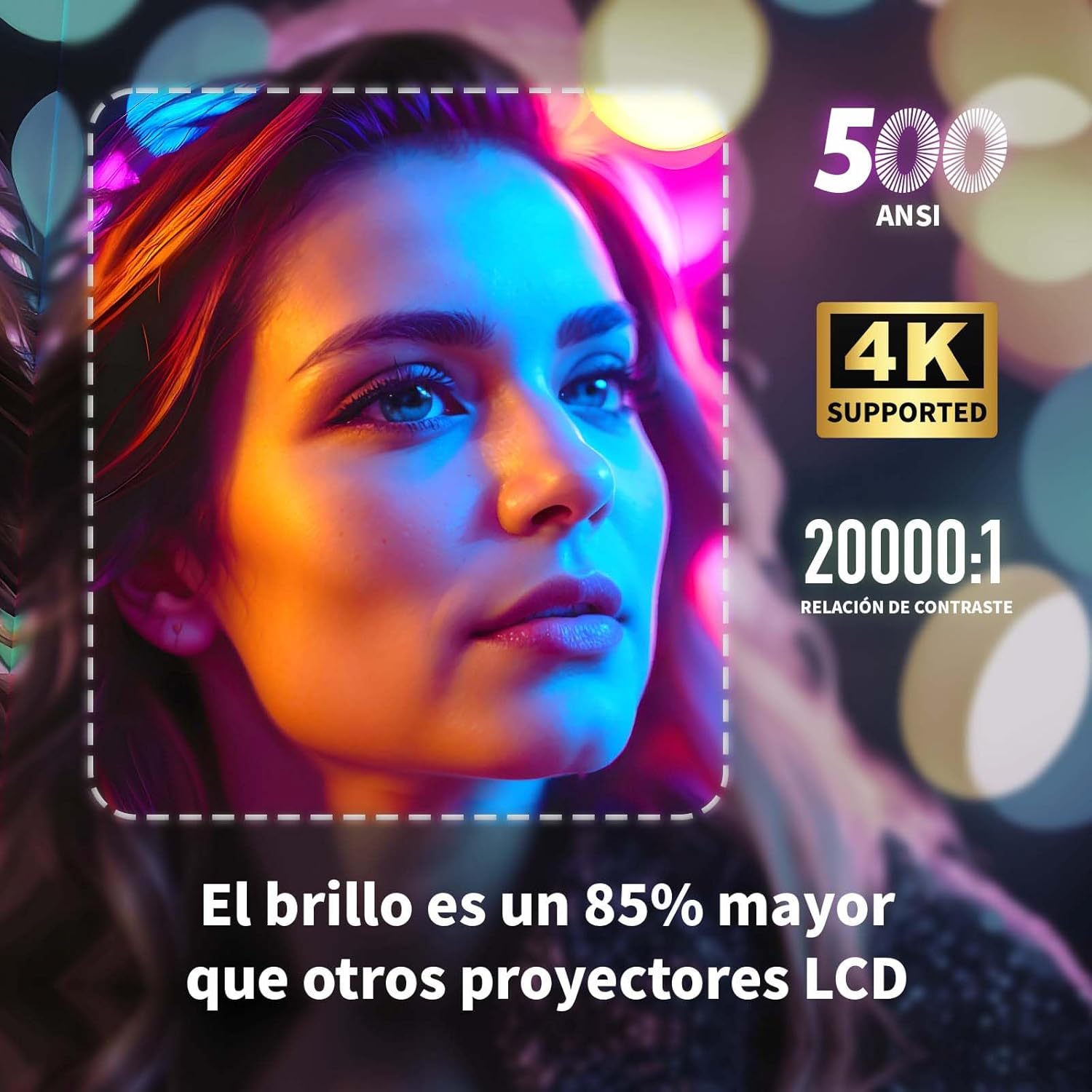
Image: A projected image of a woman's face with a dotted outline demonstrating how 4-point keystone correction adjusts the image to be perfectly rectangular, even when projected at an angle.
- Access the keystone correction settings in the menu to adjust each corner of the image independently.
- The projector also supports automatic vertical keystone correction.
7.3. జూమ్ ఫంక్షన్
Adjust the image size without moving the projector.

Image: A visual representation of the projector's zoom function, showing how the image size can be reduced from 100% to 50% without physically moving the projector.
- The zoom function allows you to reduce the image size from 100% to 80%.
7.4. Large Screen Projection
లీనమయ్యే అనుభవం viewing with a large adjustable screen size.

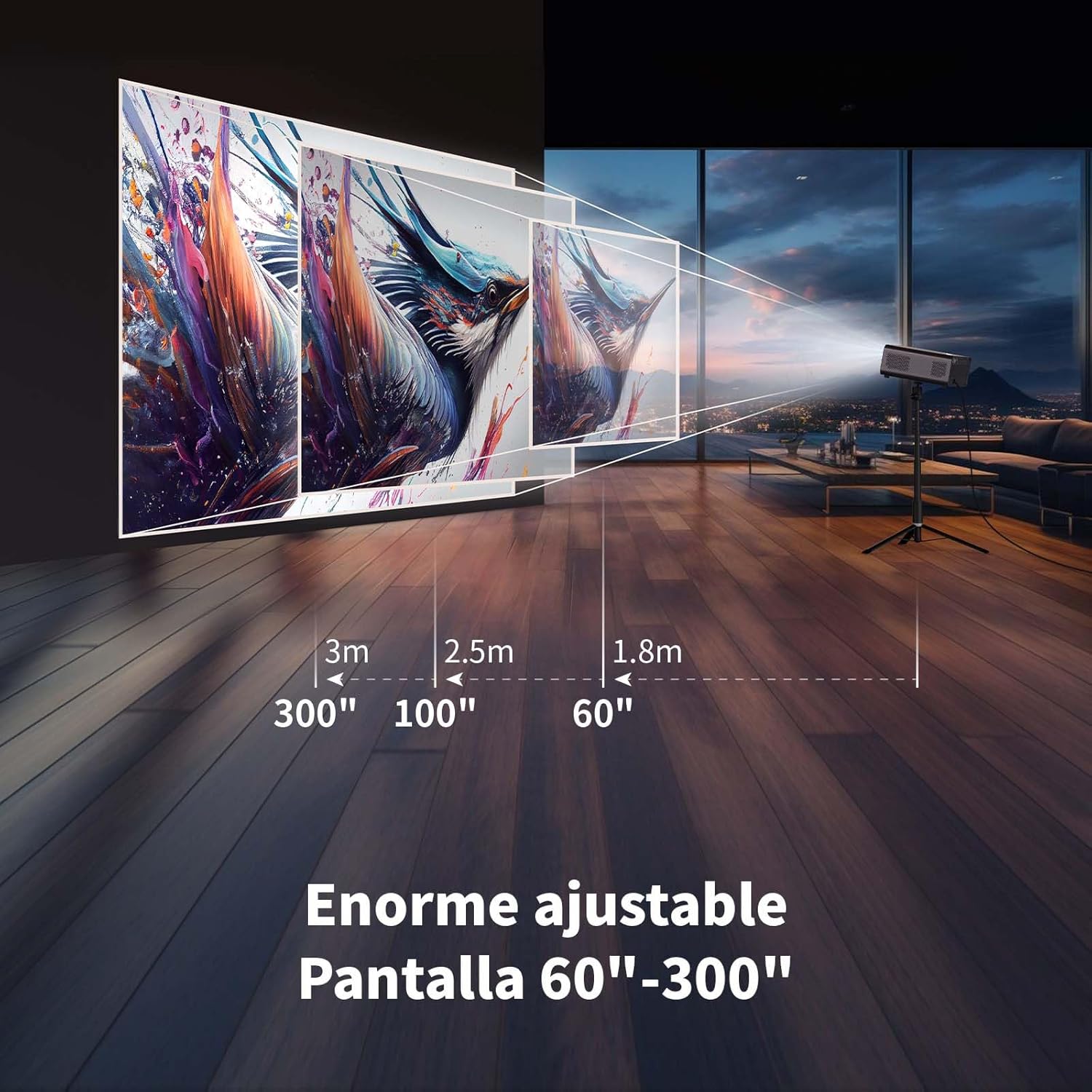
Image: A large projected image of an astronaut on a snowboard, illustrating the 300-inch screen capability of the projector in a home cinema setting.
- The projector can produce an adjustable screen size from 60 inches to 300 inches, suitable for various viewపర్యావరణాలు.
8. నిర్వహణ
8.1. Dust-Proof Design and Cleaning
The projector features a dust-proof design with a hidden dust box to prevent dust accumulation.
చిత్రం: క్లోజప్ view of the projector's hidden dust box, showing the filter inside, and an illustration of airflow, emphasizing the importance of regular cleaning to prevent dust from entering the device.
- Regularly clean the dust box to maintain optimal performance and prevent dust from affecting the image quality.
- ప్రొజెక్టర్ వెలుపలి భాగాన్ని శుభ్రం చేయడానికి మృదువైన, పొడి వస్త్రాన్ని ఉపయోగించండి.
- లిక్విడ్ క్లీనర్లు లేదా ఏరోసోల్లను ఉపయోగించవద్దు.
9. ట్రబుల్షూటింగ్
మీ ప్రొజెక్టర్తో మీకు సమస్యలు ఎదురైతే, ఈ క్రింది సాధారణ సమస్యలు మరియు పరిష్కారాలను చూడండి:
| సమస్య | సాధ్యమైన పరిష్కారం |
|---|---|
| చిత్రం ఏదీ ప్రొజెక్ట్ చేయబడలేదు | Check power connection. Ensure input source is correctly selected (HDMI, USB, etc.). Verify lens cap is removed. |
| చిత్రం అస్పష్టంగా ఉంది | Adjust electronic focus using the F+/F- buttons on the remote. Ensure the projection surface is flat. |
| చిత్రం వక్రీకరించబడింది (ట్రాపెజాయిడ్ ఆకారం) | Use 4-point keystone correction in the settings menu to adjust the image corners. Check for automatic vertical correction. |
| శబ్దం లేదు | Check volume settings on the projector and connected device. Ensure external speakers are properly connected or Bluetooth is paired. |
| Wi-Fi కనెక్షన్ సమస్యలు | Ensure Wi-Fi is enabled. Re-enter Wi-Fi password. Restart the projector and router. Try connecting to a different Wi-Fi band (2.4G or 5G). |
10. స్పెసిఫికేషన్లు
Key technical specifications for the WEWATCH S3 Projector:
- బ్రాండ్: మేము చూస్తాము
- మోడల్ సంఖ్య: S3
- రంగు: స్మోక్డ్ గ్రే
- ఉత్పత్తి రకం: పోర్టబుల్ ప్రొజెక్టర్
- ప్రకాశం: 500 ANSI లుమెన్స్
- Native Display Resolution: 1920 x 1080 (పూర్తి HD)
- గరిష్ట డిస్ప్లే రిజల్యూషన్: 3840 x 2160 (4K Supported)
- కాంట్రాస్ట్ రేషియో: 20000:1
- ప్రదర్శన రకం: LED
- కనెక్టివిటీ టెక్నాలజీ: Bluetooth, Ethernet, HDMI, USB, Wi-Fi (2.4G/5G)
- ప్రత్యేక లక్షణాలు: Wi-Fi Compatible, Digital Keystone Correction, Built-in Speaker, Auto Focus, Portable
- అనుకూల పరికరాలు: Speaker, Laptop, Smartphone, Tablet
- ఉత్పత్తి కొలతలు: 24.3L x 24.9W x 10.5H సెంటీమీటర్లు
- సిఫార్సు చేసిన ఉపయోగాలు: Home Cinema, Video Games, Professional, Education
11. వారంటీ మరియు మద్దతు
The WEWATCH S3 Projector comes with a manufacturer's warranty to ensure your peace of mind.
- తయారీదారు వారంటీ: 2 సంవత్సరాలు
- For technical support or warranty claims, please refer to the contact information provided with your purchase documentation or visit the official WEWATCH webసైట్.