
ఉలేఫోన్ ఉలేఫోన్ నోట్ 18 ప్రో
Ulefone నోట్ 18 ప్రో యూజర్ మాన్యువల్
మోడల్: ఉలేఫోన్ నోట్ 18 ప్రో
బ్రాండ్: ఉలేఫోన్
1. పరిచయం
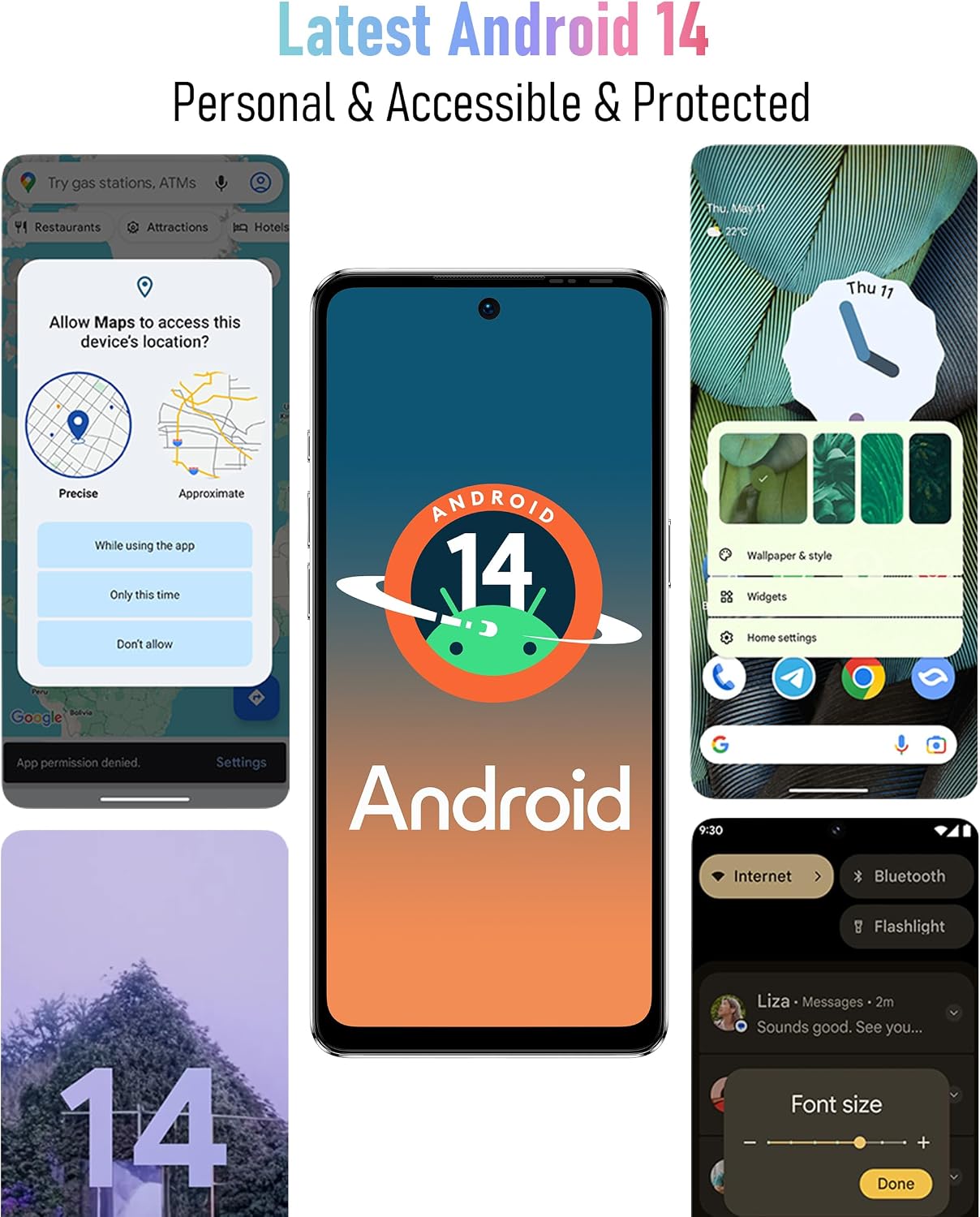
Welcome to the Ulefone Note 18 Pro user manual. This guide provides detailed instructions on how to set up, operate, maintain, and troubleshoot your new Ulefone Note 18 Pro smartphone. The Ulefone Note 18 Pro is an advanced unlocked phone featuring a powerful camera system (64MP main, 50MP ultra-wide, 32MP selfie), a MediaTek Helio G91 processor, 12GB RAM, 256GB ROM, a 6.78-inch HD+ 90Hz display, and a 5450mAh battery. It runs on Android 14 and includes features like NFC, an IR Blaster, and a customizable key.
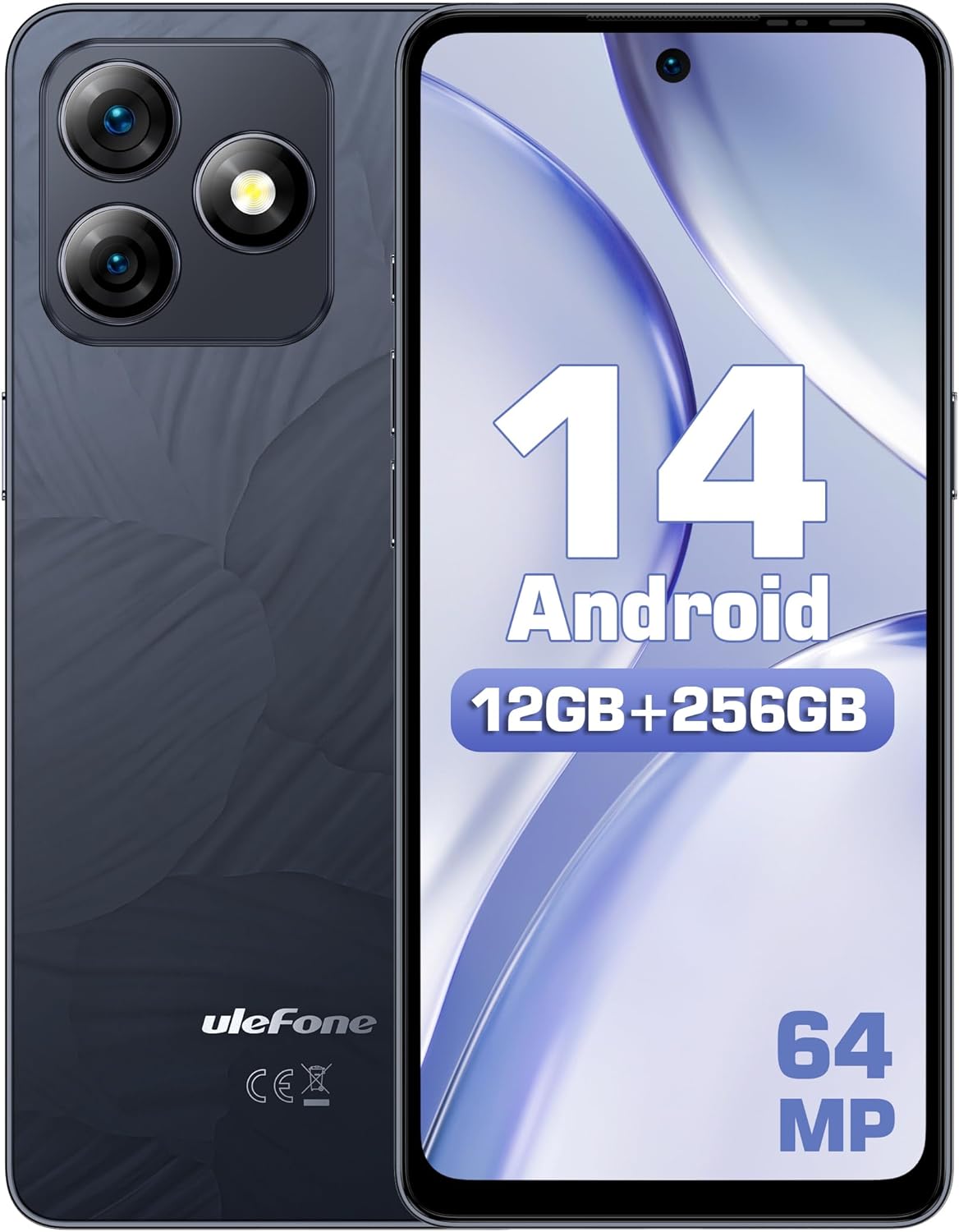
మూర్తి 1.1: ముందు మరియు వెనుక view of the Ulefone Note 18 Pro, highlighting its camera setup and Android 14 interface.
2. ప్రారంభించడం: సెటప్
2.1. పెట్టెలో ఏముంది
మీరు ప్రారంభించడానికి ముందు, అన్ని భాగాలు ఉన్నాయని నిర్ధారించుకోండి:
- 1x ఉలేఫోన్ నోట్ 18 ప్రో స్మార్ట్ఫోన్
- 1x AC పవర్ ఛార్జర్ (18W/US ప్లగ్)
- 1x టైప్-సి నుండి టైప్-సి ఛార్జర్ కేబుల్ (1మీ)
- 1x టెంపర్డ్ గ్లాస్ స్క్రీన్ ప్రొటెక్టర్
- 1x TPU రక్షణ కేసు
- 1x సిమ్ సూది
మూర్తి 2.1: The Ulefone Note 18 Pro shown with its included TPU protective case.
2.2. సిమ్ కార్డులు మరియు మైక్రో SD కార్డును చొప్పించడం
The Ulefone Note 18 Pro supports dual SIM dual standby and expandable storage up to 2TB via a TF card.
- ఫోన్ పక్కన సిమ్ ట్రేని గుర్తించండి.
- సిమ్ ట్రేలోని చిన్న రంధ్రంలోకి సిమ్ సూదిని చొప్పించి దానిని బయటకు తీయండి.
- Place your Nano-SIM cards and/or MicroSD card into the designated slots on the tray. Ensure correct orientation.
- ట్రే సరైన స్థానంలోకి వచ్చే వరకు దాన్ని సున్నితంగా ఫోన్లోకి నెట్టండి.
2.3. ప్రారంభ పవర్ ఆన్ మరియు సెటప్
- Ulefone లోగో కనిపించే వరకు పవర్ బటన్ను నొక్కి పట్టుకోండి.
- మీ భాషను ఎంచుకోవడానికి, Wi-Fiకి కనెక్ట్ అవ్వడానికి మరియు మీ Google ఖాతాను సెటప్ చేయడానికి స్క్రీన్పై కనిపించే ప్రాంప్ట్లను అనుసరించండి.
- Configure security settings, including fingerprint ID and face unlock, for enhanced device security.
3. మీ పరికరాన్ని ఆపరేట్ చేయడం
3.1. డిస్ప్లే మరియు నావిగేషన్
The Note 18 Pro features a 6.78-inch HD+ punch-hole display with a 90Hz refresh rate, protected by Corning Gorilla Glass.
మూర్తి 3.1: Visual representation of the 6.78-inch HD+ display with 90Hz refresh rate and Corning Gorilla Glass protection.
- స్పర్శ సంజ్ఞలు: నావిగేషన్ మరియు పరస్పర చర్య కోసం నొక్కండి, స్వైప్ చేయండి, జూమ్ చేయడానికి చిటికెడు చేయండి.
- నోటిఫికేషన్ ప్యానెల్: త్వరిత సెట్టింగ్లు మరియు నోటిఫికేషన్లను యాక్సెస్ చేయడానికి స్క్రీన్ పై నుండి క్రిందికి స్వైప్ చేయండి.
- యాప్ డ్రాయర్: స్క్రీన్ దిగువ నుండి పైకి స్వైప్ చేయండి view అన్ని ఇన్స్టాల్ చేసిన అప్లికేషన్లు.
3.2. కెమెరా ఫీచర్లు
Capture stunning photos and videos with the versatile camera system:
- 64MP ప్రధాన కెమెరా: Equipped with Sony IMX682 sensor for high-resolution images.
- 50MP అల్ట్రా వైడ్-యాంగిల్ కెమెరా: Offers a 117.3° field of view for expansive shots.
- 32MP సెల్ఫీ కెమెరా: For clear and detailed self-portraits.

మూర్తి 3.2: పైగాview of the Ulefone Note 18 Pro's camera system, detailing the 64MP main, 50MP ultra-wide, and 32MP selfie cameras.
To open the camera, tap the camera icon on your home screen or app drawer. Select different modes like Photo, Video, Portrait, or Pro mode from the camera interface.
3.3. Custom Key Functionality
The Note 18 Pro features a customizable key for quick access to frequently used functions.

మూర్తి 3.3: Illustration of the customizable key on the Ulefone Note 18 Pro, showing options for single click, double click, and long press actions.
You can assign actions such as:
- One Click: Start Sound recording, Open flashlight, Screenshots
- Double Click: Open Zello, Open SOS
- Long Press: Open Game Mode
To configure the custom key, navigate to Settings > Smart Assistant > Custom Key.
3.4. NFC and IR Blaster
The device includes NFC for contactless payments and an IR Blaster for controlling home appliances.

మూర్తి 3.4: Depiction of the Ulefone Note 18 Pro's NFC capability for mobile payments and its IR Blaster for controlling various home electronics.
- NFC: Enable NFC in settings to use Google Pay or other compatible payment apps. Tap your phone to compatible payment terminals.
- IR బ్లాస్టర్: Use the pre-installed remote control app or download a universal remote app to control TVs, air conditioners, projectors, and other IR-enabled devices.
4. బ్యాటరీ మరియు ఛార్జింగ్
The Ulefone Note 18 Pro is equipped with a 5450mAh battery and supports 18W fast charging.

మూర్తి 4.1: Information on the 5450mAh battery of the Ulefone Note 18 Pro, indicating up to 30 hours of talk time and 12 hours of video playback.
- Use the provided 18W AC Power Charger and Type-C to Type-C Charger Cable for optimal charging speed.
- Avoid using non-certified chargers or cables, as this may damage the device or battery.
- Typical battery life provides up to 30 hours of talk time and 12 hours of video playback.
5. నిర్వహణ మరియు సంరక్షణ
5.1. సాధారణ సంరక్షణ
- పరికరాన్ని పొడిగా ఉంచండి. తేమ ఎలక్ట్రానిక్ సర్క్యూట్లను దెబ్బతీస్తుంది.
- అధిక ఉష్ణోగ్రతలను నివారించండి. అధిక ఉష్ణోగ్రతలు ఎలక్ట్రానిక్ పరికరాల జీవితకాలాన్ని తగ్గిస్తాయి మరియు బ్యాటరీలను దెబ్బతీస్తాయి.
- పరికరాన్ని వదలకండి, కొట్టవద్దు లేదా కదిలించవద్దు. కఠినమైన నిర్వహణ అంతర్గత సర్క్యూట్ బోర్డులు మరియు చక్కటి మెకానిక్లను విచ్ఛిన్నం చేస్తుంది.
- Clean the screen and back cover with a soft, lint-free cloth. The AG glass back cover is anti-fingerprint.

మూర్తి 5.1: The elegant AG glass back cover of the Ulefone Note 18 Pro, designed for durability and an anti-fingerprint finish.
5.2. సాఫ్ట్వేర్ నవీకరణలు
మీ పరికరం తాజా ఫీచర్లు, భద్రతా ప్యాచ్లు మరియు పనితీరు మెరుగుదలలను కలిగి ఉందని నిర్ధారించుకోవడానికి సాఫ్ట్వేర్ అప్డేట్ల కోసం క్రమం తప్పకుండా తనిఖీ చేయండి. వెళ్ళండి సెట్టింగ్లు > సిస్టమ్ > సిస్టమ్ అప్డేట్.
6. ట్రబుల్షూటింగ్
6.1. సాధారణ సమస్యలు మరియు పరిష్కారాలు
| సమస్య | సాధ్యమైన పరిష్కారం |
|---|---|
| పరికరం ఆన్ చేయడం లేదు | బ్యాటరీ ఛార్జ్ అయ్యిందని నిర్ధారించుకోండి. పవర్ ఆన్ చేయడానికి ప్రయత్నించే ముందు కనీసం 10 నిమిషాలు ఛార్జర్కు కనెక్ట్ చేయండి. |
| పేలవమైన నెట్వర్క్ సిగ్నల్ | SIM కార్డ్ చొప్పించడాన్ని తనిఖీ చేయండి. మెరుగైన నెట్వర్క్ కవరేజ్ ఉన్న ప్రాంతానికి వెళ్లండి. పరికరాన్ని పునఃప్రారంభించండి. |
| యాప్లు క్రాష్ అవుతున్నాయి లేదా స్తంభించిపోతున్నాయి | Clear app cache/data (Settings > Apps > [App Name] > Storage). Update the app. Restart the phone. |
| బ్యాటరీ త్వరగా అయిపోతుంది | Reduce screen brightness. Close background apps. Disable unnecessary features like GPS, Bluetooth, Wi-Fi when not in use. |
| Fingerprint ID not working | Ensure your finger is clean and dry. Re-register your fingerprint in settings. |
If issues persist, consider performing a factory reset (సెట్టింగ్లు > సిస్టమ్ > రీసెట్ ఎంపికలు > మొత్తం డేటాను తొలగించండి (ఫ్యాక్టరీ రీసెట్)). Note: This will erase all data on your phone. Back up important data before proceeding.
7. స్పెసిఫికేషన్లు
| ఫీచర్ | వివరాలు |
|---|---|
| మోడల్ పేరు | ఉలేఫోన్ నోట్ 18 ప్రో |
| ఆపరేటింగ్ సిస్టమ్ | ఆండ్రాయిడ్ 14 |
| ప్రాసెసర్ | MTK Helio G91 (Octa-core, up to 2.0 GHz) |
| RAM | 12GB (6GB భౌతిక + 6GB వర్చువల్) |
| అంతర్గత నిల్వ | 256GB |
| విస్తరించదగిన నిల్వ | 2TB వరకు TF కార్డ్ |
| ప్రదర్శించు | 6.78-inch HD+ (720x1640) Punch-hole Display, 90Hz Refresh Rate, Corning Gorilla Glass |
| వెనుక కెమెరాలు | 64MP Main (Sony IMX682), 50MP Ultra Wide-angle (117.3° FOV) |
| ఫ్రంట్ కెమెరా | 32MP |
| బ్యాటరీ కెపాసిటీ | 5450mAh |
| ఛార్జింగ్ | 18W ఫాస్ట్ ఛార్జింగ్ |
| కనెక్టివిటీ | Dual 4G SIM, Wi-Fi, Bluetooth, NFC, Infrared |
| నావిగేషన్ | GPS, గ్లోనాస్, బీడౌ, గెలీలియో |
| ఇతర ఫీచర్లు | Custom Key, Splash Proof, Headset-free FM Radio, Face Unlock, Fingerprint ID, 3.5mm Audio Jack |
| కొలతలు | 6.64 x 3.02 x 0.35 అంగుళాలు |
| బరువు | 7.8 ఔన్సులు |
8. వారంటీ మరియు మద్దతు
8.1. US Warranty Information
The Ulefone Note 18 Pro comes with a US Warranty. For specific warranty terms and conditions, please refer to the warranty card included in your product packaging or contact Ulefone customer service.
8.2. కస్టమర్ మద్దతు
For technical assistance, troubleshooting, or warranty claims, please contact Ulefone customer support:
- A/S కేంద్రం: +86 75583892089
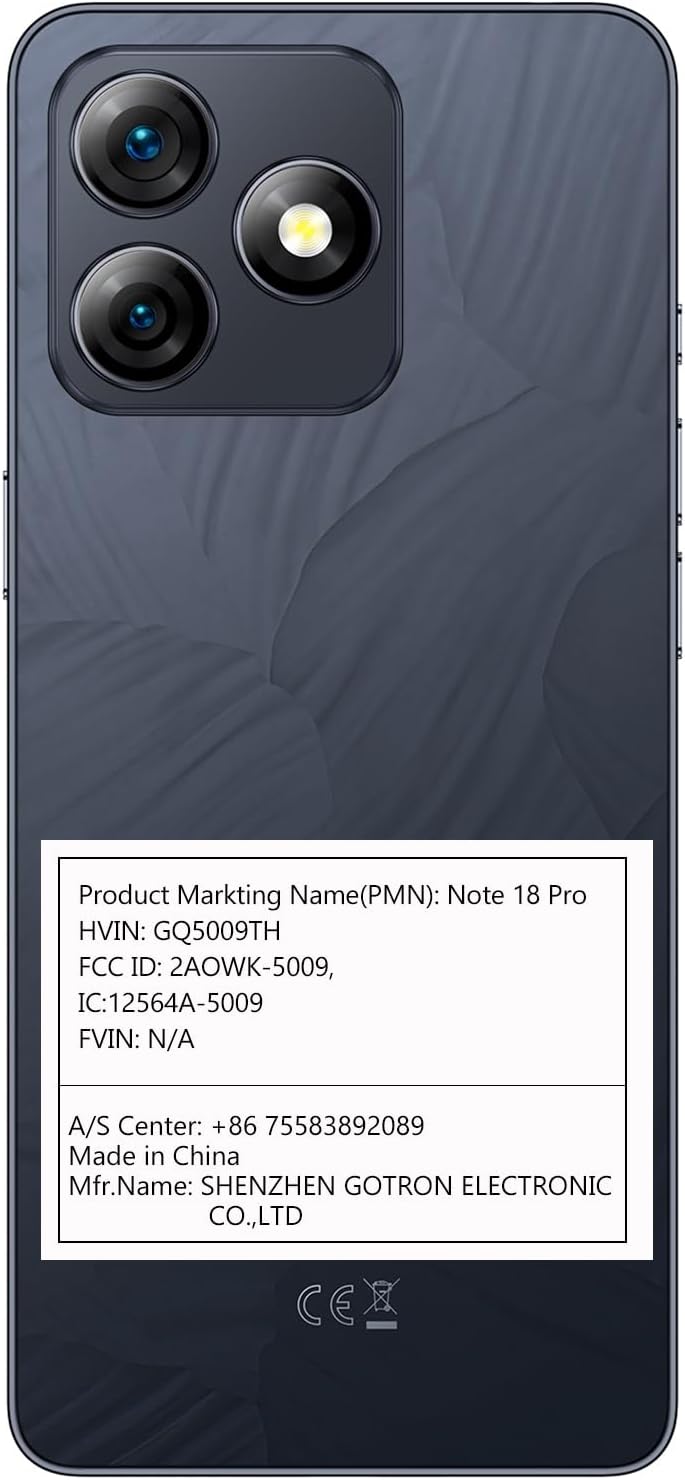
- తయారీదారు: SHENZHEN GOTRON ELECTRONIC CO.,LTD
- Visit the official Ulefone webతరచుగా అడిగే ప్రశ్నలు మరియు అదనపు మద్దతు వనరుల కోసం సైట్: www.ulefone.com
Ask a question about this manual
Ask about setup, troubleshooting, compatibility, parts, safety, or missing instructions. Manuals+ will review the question and use this page’s manual context to help answer it.