
పరిచయం
This manual provides essential information for the safe and efficient installation, operation, and maintenance of your GIGABYTE AORUS Elite P1000W Ice Power Supply. Please read this manual thoroughly before using the product and retain it for future reference.

చిత్రం 1: కోణీయ view of the GIGABYTE AORUS Elite P1000W Ice Power Supply, highlighting the 1000W rating.
భద్రతా సమాచారం
మీ పరికరాలకు గాయం మరియు నష్టాన్ని నివారించడానికి ఎల్లప్పుడూ క్రింది భద్రతా జాగ్రత్తలను గమనించండి:
- ఇన్స్టాలేషన్ లేదా హ్యాండ్లింగ్ చేసే ముందు AC అవుట్లెట్ నుండి విద్యుత్ సరఫరా డిస్కనెక్ట్ చేయబడిందని నిర్ధారించుకోండి.
- విద్యుత్ సరఫరా యూనిట్ను తెరవవద్దు. అధిక వాల్యూమ్tages are present inside, and there are no user-serviceable parts.
- విద్యుత్ సరఫరాను బాగా వెంటిలేషన్ ఉన్న ప్రదేశంలో, వేడి వనరులు మరియు ప్రత్యక్ష సూర్యకాంతికి దూరంగా ఉంచండి.
- ఈ విద్యుత్ సరఫరాతో అందించబడిన మాడ్యులర్ కేబుల్లను మాత్రమే ఉపయోగించండి. అననుకూల కేబుల్లను ఉపయోగించడం వల్ల నష్టం జరగవచ్చు.
- విద్యుత్ సరఫరాను తేమ లేదా తీవ్రమైన ఉష్ణోగ్రతలకు గురికాకుండా ఉండండి.
ప్యాకేజీ విషయాలు
ప్యాకేజీలో అన్ని అంశాలు ఉన్నాయని నిర్ధారించుకోండి:
- GIGABYTE AORUS Elite P1000W Ice Power Supply Unit
- Modular Cable Set (including ATX 24-pin, EPS/CPU 8-pin, PCIe 6+2-pin, 12VHPWR, SATA, Peripheral)
- AC Power Cord (EU Plug)
- మౌంటు స్క్రూలు
- వినియోగదారు మాన్యువల్ (ఈ పత్రం)
ఉత్పత్తి లక్షణాలు
- ATX 3.0 and PCIe Gen 5.0 ready (ATX 3.1 compatible)
- Certified 80 PLUS Platinum efficiency
- 100% Japanese Capacitors for enhanced reliability
- 120mm Dynamic Fluid Ball Bearing (FDB) Fan for quiet and efficient cooling
- Compact design for easier installation
- Fully modular design for improved cable management
- Powerful single rail +12V output
- Comprehensive protection features: OVP (Over Voltage Protection), OPP (Over Power Protection), SCP (Short Circuit Protection), UVP (Under Voltage Protection), OCP (Over Current Protection), OTP (Over Temperature Protection)
సెటప్ మరియు ఇన్స్టాలేషన్
మీ విద్యుత్ సరఫరాను ఇన్స్టాల్ చేయడానికి ఈ దశలను అనుసరించండి:
- మీ వ్యవస్థను సిద్ధం చేయండి: Ensure your computer case is open and all existing power supply cables are disconnected.
- విద్యుత్ సరఫరాను మౌంట్ చేయండి: Carefully place the GIGABYTE AORUS Elite P1000W into the power supply bay of your computer case. Secure it with the provided mounting screws.

మూర్తి 2: మొత్తం view of the GIGABYTE AORUS Elite P1000W Ice Power Supply. This image shows the main unit with its fan grill and modular cable ports.
- మాడ్యులర్ కేబుల్లను కనెక్ట్ చేయండి: Identify the necessary cables for your motherboard and components (CPU, GPU, storage drives). Connect the appropriate modular cables to the power supply's output ports.

మూర్తి 3: వివరంగా view of the modular cable connectors on the GIGABYTE AORUS Elite P1000W Ice Power Supply. This image illustrates the clearly labeled ports for M/B, CPU/PCI-E, Peripheral, and 12VHPWR connections.
- 24-పిన్ ATX కేబుల్: మదర్బోర్డు యొక్క ప్రధాన పవర్ కనెక్టర్కు కనెక్ట్ చేయండి.
- 8-pin EPS/CPU Cable: Connect to the motherboard's CPU power connector.
- PCIe 6+2-పిన్ కేబుల్స్: Connect to your graphics card(s) if they require additional power.
- 12VHPWR Cable: Connect to PCIe Gen 5.0 graphics cards that utilize this connector.
- SATA కేబుల్స్: Connect to SSDs, HDDs, and optical drives.
- పరిధీయ (మోలెక్స్) కేబుల్స్: Connect to other components requiring Molex power.
- భాగాలకు కనెక్ట్ చేయండి: Route the connected modular cables neatly to their respective components and plug them in securely.
- AC పవర్ కనెక్ట్ చేయండి: Ensure the power supply's main switch is in the OFF (0) position. Connect the AC power cord to the power supply and then to a wall outlet.
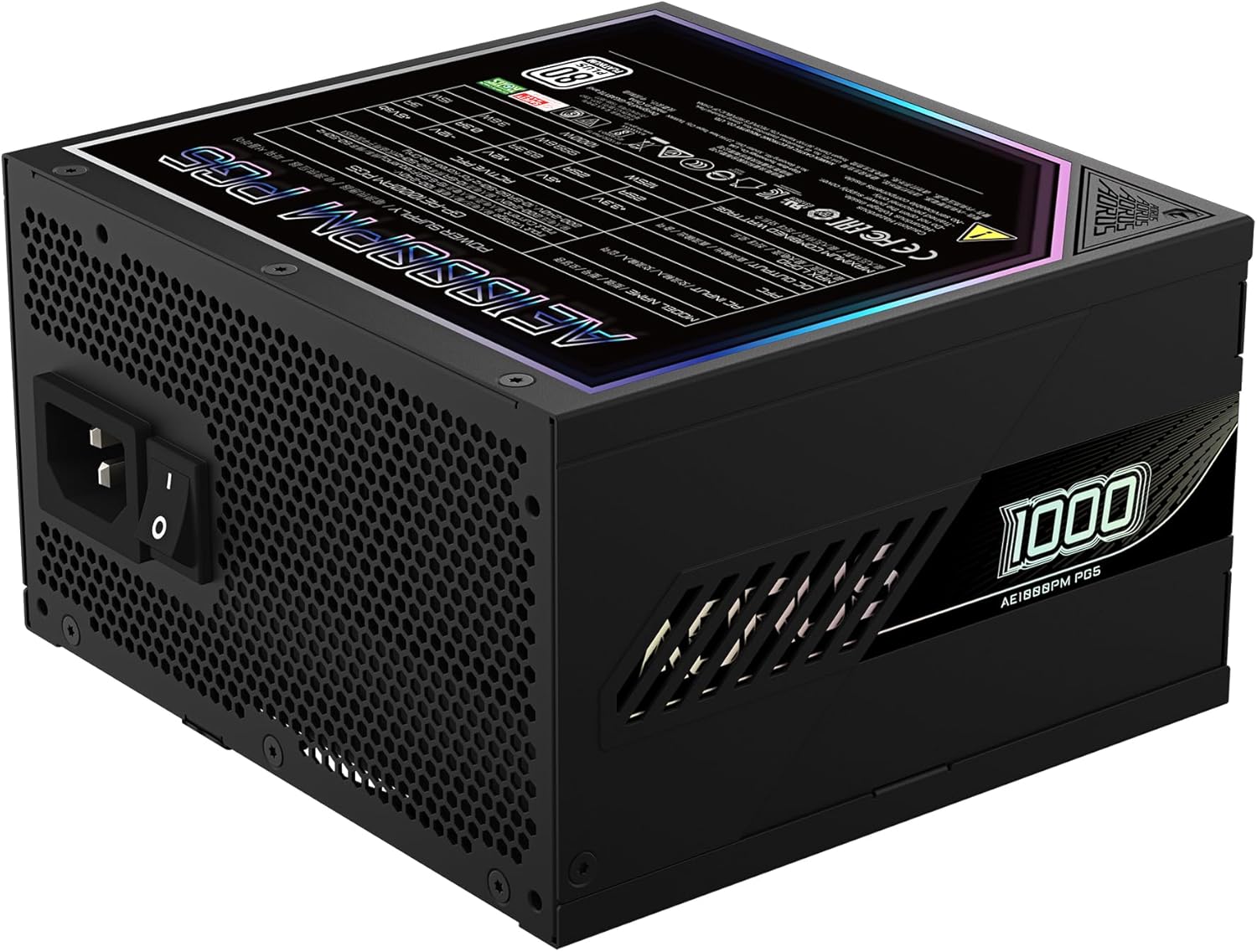
Figure 4: Rear panel of the GIGABYTE AORUS Elite P1000W Ice Power Supply, showing the AC power input and power switch. Ensure the switch is set to '0' before connecting the AC cord.
ఆపరేటింగ్ సూచనలు
After installation, follow these steps to power on your system:
- పవర్ ఆన్: Flip the main power switch on the rear of the power supply to the ON (I) position.
- సిస్టమ్ బూట్: వ్యవస్థను ప్రారంభించడానికి మీ కంప్యూటర్ కేస్లోని పవర్ బటన్ను నొక్కండి.
- పవర్ ఆఫ్: To shut down your system, perform a proper shutdown through your operating system. Once the system is off, you may flip the power supply's main switch to the OFF (0) position for complete power disconnection.

చిత్రం 5: పై నుండి క్రిందికి view of the 120mm fan with the AORUS logo on the GIGABYTE AORUS Elite P1000W Ice Power Supply. The fan provides active cooling during operation.
నిర్వహణ
క్రమం తప్పకుండా నిర్వహణ మీ విద్యుత్ సరఫరా యొక్క దీర్ఘాయువు మరియు సరైన పనితీరును నిర్ధారించడంలో సహాయపడుతుంది:
- దుమ్ము శుభ్రపరచడం: Periodically clean dust from the power supply's fan grill and vents using compressed air. Ensure the power supply is turned off and unplugged before cleaning.
- కేబుల్ నిర్వహణ: Ensure cables are neatly routed and do not obstruct airflow within the computer case.
- పర్యావరణ పరిస్థితులు: Maintain a cool, dry, and well-ventilated environment for your computer system.
ట్రబుల్షూటింగ్
మీరు సమస్యలను ఎదుర్కొంటే, ఈ క్రింది సాధారణ ట్రబుల్షూటింగ్ దశలను చూడండి:
- శక్తి లేదు:
- AC పవర్ కార్డ్ విద్యుత్ సరఫరా మరియు వాల్ అవుట్లెట్ రెండింటికీ సురక్షితంగా కనెక్ట్ చేయబడిందో లేదో తనిఖీ చేయండి.
- Ensure the power supply's main switch is in the ON (I) position.
- Verify that all modular cables are correctly seated in both the power supply and the components.
- దానికి శక్తి ఉందని నిర్ధారించుకోవడానికి మరొక పరికరంతో గోడ అవుట్లెట్ను పరీక్షించండి.
- సిస్టమ్ ఊహించని విధంగా షట్ డౌన్ అవుతుంది:
- This could indicate an overload or overheating. Ensure your system's power requirements do not exceed the PSU's 1000W capacity.
- సరైన వెంటిలేషన్ ఉందో లేదో తనిఖీ చేయండి మరియు ఏదైనా దుమ్ము పేరుకుపోయి ఉంటే తొలగించండి.
- Verify that all power connections are secure.
- అసాధారణ శబ్దాలు:
- A clicking sound might indicate a protective mechanism engaging. Disconnect power and recheck all connections.
- If the fan is making excessive noise, ensure it is free from obstructions.
If issues persist after following these steps, contact GIGABYTE customer support.
స్పెసిఫికేషన్లు

Figure 6: Product label on the GIGABYTE AORUS Elite P1000W Ice Power Supply, displaying electrical specifications and certifications. Refer to this label for detailed electrical ratings.
| ఫీచర్ | వివరాలు |
|---|---|
| మోడల్ పేరు | AORUS ELITE P1000W |
| అంశం మోడల్ సంఖ్య | GP-AE1000PM PG5 EU |
| అవుట్పుట్ వాట్tage | 1000 వాట్స్ |
| 80 ప్లస్ సర్టిఫికేషన్ | ప్లాటినం |
| ఫారమ్ ఫ్యాక్టర్ | ATX |
| ATX Version Compatibility | ATX 3.0 (ATX 3.1 compatible) |
| PCIe Version Compatibility | PCIe Gen 5.0 |
| ఫ్యాన్ పరిమాణం | 120మి.మీ |
| ఫ్యాన్ రకం | Dynamic Fluid Ball Bearing (FDB) |
| కెపాసిటర్లు | 100% జపనీస్ కెపాసిటర్లు |
| మాడ్యులర్ డిజైన్ | పూర్తిగా మాడ్యులర్ |
| రక్షణలు | OVP, OPP, SCP, UVP, OCP, OTP |
| ఉత్పత్తి కొలతలు (L x W x H) | 5.51 x 5.91 x 3.39 అంగుళాలు |
| వస్తువు బరువు | 6.79 పౌండ్లు (3080 గ్రాములు) |
వారంటీ సమాచారం
The GIGABYTE AORUS Elite P1000W Ice Power Supply comes with a 10 సంవత్సరాల వారంటీ from the date of purchase. This warranty covers defects in materials and workmanship under normal use. Please retain your proof of purchase for warranty claims. For full warranty terms and conditions, refer to the official GIGABYTE webసైట్ లేదా కస్టమర్ సపోర్ట్ని సంప్రదించండి.
మద్దతు
For technical assistance, troubleshooting beyond this manual, or warranty inquiries, please visit the official GIGABYTE support website or contact their customer service department. You can typically find contact information on the GIGABYTE webసైట్ లేదా ఉత్పత్తి ప్యాకేజింగ్లో.
GIGABYTE అధికారికం Webసైట్: www.gigabyte.com