
పరిచయం
Thank you for choosing the ErGear EGESD65W Electric Standing Desk. This manual provides detailed instructions for the assembly, operation, and maintenance of your new desk. Designed for both home and office use, this adjustable standing desk promotes a healthier and more productive work environment by allowing you to effortlessly switch between sitting and standing positions. Please read this manual thoroughly before assembly and use to ensure proper function and safety.
భద్రతా సమాచారం
- అసెంబ్లీకి ముందు అన్ని భాగాలు ఉన్నాయని మరియు పాడవకుండా ఉన్నాయని నిర్ధారించుకోండి. ఏవైనా భాగాలు తప్పిపోయినా లేదా విరిగిపోయినా ఉపయోగించవద్దు.
- Keep children and pets away from the desk during operation to prevent injury from moving parts.
- Do not overload the desk. Refer to the 'Specifications' section for maximum weight capacity.
- Ensure the power cord is properly connected and routed to avoid tripping hazards or damage.
- Do not place liquids directly on the control panel or motor components.
- డెస్క్ను వర్క్స్టేషన్గా దాని ఉద్దేశించిన ప్రయోజనం కోసం మాత్రమే ఉపయోగించండి.
ప్యాకేజీ విషయాలు
దయచేసి మీ ప్యాకేజీలో కింది అన్ని భాగాలు చేర్చబడ్డాయని ధృవీకరించండి:
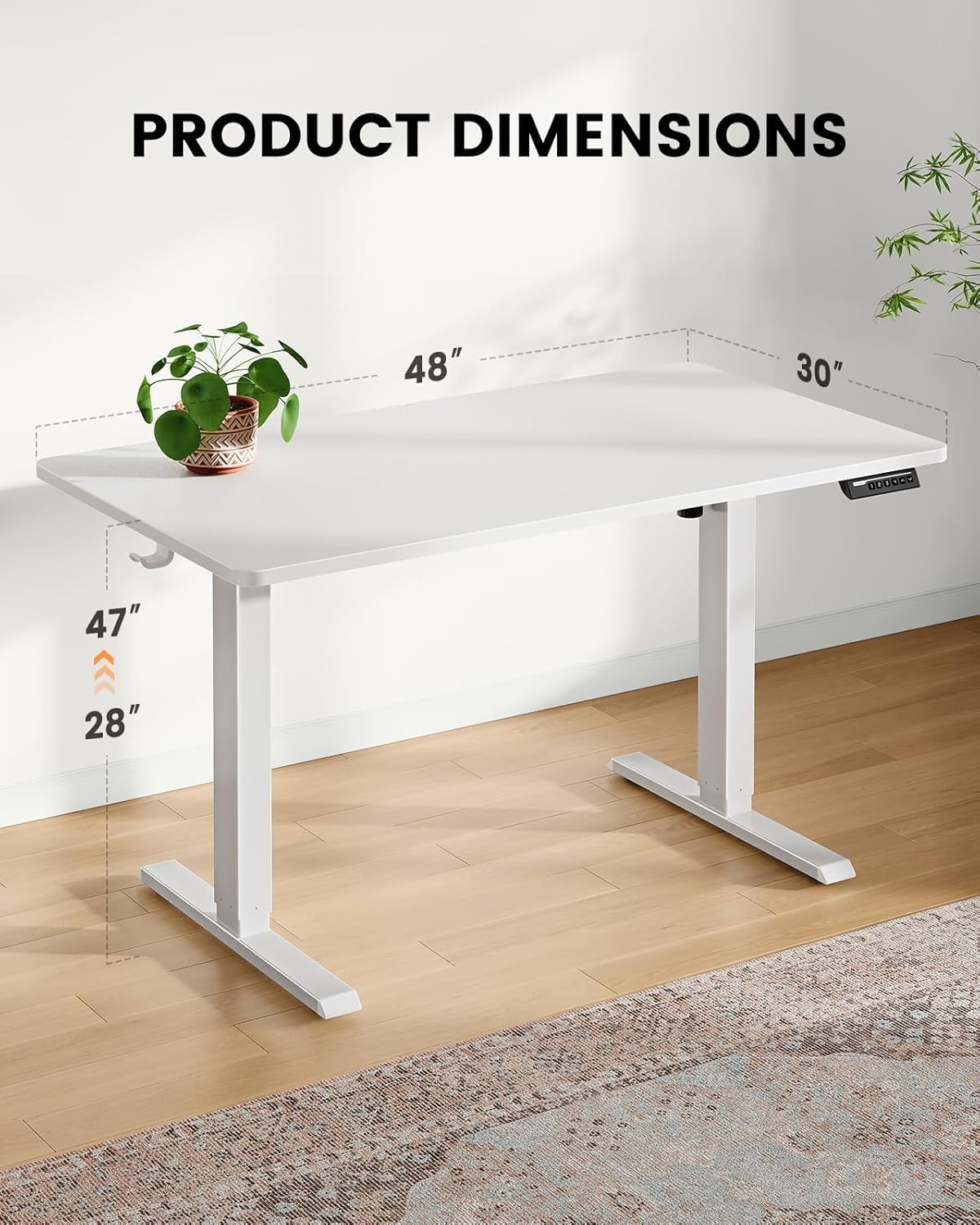
- One-Piece Desktop (48x30 inch)
- ఎలక్ట్రిక్ లిఫ్టింగ్ స్తంభాలు (కాళ్ళు)
- డిజిటల్ డిస్ప్లేతో కంట్రోల్ ప్యానెల్
- కేబుల్ మేనేజ్మెంట్ ట్రే
- పవర్ అడాప్టర్ మరియు కేబుల్
- Assembly Hardware Kit (screws, tools)
- ఇన్స్ట్రక్షన్ మాన్యువల్
సెటప్ మరియు అసెంబ్లీ
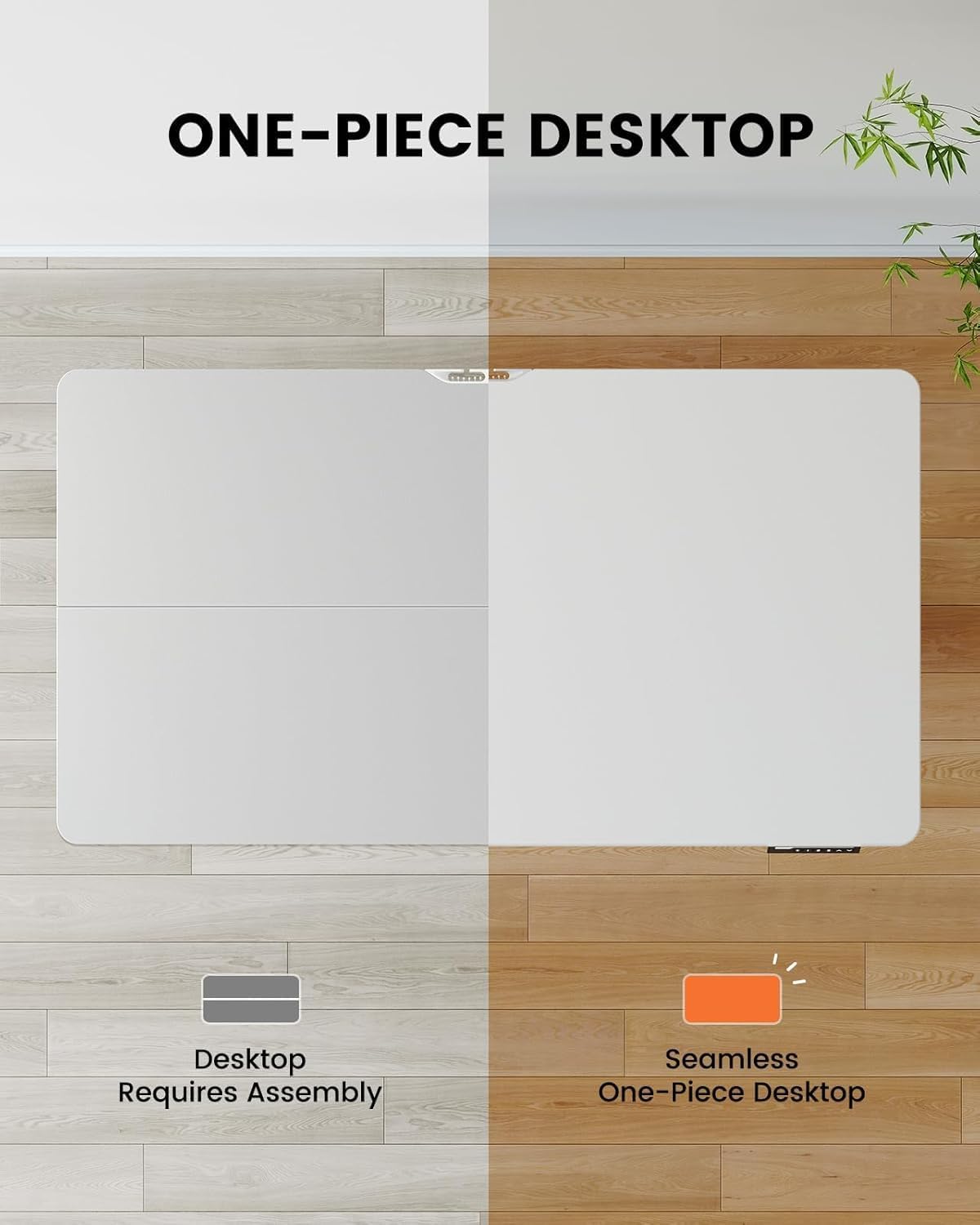
The ErGear EGESD65W features a one-piece desktop for simplified and faster installation. Follow these steps carefully:
- భాగాలను అన్ప్యాక్ చేయండి: ప్యాకేజింగ్ నుండి అన్ని భాగాలను జాగ్రత్తగా తీసివేసి, గీతలు పడకుండా ఉండటానికి వాటిని శుభ్రమైన, మృదువైన ఉపరితలంపై వేయండి.
- Attach Lifting Columns: Secure the electric lifting columns (legs) to the underside of the one-piece desktop using the provided screws. Ensure they are aligned correctly with the pre-drilled holes.
- కంట్రోల్ ప్యానెల్ను ఇన్స్టాల్ చేయండి: Mount the control panel to the designated area on the front edge of the desktop.
- కేబుల్స్ కనెక్ట్ చేయండి: Connect the motor cables from the lifting columns to the control box, and then connect the control panel cable to the control box. Finally, connect the power adapter to the control box.
- Attach Cable Management Tray: Install the cable management tray to the underside of the desktop as shown in the diagram, providing a neat solution for your power and data cables.
- స్థానం డెస్క్: Carefully flip the desk upright and place it in your desired location. Ensure there is enough clearance for height adjustments.

ఆపరేటింగ్ సూచనలు
Your ErGear standing desk is equipped with an intuitive control panel for easy height adjustment and memory presets.
నియంత్రణ ప్యానెల్ విధులు:
- పైకి/క్రిందికి బాణాలు (▲ / ▼): Press and hold to continuously adjust the desk height up or down. Release to stop at your desired height.
- మెమరీ ప్రీసెట్లు (1, 2, 3, 4): Press a numbered button to move the desk to a pre-saved height. To save a height, adjust the desk to the desired position, then press the 'M' button followed by the desired number (1-4). The display will show 'S-' then the number to confirm.
- ప్రదర్శన: డెస్క్ యొక్క ప్రస్తుత ఎత్తును అంగుళాలలో చూపిస్తుంది.


నిర్వహణ
క్రమం తప్పకుండా నిర్వహణ మీ ErGear స్టాండింగ్ డెస్క్ యొక్క దీర్ఘాయువు మరియు సజావుగా పనిచేయడాన్ని నిర్ధారిస్తుంది.
- శుభ్రపరచడం: Wipe the desktop and legs with a soft, damp వస్త్రం. ముగింపును దెబ్బతీసే రాపిడి క్లీనర్లు లేదా కఠినమైన రసాయనాలను నివారించండి.
- కేబుల్ నిర్వహణ: Periodically check the cable management tray and ensure all cables are neatly organized and not pinched or tangled.
- స్క్రూ బిగుతు: కాలక్రమేణా, స్క్రూలు వదులవుతాయి. స్థిరత్వాన్ని కొనసాగించడానికి కాలానుగుణంగా అన్ని అసెంబ్లీ స్క్రూలను తనిఖీ చేసి బిగించండి.
- మోటార్ తనిఖీ: Ensure the motor and lifting columns are free from obstructions. Do not attempt to lubricate or disassemble the motor components.
ట్రబుల్షూటింగ్
If you encounter any issues with your ErGear standing desk, please refer to the following common problems and solutions:
| సమస్య | సాధ్యమైన కారణం | పరిష్కారం |
|---|---|---|
| డెస్క్ కదలదు. | Power cord disconnected; Motor cable loose; Overload. | Check power connection; Ensure all cables are securely plugged in; Reduce weight on desk. |
| డెస్క్ అసమానంగా కదులుతుంది. | అసమాన బరువు పంపిణీ; వదులుగా ఉండే స్క్రూలు. | Distribute weight evenly; Tighten all assembly screws. |
| డిస్ప్లే ఎర్రర్ కోడ్ను చూపుతుంది. | System malfunction; Overheating. | Unplug the desk for 10 minutes, then plug back in. If error persists, contact customer support. |
| Desk makes unusual noise. | Obstruction in lifting mechanism; Loose components. | Check for obstructions under the desk; Tighten screws. |
If the problem persists after attempting these solutions, please contact ErGear customer support for further assistance.
స్పెసిఫికేషన్లు
Key technical details for your ErGear EGESD65W Standing Desk:
- మోడల్ సంఖ్య: EGESD65W-US
- డెస్క్టాప్ కొలతలు: 48 x 30 అంగుళాలు
- సర్దుబాటు చేయగల ఎత్తు పరిధి: Approximately 28 to 47 inches (71.1 cm to 119.4 cm)
- డెస్క్టాప్ మెటీరియల్: వెదురు
- లెగ్ మెటీరియల్: స్టెయిన్లెస్ స్టీల్
- రంగు: తెలుపు
- చేర్చబడిన భాగాలు: కేబుల్ మేనేజ్మెంట్ ట్రే
- అసెంబ్లీ అవసరం: అవును
- ఆపరేషన్: విద్యుత్
వారంటీ మరియు మద్దతు
Your ErGear EGESD65W Electric Standing Desk comes with a Limited Warranty. For specific warranty terms and conditions, please refer to the warranty card included in your package or visit the official ErGear webసైట్.
For technical support, troubleshooting assistance, or to inquire about replacement parts, please contact ErGear customer service through the contact information provided on the official ErGear website or your purchase platform. Please have your model number (EGESD65W-US) and purchase date ready when contacting support.