
1. పరిచయం
The Focal Lensys Professional Closed-Back Headphones are engineered for detailed audio monitoring and playback. Featuring advanced Aluminum/Magnesium (Al/Mg) drivers and a sound-isolating design, these headphones provide an immersive listening experience for studio work, monitoring sessions, and general audio enjoyment. This manual provides essential information for the proper setup, operation, and maintenance of your Lensys Professional headphones.

Image 1.1: Focal Lensys Professional Closed-Back Headphones, showcasing మొత్తం డిజైన్.
2. సెటప్
2.1 అన్ప్యాకింగ్ మరియు కంటెంట్లు
Carefully unpack your headphones and verify that all components are present:
- Focal Lensys Professional Closed-Back Headphones
- రక్షణ కేసు
- Audio Cables (various lengths/types may be included)

Image 2.1: The various audio cables supplied with the headphones for different connection needs.
2.2 హెడ్ఫోన్లను కనెక్ట్ చేస్తోంది
- Identify the 3.5mm audio jack on your audio source (e.g., laptop, desktop, cellphone, tablet, gaming console, smart speaker).
- Select the appropriate audio cable from the included accessories.
- Insert one end of the audio cable into the designated port on the Focal Lensys Professional headphones.
- Insert the other end of the audio cable into the 3.5mm audio jack of your audio source.
ఆడియో అంతరాయాలను నివారించడానికి కనెక్షన్ సురక్షితంగా ఉందని నిర్ధారించుకోండి.
2.3 సౌకర్యం కోసం సర్దుబాటు చేయడం
The Lensys Professional headphones are designed with memory foam earpads and a flexible headband for extended comfort. To achieve the best fit:
- Adjust the headband slides on both sides until the earpads sit comfortably over your ears, ensuring a snug but not overly tight fit.
- The memory foam earpads will conform to the shape of your ears, providing optimal sound isolation and comfort.
3. ఆపరేటింగ్ సూచనలు
3.1 ప్రాథమిక ఆడియో ప్లేబ్యాక్
Once connected to your audio source, begin playing audio. Adjust the volume directly from your connected device. The headphones are designed for a neutral sound profile, making them suitable for critical listening and mixing.
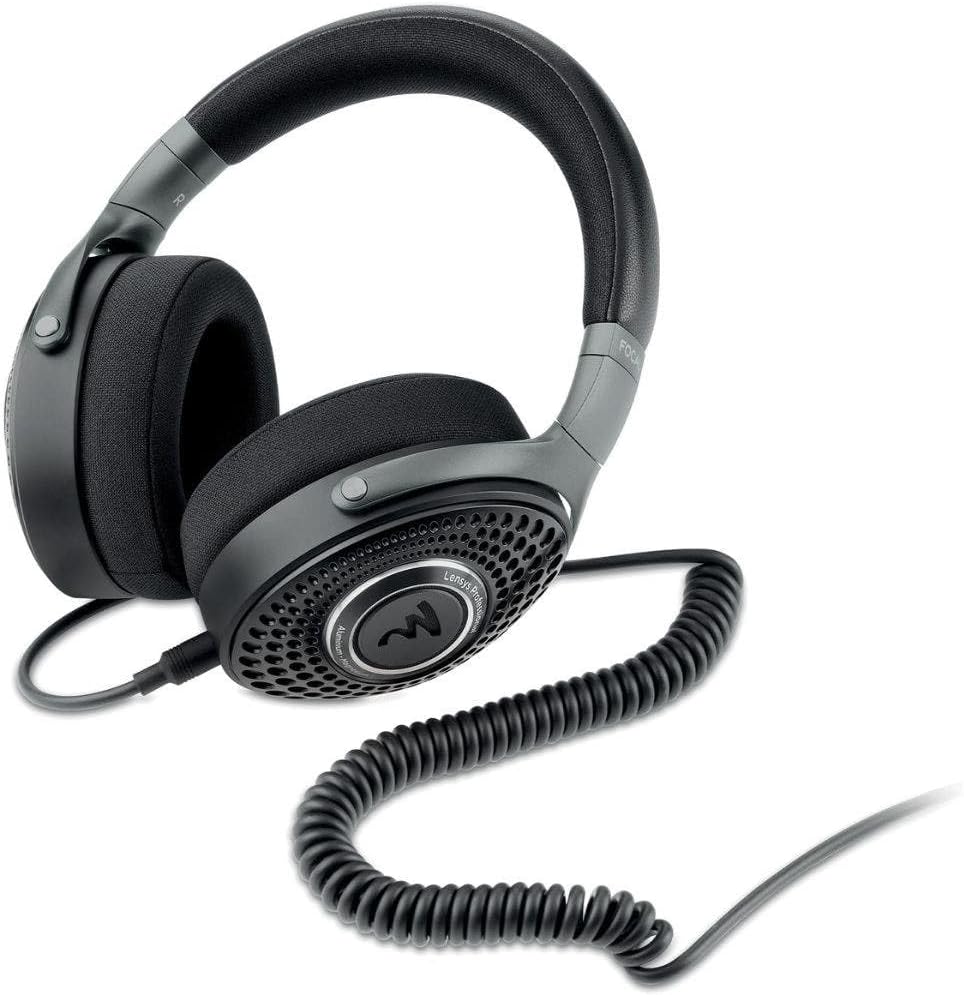
Image 3.1: The Focal Lensys Professional Headphones shown with a coiled audio cable connected, ready for use.
3.2 Remote Control (if applicable)
Some audio cables may include an inline remote control. If your cable features a remote, refer to your audio source device's manual for specific functions such as play/pause, track skipping, or volume control, as functionality can vary.
3.3 ఉద్దేశించిన ఉపయోగం
These headphones are specifically designed for:
- రికార్డింగ్: Providing accurate monitoring during recording sessions.
- మిక్సింగ్: Offering a neutral sound signature for precise audio mixing.
- సాధారణ శ్రవణం: Delivering high-fidelity audio for everyday enjoyment.
4. నిర్వహణ
4.1 శుభ్రపరచడం
To maintain the condition and performance of your headphones:
- Use a soft, dry, lint-free cloth to wipe the exterior surfaces of the earcups and headband.
- For the memory foam earpads, gently wipe with a slightly damp cloth if necessary, and allow them to air dry completely before use. Avoid excessive moisture.
- Do not use harsh chemicals, solvents, or abrasive cleaners, as these can damage the materials (Aluminum/Magnesium, Memory Foam, Plastic/Fabric).
4.2 నిల్వ
When not in use, store your Focal Lensys Professional headphones in the provided protective case. This helps to prevent dust accumulation, scratches, and physical damage, extending the lifespan of the product.

Image 4.1: The protective carrying case, designed to safely store your Focal Lensys Professional Headphones.
5. ట్రబుల్షూటింగ్
If you encounter issues with your Focal Lensys Professional headphones, consider the following:
- ధ్వని లేదు:
- ఆడియో కేబుల్ హెడ్ఫోన్లు మరియు ఆడియో సోర్స్ రెండింటికీ సురక్షితంగా కనెక్ట్ చేయబడిందని నిర్ధారించుకోండి.
- మీ ఆడియో సోర్స్ పరికరంలో వాల్యూమ్ స్థాయిని తనిఖీ చేయండి.
- Test the headphones with a different audio source or cable to rule out device or cable issues.
- పేలవమైన ధ్వని నాణ్యత:
- Verify that the audio cable is fully inserted and not damaged.
- ఆడియో మూలం అధిక-నాణ్యత గల ఆడియోను ప్లే చేస్తుందని నిర్ధారించుకోండి files.
- Check for any debris in the headphone jack or port.
- ఉపయోగం సమయంలో అసౌకర్యం:
- Re-adjust the headband for a more comfortable fit.
- ఎక్కువసేపు వినే సమయంలో చిన్న విరామాలు తీసుకోండి.
If problems persist, refer to the Warranty & Support section for further assistance.
6. స్పెసిఫికేషన్లు
Detailed technical specifications for the Focal Lensys Professional Closed-Back Headphones:
| ఫీచర్ | స్పెసిఫికేషన్ |
|---|---|
| మోడల్ పేరు | లెన్సిస్ ప్రొఫెషనల్ |
| అంశం మోడల్ సంఖ్య | RM |
| కనెక్టివిటీ టెక్నాలజీ | వైర్డు |
| హెడ్ఫోన్స్ జాక్ | 3.5 మి.మీ జాక్ |
| ఆడియో డ్రైవర్ రకం | Dynamic Driver (Al/Mg) |
| ఇయర్పీస్ ఆకారం | ఓవర్-ఇయర్ కప్పులు |
| ఫారమ్ ఫ్యాక్టర్ | ఓవర్ చెవి |
| చెవి ప్లేస్మెంట్ | ఓవర్ చెవి |
| ఇంపెడెన్స్ | ౪౦ ఓం |
| నాయిస్ కంట్రోల్ | సౌండ్ ఐసోలేషన్ |
| మెటీరియల్ | Aluminum/Magnesium, Memory Foam, Plastic/Fabric |
| చేర్చబడిన భాగాలు | రక్షణ కేసు |
| ఉత్పత్తి కొలతలు | 9.55 x 8.6 x 3.25 అంగుళాలు |
| వస్తువు బరువు | 2.53 పౌండ్లు |
| తయారీదారు | ఫోకల్ |

చిత్రం 6.1: కోణీయ view highlighting the design and materials of the Focal Lensys Professional Headphones.
7. వారంటీ మరియు మద్దతు
7.1 వారంటీ సమాచారం
For detailed information regarding the warranty coverage for your Focal Lensys Professional Headphones, please refer to the warranty card included with your purchase or visit the official Focal webసైట్. వారంటీ నిబంధనలు మరియు షరతులు ప్రాంతం మరియు రిటైలర్ను బట్టి మారవచ్చు.
7.2 కస్టమర్ మద్దతు
Should you require technical assistance, have questions about your product, or need to report a defect, please contact Focal customer support through their official website or the contact information provided in your product documentation. Ensure you have your product model number (RM) and proof of purchase available when contacting support.