
1. ఉత్పత్తి ముగిసిందిview
The ApeStellar Wi-Fi Smart Keyless Entry Door Lock with Knob (Model DK02S) offers multiple access methods and smart home integration for enhanced security and convenience. This lock is designed for easy installation and reliable performance.
ముఖ్య లక్షణాలు:
- Wi-Fi Enabled (2.4GHz only): Remote lock/unlock, access sharing, real-time notifications.
- Multiple Unlock Options: Smartphone app, keypad code, mechanical key, Apple Watch, voice control (Alexa/Google Assistant).
- Access Code Management: Supports up to 50 access codes (permanent, scheduled, recurring, one-time).
- Auto-Lock Security: Customizable auto-lock duration.
- Passage Mode: Temporarily disable auto-lock for specific periods.
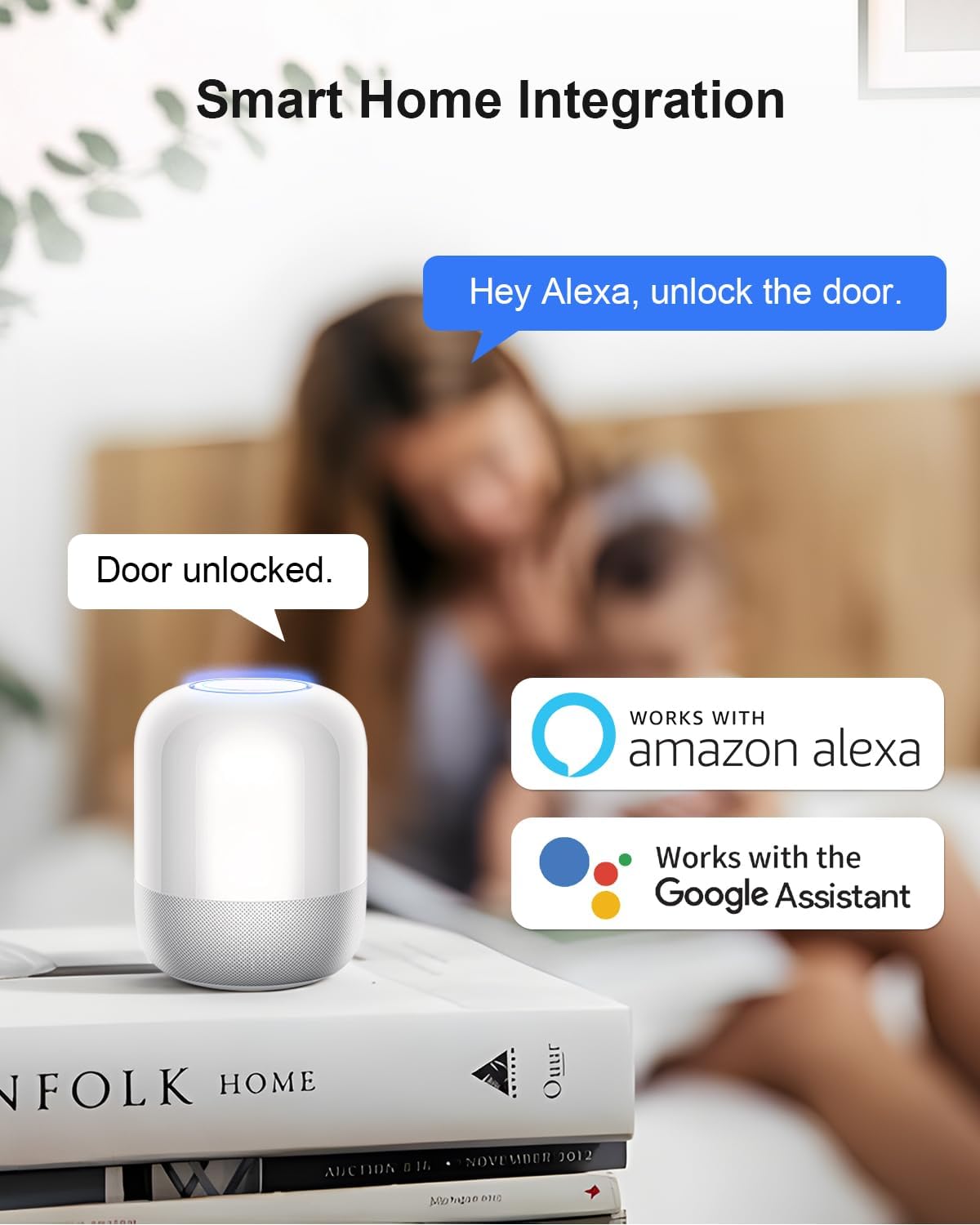
- Durable Construction: Heavy Zinc Alloy, corrosion-resistant, ANSI Grade 3 certified.
- Weather Resistant: Operates in temperatures from -77°F to 149°F, IP54 waterproof.
2. ప్యాకేజీ విషయాలు
ఇన్స్టాలేషన్ ప్రారంభించే ముందు అన్ని భాగాలు ఉన్నాయని నిర్ధారించుకోండి:
- ApeStellar Keyless Entry Door Lock
- 2 బ్యాకప్ కీలు
- గొళ్ళెం
- మరలు
- స్ట్రైక్ ప్లేట్
- మౌంటు ప్లేట్
- ఇన్స్టాలేషన్ సూచనలు
- ప్రోగ్రామింగ్ సూచనలు
3. సెటప్ మరియు ఇన్స్టాలేషన్
The ApeStellar Smart Lock is designed for straightforward installation, typically taking about 15 minutes with a screwdriver. Ensure your door meets the following specifications:
- డోర్ హోల్ వ్యాసం: 2-1/8 అంగుళాలు (54మిమీ)
- బ్యాక్సెట్: Adjustable to fit 2-3/8 inches or 2-3/4 inches (60mm or 70mm)
- తలుపు మందం: 1-3/8 inches to 1-3/4 inches (35mm to 45mm)
The lock is compatible with both left and right-handed doors. Follow the detailed installation instructions provided in the package for step-by-step guidance.

చిత్రం: Easy Installation Guide with dimensions.

చిత్రం: Components of the ApeStellar Smart Lock.
4. ఆపరేటింగ్ సూచనలు
The ApeStellar Smart Lock offers various methods for locking and unlocking your door.
4.1. Multiple Access Methods
You can access your door using the following methods:
- స్మార్ట్ఫోన్ యాప్: Remotely lock/unlock, share access, monitor activity.
- కీప్యాడ్: Enter a personalized code.
- మెకానికల్ కీ: For traditional access or emergencies.
- ఆపిల్ వాచ్: Unlock directly from your smartwatch.
- వాయిస్ నియంత్రణ: Integrate with Amazon Alexa or Google Assistant.
చిత్రం: Multiple ways to access the lock.
4.2. యాప్ నియంత్రణ మరియు ఫీచర్లు
Download the "TTLock" app from Google Play or the App Store to manage your smart lock. The app provides comprehensive control and monitoring capabilities.
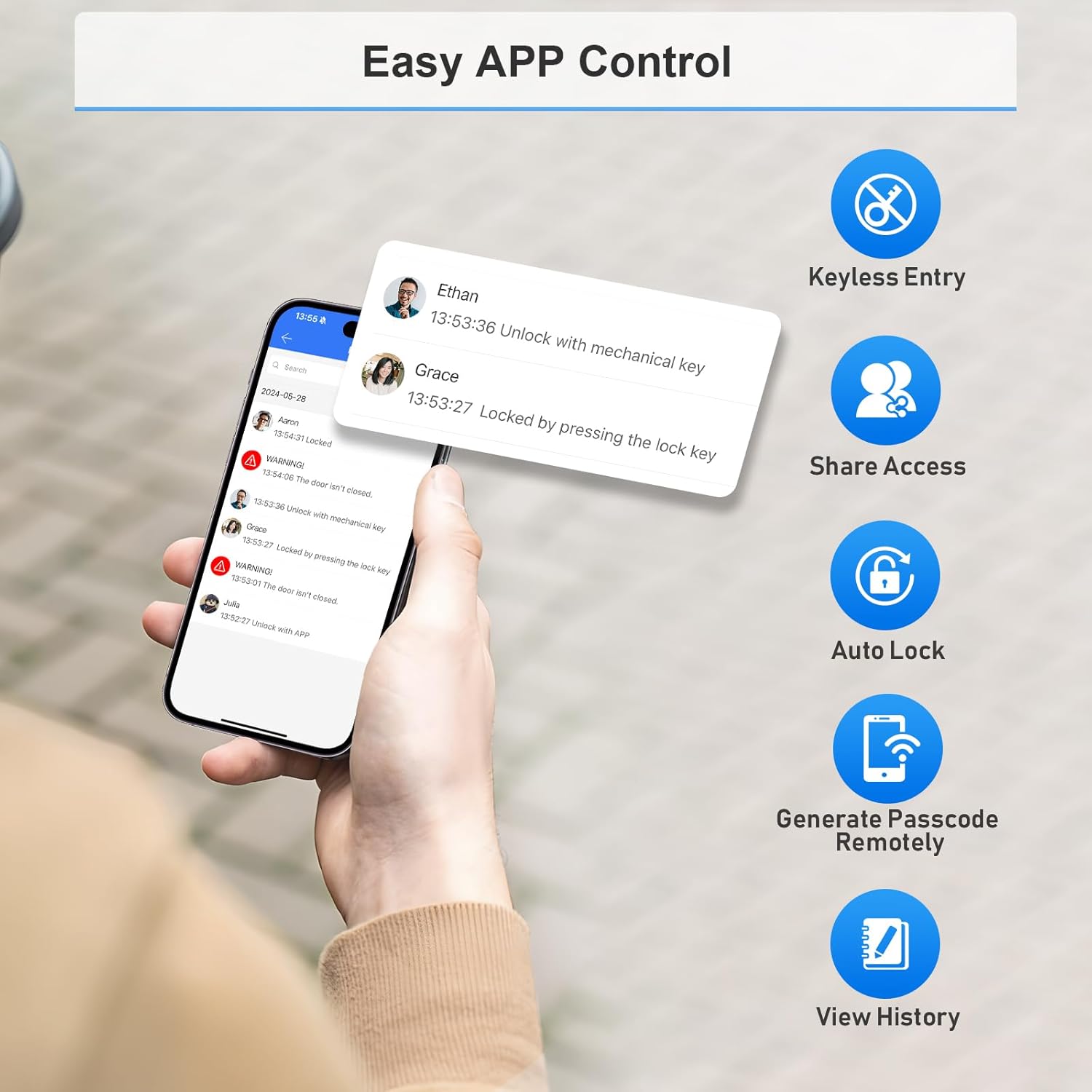
చిత్రం: Easy App Control interface.
4.2.1. Pairing Your Lock
To pair your lock with the TTLock app, ensure your phone is within 2 meters of the lock. Press any key on the keypad to activate it and put it into pairing mode. The keypad must be lit. Then, follow the in-app instructions to add the lock. Note: The lock connects via 2.4GHz Wi-Fi only; 5G Wi-Fi is not supported.
వీడియో: Demonstrates the smartphone operation for the Wi-Fi door lock, including pairing and basic app functions.
4.2.2. Admin Passcode Management
After pairing, the admin passcode will be changed to a random 7-digit number. You can find this new passcode in the app settings under 'Basics' -> 'Admin Passcode'. It is recommended to change this to a personalized administrator password for security.
4.2.3. Generating Passcodes
The app allows you to generate various types of passcodes:
- సమయం ముగిసింది: Valid for a specific duration.
- ఒక్కసారి: For single use.
- శాశ్వత: ఎప్పుడూ చురుకుగా ఉంటారు.
- అనుకూలం: వినియోగాదారునిచే నిర్వచించబడినది.
- పునరావృతం: Active on a repeating schedule.
4.2.4. Sharing eKeys
eKeys provide app access to your lock for other TTLock account users. Recipients can use their phone to unlock/lock the door. Enter the recipient's phone number or email (used for registration) and set the validity period.
4.3. Auto-Lock Function
The auto-lock feature automatically locks the door after a set delay, providing added security and peace of mind. You can configure the delay time (20-900 seconds) in the app settings under 'Auto Lock'.
వీడియో: Demonstrates how to set up and use the Auto Lock feature.
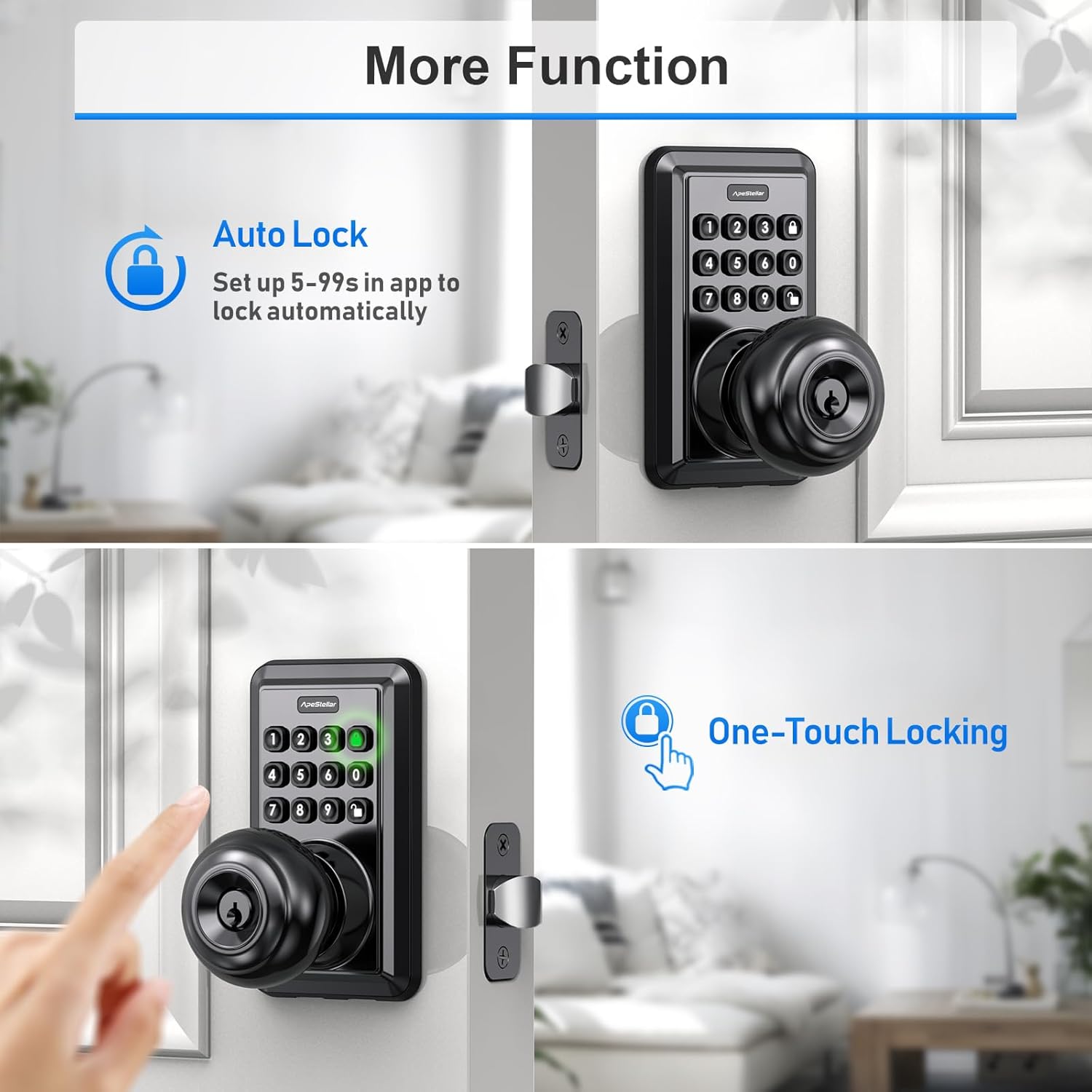
చిత్రం: Auto Lock and One-Touch Locking features.
4.4 పాసేజ్ మోడ్
Passage Mode allows the lock to remain in an open state after being unlocked, disabling auto-lock for a specified schedule. This is useful for periods when the door needs to be frequently accessed without re-locking. Configure this in the app settings under 'Passage Mode'.
4.5. స్మార్ట్ హోమ్ ఇంటిగ్రేషన్
The lock seamlessly integrates with Amazon Alexa and Google Home, allowing for voice control and creation of helpful automations to secure your home.
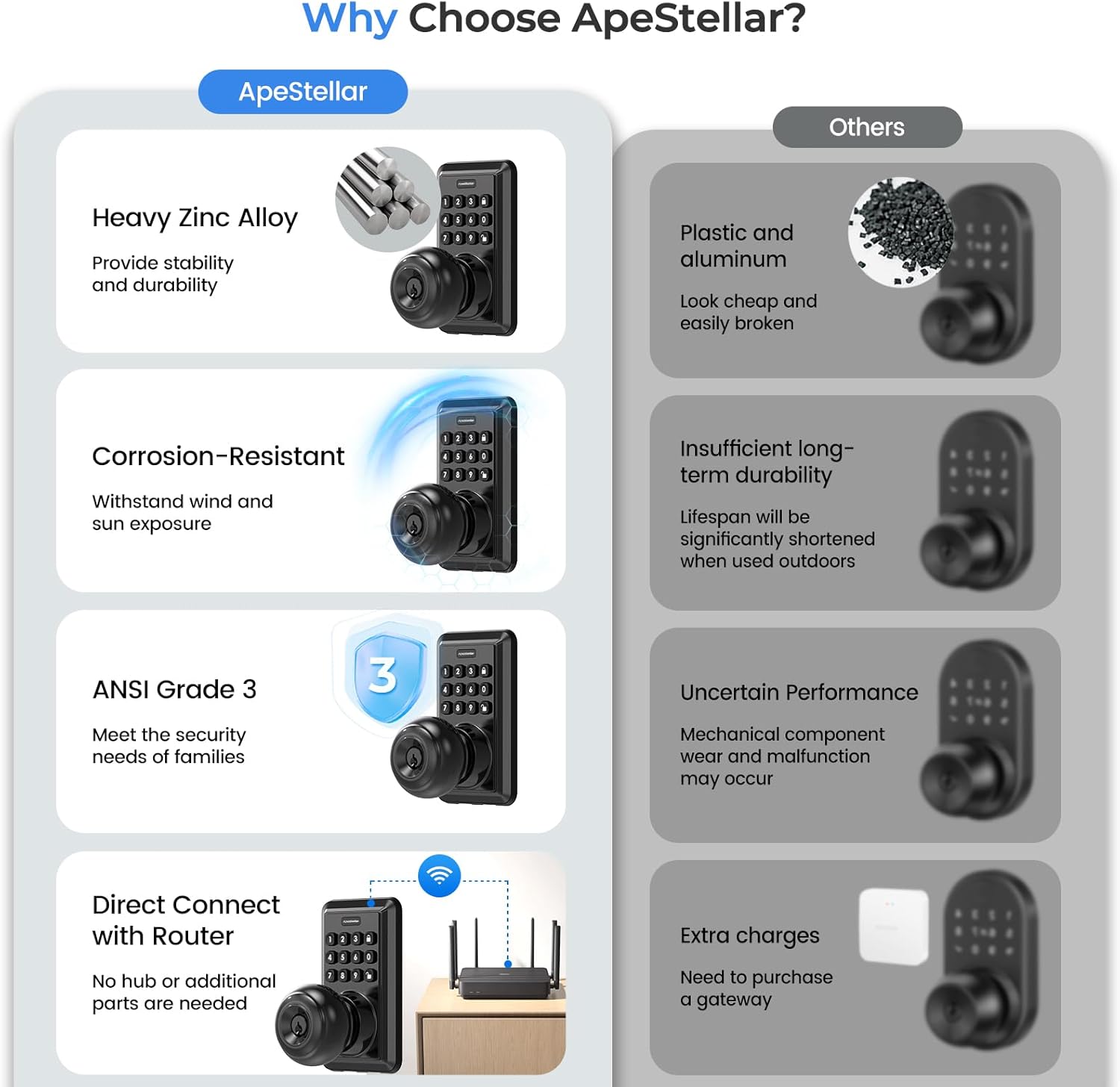
చిత్రం: Smart Home Integration with Alexa and Google Assistant.
5. నిర్వహణ
Proper maintenance ensures the longevity and optimal performance of your smart lock.
5.1. బ్యాటరీ భర్తీ
The lock requires 4 AA batteries (not included). The battery life is approximately one year. The app will provide a low battery alarm when replacement is needed. Replace all four batteries simultaneously for best performance.
చిత్రం: Battery life and low battery alarm indicators.
5.2. వాతావరణ నిరోధకత
The lock is designed to withstand various weather conditions, operating effectively from -77°F to 149°F and featuring an IP54 waterproof rating. This ensures functionality in rain, snow, frost, or sunshine.

చిత్రం: Weather resistance features.
6. ట్రబుల్షూటింగ్
If you encounter issues with your ApeStellar Smart Lock, refer to the following common troubleshooting steps:
- Wi-Fi కనెక్టివిటీ సమస్యలు: Ensure your router is broadcasting a 2.4GHz Wi-Fi signal, as 5G Wi-Fi is not supported. For initial setup or persistent connection problems, try moving the lock closer to your Wi-Fi router.
- కీప్యాడ్ స్పందించడం లేదు: Press any key on the keypad to wake it up and ensure it is lit before entering a code. Check battery levels if the keypad remains unresponsive.
- Lock Binding or Sticking: During installation, ensure all components are properly aligned and screws are not overtightened, which can cause internal mechanisms to bind. Verify the latch operates smoothly without obstruction.
- Forgotten Admin Passcode: The admin passcode is initially a random 7-digit number after pairing. Access the TTLock app, go to 'Settings' -> 'Basics' -> 'Admin Passcode' to retrieve or change it.
- బ్యాటరీ త్వరగా ఆరిపోతుంది: Ensure you are using fresh, high-quality AA batteries. Frequent Wi-Fi activity or a weak Wi-Fi signal requiring the lock to constantly search for connection can increase battery consumption.
7. స్పెసిఫికేషన్లు
| ఫీచర్ | వివరాలు |
|---|---|
| బ్రాండ్ | ApeStellar |
| మోడల్ పేరు | DK02S |
| లాక్ రకం | Combination Lock, Keypad |
| మెటీరియల్ | జింక్ |
| కొలతలు (L x W x H) | 2.8 x 2.7 x 6.38 అంగుళాలు |
| ప్రత్యేక లక్షణాలు | Auto-Lock, Back-Lit Keypad, One-Touch Lock, Passcode Unlock, Weather Resistant |
| కనెక్టివిటీ ప్రోటోకాల్ | Wi-Fi (2.4GHz మాత్రమే) |
| కంట్రోలర్ రకం | Amazon Alexa, Google Assistant, Hand Control, Mechanical knob, Push Button |
| నియంత్రణ పద్ధతి | యాప్, రిమోట్, టచ్, వాయిస్ |
| శక్తి మూలం | 4 x AA బ్యాటరీలు (చేర్చబడలేదు) |
| Door Hole Compatibility | 2-1/8 అంగుళాలు (54మిమీ) |
| బ్యాక్సెట్ అనుకూలత | 2-3/8 అంగుళాలు లేదా 2-3/4 అంగుళాలు (60mm లేదా 70mm) |
| వాతావరణ రేటింగ్ | IP54 |
8. వారంటీ సమాచారం
This product is covered by the manufacturer's standard warranty. Please refer to the warranty card included in your product packaging or contact ApeStellar customer support for specific details regarding warranty coverage and terms.
9. కస్టమర్ మద్దతు
For any questions, technical assistance, or support regarding your ApeStellar Wi-Fi Smart Keyless Entry Door Lock, please contact ApeStellar customer service. Contact information can typically be found on the product packaging, the official ApeStellar website, or within the TTLock application.