
పరిచయం
The SHIDU H11 is a versatile 40W wireless voice amplifier designed to provide clear and powerful sound projection for various applications. This portable PA system features Bluetooth connectivity, support for USB, TF card, and Aux inputs, and includes both wireless headset and handheld microphones. Its robust design and long-lasting battery make it suitable for teachers, public speakers, tour guides, and karaoke enthusiasts.
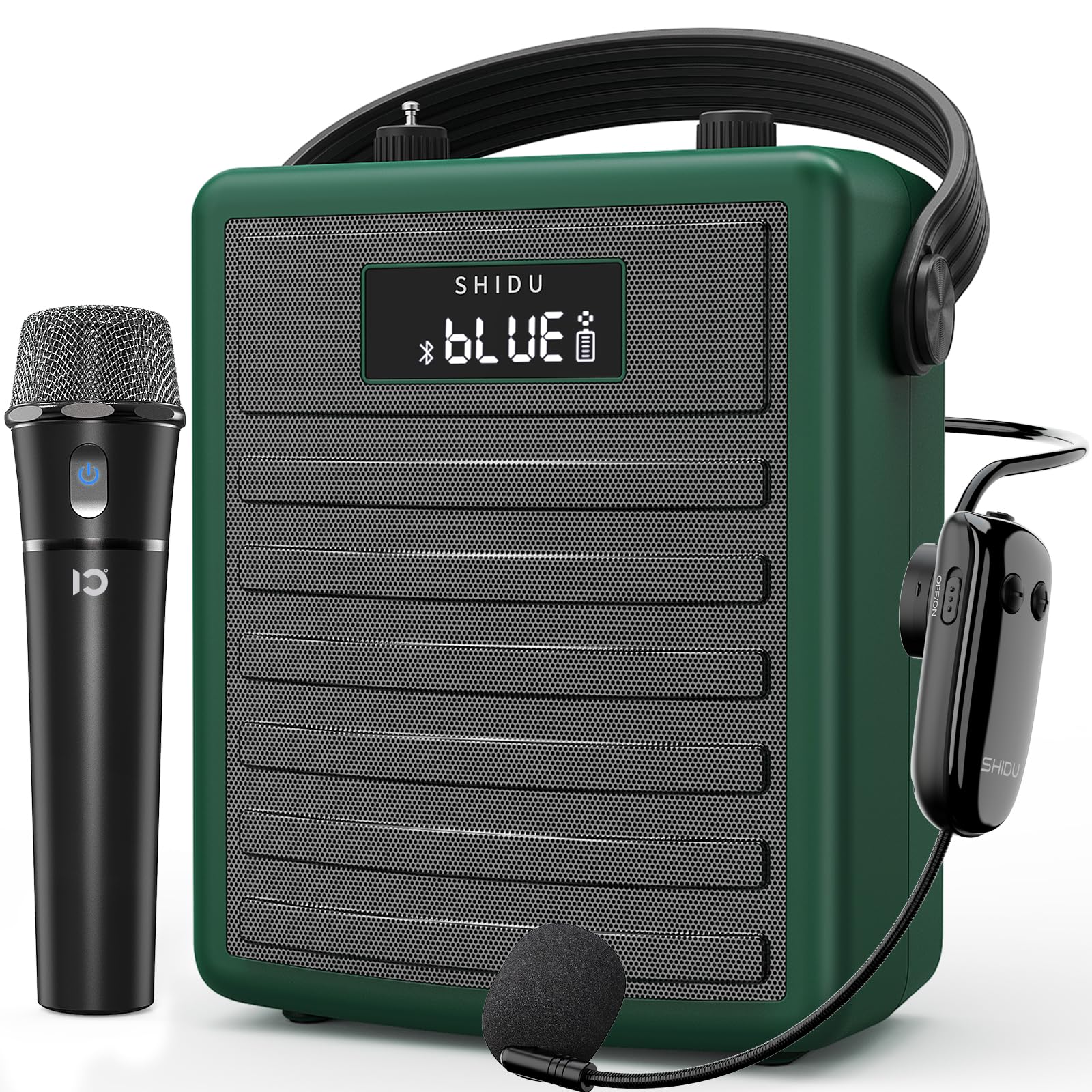
Figure 1: SHIDU H11 40W Wireless Voice Ampజీవితకాలం
ప్యాకేజీ విషయాలు
అన్ని వస్తువులు ఉన్నాయని నిర్ధారించుకోవడానికి దయచేసి ప్యాకేజీని జాగ్రత్తగా తనిఖీ చేయండి:
- SHIDU H11 Voice Ampలైఫైయర్ యూనిట్
- వైర్లెస్ హెడ్సెట్ మైక్రోఫోన్
- వైర్లెస్ హ్యాండ్హెల్డ్ మైక్రోఫోన్
- టైప్-సి ఛార్జింగ్ కేబుల్
- Adjustable Carrying Strap
- ఆడియో కేబుల్ (3.5mm)
- యాంటెన్నా
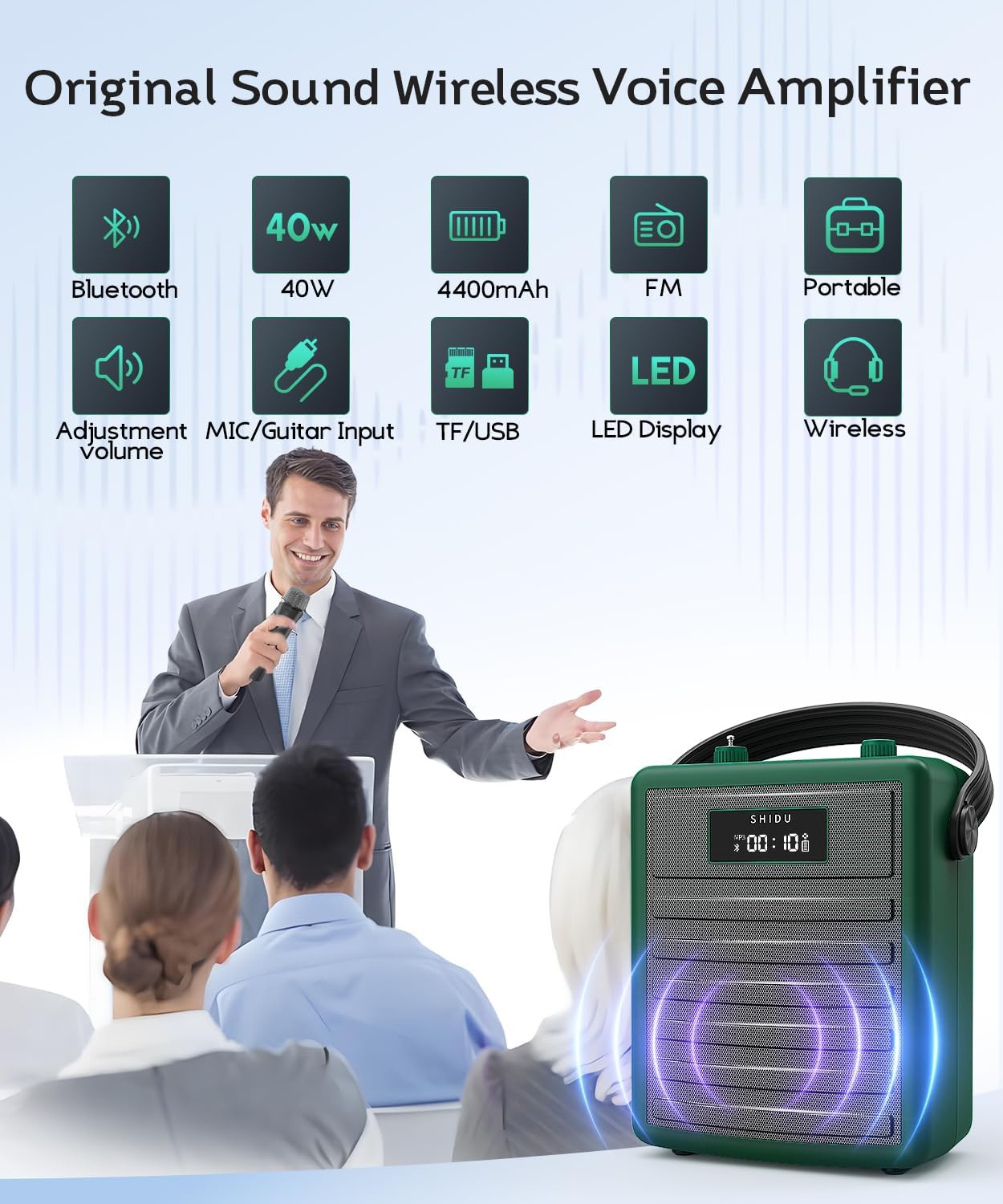
Figure 2: All items included in the SHIDU H11 package.
ఉత్పత్తి ముగిసిందిview
Main Unit Controls and Ports

మూర్తి 3: వివరంగా view of the SHIDU H11 controls and ports.
- పవర్ ఆన్/ఆఫ్: ప్రధాన పవర్ స్విచ్.
- మోడ్ బటన్: Switches between Bluetooth, FM, USB, TF Card, and AUX modes.
- మునుపటి/తదుపరి బటన్లు: Navigates tracks in music playback modes.
- ప్లే/పాజ్ బటన్: సంగీత ప్లేబ్యాక్ను నియంత్రిస్తుంది.
- REC ఫంక్షన్: ఆడియో రికార్డింగ్ కోసం.
- నంబర్ ప్యాడ్: డైరెక్ట్ ట్రాక్ ఎంపిక లేదా FM ఫ్రీక్వెన్సీ ఇన్పుట్ కోసం.
- మ్యూజిక్ వాల్యూమ్ నాబ్: Adjusts the volume of music playback.
- ఎకో నాబ్: మైక్రోఫోన్లకు ప్రతిధ్వని ప్రభావాన్ని సర్దుబాటు చేస్తుంది.
- Instrument Input (INST): 6.35mm jack for connecting instruments like a guitar.
- Instrument Volume Knob (INST VOL): కనెక్ట్ చేయబడిన పరికరం యొక్క వాల్యూమ్ను సర్దుబాటు చేస్తుంది.
- Audio Input (AUX IN): 3.5mm jack for external audio sources.
- Audio Output (AUX OUT): 3.5mm jack for connecting to other audio devices.
- USB స్లాట్: USB ఫ్లాష్ డ్రైవ్ల కోసం.
- TF కార్డ్ స్లాట్: For TF (MicroSD) cards.
- DC 5V ఛార్జింగ్ పోర్ట్: Type-C port for charging the unit.
మైక్రోఫోన్ వివరాలు

Figure 4: Wireless Microphones
- వైర్లెస్ హ్యాండ్హెల్డ్ మైక్రోఫోన్: Features an on/off switch, UHF pairing indicator light, and DC 5V charge jack. Provides 8-10 hours of work time.
- Adjustable Wireless Headset Microphone: Includes an indicator light, ON/OFF switch, volume controls (+/-), pairing key, and DC 5V charge port. Offers 3-5 hours of work time. The flexible gooseneck allows for distance adjustment.
సెటప్
1. Charging the Unit and Microphones
Before first use, fully charge the voice amplifier and both wireless microphones. Use the provided Type-C charging cable. The amplifier has a robust 4400mAh rechargeable battery.

Figure 5: Battery life and charging indication.
2. యాంటెన్నాను అటాచ్ చేయడం
Screw the included antenna into the designated port on the top of the amplifier unit for optimal wireless signal reception, especially for FM radio and microphone connectivity.
3. Wearing the Ampజీవితకాలం
Attach the adjustable carrying strap to the amplifier. You can wear it over your shoulder, across your body, or around your waist for hands-free operation.
ఆపరేటింగ్ సూచనలు
1. పవర్ ఆన్/ఆఫ్
అధికారం కోసం amplifier, turn the Power On/Off knob (1) clockwise. The display will light up. To power off, turn the knob counter-clockwise until it clicks.
2. వైర్లెస్ మైక్రోఫోన్లను ఉపయోగించడం
Turn on your preferred wireless microphone (headset or handheld) using its dedicated ON/OFF switch. The microphone will automatically pair with the amplifier. Adjust the microphone's volume using the volume controls on the headset or the main unit's master volume. Use the Echo knob (8) on the main unit to add or remove echo effects.
3. బ్లూటూత్ పెయిరింగ్
Press the Mode button (2) until "BLUE" appears on the display. On your mobile device, search for "SHIDU H11" in the Bluetooth settings and connect. Once paired, you can play audio from your device through the amplifier. Adjust music volume using the Music Volume knob (7).
4. USB/TF కార్డ్/AUX ప్లేబ్యాక్
- USB/TF కార్డ్: Insert a USB flash drive into the USB Slot (13) or a TF card into the TF Card Slot (14). The amplifier will automatically switch to the corresponding mode and begin playback. Use the Previous/Next (3, 4) and Play/Pause (4) buttons to control playback.
- AUX ఇన్పుట్: Connect an external audio device (e.g., smartphone, MP3 player) to the Audio Input (AUX IN) (11) using the 3.5mm audio cable. Press the Mode button (2) to select AUX mode.
5. Instrument Connectivity
Connect an instrument, such as a guitar, to the Instrument Input (INST) (9) using a 6.35mm cable. Adjust the instrument's volume using the Instrument Volume knob (INST VOL) (10).

Figure 6: Instrument connectivity for music and karaoke.
6. Recording Function (REC)
In USB or TF card mode, press the REC button (5) to start recording. Press it again to stop. Recordings will be saved to the inserted storage device.
Video 1: Official product video demonstrating the features and sound quality of the SHIDU H11 40W Wireless Voice Amplifier, including its design, controls, and usage in various settings.
స్పెసిఫికేషన్లు
| ఫీచర్ | వివరాలు |
|---|---|
| బ్రాండ్ | షిడు |
| మోడల్ సంఖ్య | H11 |
| అవుట్పుట్ వాట్tage | 40 వాట్స్ |
| కనెక్టివిటీ టెక్నాలజీ | బ్లూటూత్, AUX, USB |
| ఆడియో ఇన్పుట్ | Microphone, Bluetooth, AUX, TF Card, USB Disk |
| శక్తి మూలం | బ్యాటరీ పవర్డ్ (4400mAh రీఛార్జబుల్) |
| వస్తువు బరువు | 1.71 కిలోలు |
| ఎన్క్లోజర్ మెటీరియల్ | యాక్రిలోనిట్రైల్ బుటాడిన్ స్టైరీన్ (ABS) |
| జలనిరోధిత రేటింగ్ | IPX5 (స్ప్లాష్ ప్రూఫ్) |
| Speaker Coverage | Up to 320 people / 22,000 square feet |
నిర్వహణ
To ensure the longevity and optimal performance of your SHIDU H11 voice ampలైఫైయర్, ఈ నిర్వహణ మార్గదర్శకాలను అనుసరించండి:
- శుభ్రపరచడం: Use a soft, dry cloth to clean the exterior of the unit and microphones. Avoid using harsh chemicals or abrasive cleaners.
- నిల్వ: నిల్వ చేయండి amplifier and accessories in a cool, dry place away from direct sunlight and extreme temperatures.
- బ్యాటరీ సంరక్షణ: For long-term storage, charge the battery to about 50-70% every three months to prevent deep discharge.
- నీటి నిరోధకత: The unit has an IPX5 waterproof rating, protecting it from gentle water sprays and splashes. Do not submerge the device in water.
ట్రబుల్షూటింగ్
If you encounter any issues with your SHIDU H11, please refer to the following common problems and solutions:
- No Sound from Microphone:
- రెండింటినీ నిర్ధారించుకోండి ampలైఫైయర్ మరియు మైక్రోఫోన్ ఆన్ చేయబడ్డాయి.
- Check if the microphone is properly paired with the ampజీవితకాలం.
- Increase the volume on both the microphone and the ampజీవితకాలం.
- మైక్రోఫోన్ ఛార్జ్ అయ్యిందని నిర్ధారించుకోండి.
- అభిప్రాయ శబ్దం:
- Move the microphone further away from the ampజీవితకాలం.
- Reduce the volume of the microphone or the ampజీవితకాలం.
- Adjust the position of the microphone to avoid pointing directly at the speaker.
- బ్లూటూత్ జత చేయడం సమస్యలు:
- నిర్ధారించండి ampలైఫైయర్ బ్లూటూత్ మోడ్లో ఉంది ("నీలం" ప్రదర్శించబడుతుంది).
- మీ పరికరం యొక్క బ్లూటూత్ను ఆఫ్ చేసి ఆన్ చేసి, ఆపై మళ్లీ జత చేయడానికి ప్రయత్నించండి.
- Ensure no other devices are currently connected to the ampబ్లూటూత్ ద్వారా లైఫైయర్.
- USB/TF Card Not Playing:
- నిర్ధారించండి amplifier is in the correct mode (USB or TF Card).
- ఆడియో ఉందో లేదో తనిఖీ చేయండి files on the device are in a supported format.
- Ensure the USB drive or TF card is inserted correctly and is not corrupted.
సమస్య కొనసాగితే, దయచేసి కస్టమర్ మద్దతును సంప్రదించండి.
వారంటీ మరియు మద్దతు
The SHIDU H11 Voice Ampఒక తో వస్తుంది 1 సంవత్సరాల తయారీదారు వారంటీ. SHIDU is dedicated to delivering superior sound quality and customer satisfaction. If you have any questions, require assistance, or experience any issues with your product, please do not hesitate to contact SHIDU customer support. We are always here to help.