
1. పరిచయం
Welcome to the user manual for your new Xiaomi Dual Mode Wireless Mouse 2. This high-performance mouse is designed for versatility and comfort, offering seamless connectivity through both 2.4GHz wireless and Bluetooth modes. Its ergonomic design and precise tracking make it ideal for various computing tasks, from everyday use to professional applications. Please read this manual carefully to ensure proper use and maintenance of your device.

Figure 1: Xiaomi Dual Mode Wireless Mouse 2 (Black and White variants shown).
2. ప్యాకేజీ విషయాలు
- Xiaomi Dual Mode Wireless Mouse 2
- USB Receiver (typically stored inside the mouse)
- AA Battery (pre-installed or included)
- వినియోగదారు మాన్యువల్ (ఈ పత్రం)
3. ఉత్పత్తి ముగిసిందిview
Familiarize yourself with the components of your Xiaomi Dual Mode Wireless Mouse 2.

మూర్తి 2: టాప్ view of the mouse, showing left/right buttons and scroll wheel.
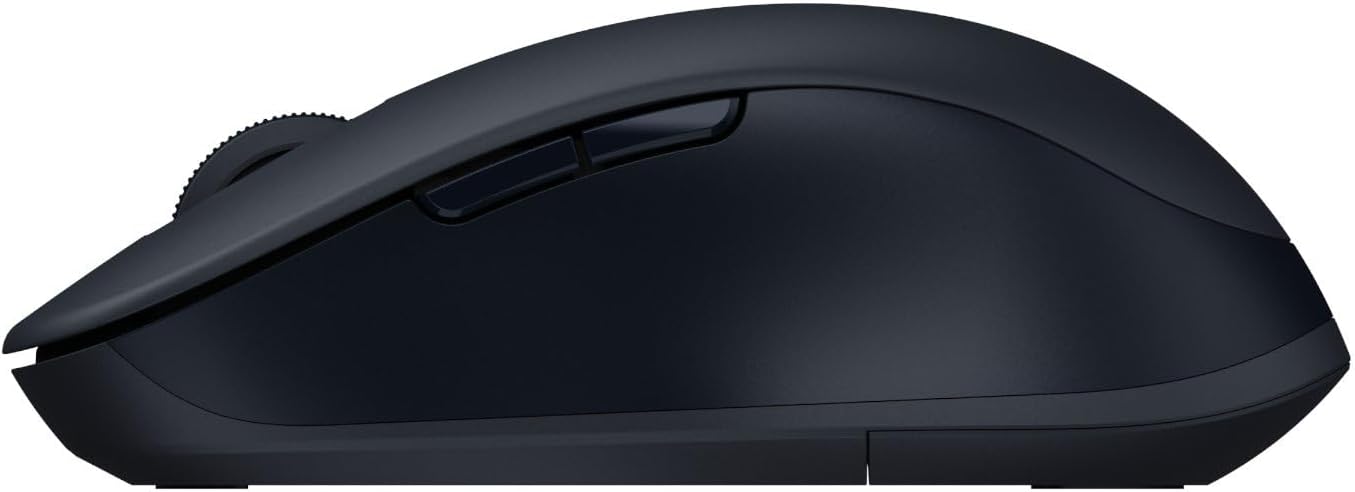
మూర్తి 3: వైపు view of the mouse, showing the side buttons.
- ఎడమ క్లిక్ బటన్
- కుడి క్లిక్ బటన్
- Scroll Wheel / Middle Click Button
- DPI Switch Button (if applicable, not explicitly mentioned but common)
- ఫార్వర్డ్ బటన్ (వైపు)
- వెనుకకు బటన్ (వైపు)
- Mode Switch Button / Indicator Light (usually on the bottom or top)
- Battery Compartment / USB Receiver Slot (on the bottom)
- Optical Sensor (on the bottom)
4. సెటప్ మరియు ఇన్స్టాలేషన్
4.1. బ్యాటరీ ఇన్స్టాలేషన్
The Xiaomi Dual Mode Wireless Mouse 2 requires one AA battery. The battery compartment is located on the underside of the mouse.
- మౌస్ దిగువన ఉన్న బ్యాటరీ కంపార్ట్మెంట్ కవర్ను సున్నితంగా స్లయిడ్ చేయండి.
- పాజిటివ్ (+) మరియు నెగటివ్ (-) టెర్మినల్స్ కంపార్ట్మెంట్ లోపల ఉన్న సూచికలతో సరిగ్గా సమలేఖనం చేయబడ్డాయని నిర్ధారించుకుని, ఒక AA బ్యాటరీని చొప్పించండి.
- బ్యాటరీ కంపార్ట్మెంట్ కవర్ సురక్షితంగా స్థానంలో క్లిక్ అయ్యే వరకు దాన్ని మూసివేయండి.
4.2. మౌస్ను కనెక్ట్ చేయడం
Your mouse supports two connection modes: 2.4GHz wireless via USB receiver and Bluetooth.
4.2.1. 2.4GHz వైర్లెస్ కనెక్షన్ (USB రిసీవర్)
- Locate the USB receiver, usually stored inside the battery compartment of the mouse.
- మీ కంప్యూటర్లో అందుబాటులో ఉన్న USB పోర్ట్కి USB రిసీవర్ని ప్లగ్ చేయండి.
- మౌస్ కింద ఉన్న పవర్ స్విచ్ని ఉపయోగించి దాన్ని ఆన్ చేయండి.
- The mouse should automatically connect to your computer. If not, press the mode switch button on the mouse to cycle to 2.4GHz mode (indicated by a specific LED color or pattern).
4.2.2. బ్లూటూత్ కనెక్షన్
- మౌస్ కింద ఉన్న పవర్ స్విచ్ని ఉపయోగించి దాన్ని ఆన్ చేయండి.
- Press the mode switch button on the mouse to cycle to Bluetooth mode. The indicator light will typically blink rapidly, indicating it's in pairing mode.
- మీ కంప్యూటర్ లేదా పరికరంలో, బ్లూటూత్ సెట్టింగ్లను తెరవండి.
- కోసం వెతకండి new devices and select "Xiaomi Mouse 2" (or similar name) from the list of available devices.
- జత చేసే ప్రక్రియను పూర్తి చేయడానికి ఏదైనా ఆన్-స్క్రీన్ ప్రాంప్ట్లను అనుసరించండి.
5. మౌస్ను ఆపరేట్ చేయడం
Once connected, your Xiaomi Dual Mode Wireless Mouse 2 is ready for use.
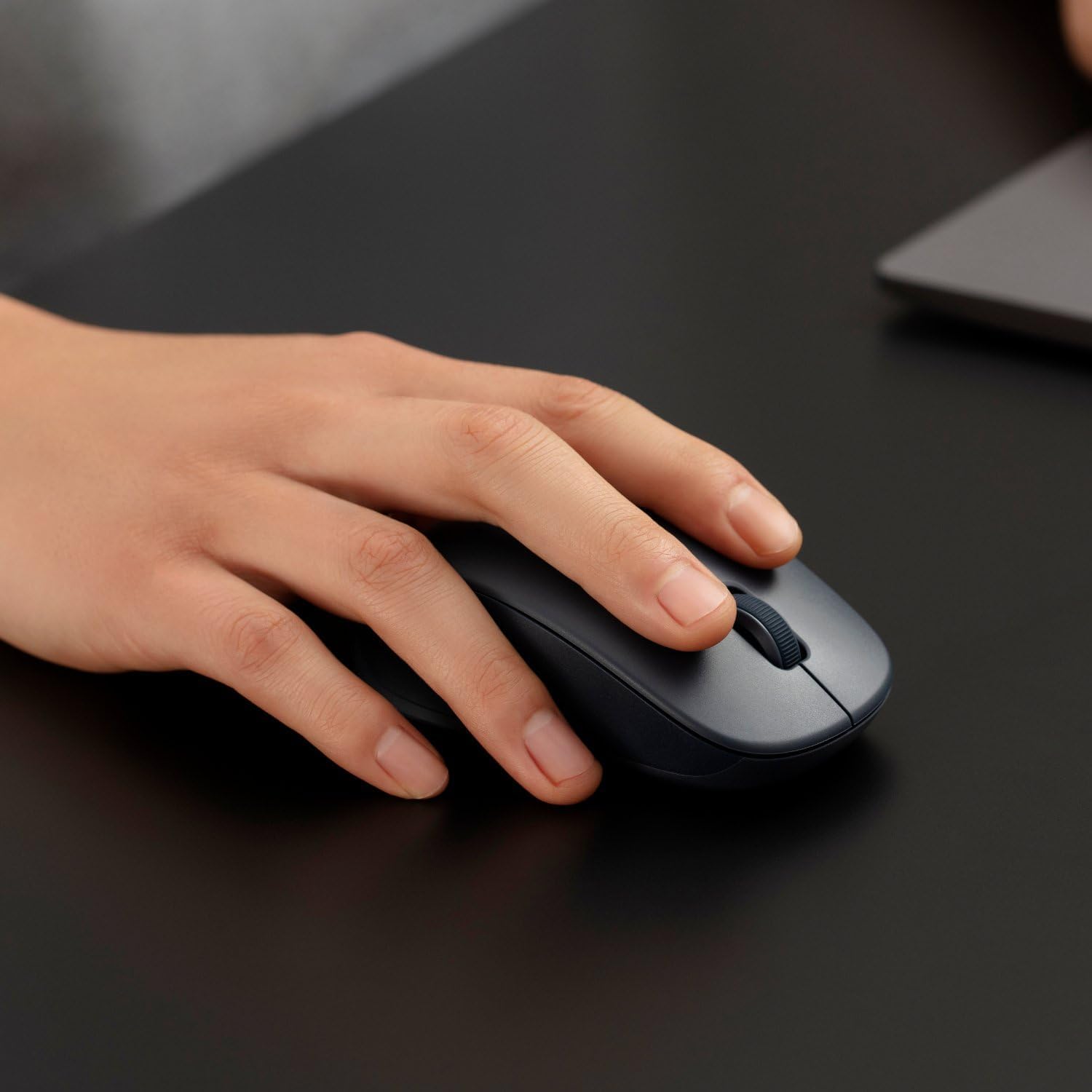
Figure 4: Proper hand placement for using the mouse.
5.1. ప్రాథమిక విధులు
- ఎడమ క్లిక్ చేయండి: Primary action, used for selecting items, opening links, etc.
- కుడి క్లిక్ చేయండి: Opens context menus, provides additional options.
- స్క్రోల్ వీల్: పత్రాల ద్వారా పైకి లేదా క్రిందికి స్క్రోల్ చేయండి మరియు web పేజీలు.
- Middle Click (Scroll Wheel Press): తరచుగా కొత్త ట్యాబ్లలో లింక్లను తెరవడానికి లేదా ఆటో-స్క్రోలింగ్ చేయడానికి ఉపయోగిస్తారు.
- సైడ్ బటన్లు (ముందుకు/వెనుకకు): నావిగేట్ చేయండి web పేజీలు లేదా ఫోల్డర్లు.
5.2 స్విచింగ్ మోడ్లు
To switch between 2.4GHz wireless and Bluetooth modes, press the mode switch button (usually located on the bottom or top of the mouse). The indicator light will change to reflect the active mode.
5.3. DPI Adjustment (If Applicable)
Some models may feature a DPI switch button (often located behind the scroll wheel) to adjust cursor sensitivity. Press this button to cycle through different DPI settings (e.g., 800, 1200, 1600 DPI).
6. నిర్వహణ మరియు సంరక్షణ
- శుభ్రపరచడం: మౌస్ను శుభ్రం చేయడానికి మృదువైన, పొడి వస్త్రాన్ని ఉపయోగించండి. మొండి ధూళి కోసం, కొద్దిగా dampen గుడ్డను నీటితో తుడవండి. కఠినమైన రసాయనాలు లేదా రాపిడి క్లీనర్లను ఉపయోగించవద్దు.
- బ్యాటరీ భర్తీ: When the mouse performance degrades or the indicator light signals low battery, replace the AA battery as described in Section 4.1.
- నిల్వ: ఎక్కువసేపు ఉపయోగంలో లేనప్పుడు, బ్యాటరీ జీవితాన్ని ఆదా చేయడానికి మౌస్ను ఆఫ్ చేయండి. బ్యాటరీ నష్టాన్ని నివారించడానికి USB రిసీవర్ను మౌస్ కంపార్ట్మెంట్ లోపల నిల్వ చేయండి.
- పర్యావరణం: మౌస్ను తీవ్రమైన ఉష్ణోగ్రతలు, ప్రత్యక్ష సూర్యకాంతి లేదా అధిక తేమకు గురిచేయకుండా ఉండండి.
7. ట్రబుల్షూటింగ్
| సమస్య | సాధ్యమైన పరిష్కారం |
|---|---|
| మౌస్ స్పందించడం లేదు |
|
| కర్సర్ కదలిక అస్తవ్యస్తంగా లేదా దూకుతూ ఉంది |
|
| బ్లూటూత్ ద్వారా కనెక్ట్ చేయడం సాధ్యపడదు |
|
8. స్పెసిఫికేషన్లు
| ఫీచర్ | వివరాలు |
|---|---|
| బ్రాండ్ | XIAOMI |
| మోడల్ సంఖ్య | BHR8850GL |
| రంగు | Noir (Black) |
| కనెక్టివిటీ టెక్నాలజీ | Bluetooth, 2.4GHz Wireless (via USB receiver) |
| మూవ్మెంట్ డిటెక్షన్ టెక్నాలజీ | Gyroscopic (Optical sensor) |
| బటన్ల సంఖ్య | 4 |
| ప్రత్యేక లక్షణాలు | LED Light (indicator), Dual Mode |
| అనుకూల పరికరాలు | వ్యక్తిగత కంప్యూటర్, ల్యాప్టాప్ |
| వస్తువు బరువు | 62 గ్రాములు |
| బ్యాటరీ రకం | 1 AA బ్యాటరీ |
9. వారంటీ మరియు మద్దతు
Your Xiaomi Dual Mode Wireless Mouse 2 comes with a standard manufacturer's warranty. Please refer to the warranty card included in your product packaging for specific terms and conditions, including warranty period and coverage details.
సాంకేతిక మద్దతు, ట్రబుల్షూటింగ్ సహాయం లేదా వారంటీ క్లెయిమ్ల కోసం, దయచేసి Xiaomi కస్టమర్ సర్వీస్ను సంప్రదించండి లేదా అధికారిక Xiaomi మద్దతును సందర్శించండి. website. Contact information can typically be found on the product packaging or the official Xiaomi webసైట్.
గమనిక: వారంటీ ప్రయోజనాల కోసం కొనుగోలు రుజువుగా మీ కొనుగోలు రసీదును ఉంచండి.