
పరిచయం
Thank you for choosing the TIQLAB Electric Standing Desk. This manual provides essential information for the safe assembly, operation, and maintenance of your new desk. Please read all instructions carefully before use and retain this manual for future reference.
భద్రతా సమాచారం
హెచ్చరిక:
Always follow the assembly instructions carefully. Do not attempt to lift or move the desk when it is in motion. Keep the work area clear of obstructions. Do not exceed the weight limit of 220 lbs. Always ensure the desk is properly anchored to the floor to prevent tipping.
ప్యాకేజీ విషయాలు
Before beginning assembly, verify that all parts listed below are present. If any parts are missing or damaged, please contact customer support.
- Desk tabletop (55x24 inch, Black)
- Desk frame components (legs, crossbar)
- Two drawers with storage shelf
- Electric motor and control panel
- పవర్ అడాప్టర్
- Assembly hardware (screws, bolts, specialized L-shaped allen wrench)
- Adjustable foot pads (x4)
- Desk hooks (x2)
- ఇన్స్ట్రక్షన్ మాన్యువల్

Image: All components of the TIQLAB Standing Desk laid out before assembly, including the tabletop, frame parts, drawers, and hardware.
సెటప్ మరియు అసెంబ్లీ
Assembly is designed to be straightforward, typically taking approximately 45 minutes. A step-by-step instruction manual and all necessary tools are included.
- భాగాలను అన్ప్యాక్ చేయండి: Carefully remove all parts from the packaging. Place them on a clean, flat surface to ensure easy access and prevent damage.
- డెస్క్ ఫ్రేమ్ను అసెంబుల్ చేయండి: Follow the detailed diagrams in the included instruction manual to connect the desk legs and crossbar using the provided hardware. Ensure all connections are secure.
- టేబుల్టాప్ను అటాచ్ చేయండి: Secure the tabletop to the assembled frame.
- Install Drawers and Shelf: Mount the two drawers and the integrated storage shelf according to the instructions.
- విద్యుత్ భాగాలను కనెక్ట్ చేయండి: Attach the electric motor and control panel. Connect the power adapter.
- ఉపకరణాలను అటాచ్ చేయండి: Install the adjustable foot pads and desk hooks as desired.

Image: An exploded diagram illustrating the quick installation process of the desk components.
ఆపరేటింగ్ సూచనలు
Your TIQLAB Electric Standing Desk features an intuitive control panel for height adjustment and memory settings.
ఎత్తు సర్దుబాటు
- డెస్క్ను పైకి లేపండి: Press the "Up" arrow button on the control panel to raise the desk.
- దిగువ డెస్క్: Press the "Down" arrow button to lower the desk.
- The desk adjusts smoothly and quickly between 28.3 inches and 47.2 inches.
మెమరీ ప్రీసెట్లు
The multifunctional controller allows you to save preferred sitting and standing heights.
- Set a Preset: Adjust the desk to your desired height. Press the "M" button, then press one of the numbered preset buttons (e.g., "1", "2", "3") to save the current height.
- Recall a Preset: Simply press the corresponding numbered preset button to automatically move the desk to your saved height.
యాంటీ-కొలిషన్ టెక్నాలజీ
The desk is equipped with anti-collision technology to prevent damage. If the desk encounters an obstruction during adjustment, it will automatically stop and reverse slightly.

Image: Close-up of the desk's control panel, highlighting buttons for up/down movement, memory presets, and anti-collision technology.
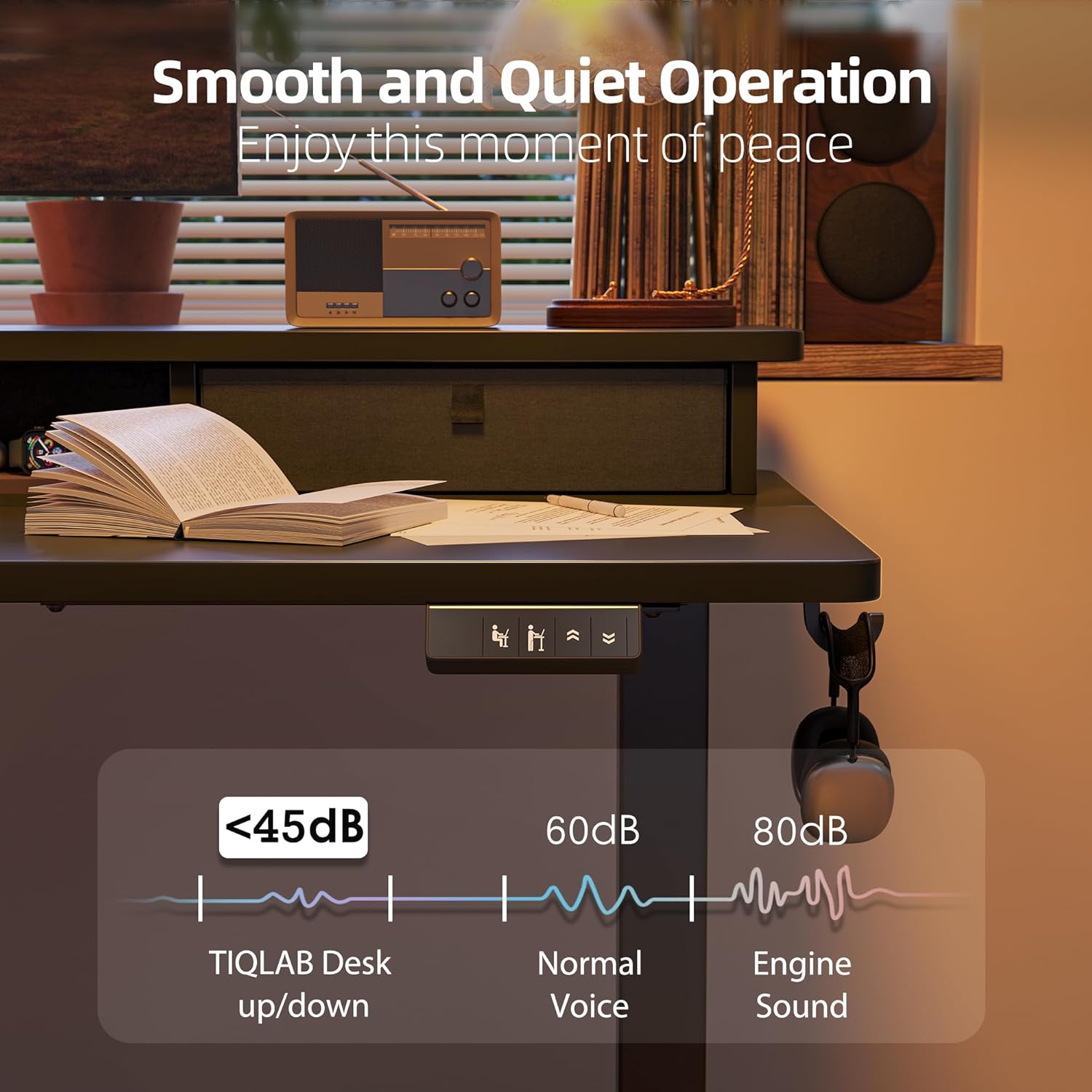
Image: The desk operating smoothly and quietly, demonstrating its low noise level during height adjustments.
నిర్వహణ
To ensure the longevity and optimal performance of your TIQLAB Standing Desk, follow these maintenance guidelines:
- రెగ్యులర్ క్లీనింగ్: డెస్క్ ఉపరితలం మరియు ఫ్రేమ్ను మృదువైన, d వస్త్రంతో తుడవండి.amp వస్త్రం. రాపిడి క్లీనర్లు లేదా కఠినమైన రసాయనాలను నివారించండి.
- కనెక్షన్లను తనిఖీ చేయండి: అన్ని స్క్రూలు మరియు బోల్ట్లు బిగుతుగా ఉన్నాయని నిర్ధారించుకోవడానికి వాటిని కాలానుగుణంగా తనిఖీ చేయండి. అవసరమైతే తిరిగి బిగించండి.
- కేబుల్ నిర్వహణ: Keep cables organized and free from entanglement to prevent damage to the motor or power supply.
- బరువు పరిమితి: మోటారు మరియు ఫ్రేమ్పై ఒత్తిడిని నివారించడానికి గరిష్ట బరువు సామర్థ్యం 220 పౌండ్లను మించకూడదు.
ట్రబుల్షూటింగ్
మీ డెస్క్తో ఏవైనా సమస్యలు ఎదురైతే, ఈ క్రింది సాధారణ పరిష్కారాలను చూడండి:
| సమస్య | సాధ్యమైన కారణం | పరిష్కారం |
|---|---|---|
| Desk not moving | Power cable disconnected; Overload; Motor error | Check power connections; Reduce weight on desk; Reset the system (refer to manual for specific steps). |
| Uneven movement | Uneven load; Loose connections | Distribute weight evenly; Tighten all assembly screws. |
| ఆపరేషన్ సమయంలో శబ్దం | Normal operation; Loose components | A slight motor sound is normal (below 50dB). Check for any loose parts and tighten them. |
| Anti-collision activated frequently | Obstructions in path | Ensure clear path for desk movement. |
If the problem persists, please contact TIQLAB customer support.
స్పెసిఫికేషన్లు
- బ్రాండ్: TIQLAB
- మోడల్: B0F1N1P7KX
- డెస్క్ డిజైన్: Credenza Desk
- ఉత్పత్తి కొలతలు: 24"D x 55"W x 29"H (adjustable height)
- సర్దుబాటు చేయగల ఎత్తు పరిధి: 28.3" నుండి 47.2" వరకు
- రంగు: నలుపు
- శైలి: ఆధునిక
- టాప్ మెటీరియల్ రకం: ఇంజినీర్డ్ వుడ్
- బేస్ మెటీరియల్: ఇంజినీర్డ్ వుడ్
- ముగించు రకం: మెటల్
- ప్రత్యేక ఫీచర్: Electric height adjustment
- సిఫార్సు చేసిన ఉపయోగాలు: ఆఫీసు, గేమింగ్
- గరిష్ట లోడ్ సామర్థ్యం: 220 పౌండ్లు
- Lift Speed: 25mm/s
- శబ్దం స్థాయి: 50dB కంటే తక్కువ
- నిల్వ ఎంపికలు: రెండు డ్రాయర్లు
- అసెంబ్లీ అవసరం: అవును

Image: Diagram showing the dimensions and maximum static load capacity of the TIQLAB Standing Desk.

Image: Illustration highlighting the rock-solid stability and multi-layer steel construction of the desk frame.
వారంటీ & మద్దతు
Your TIQLAB Electric Standing Desk comes with a limited warranty. For specific details regarding warranty coverage, please refer to the product documentation or contact customer support.
కస్టమర్ మద్దతు
For any questions, assistance, or to report missing/damaged parts, please contact TIQLAB customer support. You can typically find contact information on the product packaging or the official TIQLAB webసైట్.
- రక్షణ ప్రణాళికలు: ఐచ్ఛిక 2-సంవత్సరాల మరియు 3-సంవత్సరాల రక్షణ పథకాలు కొనుగోలుకు అందుబాటులో ఉన్నాయి.
- రిటర్న్స్: ఈ ఉత్పత్తి 30 రోజుల సులభమైన రాబడికి అర్హత కలిగి ఉంది.