
1. పరిచయం
This manual provides essential information for setting up, operating, and maintaining your TCL 43-Inch Q6 QLED 4K UHD Smart TV (Model 43Q651F). Please read this manual thoroughly before using the television to ensure proper and safe operation. Keep this manual for future reference.
The TCL Q6 Series TV features QLED Quantum Dot technology, 4K UHD resolution, HDR PRO+ with Dolby Vision, Dolby Atmos, and integrated Fire TV for a comprehensive entertainment experience.
2. భద్రతా సమాచారం
అగ్ని ప్రమాదం, విద్యుత్ షాక్ మరియు గాయం ప్రమాదాన్ని తగ్గించడానికి ఈ టెలివిజన్ను ఉపయోగిస్తున్నప్పుడు ఎల్లప్పుడూ ప్రాథమిక భద్రతా జాగ్రత్తలను అనుసరించండి.
- వర్షం లేదా తేమకు టీవీని బహిర్గతం చేయవద్దు.
- టీవీ క్యాబినెట్ తెరవవద్దు. అన్ని సర్వీసింగ్లను అర్హత కలిగిన సిబ్బందికి సూచించండి.
- టీవీ చుట్టూ సరైన వెంటిలేషన్ ఉండేలా చూసుకోండి. వెంటిలేషన్ ఓపెనింగ్లను బ్లాక్ చేయవద్దు.
- పవర్ కార్డ్ను నడవకుండా లేదా పించ్ చేయకుండా రక్షించండి.
- మెరుపు తుఫానుల సమయంలో లేదా ఎక్కువసేపు ఉపయోగించనప్పుడు టీవీని అన్ప్లగ్ చేయండి.
- Keep the TV away from heat sources such as radiators, heat registers, stoves, or other apparatus that produce heat.
3. పెట్టెలో ఏముంది
Verify that all components are present upon unpacking.
- TCL 43-Inch Q6 QLED 4K UHD Smart TV
- పవర్ కేబుల్
- రిమోట్ కంట్రోల్
- టీవీ స్టాండ్లు (2)
- త్వరిత ప్రారంభ గైడ్
- రిమోట్ కంట్రోల్ కోసం బ్యాటరీలు

Image: Contents of the box and TV dimensions for the TCL Q6 Series.
4. సెటప్
4.1 స్టాండ్ ఇన్స్టాలేషన్
To install the TV stands:
- స్క్రీన్ దెబ్బతినకుండా ఉండటానికి టీవీ ముఖాన్ని మృదువైన, చదునైన ఉపరితలంపై ఉంచండి.
- ప్రతి స్టాండ్ను టీవీ అడుగున ఉన్న సంబంధిత స్క్రూ రంధ్రాలతో సమలేఖనం చేయండి.
- అందించిన స్క్రూలను ఉపయోగించి ప్రతి స్టాండ్ను భద్రపరచండి. అవి గట్టిగా బిగించబడ్డాయని నిర్ధారించుకోండి.
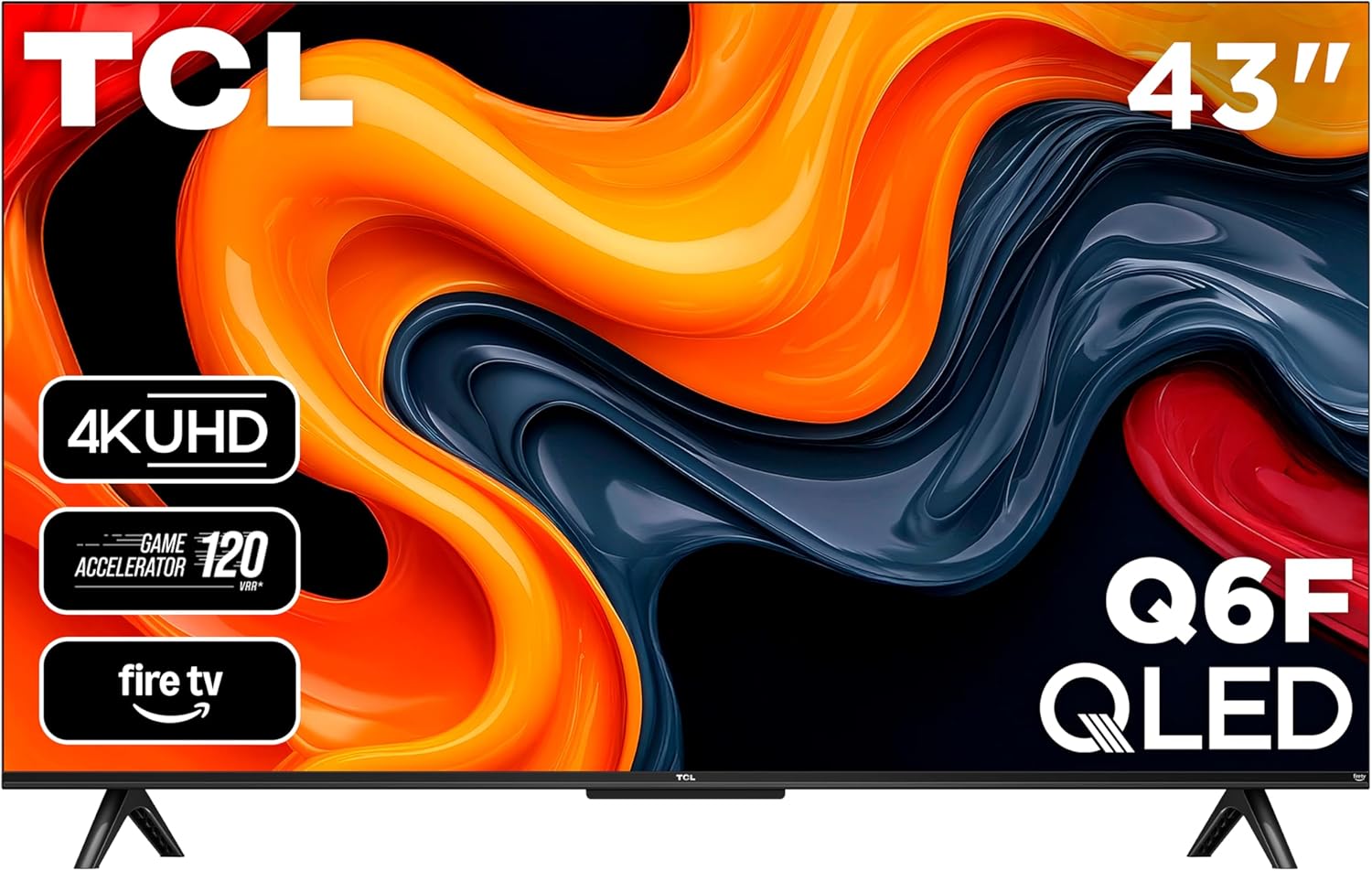
చిత్రం: ముందు భాగం view of the TCL 43-Inch Q6 QLED Smart TV with its stand installed.
4.2 వాల్ మౌంటు
If you choose to wall mount your TV, ensure you use a VESA-compliant wall mount kit. The VESA mounting standard for this model is 100 x 200 mm. Follow the instructions provided with your wall mount kit. Remove the TV stands before wall mounting.
4.3 కనెక్ట్ పెరిఫెరల్స్
Connect your external devices to the TV using the appropriate ports.
- HDMI: Connect Blu-ray players, game consoles, or cable boxes to HDMI 1, HDMI 2, or HDMI 3 (eARC). HDMI 3 supports Audio Return Channel (eARC) for enhanced audio connectivity with soundbars or AV receivers.
- USB 2.0: Insert a USB flash drive for media playback or to pause/rewind live TV (with compatible antenna input).
- కేబుల్/ANT: Connect an antenna or cable for over-the-air or cable TV viewing.
- AV ఇన్పుట్: Use an AV adapter (not included) to connect older game consoles or VCRs.
- హెడ్ఫోన్: Connect headphones or an older stereo system.
- ఆప్టికల్ ఆడియో అవుట్: Connect to soundbars or receivers for digital audio.
- ఈథర్నెట్: వైర్డు ఇంటర్నెట్ కనెక్షన్ కోసం ఈథర్నెట్ కేబుల్ను కనెక్ట్ చేయండి.

చిత్రం: వివరణాత్మకం view of the connectivity ports on the side of the TCL Q6 TV.
4.4 ప్రారంభ పవర్ ఆన్ & మొదటిసారి సెటప్
అవసరమైన అన్ని కేబుల్లను కనెక్ట్ చేసిన తర్వాత:
- విద్యుత్ కేబుల్ను ఎలక్ట్రికల్ అవుట్లెట్లోకి ప్లగ్ చేయండి.
- రిమోట్ కంట్రోల్ లేదా టీవీలోనే పవర్ బటన్ను నొక్కండి.
- Follow the on-screen instructions to complete the initial setup, including language selection, network connection (Wi-Fi or Ethernet), and Fire TV account login.
5. ఆపరేటింగ్ సూచనలు
5.1 రిమోట్ కంట్రోల్ ఓవర్view
The included remote control allows you to navigate the TV's features. It includes dedicated buttons for power, volume, channel, input selection, and direct access to streaming services and Alexa voice control.

Image: The remote control for the TCL Q6 Fire TV, featuring an Alexa voice button.
5.2 ప్రాథమిక విధులు
- శక్తి: టీవీని ఆన్ లేదా ఆఫ్ చేయడానికి పవర్ బటన్ను నొక్కండి.
- వాల్యూమ్: ఆడియో స్థాయిలను సర్దుబాటు చేయడానికి వాల్యూమ్ అప్/డౌన్ బటన్లను ఉపయోగించండి.
- ఛానెల్లు: Use the Channel Up/Down buttons to change channels (for antenna/cable input).
- ఇన్పుట్: Press the Input button to select different video sources (HDMI, AV, etc.).
5.3 Smart TV Features (Fire TV)
Your TCL Q6 TV runs on Fire OS, providing access to a wide range of streaming applications, live TV, and smart features.
- యాప్ నావిగేషన్: Use the remote's directional pad to browse and launch apps from the Fire TV home screen.
- వాయిస్ కంట్రోల్ (అలెక్సా): Press and hold the Alexa button on your remote to issue voice commands for searching content, controlling playback, checking weather, and more.
- ఆపిల్ ఎయిర్ప్లే 2: Stream content directly from your Apple devices (iPhone, iPad, Mac) to your TV. Ensure both devices are on the same Wi-Fi network.

Image: The Fire TV home screen interface on the TCL Q6 TV, showing various streaming applications.
5.4 చిత్ర సెట్టింగ్లు
మీ viewఅనుభవం. ముఖ్య లక్షణాలు:
- QLED Quantum Dot Technology: Delivers rich, vibrant colors and enhanced contrast.
- HDR PRO+ with Dolby Vision, HDR10+, HDR10, & HLG: Provides superior contrast and color accuracy for compatible content.
- High Brightness+ LED Backlight: Ensures bright images for an enhanced viewing అనుభవం.
- Motion Rate 240 with MEMC: Reduces motion blur for clear, fast-action scenes in movies, sports, and games.

Image: Visual comparison illustrating the rich, vibrant colors provided by QLED technology versus a conventional TV.

Image: Visual comparison demonstrating the enhanced brightness of High Brightness+ LED Backlight compared to a conventional TV.

Image: Visual comparison showing the clarity of fast-moving images with Motion Rate 240 and MEMC enabled versus without.
5.5 ఆడియో సెట్టింగ్లు
Adjust audio settings for optimal sound. The TV supports:
- డాల్బీ అట్మోస్: Provides immersive, multi-dimensional sound.
- DTS వర్చువల్:X: Creates a virtual surround sound experience.

Image: A cinematic ocean scene with the Dolby Atmos logo, illustrating immersive audio.
5.6 గేమింగ్ ఫీచర్లు
For gamers, the TV includes:
- Game Accelerator 120: Enhances motion clarity for gaming.
- ఆటో గేమ్ మోడ్: Automatically optimizes settings for low latency and responsive gameplay.
6. నిర్వహణ
6.1 మీ టీవీని శుభ్రపరచడం
Always unplug the TV before cleaning. Use a soft, dry cloth to wipe the screen and cabinet. Do not use liquid cleaners or aerosol sprays directly on the TV.
6.2 సాఫ్ట్వేర్ నవీకరణలు
మీ టీవీ దాని ఇంటర్నెట్ కనెక్షన్ ద్వారా ఆటోమేటిక్ సాఫ్ట్వేర్ అప్డేట్లను అందుకోవచ్చు. తాజా ఫీచర్లు మరియు పనితీరు మెరుగుదలలను స్వీకరించడానికి మీ టీవీ ఇంటర్నెట్కు కనెక్ట్ చేయబడిందని నిర్ధారించుకోండి. మీరు టీవీ సెట్టింగ్ల మెనూలో అప్డేట్ల కోసం మాన్యువల్గా కూడా తనిఖీ చేయవచ్చు.
7. ట్రబుల్షూటింగ్
మీ టీవీలో మీకు సమస్యలు ఎదురైతే, ఈ క్రింది సాధారణ పరిష్కారాలను చూడండి:
| సమస్య | సాధ్యమైన పరిష్కారం |
|---|---|
| శక్తి లేదు | టీవీ మరియు పనిచేసే ఎలక్ట్రికల్ అవుట్లెట్ రెండింటికీ పవర్ కేబుల్ సురక్షితంగా ప్లగ్ చేయబడిందని నిర్ధారించుకోండి. వేరే అవుట్లెట్ను ప్రయత్నించండి. |
| చిత్రం లేదు, కానీ ధ్వని ఉంది | ఇన్పుట్ సోర్స్ను తనిఖీ చేయండి. బాహ్య పరికరాలు ఆన్ చేయబడి, సరిగ్గా కనెక్ట్ చేయబడ్డాయని నిర్ధారించుకోండి. టీవీని పునఃప్రారంభించడానికి ప్రయత్నించండి. |
| శబ్దం లేదు, కానీ చిత్రం ఉంది | Check the volume level and mute status. Verify audio cables for external sound systems. Check TV audio output settings. |
| రిమోట్ కంట్రోల్ పనిచేయడం లేదు | బ్యాటరీలను మార్చండి. రిమోట్ మరియు టీవీ మధ్య ఎటువంటి అడ్డంకులు లేవని నిర్ధారించుకోండి. |
| Wi-Fiకి కనెక్ట్ చేయడం సాధ్యపడదు | మీ Wi-Fi రూటర్ ఆన్లో ఉందని మరియు పనిచేస్తుందని నిర్ధారించుకోండి. Wi-Fi పాస్వర్డ్ను తిరిగి నమోదు చేయండి. టీవీ మరియు రూటర్ రెండింటినీ పునఃప్రారంభించడానికి ప్రయత్నించండి. |
| Choppy picture during fast movements | Adjust picture settings related to motion (e.g., Motion Rate 240 settings). Ensure the input source is providing a stable signal. |
8. స్పెసిఫికేషన్లు
| ఫీచర్ | వివరాలు |
|---|---|
| మోడల్ సంఖ్య | 43Q651F |
| స్క్రీన్ పరిమాణం | 42.5 అంగుళాలు (43-అంగుళాల తరగతి) |
| రిజల్యూషన్ | 4K అల్ట్రా HD (3840 x 2160) |
| ప్రదర్శన సాంకేతికత | QLED, High Brightness+, Direct LED |
| రిఫ్రెష్ రేట్ | 60 Hz (మోషన్ రేట్ 240) |
| HDR ఫార్మాట్ మద్దతు ఉంది | డాల్బీ విజన్, HDR10, HDR10+, HLG |
| ఆపరేటింగ్ సిస్టమ్ | FireOS |
| ఆడియో అవుట్పుట్ | 20 Watts, 5.1 Channels |
| Integrated Surround Sound | డాల్బీ అట్మాస్, DTS వర్చువల్:X |
| కనెక్టివిటీ | Wi-Fi, Ethernet, Bluetooth 5.0, 3x HDMI, 1x USB 2.0, 1x Composite Video, Optical Audio Out, 3.5mm Audio Input |
| ప్రత్యేక లక్షణాలు | Bezel-Less Design, Game Mode, Parental Controls, Alexa Built-in, Apple AirPlay 2 |
| VESA మౌంట్ స్టాండర్డ్ | 100 x 200 మి.మీ |
| ఉత్పత్తి కొలతలు (స్టాండ్తో) | 95.6W x 18.5D x 60H సెం.మీ. |
| బరువు | 9.07 కిలోలు |
9. వారంటీ మరియు మద్దతు
9.1 తయారీదారు వారంటీ
This TCL TV comes with a 1-year manufacturer's warranty. Please refer to the warranty card included with your product for specific terms and conditions, or visit the official TCL webవివరణాత్మక వారంటీ సమాచారం కోసం సైట్.
9.2 కస్టమర్ మద్దతు
For technical assistance, troubleshooting not covered in this manual, or warranty claims, please contact TCL customer support. Contact information can typically be found on the TCL official webసైట్ లేదా మీ టీవీతో చేర్చబడిన డాక్యుమెంటేషన్లో.