
1. పరిచయం
Welcome to the instruction manual for your new ASHATA Professional 4K HD Dual Cameras RC Quadcopter. This drone is designed for both adults and beginners, offering advanced features for an enjoyable flight experience. Please read this manual thoroughly before operating the drone to ensure safe and correct usage.
ప్యాకేజీ విషయాలు
Your ASHATA RC Quadcopter package includes the following items:
- ASHATA RC Quadcopter (Drone)
- Remote Controller with LCD Display
- పునర్వినియోగపరచదగిన బ్యాటరీలు (2 చేర్చబడ్డాయి)
- USB ఛార్జింగ్ కేబుల్
- విడి ప్రొపెల్లర్లు
- స్క్రూడ్రైవర్
- వినియోగదారు మాన్యువల్
- 8GB Small Memory Card

Image 1.1: ASHATA Drone and Remote Controller neatly packed in the included carrying case.

Image 1.2: The ASHATA drone with its arms unfolded, ready for flight.

చిత్రం 1.3: ముగిసిందిview of the ASHATA drone highlighting its key features and components.
2. సెటప్
2.1 డ్రోన్ తయారీ
- డ్రోన్ ఆయుధాలను విప్పు: Gently unfold the drone's arms until they click into place.
- బ్యాటరీని ఇన్స్టాల్ చేయండి: Insert a fully charged battery into the drone's battery compartment. Ensure it is securely latched.
- మెమరీ కార్డ్ని చొప్పించండి: Insert the provided 8GB memory card into the drone's memory card slot for recording footage.

Image 2.1: The high-capacity 7.4V drone battery, designed for extended flight times.
2.2 రిమోట్ కంట్రోలర్ సెటప్
- Install AAA Batteries: Open the battery compartment on the back of the remote controller and insert 3 AAA batteries (not included).
- స్మార్ట్ఫోన్ను మౌంట్ చేయండి: Extend the phone holder on the remote controller and securely mount your smartphone.
- స్మార్ట్ఫోన్ను కనెక్ట్ చేయండి: Use the appropriate cable (Lightning, USB-C, etc., provided) to connect your smartphone to the remote controller.
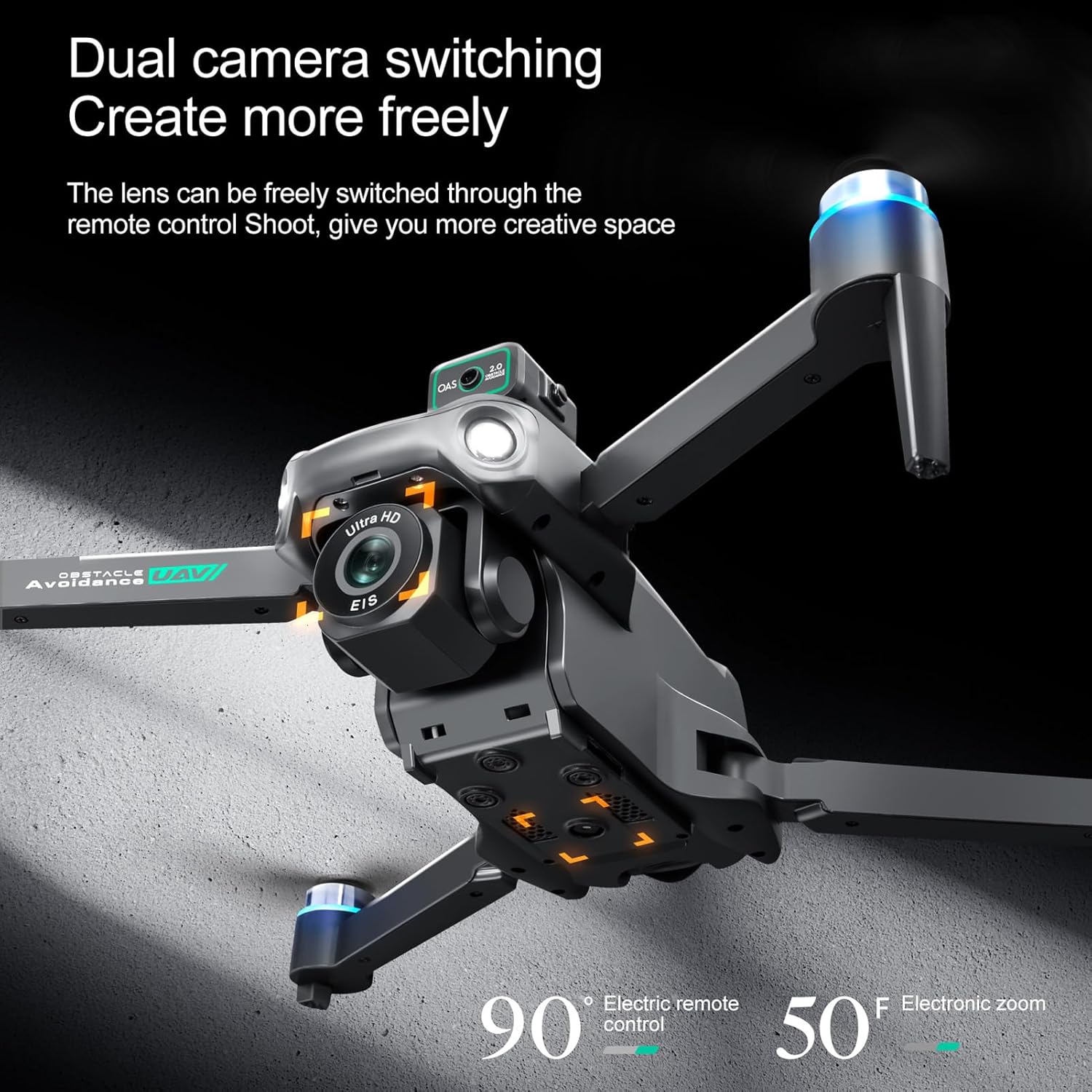
Image 2.2: The remote controller with a smartphone mounted, displaying the live camera feed from the drone.
2.3 యాప్ డౌన్లోడ్ మరియు కనెక్షన్
- అనువర్తనాన్ని డౌన్లోడ్ చేయండి: Scan the QR code in the Quick Start Guide or search for the "HS FLY" app in your smartphone's app store (iOS/Android) and install it.
- డ్రోన్లో పవర్: Press and hold the power button on the drone for 2 seconds until the indicator lights flash.
- పవర్ ఆన్ రిమోట్: Press and hold the power button on the remote controller for 2 seconds. The remote will automatically pair with the drone.
- యాప్ ద్వారా కనెక్ట్ అవ్వండి: Open the "HS FLY" app on your smartphone. Follow the on-screen prompts to connect to the drone's Wi-Fi signal.
2.4 క్రమాంకనం
For the first flight, it is recommended to calibrate the drone for optimal performance.
- కంపాస్ క్రమాంకనం: Place the drone on a flat, level surface. In the app, go to "Control" and tap "Calibrate Compass." Follow the on-screen instructions to perform horizontal and vertical rotations of the drone until calibration is complete.
- గైరోస్కోప్ కాలిబ్రేషన్: After compass calibration, ensure the drone is still on a flat surface. In the app, tap "Gyroscope Calibration." The drone's indicator lights will flash rapidly and then turn solid, indicating successful calibration.
Video 2.3: Holy Stone Instruction Video. This video demonstrates general drone setup, including unboxing, battery installation, app download, and pairing. Note: The drone model shown in the video may differ slightly from your ASHATA drone.
Video 2.4: Ameta S20 4K GPS Drone First Use Guide. This video provides a step-by-step guide for initial drone setup and calibration. Note: The drone model shown in the video may differ slightly from your ASHATA drone.
3. ఆపరేటింగ్ సూచనలు
3.1 విమాన ప్రయాణానికి ముందు తనిఖీలు
- Ensure all drone arms are fully extended.
- Verify the battery is fully charged and securely installed.
- Check that propellers are free from damage and obstructions.
- Confirm the remote controller is powered on and connected to the drone.
- Fly in an open area, away from obstacles, people, and animals.
3.2 టేకాఫ్ మరియు ల్యాండింగ్
- వన్-కీ టేకాఫ్: Press the One-Key Takeoff button on the remote controller. The drone will automatically ascend and hover at a safe altitude.
- మాన్యువల్ టేకాఫ్: Push both joysticks inward at 45 degrees to unlock the motors. Then, push the left control stick forward to ascend.
- వన్-కీ ల్యాండింగ్: Press the One-Key Landing button. The drone will automatically descend and land.
- మాన్యువల్ ల్యాండింగ్: Pull the left control stick backward to descend and land the drone.
3.3 విమాన నియంత్రణలు
The remote controller features two joysticks for precise flight control:
- ఎడమ జాయ్స్టిక్: Controls altitude (push up/down) and rotation (push left/right).
- కుడి జాయ్స్టిక్: Controls forward/backward movement (push up/down) and left/right strafing (push left/right).
3.4 Intelligent Flight Functions
The ASHATA drone is equipped with several intelligent features for an enhanced flying experience:
- One Key Return Home: Automatically returns the drone to its takeoff point when activated or when battery is low/signal is lost.
- తెలివైన అడ్డంకి నివారణ: Utilizes sensors to detect and avoid obstacles.
- Optical Hovering: Maintains stable hovering indoors or in areas with weak GPS.
- Intelligent Follow Modes: The drone can follow a designated subject.
- Point of Interest Flying: The drone can circle a specific point.
- Customizable Flight Paths: Draw a path on the app, and the drone will follow it.
- Real-Time Video Transmission: View లైవ్ ఫూtage on your smartphone via the app.
- అత్యసవర నిలుపుదల: Immediately stops the drone in an emergency.
- One Key Circle Flight: Performs a circular flight path automatically.
- సంజ్ఞ ఫోటోగ్రఫీ: Use hand gestures to trigger photo or video recording.

Image 3.1: Visual representation of Intelligent Follow, Waypoint Flight, and Gesture Photography features.
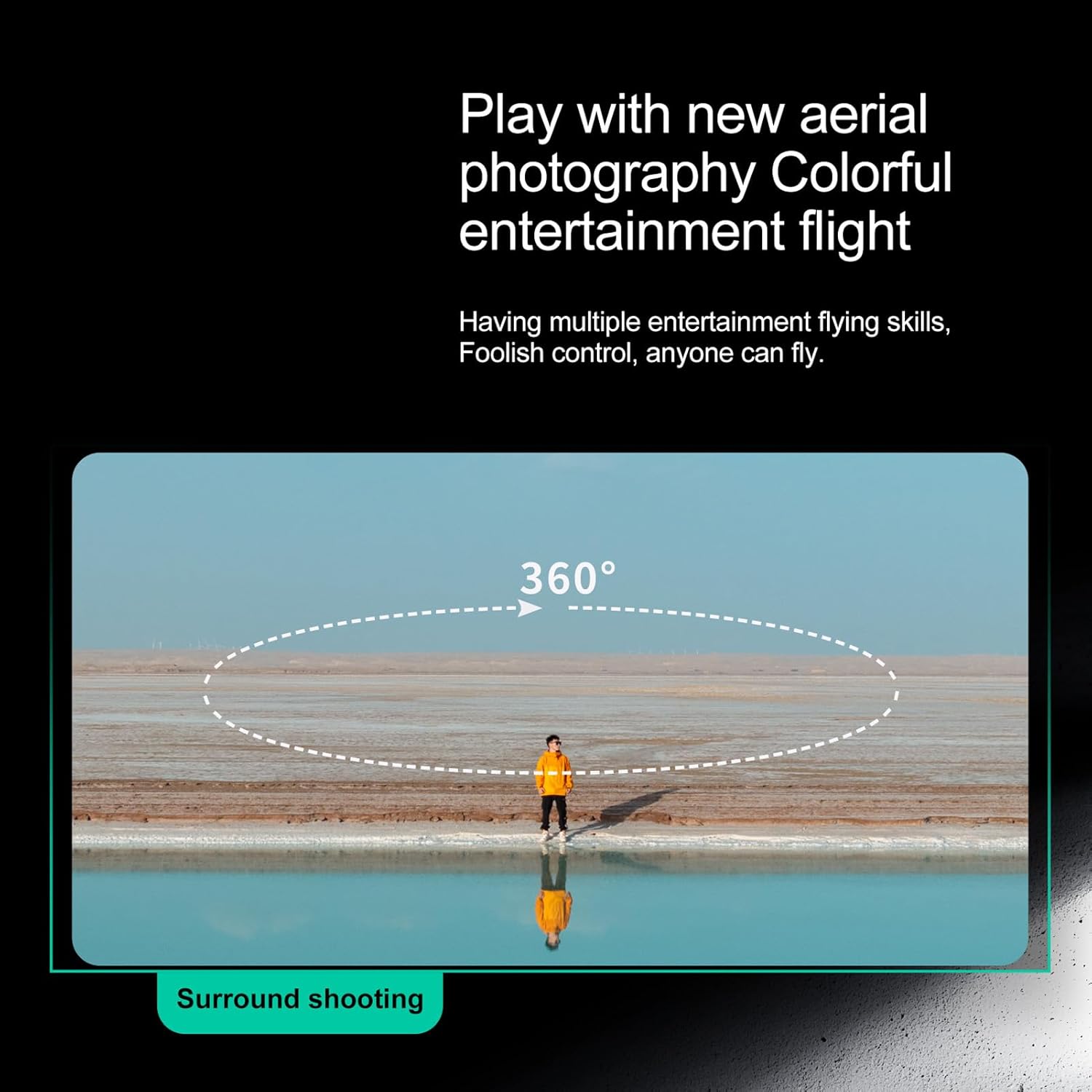
Image 3.2: The drone performing a 360-degree surround shooting maneuver.
3.5 కెమెరా ఆపరేషన్
The drone features high-definition dual cameras with EIS electronic stabilization. The front lens can be adjusted via the remote control.
- ఫోటోలు తీసుకోవడం: Press the photo button on the remote or tap the photo icon in the app.
- వీడియోలను రికార్డ్ చేయండి: Press the video button on the remote or tap the video icon in the app to start/stop recording.
- కెమెరా కోణాన్ని సర్దుబాటు చేయండి: Use the dedicated buttons on the remote controller to adjust the camera's vertical angle.
- View ఫూtage: Access recorded photos and videos directly through the app's album or by connecting the memory card to a computer.
Image 3.3: The drone's dual camera system, allowing for flexible shooting angles and perspectives.
4. నిర్వహణ
4.1 బ్యాటరీ సంరక్షణ
- Always fully charge batteries before each flight.
- బ్యాటరీలను ఓవర్ఛార్జ్ చేయవద్దు లేదా ఎక్కువ డిశ్చార్జ్ చేయవద్దు.
- ప్రత్యక్ష సూర్యకాంతి మరియు విపరీతమైన ఉష్ణోగ్రతల నుండి దూరంగా చల్లని, పొడి ప్రదేశంలో బ్యాటరీలను నిల్వ చేయండి.
- If not used for an extended period, charge batteries to about 50% capacity.
4.2 శుభ్రపరచడం
- Use a soft, dry cloth to clean the drone and remote controller.
- Avoid using solvents or harsh chemicals.
- Keep the camera lens clean for clear footage.
4.3 ప్రొపెల్లర్ ప్రత్యామ్నాయం
- Regularly inspect propellers for any cracks, bends, or damage.
- If a propeller is damaged, replace it immediately with a spare propeller using the provided screwdriver. Ensure correct orientation (A/B propellers).
5. ట్రబుల్షూటింగ్
మీకు ఏవైనా సమస్యలు ఎదురైతే, దయచేసి ఈ క్రింది సాధారణ పరిష్కారాలను చూడండి:
- డ్రోన్ ఆన్ కావడం లేదు: బ్యాటరీ పూర్తిగా ఛార్జ్ అయిందని మరియు సరిగ్గా చొప్పించబడిందని నిర్ధారించుకోండి.
- Remote not connecting to drone: Ensure both devices are powered on and within range. Re-pair the remote and drone as per setup instructions.
- App not displaying live feed: Check your smartphone's Wi-Fi connection to the drone. Restart the app and drone if necessary.
- అస్థిర విమాన ప్రయాణం: Perform gyroscope and compass calibration in an open, interference-free environment. Check propellers for damage.
- వీడియో/ఫోటో నాణ్యత బాగాలేదు: Ensure the camera lens is clean and the memory card is properly inserted.
6. స్పెసిఫికేషన్లు
| ఫీచర్ | వివరాలు |
|---|---|
| బ్రాండ్ | ASHATA |
| మోడల్ సంఖ్య | ASHATAn42scyfvbw-12 |
| మెటీరియల్ రకం | ప్లాస్టిక్ |
| రంగు | నలుపు |
| పార్శిల్ కొలతలు | 30 x 22 x 9 సెం.మీ; 1.09 కిలోలు |
| వయస్సు పరిధి (వివరణ) | పెద్దలు |
| ప్రత్యేక లక్షణాలు | Professional 4K HD dual cameras, intelligent obstacle avoidance, optical hovering |
| వీడియో క్యాప్చర్ రిజల్యూషన్ | 2.7K |
| కనెక్టివిటీ టెక్నాలజీ | 5G |
| బ్యాటరీ కెపాసిటీ | 2200 మిల్లీamp గంటలు |
| వీడియో క్యాప్చర్ ఫార్మాట్ | MP4 |
| నియంత్రణ రకం | Remote Control or App Control |
| గరిష్ట పరిధి | 2000 మీటర్లు |
| Includes Remote? | అవును |
| పునర్వినియోగపరచదగిన బ్యాటరీని కలిగి ఉంటుంది | అవును |
| ఆప్టికల్ సెన్సార్ టెక్నాలజీ | CMOS |
7. వారంటీ మరియు మద్దతు
For warranty information or technical support, please refer to the contact details provided with your purchase documentation or visit the official ASHATA webసైట్. కొనుగోలు రుజువుగా మీ కొనుగోలు రసీదుని ఉంచండి.