
1. పరిచయం
This manual provides detailed instructions for the installation, operation, and maintenance of your mGYDY SW102/T Electric Bike LCD Display. Please read this manual thoroughly before using the product to ensure proper function and safety. This display is designed for use with BAFANG mid-drive motors.
2. ఉత్పత్తి ముగిసిందిview
The mGYDY SW102/T is a compact and intelligent LCD display for electric bicycles. It features a 1.37-inch screen designed for clear visibility, even in bright sunlight. The display provides essential riding data and control functions, enhancing your ebike experience.

చిత్రం 2.1: ముందు view of the mGYDY SW102/T Electric Bike LCD Display.

Image 2.2: Comparison between the SW102 (1.3" OLED screen) and SW102/T (1.37" TFT screen) models, highlighting the larger and higher-resolution screen of the SW102/T.
3. అనుకూలత
This SW102/T ebike display is exclusively compatible with BAFANG electric bike motors utilizing the UART 5.0~5.8 communication protocol. It is specifically designed for BAFANG BBS01, BBS02, and BBSHD mid-drive motors. Compatibility with other BAFANG hub motors or other brand motors is not supported.

Image 3.1: Diagram illustrating compatibility with BAFANG BBS Series motors via UART protocol (5-pin female round connector).
4. ప్యాకేజీ విషయాలు
మీ ఉత్పత్తి ప్యాకేజీలో ఈ క్రింది అంశాలు చేర్చబడ్డాయి:
- 1 x BAFANG LCD Display (SW102/T)
- 1 x Display Holder
- Gaskets for installation
5. సెటప్ మరియు ఇన్స్టాలేషన్
The SW102/T display is designed for easy installation on the left side of your bicycle's handlebar. Ensure your handlebar has a diameter of φ22.2mm for proper fitment.
- Identify a suitable position on the left side of your handlebar.
- Place the display holder around the handlebar, using the provided gaskets if necessary to ensure a snug fit.
- Secure the display holder firmly with the screw.
- Connect the display's cable to the corresponding UART connector from your BAFANG motor system. Ensure the connection is secure.
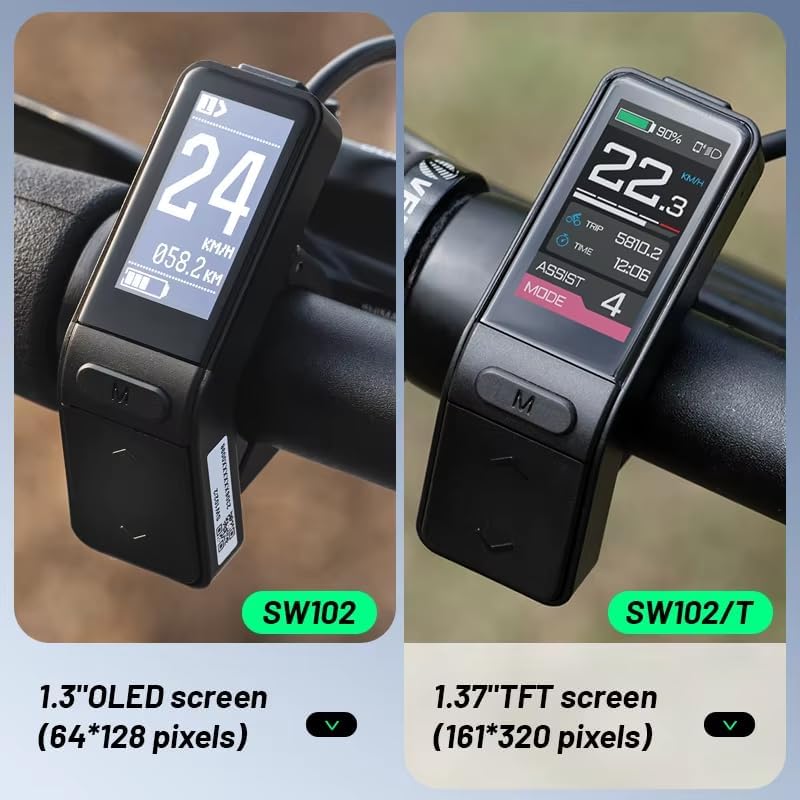
Image 5.1: The SW102/T display installed on a bicycle handlebar, showing its compact size and placement.

Image 5.2: Detailed dimensions of the SW102/T display, including its height (68mm/2.68in), width (23mm/0.92in), and handlebar clamp diameter (22.2mm).
6. ఆపరేటింగ్ సూచనలు
The SW102/T display features three buttons for easy operation. The main 'M' button is typically used for mode selection or power, while the up and down arrows control various settings and assist levels.
6.1 ఫంక్షన్ ముగిసిందిview
- Metric/Imperial Switch: Easily switch between kilometers and miles for speed and distance readings.
- మైలేజ్ డిస్ప్లే: View subtotal mileage (TRIP) for current rides and total mileage (ODO) for overall distance.
- స్పీడ్ డిస్ప్లే: Shows real-time speed (SPEED), maximum speed (MAX), and average speed (AVG).
- Power Assist Control: Adjust power assist levels from 0 to 5. Level 0 typically means no assist, while Level 5 provides maximum assistance.
- బ్యాటరీ సూచిక: Six levels of electricity indication, along with under-voltagఇ అడుగుతుంది.
- హెడ్ల్amp సూచన: Displays the status of the headlamp switch (requires controller support).
- 6km/h Walk Assist Function: బైక్ పక్కన నడవడానికి తక్కువ-వేగ సహాయాన్ని సక్రియం చేస్తుంది.
6.2 Power Assist Levels
The display allows you to select from 0 to 5 power assist levels, influencing the motor's output and your riding experience.
Image 6.1: Visual representation of the display showing different power assist levels (0-5) and corresponding speed and battery indications.

Image 6.2: The display illustrating its backlight adjustment capability for optimal visibility in varying light conditions, from night to bright sunlight.
7. నిర్వహణ
The SW102/T display features an IP65 waterproof rating, providing protection against dust and low-pressure water jets. This ensures durability in various weather conditions. To maintain the display's performance and longevity:
- Avoid submerging the display in water.
- స్క్రీన్ను మృదువైన, d తో శుభ్రం చేయండి.amp గుడ్డ. రాపిడి క్లీనర్లు లేదా ద్రావకాలు ఉపయోగించవద్దు.
- Ensure all connections are dry and free of debris before riding in wet conditions.
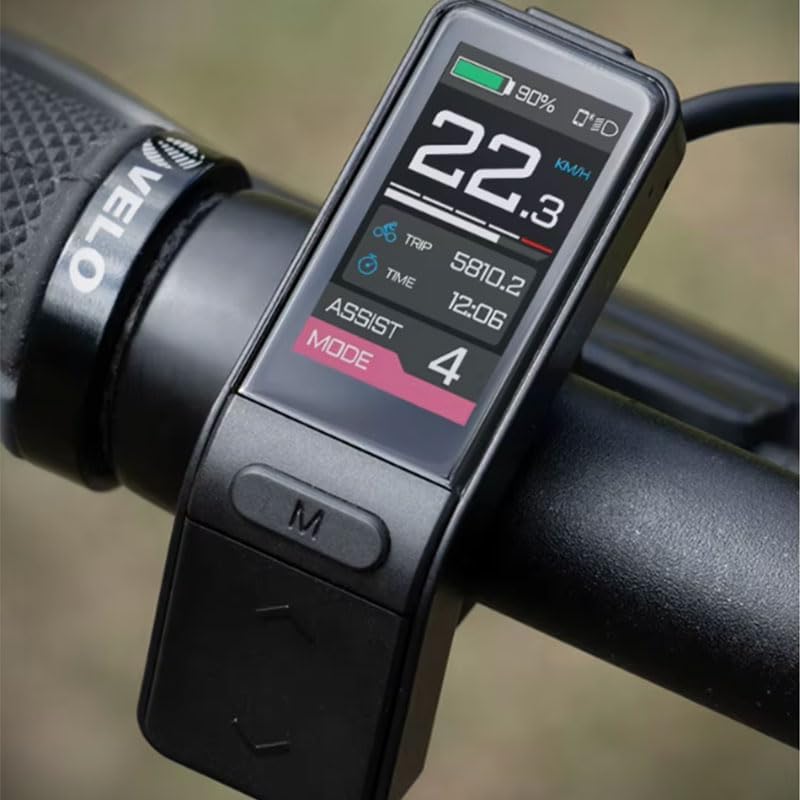
Image 7.1: The SW102/T display shown in a water environment, indicating its IPX5 waterproof rating.
8. ట్రబుల్షూటింగ్
The display includes an error code indication feature, which can assist in identifying system issues. If an error code appears, consult your ebike motor's manual or contact technical support for guidance. The communication interface of the connecting line is designed for convenient system maintenance and parameter setting.
9. స్పెసిఫికేషన్లు
| మోడల్ | SW102/T |
| విద్యుత్ సరఫరా | DC 24V/36V/48V |
| రేటింగ్ కరెంట్ | 12mA/36V |
| బరువు | 47గ్రా (సుమారు 1.66 oz) |
| Support Levels Mode | 0-5 |
| షట్డౌన్ లీకేజ్ కరెంట్ | <1uA |
| స్క్రీన్ స్పెసిఫికేషన్స్ | LCD Digital Tube, 1.37 Inches |
| కమ్యూనికేషన్ మోడ్ | UART (default) |
| ఆపరేటింగ్ ఉష్ణోగ్రత | -20℃ ~ 60℃ (-4℉ ~ 140℉) |
| నిల్వ ఉష్ణోగ్రత | -30℃ ~ 80℃ (-22℉ ~ 176℉) |
| జలనిరోధిత గ్రేడ్ | IP65 |
| నిల్వ తేమ | 30%-70% |
| మెటీరియల్ | ABS |
| రంగు | నలుపు |
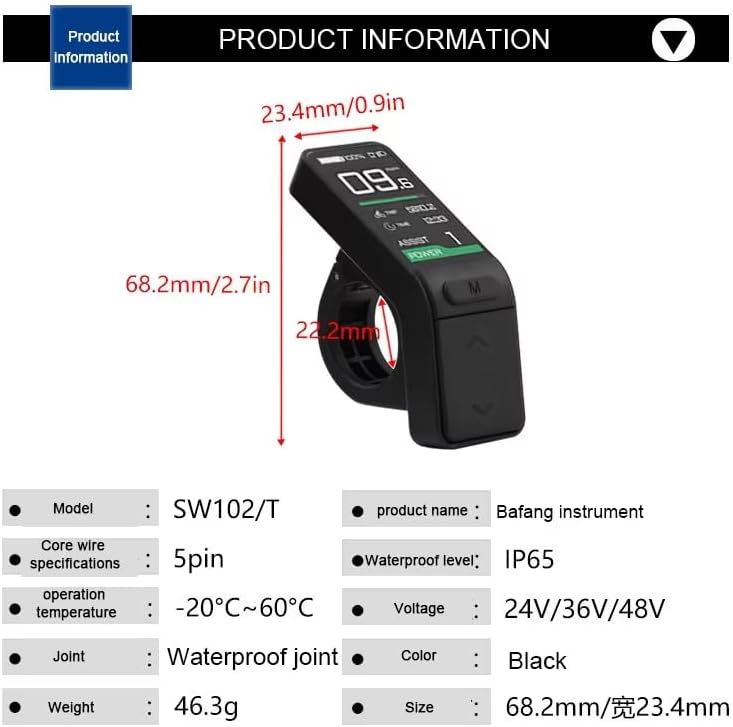
Image 9.1: A visual summary of the SW102/T product information, including model, core wire specifications, operation temperature, joint type, weight, product name, waterproof level, voltage, color, and size.
10. వారంటీ మరియు మద్దతు
The mGYDY SW102/T Electric Bike LCD Display comes with a 1-year manufacturer's warranty. For any technical assistance, warranty claims, or inquiries, please contact your retailer or the manufacturer's customer support. Please retain your proof of purchase for warranty validation.