
పరిచయం
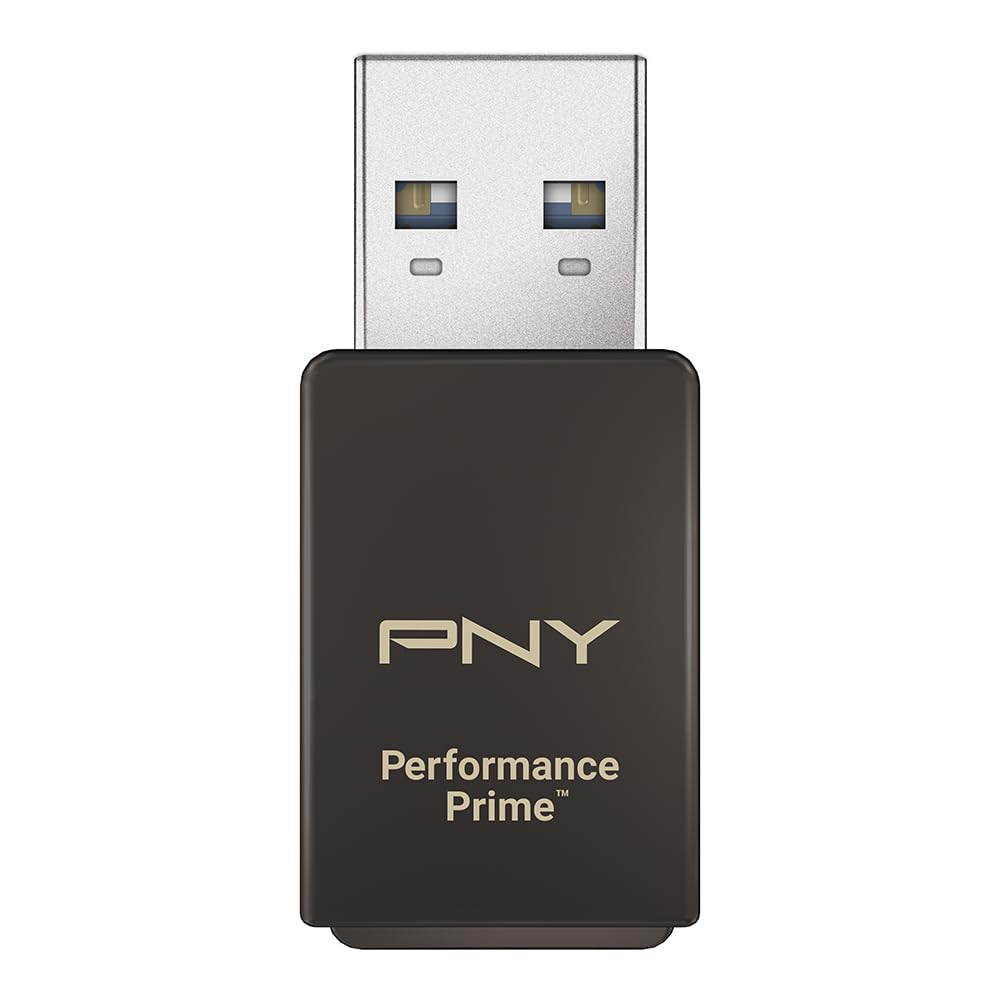
This manual provides instructions for the PNY Performance Prime USB 3.2 Gen 1 microSD Flash Memory Card Reader. It covers product features, setup, operation, maintenance, troubleshooting, and technical specifications to ensure optimal performance and longevity of your device. The PNY Performance Prime card reader is designed for convenient and high-speed data transfer from microSD media to compatible host devices.
సెటప్
- అన్ప్యాకింగ్: Verify that the package contains the PNY Performance Prime USB 3.2 Gen 1 microSD Flash Memory Card Reader.
- అనుకూలత తనిఖీ: Ensure your host device (computer, laptop) has an available USB 3.2 Gen 1 or USB 3.0 Type-A port. The card reader is backwards compatible with USB 2.0 ports, but data transfer speeds will be limited to USB 2.0 performance.
- మైక్రో SD కార్డ్ని చొప్పించండి: Gently insert your microSD card into the card reader slot. Ensure the card is oriented correctly with the gold contacts facing down and push until it clicks securely into place.
- హోస్ట్ పరికరానికి కనెక్ట్ చేయండి: Plug the USB-A connector of the card reader into an available USB 3.2 Gen 1/USB 3.0 port on your computer. The device is plug-and-play and typically requires no additional driver installation.

Video 1: PNY PRO Elite Prime microSD Overview. ఈ వీడియో సాధారణ ఓవర్ను అందిస్తుందిview of the PNY PRO Elite Prime microSD card and its capabilities, demonstrating its use with the card reader.
ఆపరేటింగ్ సూచనలు
- డేటాను యాక్సెస్ చేస్తోంది: Once connected, your operating system (Windows, macOS) will typically recognize the microSD card as a removable drive. You can access its contents by navigating to 'This PC' or 'My Computer' (Windows) or 'Finder' (macOS) and selecting the corresponding drive letter or name.
- బదిలీ చేస్తోంది Files: బదిలీ చేయడానికి files, drag and drop them between your computer's folders and the microSD card's drive. For optimal transfer speeds, ensure both your microSD card and the host device support USB 3.2 Gen 1/USB 3.0.
- సురక్షిత ఎజెక్షన్: Before physically removing the card reader from your computer, always safely eject the drive through your operating system. This prevents data corruption. On Windows, right-click the drive icon in 'This PC' and select 'Eject'. On macOS, drag the drive icon to the Trash or click the Eject button next to the drive in Finder.
- Removing microSD Card: After safe ejection, gently push the microSD card further into the slot until it springs out slightly, then carefully pull it out.

Video 2: Take Content to New Heights with PRO Elite Prime microSD. This video demonstrates the practical application of the PNY PRO Elite Prime microSD card, highlighting its performance in various scenarios, which is facilitated by the card reader.
నిర్వహణ
- శుభ్రపరచడం: Use a soft, dry, lint-free cloth to clean the exterior of the card reader. Do not use liquid cleaners, abrasive materials, or solvents, as these can damage the device.
- నిల్వ: Store the card reader in a cool, dry environment away from direct sunlight and extreme temperatures when not in use.
- నిర్వహణ: Avoid dropping the device or subjecting it to physical shock. Protect the USB connector and microSD card slot from dust and debris.
- మైక్రో SD కార్డ్ కేర్: Always handle microSD cards by their edges. Avoid touching the gold contacts to prevent damage or data loss.
ట్రబుల్షూటింగ్
- పరికరం గుర్తించబడలేదు:
- Ensure the card reader is fully and securely inserted into the USB port.
- మీ కంప్యూటర్లోని కార్డ్ రీడర్ను వేరే USB పోర్ట్కు కనెక్ట్ చేయడానికి ప్రయత్నించండి.
- Test the card reader on another computer to determine if the issue is with the device or the host computer.
- Verify that the microSD card is correctly inserted into the card reader.
- USB పరికరం జాబితా చేయబడిందో లేదో చూడటానికి మీ కంప్యూటర్ యొక్క పరికర నిర్వాహికి (Windows) లేదా సిస్టమ్ సమాచారం (macOS)ని తనిఖీ చేయండి.
- నెమ్మదిగా బదిలీ వేగం:
- Confirm that your computer's USB port is a USB 3.2 Gen 1 or USB 3.0 port. Connecting to a USB 2.0 port will limit speeds to USB 2.0 performance.
- Ensure your microSD card is a high-speed card (e.g., UHS-I U3 or V30 rated) to achieve maximum transfer rates.
- Close any other applications that might be consuming significant system resources or performing background data transfers.
- MicroSD Card Not Reading:
- Inspect the microSD card for any visible damage or bent contacts.
- Try the microSD card in another compatible device to confirm its functionality.
- Ensure the card is inserted correctly and fully into the reader's slot.
స్పెసిఫికేషన్లు
| ఫీచర్ | వివరాలు |
|---|---|
| బ్రాండ్ | PNY |
| మోడల్ పేరు | PNY Performance Prime USB 3.2 Gen 1 |
| ఫ్లాష్ మెమరీ రకం | మైక్రో SD |
| అనుకూల పరికరాలు | USB 3.2 Gen 1/USB 3.0 equipped devices, backwards compatible with USB 2.0. |
| రంగు | బూడిద రంగు |
| అదనపు ఫీచర్లు | High Speed, Portable |
| చదువు వేగం | సెకనుకు 200 మెగాబైట్ల వరకు |
| వేగం వ్రాయండి | సెకనుకు 150 మెగాబైట్ల వరకు |
| హార్డ్వేర్ కనెక్టివిటీ | USB, USB 3.0, USB 3.2 Gen 1 |
| సెక్యూర్ డిజిటల్ అసోసియేషన్ స్పీడ్ క్లాస్ | తరగతి 10 |
| వస్తువు బరువు | 0.02 కిలోలు |
| మోడల్ సంఖ్య | P-CRUAUSDDG3CPPR-GE |
| UPC | 751492792811 |
వారంటీ సమాచారం
The PNY Performance Prime USB 3.2 Gen 1 microSD Flash Memory Card Reader comes with an 18-month limited warranty. For detailed terms and conditions, please refer to the official PNY webసైట్ లేదా కస్టమర్ సపోర్ట్ని సంప్రదించండి.
మద్దతు
For further assistance, technical support, or warranty claims, please visit the official PNY webసైట్ వద్ద www.pny.com or contact PNY customer service through the contact information provided on their webసైట్.