
Devo G1
DEVO G1 వీడియో స్మార్ట్ లాక్ యూజర్ మాన్యువల్
Model: G1 | Brand: Devo
సంస్థాపన, ఆపరేషన్ మరియు నిర్వహణకు మీ సమగ్ర మార్గదర్శి.
పరిచయం
The DEVO G1 Video Smart Lock is an advanced 6-in-1 keyless entry system designed to enhance your home security and convenience. It integrates multiple unlocking methods, a built-in camera, and a doorbell function, all manageable via a dedicated mobile application. This manual provides detailed instructions to help you set up, operate, and maintain your smart lock effectively.

చిత్రం: ముందు మరియు వెనుక view of the DEVO G1 Video Smart Lock, showcasing its sleek design and key components.
ప్యాకింగ్ జాబితా
Before beginning installation, please verify that all components listed below are included in your package.
- Exterior Assembly (Front Lock)
- Interior Assembly (Rear Lock)
- Deadbolt & Strike Plate
- పునర్వినియోగపరచదగిన లిథియం బ్యాటరీ (10000mAh)
- ఛార్జింగ్ కేబుల్ (USB-C)
- IC కార్డులు (x2)
- కీలు (x2)
- మౌంటు ప్లేట్
- Screws (various types: A, B, C, D, E)
- Measuring Cardstock
- వినియోగదారు మాన్యువల్
Video: An unboxing video of the DEVO G1 Smart Lock, showing all included components and packaging.

Image: A visual representation of the complete packaging list for the DEVO G1 Smart Lock, including all hardware and accessories.
స్పెసిఫికేషన్లు
| ఫీచర్ | వివరణ |
|---|---|
| మోడల్ పేరు | G1 |
| కొలతలు (L x W x H) | 2.99 x 1.19 x 7.24 అంగుళాలు |
| మెటీరియల్ | అల్యూమినియం |
| లాక్ రకం | Biometric, Deadbolt, Combination Lock, Keypad |
| అన్లాకింగ్ పద్ధతులు | Fingerprint, App Remote, IC Card, Passcode, Traditional Key, Voice Control |
| బ్యాటరీ కెపాసిటీ | 10,000 mAh (Rechargeable Lithium Polymer) |
| నీటి నిరోధకత రేటింగ్ | IP65 |
| కనెక్టివిటీ | Wi-Fi (2.4GHz) |
| వాయిస్ అసిస్టెంట్ అనుకూలత | అలెక్సా, గూగుల్ వాయిస్ అసిస్టెంట్ |
| ఆపరేటింగ్ ఉష్ణోగ్రత | 5°F నుండి 122°F (-15°C నుండి 50°C) |
| తలుపు మందం అనుకూలత | 1.38" నుండి 2.17" (35మి.మీ నుండి 55మి.మీ) |

Image: Detailed dimensions and door compatibility requirements for the DEVO G1 Smart Lock, including door thickness, cross bore diameter, door hole diameter, and backset.
సెటప్ మరియు ఇన్స్టాలేషన్
The DEVO G1 Smart Lock is designed for easy DIY installation, typically taking about 15 minutes with a screwdriver and no drilling required for most standard US doors. Follow these steps for a smooth setup.
1. Check Door Dimensions
Before installation, use the provided measuring cardstock to confirm your door's dimensions meet the requirements:
- తలుపు మందం: 1-3/8" నుండి 2-1/8" (35మిమీ నుండి 55మిమీ)
- Cross Bore Diameter: 2-1/8" లేదా 1-1/2" (54మిమీ లేదా 38మిమీ)
- డోర్ హోల్ వ్యాసం: 1" (25మి.మీ)
- బ్యాక్సెట్: 2-3/8" లేదా 2-3/4" (60మిమీ లేదా 70మిమీ)
Video: A comprehensive installation guide for the G1 Video Smart Lock, detailing each step from door measurement to final assembly.
2. Install the Deadbolt and Strike Plate
Ensure the deadbolt faces up. If your backset is 70mm, rotate the faceplate of the latch 180° to extend its length. Secure the deadbolt and strike plate using the appropriate screws.
Image: Visual guide for installing the deadbolt and strike plate, ensuring correct orientation and secure fastening.
3. Install the Front Lock (Exterior Assembly)
Ensure the latch is in the unlocked state. Insert the tailpiece parallelly into the slot of the deadbolt. Carefully feed the wires through the door hole.
4. మౌంటు ప్లేట్ను ఇన్స్టాల్ చేయండి
Run the wires from the front lock through the mounting plate. Choose the correct screws (A, B, or C) based on your door's thickness (50-55mm: Screw A, 40-50mm: Screw B, 35-40mm: Screw C). Secure the mounting plate to the door.
5. Install the Rear Lock Assembly (Interior Assembly)
Rotate the knob on the rear lock to a vertical position to ensure the door lock is in the unlocked state. Connect the wires from the front lock to the corresponding ports on the interior assembly. Secure the interior assembly with Screw E.
6. Insert Lithium Battery and Cover
Fully charge the 10000mAh lithium battery before first use. Insert the charged battery into the designated compartment in the rear lock assembly. Close the battery cover. Insert Plug D into the bottom hole of the rear lock assembly for a finished look.

Image: The 10000mAh rechargeable battery and the emergency Type-C power port for the DEVO G1 Smart Lock.
ఆపరేటింగ్ సూచనలు
The DEVO G1 Smart Lock offers multiple convenient ways to unlock and manage access.
అన్లాకింగ్ పద్ధతులు
- వేలిముద్ర: మీ నమోదిత వేలిముద్రను సెన్సార్పై ఉంచండి.
- పాస్కోడ్: Enter your numerical passcode on the keypad. The anti-peeping keypad allows you to enter random digits before or after your actual code for added security.
- IC కార్డ్: Tap the provided IC card against the designated area on the lock.
- సాంప్రదాయ కీ: భౌతిక కీని బ్యాకప్గా ఉపయోగించండి.
- యాప్ రిమోట్ కంట్రోల్: Use the TUYA APP to remotely unlock the door.
- వాయిస్ నియంత్రణ: Integrate with Alexa or Google Assistant for voice-activated unlocking.

Image: Visual demonstration of the six different unlocking methods available for the DEVO G1 Smart Lock: App, Fingerprint, Key, IC Card, Keypad, and Voice.
Video: Demonstrates various unlocking methods for the Devo G1 Video Smart Lock, including fingerprint, passcode, and app control.
TUYA APP Features
The TUYA APP provides comprehensive control and monitoring capabilities for your smart lock:
- రిమోట్ అన్లాక్: Grant access from anywhere.
- Generate One-Time Passwords: Create temporary access codes for guests or service providers.
- వాడుకరి నిర్వహణ: Add, modify, or delete user fingerprints, passcodes, and IC cards.
- నిజ-సమయ నోటిఫికేషన్లు: Receive alerts for lock activity.
- Real-Time Monitoring & Video Storage: View live video feed and store video clips and images. Free storage for the first month (up to 30 clips/images, overwritten every 3 days).
- యాక్సెస్ లాగ్: Review ఎవరు ఎప్పుడు ప్రవేశించారో చరిత్ర.
- తనంతట తానే తాళంవేసుకొను: Configure the lock to automatically secure itself after a set period.
- తక్కువ బ్యాటరీ హెచ్చరికలు: Receive notifications when the battery is low.

చిత్రం: పైగాview of the multifunctional app, highlighting features like real-time notification, access log, user management, auto-lock, and remote unlock.
Video: Tutorial on connecting the Devo G1 Smart Lock to Wi-Fi and using the mobile application for various functions.
Doorbell and Two-Way Audio
The integrated doorbell allows visitors to alert you, and the HD camera with two-way audio enables communication with anyone at your door, even when you're away.

Image: Illustrates real-time monitoring and Full HD Video with Night Vision capabilities, showing both day and night views.

Image: Illustrates the 2-way audio and HD video capabilities, allowing real-time viewing and communication with visitors.
నిర్వహణ
- బ్యాటరీ ఛార్జింగ్: The 10000mAh rechargeable battery provides long-lasting performance. When the low battery alert is triggered, charge the battery using the provided USB-C cable.
- శుభ్రపరచడం: Use a soft, dry cloth to clean the lock's exterior. Avoid abrasive cleaners or solvents that could damage the finish or electronic components.
- పర్యావరణ పరిరక్షణ: The lock has an IP65 water resistance rating, making it suitable for outdoor use and resistant to dust and water splashes. However, avoid submerging the lock in water.
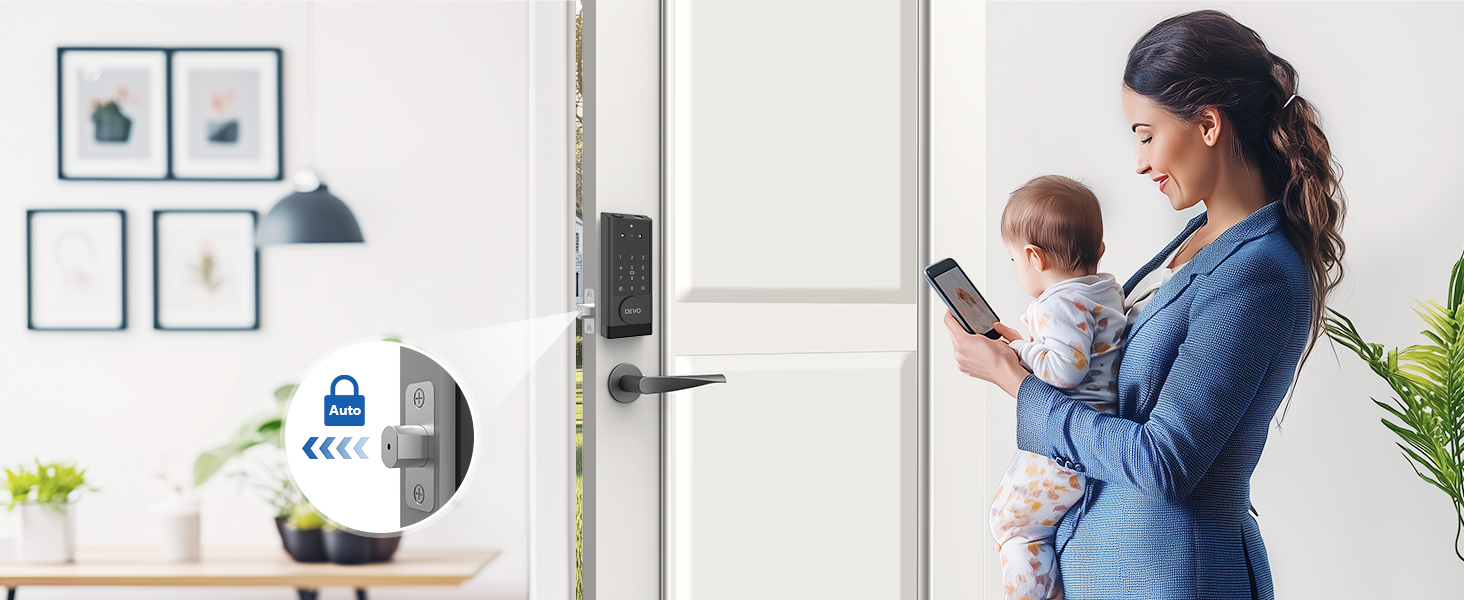
Image: Highlights the rechargeable nature of the smart lock with its 10000mAh battery, Type-C charging, auto-lock, and real-time battery status via the app.

Image: Illustrates the IP65 waterproof rating and temperature resistance of the DEVO G1 Smart Lock, suitable for various weather conditions.
ట్రబుల్షూటింగ్
If you encounter issues with your DEVO G1 Smart Lock, refer to the common problems and solutions below:
- లాక్ స్పందించడం లేదు:
- బ్యాటరీ స్థాయిని తనిఖీ చేయండి. అవసరమైతే రీఛార్జ్ చేయండి.
- Ensure the lock is properly installed and all connections are secure.
- వేలిముద్ర గుర్తించబడలేదు:
- మీ వేలు శుభ్రంగా మరియు పొడిగా ఉందని నిర్ధారించుకోండి.
- Try re-registering your fingerprint in the app.
- Ensure the fingerprint sensor is clean.
- యాప్ కనెక్టివిటీ సమస్యలు:
- మీ ఫోన్లో బ్లూటూత్ మరియు Wi-Fi ప్రారంభించబడ్డాయని నిర్ధారించుకోండి.
- Verify the lock is within range of your Wi-Fi router (2.4GHz network).
- Restart the TUYA APP and try reconnecting.
- Check your Wi-Fi password in the app settings.
- పాస్కోడ్ పనిచేయడం లేదు:
- మీరు సరైన పాస్కోడ్ను నమోదు చేస్తున్నారని నిర్ధారించుకోండి.
- Be mindful of the anti-peeping feature; ensure the correct sequence is embedded within any extra digits.
- Try resetting the passcode via the app.
- Doorbell not ringing/Two-way audio not working:
- యాప్ నోటిఫికేషన్ సెట్టింగ్లను తనిఖీ చేయండి.
- Ensure microphone and speaker permissions are granted to the TUYA APP on your phone.
- Verify stable Wi-Fi connection.
వారంటీ మరియు మద్దతు
DEVO is committed to providing top-notch service. For any questions, technical assistance, or warranty claims, please contact DEVO customer support. Refer to the product packaging or the official DEVO webఅత్యంత తాజా సంప్రదింపు సమాచారం కోసం సైట్.
దయచేసి వారంటీ ప్రయోజనాల కోసం మీ కొనుగోలు రుజువును ఉంచుకోండి.
Ask a question about this manual
Ask about setup, troubleshooting, compatibility, parts, safety, or missing instructions. Manuals+ will review the question and use this page’s manual context to help answer it.