
Jectse Jectsesikcd0et3w-11
Jectse Digital Camera User Manual
Model: Jectsesikcd0et3w-11
పరిచయం
ధన్యవాదాలు, ధన్యవాదాలు.asing the Jectse Digital Camera. This compact and portable camera is designed to capture high-quality photos and videos, offering features such as 5K video resolution, 80MP photo resolution, and 18X digital zoom. This manual provides detailed instructions on how to set up, operate, and maintain your camera to ensure optimal performance and longevity.
భద్రతా సమాచారం
- Do not expose the camera to water or excessive moisture.
- కెమెరాను కింద పడేయడం లేదా బలమైన దెబ్బలకు గురిచేయడం మానుకోండి.
- Keep the camera away from direct sunlight and high temperatures.
- పేర్కొన్న ఛార్జింగ్ కేబుల్ మరియు పవర్ అడాప్టర్ను మాత్రమే ఉపయోగించండి.
- కెమెరాను మీరే విడదీయడానికి లేదా రిపేర్ చేయడానికి ప్రయత్నించవద్దు. సహాయం కోసం కస్టమర్ సపోర్ట్ను సంప్రదించండి.
- చిన్న పిల్లలకు దూరంగా ఉంచండి.
ప్యాకేజీ విషయాలు
దయచేసి మీ ప్యాకేజీలో అన్ని వస్తువులు ఉన్నాయో లేదో తనిఖీ చేయండి:
- 1 x Jectse Digital Camera
- 1 x టైప్-సి ఛార్జింగ్ కేబుల్
- 1 x హ్యాండ్ స్ట్రాప్
- 1 x వినియోగదారు మాన్యువల్
- Note: Small Memory Card is not included.

Image: The Jectse Digital Camera shown alongside its included Type-C charging cable and hand strap, illustrating the complete package contents.
ఉత్పత్తి ముగిసిందిview
Familiarize yourself with the various parts and controls of your Jectse Digital Camera.

చిత్రం: ముందు భాగం view of the Jectse Digital Camera, highlighting the lens and flash.

చిత్రం: వెనుకకు view of the Jectse Digital Camera, showing the 2.8-inch display screen and control buttons.
ముఖ్య భాగాలు:
- లెన్స్: F/2.2 f=3.83mm wide angle lens with 18X digital zoom capability.
- ఫ్లాష్: తక్కువ కాంతి పరిస్థితులకు అంతర్నిర్మిత ఫ్లాష్.
- డిస్ప్లే స్క్రీన్: 2.8-inch screen for framing shots and reviewకంటెంట్.
- W/T Key: Used for zooming in (W) and out (T).
- Shutter Key: Press to capture photos or start/stop video recording.
- OK/Mode Button: Confirms selections and switches between modes.
- మెనూ బటన్: Accesses camera settings and options.
- DISP బటన్: Changes display information on the screen.
- బ్యాటరీ కంపార్ట్మెంట్: Houses the built-in 750mAh rechargeable battery.
- టైప్-సి పోర్ట్: కెమెరా ఛార్జింగ్ కోసం.
- మెమరీ కార్డ్ స్లాట్: Supports Small Memory Cards up to 256GB (not included).
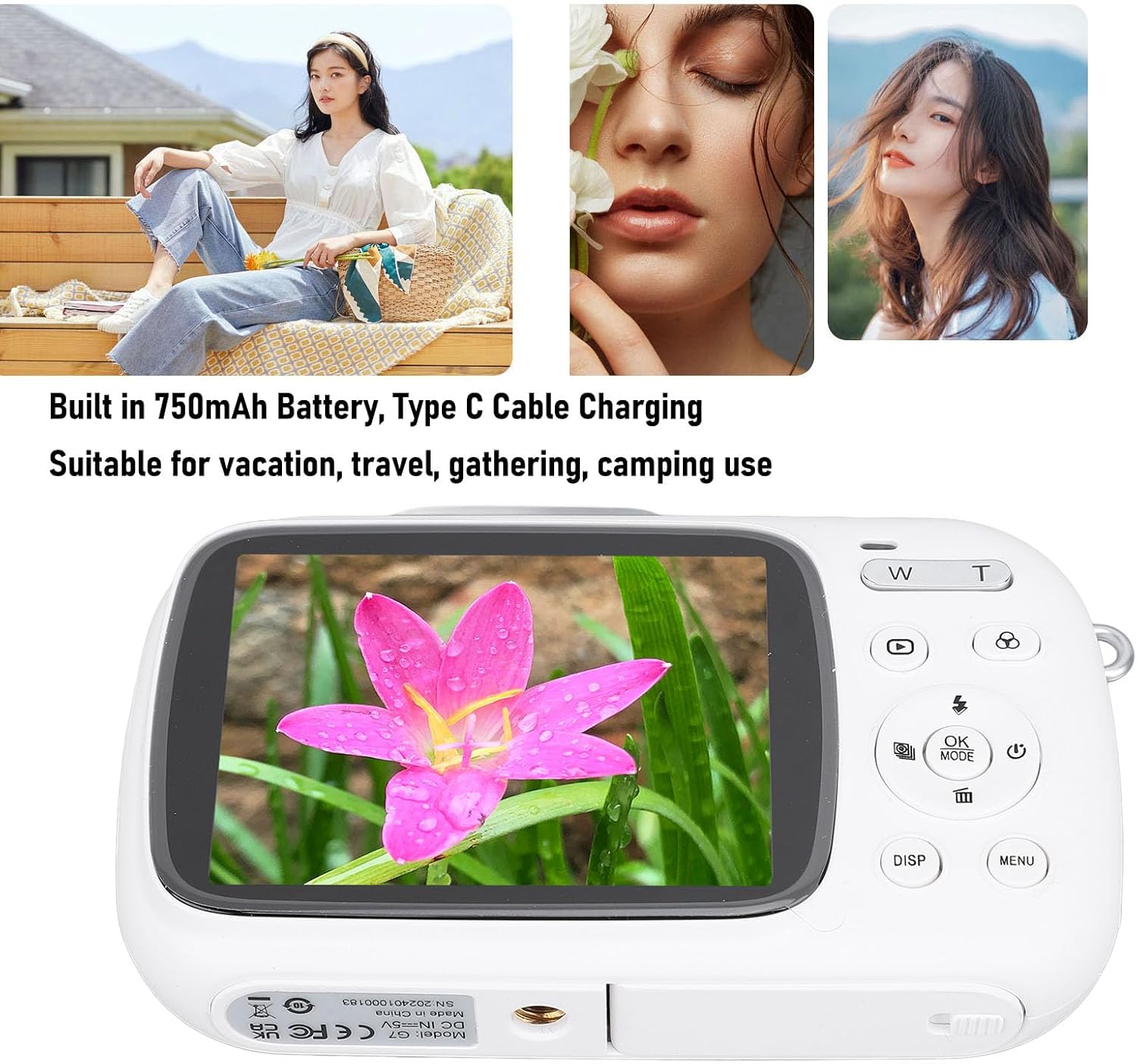
Image: Visual representation of key camera features including 80MP photo pixels, 5K HD video recording, 18X digital zoom, auto focusing, beauty filter, smiling selfie, continuous photo taking, built-in flash, and 2.8-inch display.
సెటప్
1 బ్యాటరీని ఛార్జ్ చేస్తోంది
The camera has a built-in 750mAh rechargeable lithium-ion battery. Before first use, ensure the battery is fully charged.
- Connect the provided Type-C charging cable to the camera's Type-C port.
- కేబుల్ యొక్క మరొక చివరను USB పవర్ అడాప్టర్ (చేర్చబడలేదు) లేదా కంప్యూటర్ యొక్క USB పోర్ట్కు కనెక్ట్ చేయండి.
- The charging indicator light will illuminate. Charging typically takes about 3 hours.
- Once fully charged, the indicator light may change or turn off. Disconnect the cable.
2. మెమరీ కార్డ్ని చొప్పించడం
A Small Memory Card (up to 256GB) is required to store photos and videos. It is not included in the package.
- Locate the memory card slot on the side or bottom of the camera.
- Insert the Small Memory Card into the slot with the metal contacts facing the correct direction (refer to the diagram near the slot if available).
- Push the card gently until it clicks into place.
- To remove the card, push it in again until it springs out slightly, then pull it out.
3. హ్యాండ్ స్ట్రాప్ అటాచ్ చేయడం
Attach the included hand strap to prevent accidental drops.
- Thread the thin loop of the hand strap through the strap eyelet on the camera body.
- Pass the larger end of the strap through the loop you just created and pull tight to secure it.
ఆపరేటింగ్ సూచనలు
1. పవర్ చేయడం ఆన్/ఆఫ్
- To power on, press and hold the Power button (usually marked with a circle and a vertical line).
- To power off, press and hold the Power button again until the screen turns off.
2. ఫోటోలు తీయడం
- Turn on the camera. It will typically default to photo mode. If not, press the మోడ్ ఫోటో మోడ్కి మారడానికి బటన్.
- Frame your shot using the 2.8-inch display screen.
- ఉపయోగించండి W/T keys to zoom in or out (18X digital zoom).
- నొక్కండి షట్టర్ key halfway down to focus (if applicable).
- నొక్కండి షట్టర్ key fully down to capture the 80MP photo.
3. వీడియోలను రికార్డ్ చేయడం
- Turn on the camera. Press the మోడ్ వీడియో రికార్డింగ్ మోడ్కి మారడానికి బటన్.
- Frame your video using the display screen.
- నొక్కండి షట్టర్ key to start recording 5K video. A recording indicator will appear on the screen.
- నొక్కండి షట్టర్ రికార్డింగ్ ఆపడానికి మళ్లీ కీ.
4. Using Special Functions
The camera offers several creative functions:
- Continuous Photography: Allows you to take multiple photos in quick succession. Access this setting via the మెనూ.
- Time Lapse Photography: Captures images at set intervals to create a time-lapse video. Configure in మెనూ.
- లూప్ వీడియో: Records video in segments, overwriting older footage when the memory card is full. Useful for continuous recording.
- కూర్పు పంక్తులు: Displays grid lines on the screen to help with framing and composition. Toggle with DISP button or in మెనూ.
- ముఖ గుర్తింపు: Automatically detects and focuses on faces in the frame. Enable/disable in మెనూ సెట్టింగులు.
- అంతర్నిర్మిత ఫ్లాష్: The flash will automatically activate in low-light conditions or can be manually controlled via the flash button or మెనూ.
5. ప్లేబ్యాక్ మరియు రీview
- నొక్కండి ప్లేబ్యాక్ button (often indicated by a triangle icon) to enter playback mode.
- మీ ఫోటోలు మరియు వీడియోల ద్వారా నావిగేట్ చేయడానికి దిశాత్మక బటన్లను ఉపయోగించండి.
- నొక్కండి OK కు view a video or zoom into a photo.
- నొక్కండి ప్లేబ్యాక్ button again to exit playback mode.
నిర్వహణ
కెమెరాను శుభ్రపరచడం
- Use a soft, lint-free cloth to wipe the camera body. Do not use liquid cleaners or solvents.
- For the lens and screen, use a specialized lens cleaning cloth or air blower to remove dust. Avoid touching the lens directly with your fingers.
- కెమెరా శుభ్రం చేయడానికి ముందు పవర్ ఆఫ్ చేయబడిందని నిర్ధారించుకోండి.
నిల్వ
- కెమెరాను ప్రత్యక్ష సూర్యకాంతి మరియు తీవ్రమైన ఉష్ణోగ్రతలకు దూరంగా చల్లని, పొడి ప్రదేశంలో నిల్వ చేయండి.
- ఎక్కువ కాలం నిల్వ చేస్తుంటే, బ్యాటరీ పాక్షికంగా ఛార్జ్ అయ్యిందని (సుమారు 50%) నిర్ధారించుకోండి మరియు బ్యాటరీ ఆరోగ్యాన్ని కాపాడుకోవడానికి ప్రతి కొన్ని నెలలకు ఒకసారి రీఛార్జ్ చేయండి.
ట్రబుల్షూటింగ్
| సమస్య | సాధ్యమైన కారణం / పరిష్కారం |
|---|---|
| కెమెరా పవర్ ఆన్ అవ్వదు. |
|
| ఫోటోలు తీయలేరు/వీడియోలు రికార్డ్ చేయలేరు. |
|
| చిత్రాలు అస్పష్టంగా ఉన్నాయి. |
|
| బ్యాటరీ జీవితం చిన్నది. |
|
స్పెసిఫికేషన్లు
| ఫీచర్ | వివరాలు |
|---|---|
| ఉత్పత్తి పదార్థం | ABS |
| వీడియో రిజల్యూషన్ | 5K (Maximum), 15FPS |
| ఫోటో రిజల్యూషన్ | 80MP (Maximum) |
| లెన్స్ | F/2.2 f=3.83mm Wide Angle Lens |
| డిజిటల్ జూమ్ | 18X |
| డిస్ప్లే స్క్రీన్ | 2.8 అంగుళాలు |
| నిల్వ | Small Memory Card, up to 256GB (not included) |
| బ్యాటరీ | 750mAh Lithium Ion Battery (built-in) |
| ఛార్జింగ్ పోర్ట్ | టైప్-సి |
| ఛార్జింగ్ సమయం | సుమారు 3 గంటలు |
| ఓర్పు సమయం | Approx. 2 hours (usage dependent) |
| వస్తువు బరువు | 9.1 ఔన్సులు |
| మోడల్ సంఖ్య | Jectsesikcd0et3w-11 |
వారంటీ మరియు మద్దతు
Jectse products are manufactured to the highest quality standards. For information regarding warranty coverage, technical support, or service inquiries, please refer to the contact information provided with your purchase or visit the official Jectse webసైట్.
వారంటీ క్లెయిమ్ల కోసం దయచేసి మీ కొనుగోలు రుజువును ఉంచుకోండి.
Ask a question about this manual
Ask about setup, troubleshooting, compatibility, parts, safety, or missing instructions. Manuals+ will review the question and use this page’s manual context to help answer it.