
పరిచయం
The Omezizy 247 WiFi Thermal Label Printer is designed for efficient and reliable label printing for various applications, including shipping, barcode, and mailing labels. This printer offers both wireless (Wi-Fi) and wired (USB) connectivity, making it compatible with a wide range of operating systems and devices. Its advanced thermal technology ensures fast, high-resolution printing without the need for ink or toner.
ప్యాకేజీ విషయాలు
క్రింద జాబితా చేయబడిన అన్ని వస్తువులు మీ ప్యాకేజీలో చేర్చబడ్డాయని దయచేసి ధృవీకరించండి. ఏవైనా వస్తువులు తప్పిపోయినా లేదా దెబ్బతిన్నా, దయచేసి కస్టమర్ మద్దతును సంప్రదించండి.
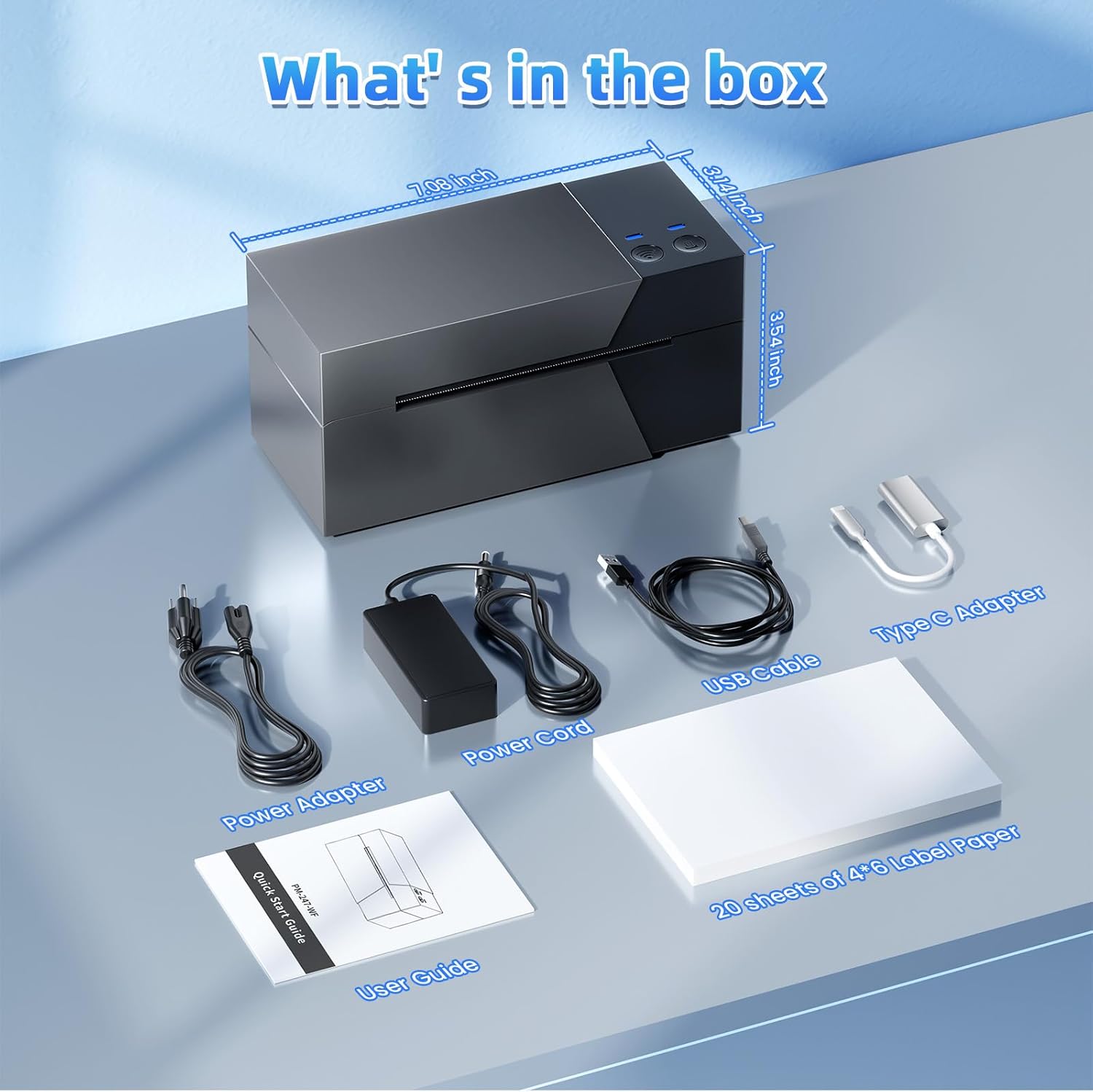
Image: The package contents, including the Omezizy 247 WiFi Thermal Label Printer, power adapter, power cord, USB cable, Type-C converter, user guide, and a starter pack of 4x6 label paper.
- Omezizy 247 WiFi Thermal Label Printer
- పవర్ అడాప్టర్
- పవర్ కార్డ్
- USB కేబుల్
- టైప్-సి కన్వర్టర్
- వినియోగదారు గైడ్
- 20 sheets of 4x6 Label Paper
ఫిజికల్ ఓవర్view
Familiarize yourself with the main components of your Omezizy thermal label printer.
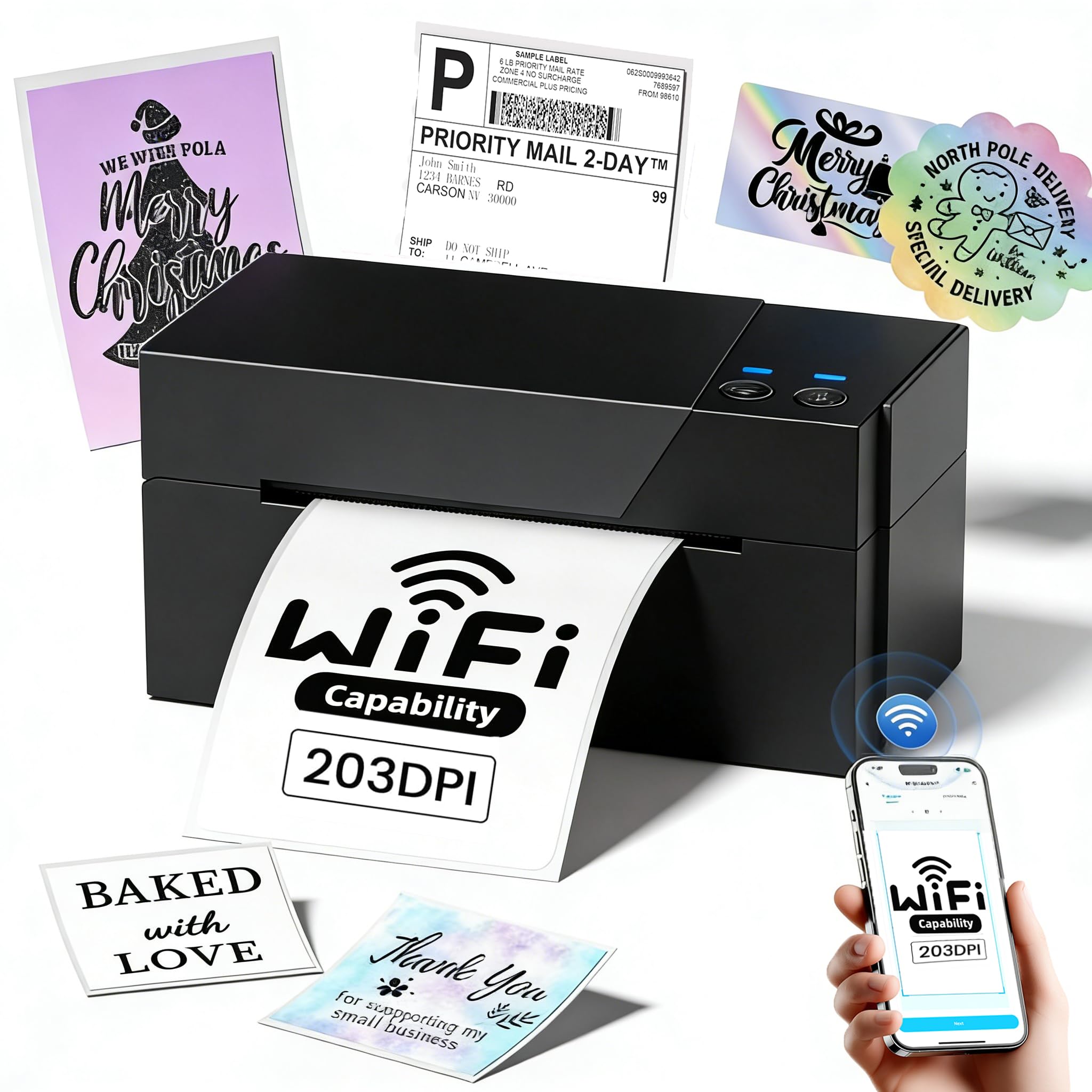
చిత్రం: ముందు భాగం view of the Omezizy 247 WiFi Thermal Label Printer.
ప్రింటర్ కొలతలు
- ఉత్పత్తి కొలతలు: 18.3D x 8.8W x 8.9H సెంటీమీటర్లు
- వస్తువు బరువు: 1360 గ్రాములు
ప్రారంభ సెటప్
1. కనెక్ట్ పవర్
- పవర్ అడాప్టర్ను ప్రింటర్ పవర్ పోర్ట్కు కనెక్ట్ చేయండి.
- పవర్ కార్డ్ను గోడ అవుట్లెట్లోకి ప్లగ్ చేయండి.
- ప్రింటర్ను ఆన్ చేయడానికి పవర్ బటన్ను నొక్కండి.
2. లేబుల్లను లోడ్ చేస్తోంది
The printer supports label widths from 1 to 4.6 inches.

Image: Illustration of loading labels into the printer, demonstrating support for various label widths from 1 to 4.6 inches.
- ప్రింటర్ పై కవర్ని తెరవండి.
- మీ లేబుల్ల వెడల్పుకు సరిపోయేలా లేబుల్ గైడ్లను సర్దుబాటు చేయండి.
- Insert the labels, ensuring the print side is facing up and the labels feed smoothly into the printer mechanism.
- Close the top cover. The printer will automatically detect and calibrate the label size.
కనెక్టివిటీ
Wi-Fi కనెక్షన్
The Omezizy 247WF printer supports stable 5GHz Wi-Fi for wireless printing from multiple devices.

Image: Multiple devices (smartphone, laptop, tablet) wirelessly connected to the Omezizy printer via Wi-Fi.
- Ensure your printer is powered on and within range of your Wi-Fi network.
- Download the dedicated Omezizy printing application from your device's app store (Android/iOS) or install the driver for Mac/Windows/Linux from the official webసైట్.
- Follow the in-app or driver instructions to connect the printer to your Wi-Fi network. This typically involves selecting the printer from a list of available devices and entering your Wi-Fi password.
- Once connected, the printer's Wi-Fi indicator light will confirm the connection.
USB కనెక్షన్
For direct connection to a computer, use the provided USB cable.

Image: The printer connected to a laptop via USB, demonstrating dual connectivity options.
- Connect one end of the USB cable to the printer and the other end to your computer.
- If prompted, install the printer drivers. Drivers are available on the official Omezizy website or included on a setup disk (if provided).
- Your computer should recognize the printer as a connected device.
ఆపరేటింగ్ సూచనలు
Using the Mobile App (Wi-Fi)
The Omezizy app provides a user-friendly interface for printing from your smartphone or tablet.

Image: The Omezizy mobile application interface, showcasing its multi-functional capabilities for label design and printing.
- Open the Omezizy app on your device.
- Ensure the printer is connected to the same Wi-Fi network as your device.
- Select the document or image you wish to print. The app supports various functions including text recognition, file printing, custom barcode generation, and image identification.
- యాప్ లోపల లేబుల్ పరిమాణం మరియు ధోరణి వంటి ప్రింట్ సెట్టింగ్లను సర్దుబాటు చేయండి.
- Tap the print button to send the job to the printer.
Printing from Computer (USB/Wi-Fi)
The printer is compatible with major shipping platforms and operating systems.

Image: Compatibility with various shipping and e-commerce platforms.
- డాక్యుమెంట్ లేదా లేబుల్ను తెరవండి file మీ కంప్యూటర్లో.
- 'కి వెళ్ళండి'File' > 'Print' or use the print shortcut (Ctrl+P for Windows, Command+P for Mac).
- Select the Omezizy 247 WiFi Thermal Label Printer from the list of available printers.
- Ensure the correct label size (e.g., 4x6 inches) is selected in the print settings.
- 'ప్రింట్' పై క్లిక్ చేయండి.
నిర్వహణ
ప్రింట్ హెడ్ శుభ్రపరచడం
Regular cleaning of the print head ensures optimal print quality and extends the printer's lifespan.
- ప్రింటర్ను ఆపివేసి, పవర్ కార్డ్ను అన్ప్లగ్ చేయండి.
- ప్రింట్ హెడ్ని యాక్సెస్ చేయడానికి పై కవర్ను తెరవండి.
- Gently wipe the print head with an alcohol swab or a lint-free cloth lightly dampఐసోప్రొపైల్ ఆల్కహాల్తో కలుపుతారు.
- కవర్ను మూసివేసి ప్రింటర్ను తిరిగి ఆన్ చేసే ముందు ప్రింట్ హెడ్ పూర్తిగా ఆరనివ్వండి.
సాధారణ సంరక్షణ
- ప్రింటర్ను శుభ్రమైన, దుమ్ము-రహిత వాతావరణంలో ఉంచండి.
- ప్రింటర్ను ప్రత్యక్ష సూర్యకాంతి లేదా తీవ్రమైన ఉష్ణోగ్రతలకు గురిచేయకుండా ఉండండి.
- ప్రింట్ హెడ్ దెబ్బతినకుండా ఉండటానికి అధిక-నాణ్యత థర్మల్ లేబుల్లను మాత్రమే ఉపయోగించండి.
ట్రబుల్షూటింగ్
This section addresses common issues you might encounter with your Omezizy thermal label printer.
పవర్ లేదు
- Ensure the power cord is securely connected to both the printer and the wall outlet.
- మరొక పరికరాన్ని ప్లగ్ చేయడం ద్వారా పవర్ అవుట్లెట్ పనిచేస్తుందని ధృవీకరించండి.
పేలవమైన ముద్రణ నాణ్యత
- నిర్వహణ విభాగంలో వివరించిన విధంగా ప్రింట్ హెడ్ను శుభ్రం చేయండి.
- Ensure you are using high-quality thermal labels.
- Check print density settings in your printer preferences or app.
సరిగ్గా ఆహారం ఇవ్వడం లేదని లేబుల్స్
- Verify that labels are loaded correctly with the print side up.
- Adjust the label guides to fit the label width snugly but without excessive pressure.
- Ensure there are no obstructions in the label path.
Cannot Connect via Wi-Fi
- Confirm the printer and your device are connected to the same Wi-Fi network.
- ప్రింటర్ మరియు మీ Wi-Fi రూటర్ రెండింటినీ పునఃప్రారంభించండి.
- Ensure the Omezizy app or drivers are up to date.
సాంకేతిక లక్షణాలు
| ఫీచర్ | స్పెసిఫికేషన్ |
|---|---|
| మోడల్ పేరు | PM-247 WIFI Thermal Label Printer 4x6 |
| కనెక్టివిటీ టెక్నాలజీ | USB, Wi-Fi (5GHz) |
| ప్రింటింగ్ టెక్నాలజీ | థర్మల్ |
| గరిష్ట ప్రింట్ స్పీడ్ మోనోక్రోమ్ | 72 labels per minute (ppm) |
| రిజల్యూషన్ | 203 DPI (అంగుళానికి చుక్కలు) |
| మద్దతు ఉన్న లేబుల్ వెడల్పు | 1" - 4.6" (25.4 - 117మి.మీ) |
| గరిష్ట మీడియా పరిమాణం | 4 x 6 అంగుళాలు |
| ఉత్పత్తి కొలతలు (D x W x H) | 18.3D x 8.8W x 8.9H సెంటీమీటర్లు |
| వస్తువు బరువు | 1360 గ్రాములు |
| ఆపరేటింగ్ సిస్టమ్ అనుకూలత | Android, iOS, Mac, Windows, Linux |
| ప్రత్యేక ఫీచర్ | పోర్టబుల్ |
వారంటీ సమాచారం
For detailed warranty information, please refer to the warranty card included in your product packaging or visit the official Omezizy webసైట్. ఏవైనా వారంటీ క్లెయిమ్లకు కొనుగోలు రుజువుగా మీ కొనుగోలు రసీదును ఉంచండి.
కస్టమర్ మద్దతు
If you encounter any issues or have questions regarding your Omezizy 247 WiFi Thermal Label Printer, please contact our professional support team:
- ఫోన్ మద్దతు: Available Monday-Friday, 9:00 AM - 5:00 PM EST.
- ఇమెయిల్ మద్దతు: Available for general inquiries and technical assistance.
- ప్రత్యక్ష చాట్: Available Monday-Friday, 7:30 PM - 4:30 AM EST.
- Remote Desktop Support: Available when needed for complex issues.
Please refer to the contact information provided in your user guide or on the official Omezizy webనిర్దిష్ట సంప్రదింపు వివరాల కోసం సైట్.