
Euker JJJouae
Euker 50 Pints Portable Dehumidifier User Manual
Model: JJJouae
Brand: Euker
పరిచయం
Thank you for choosing the Euker 50 Pints Portable Dehumidifier. This appliance is designed to efficiently remove excess moisture from your indoor environment, creating a more comfortable and healthier living space. It is ideal for areas up to 4500 square feet, including basements, bedrooms, kitchens, and offices. This manual provides essential information for the safe and effective operation, maintenance, and troubleshooting of your dehumidifier.

చిత్రం: ముందు భాగం view of the Euker 50 Pints Portable Dehumidifier.
కీ ఫీచర్లు
- Superior Humidity Management: Capable of extracting up to 50 pints of moisture daily, maintaining ideal humidity levels between 45-55% in spaces up to 4500 sq. ft.
- మెరుగైన భద్రతా లక్షణాలు: Equipped with a smart auto-shutoff function that activates when the water tank is full, accompanied by an alarm to prevent overflow.
- Versatile Drainage Options: Offers both an 8.3L (2.18 Gal) removable tank for manual emptying and a continuous drainage option via the included 16.4-inch hose. Features a washable and detachable filter for clean air.
- అల్ట్రా-నిశ్శబ్ద ఆపరేషన్: Operates at a low noise level of approximately 49dB with three adjustable fan speeds (high, medium, low) for quiet performance, suitable for use during sleep or relaxation.
- Modern and Mobile Design: Features 360° rotating wheels and ergonomic portable handles for easy movement between rooms.

Image: Visual representation of the dehumidifier's 50-pint capacity.

Image: Illustration of the auto-shutoff protection feature.

చిత్రం: వివరణాత్మకం view highlighting the dehumidifier's dimensions, water tank, filter, and hose.

Image: Dehumidifier operating quietly in a bedroom, indicating 49dB noise level.
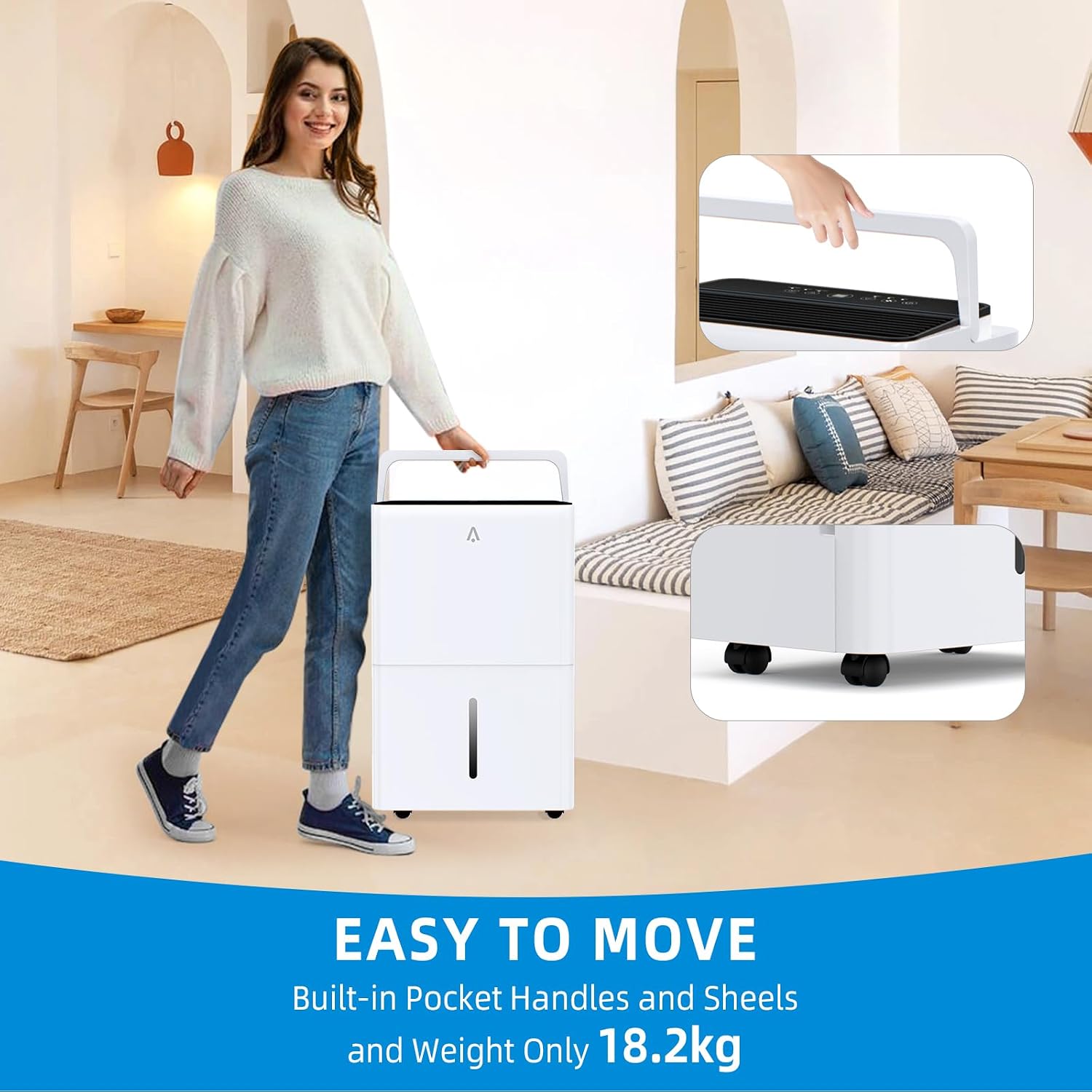
Image: Demonstrating the ease of moving the dehumidifier with its handles and wheels.

చిత్రం: వివరణాత్మకం views of the dehumidifier's components: hidden handle, hose, 360-degree wheels, and drainage outlet.
సెటప్ గైడ్
1. అన్ప్యాకింగ్ మరియు ప్లేస్మెంట్
- దాని ప్యాకేజింగ్ నుండి డీహ్యూమిడిఫైయర్ను జాగ్రత్తగా తొలగించండి. భవిష్యత్తులో నిల్వ చేయడానికి లేదా రవాణా చేయడానికి ప్యాకేజింగ్ను ఉంచండి.
- Place the dehumidifier upright on a flat, stable surface. Ensure there is at least 8 inches (20 cm) of space around the unit for proper airflow.
- Avoid placing the unit near heat sources, in direct sunlight, or in areas where it might be exposed to freezing temperatures.
2. పవర్ కనెక్షన్
- పవర్ కార్డ్ను గ్రౌండ్ చేయబడిన ఎలక్ట్రికల్ అవుట్లెట్లోకి ప్లగ్ చేయండి. వాల్యూమ్ను నిర్ధారించుకోండిtage యూనిట్ యొక్క స్పెసిఫికేషన్లకు సరిపోలుతుంది.
3. డ్రైనేజీ ఎంపికలు
మీ డీహ్యూమిడిఫైయర్ రెండు డ్రైనేజ్ పద్ధతులను అందిస్తుంది:
- మాన్యువల్ డ్రైనేజీ (నీటి ట్యాంక్): The unit will collect water in its internal 8.3L (2.18 Gal) water tank. When the tank is full, the unit will automatically shut off and an indicator light will illuminate. You will need to manually empty the tank.
- నిరంతర మురుగునీటి పారుదల (గొట్టం): For continuous operation without manual emptying, attach the provided 16.4-inch drainage hose to the continuous drainage outlet on the back of the unit. Ensure the hose is sloped downwards to allow gravity to drain the water into a floor drain or suitable container.
ఆపరేటింగ్ సూచనలు
కంట్రోల్ ప్యానెల్ ఓవర్view

Image: Detailed Smart Control Panel with button functions.
- ఆన్/ఆఫ్ బటన్: యూనిట్ని ఆన్ లేదా ఆఫ్ చేయడానికి నొక్కండి.
- Humidity & Timer Incr/Decr Buttons: Use to adjust the desired humidity level (typically 45-55% for comfort) or to set the timer duration.
- Airflow Speed Button: Cycle through High, Medium, and Low fan speeds.
- టైమర్ సెట్టింగ్ బటన్: Press to activate the 24-hour timer function.
- కంఫర్ట్ మోడ్: Hold the Timer Setting button for 3 seconds to enter "Comfort" mode, which automatically adjusts humidity for optimal comfort. Hold the Timer Setting or Airflow Speed button for 3 seconds to exit "Comfort" mode.
- ట్యాంక్ పూర్తి సూచిక: Illuminates when the water tank is full and requires emptying.
సాధారణ ఆపరేషన్
- నొక్కండి ఆన్/ఆఫ్ button to start the dehumidifier.
- ఉపయోగించండి Humidity Incr/Decr buttons to set your desired humidity level. The display will show the current room humidity.
- Select your preferred fan speed using the గాలి ప్రవాహ వేగం బటన్.
- If using the timer, press the టైమర్ సెట్టింగ్ button and adjust the desired operating hours.
- The unit will automatically cycle on and off to maintain the set humidity level.
నిర్వహణ
1 వాటర్ ట్యాంక్ను ఖాళీ చేయడం
- When the "Tank Full" indicator lights up and the unit stops operating, carefully pull out the water tank from the front of the dehumidifier.
- సేకరించిన నీటిని ఖాళీ చేయండి.
- ఖాళీ ట్యాంక్ను యూనిట్లోకి తిరిగి జారండి, అది సరిగ్గా పనిచేసే వరకు ఉంచండి. డీహ్యూమిడిఫైయర్ తిరిగి పనిచేయడం ప్రారంభిస్తుంది.
2. ఎయిర్ ఫిల్టర్ శుభ్రపరచడం
The washable and detachable filter should be cleaned regularly (every 2-4 weeks, depending on usage and air quality) to ensure optimal performance.
- డీహ్యూమిడిఫైయర్ను ఆపివేసి, పవర్ అవుట్లెట్ నుండి దాన్ని అన్ప్లగ్ చేయండి.
- Locate and remove the air filter (typically at the back or side of the unit).
- ఫిల్టర్ను నడుస్తున్న నీటిలో (వేడిగా కాదు) శుభ్రం చేసుకోండి లేదా దుమ్ము మరియు చెత్తను తొలగించడానికి వాక్యూమ్ క్లీనర్ని ఉపయోగించండి.
- ఫిల్టర్ను డీహ్యూమిడిఫైయర్లో తిరిగి చొప్పించే ముందు గాలికి పూర్తిగా ఆరనివ్వండి. డ్రైయర్ లేదా డైరెక్ట్ హీటర్ను ఉపయోగించవద్దు.
3. యూనిట్ బాహ్య భాగాన్ని శుభ్రపరచడం
- డీహ్యూమిడిఫైయర్ యొక్క బాహ్య భాగాన్ని మృదువైన, డితో తుడవండిamp గుడ్డ.
- కఠినమైన రసాయనాలు, రాపిడి క్లీనర్లు లేదా ద్రావకాలను ఉపయోగించవద్దు, ఎందుకంటే ఇవి ఉపరితలాన్ని దెబ్బతీస్తాయి.
ట్రబుల్షూటింగ్
| సమస్య | సాధ్యమైన కారణం | పరిష్కారం |
|---|---|---|
| డీహ్యూమిడిఫైయర్ ఆన్ చేయదు. | కరెంటు లేదు; పవర్ కార్డ్ ప్లగ్ చేయబడలేదు; వాటర్ ట్యాంక్ నిండిపోయింది లేదా సరిగ్గా కూర్చోలేదు. | Ensure unit is plugged into a live outlet; Empty and re-seat the water tank correctly. |
| యూనిట్ నడుస్తోంది కానీ నీటిని సేకరించడం లేదు. | Room humidity is too low; Temperature is too low; Air filter is clogged; Unit is in continuous drainage mode. | Check room humidity (should be above 45%); Ensure room temperature is above 41°F (5°C); Clean the air filter; Verify continuous drainage hose is properly connected and sloped. |
| యూనిట్ ధ్వనించే ఉంది. | యూనిట్ సమతల ఉపరితలంపై లేదు; ఎయిర్ ఫిల్టర్ మూసుకుపోయింది; ఫ్యాన్లో అడ్డంకి. | Place unit on a flat, stable surface; Clean the air filter; Check for and remove any obstructions. |
| "ట్యాంక్ ఫుల్" ఇండికేటర్ ఆన్లో ఉంది, కానీ ట్యాంక్ నిండలేదు. | వాటర్ ట్యాంక్ సరిగ్గా అమర్చబడలేదు; ఫ్లోట్ స్విచ్ పనిచేయకపోవడం. | Remove and re-insert the water tank firmly; If problem persists, contact customer support. |
స్పెసిఫికేషన్లు
| ఫీచర్ | వివరాలు |
|---|---|
| బ్రాండ్ | యూకర్ |
| మోడల్ పేరు | 717023780542 |
| అంశం మోడల్ సంఖ్య | JJJouae |
| డీహ్యూమిడిఫికేషన్ సామర్థ్యం | రోజుకు 50 పింట్లు |
| ఫ్లోర్ ఏరియా కవరేజ్ | 4500 చదరపు అడుగుల వరకు |
| ట్యాంక్ వాల్యూమ్ | 8.3 లీటర్లు (2.18 గ్యాలన్లు) |
| ఉత్పత్తి కొలతలు | 12.91"డి x 17.09"వా x 25.67"హ |
| వస్తువు బరువు | 43.43 పౌండ్లు |
| రంగు | తెలుపు |
| ఆపరేషన్ మోడ్ | ఆటోమేటిక్ |
| ప్రత్యేక ఫీచర్ | పోర్టబుల్ |
| చేర్చబడిన భాగాలు | 1*Dehumidifier |
| మూలం దేశం | చైనా |
వారంటీ మరియు మద్దతు
For warranty information and customer support, please refer to the warranty card included with your product or visit the official Euker website. If you encounter any issues not covered in this manual, please contact Euker customer service for assistance.
You can also visit the Euker Store on Amazon for more information and products: Euker Amazon Store
Ask a question about this manual
Ask about setup, troubleshooting, compatibility, parts, safety, or missing instructions. Manuals+ will review the question and use this page’s manual context to help answer it.